Stop Letting AI Delete Your Files: This Tool Lets Claude Learn Your Rules Automatically

Two tools add safety confirmation and personalized feedback learning to AI coding assistants.
The article introduces two complementary AI programming assistant tools. Blast Rages focuses on safety boundaries by intercepting dangerous commands like `rm -rf`, forcing manual confirmation, and previewing files to be deleted — an emergency brake for AI. Reflect addresses AI repeating mistakes: when users express dissatisfaction with phrases like "no," it asks whether to save the feedback as a permanent rule in `Claude.md` or skill files. This is micro, personalized RLHF, letting users decide which corrections are worth remembering. Together they prevent catastrophic and repetitive errors, reflecting the ecosystem's shift from "what AI can do" to "how to make it more controllable."
AI coding assistants are getting more powerful, but they occasionally do things that make your heart skip a beat — like deleting your files outright. Today we're looking at two tools: one uses "human confirmation" to stop dangerous commands, and the other lets Claude automatically learn rules from your feedback.
When AI Has Delete Permissions, Who Hits the Brakes?
You've probably heard those "horror stories" about AI accidentally deleting files. When you ask an AI assistant to execute commands in the terminal, it might inadvertently run destructive operations — rm -rf, overwrite config files, wipe directories — and before any of that happens, you might not even get a chance to react.
The solution mentioned in the video is called Blast Rages (phonetic), and its core idea is simple and blunt: intercept dangerous commands and force human intervention. When the AI tries to execute a potentially destructive instruction, this tool automatically blocks it and pops up a confirmation interface. Only after a real human clicks the "Proceed" button does the file actually get deleted.
Even better, it shows a complete list of "which files will disappear" before deletion. This means you can check the scope of impact at the last moment, rather than regretting it afterward. It's like installing an emergency brake on your AI — it can still work efficiently, but when it comes to irreversible operations, the decision-making power returns to your hands.
rm -rf is a particularly destructive command combination in Unix/Linux systems: rm means delete, -r (recursive) means recurse into all subdirectories, and -f (force) means force deletion without any confirmation prompts. Stack all three together, and a single rm -rf /path can wipe out everything under the specified path without any warning — and if the path is the root directory or a wildcard is mistyped, the result is often an irreversible, system-level disaster. What's even trickier is that these commands execute extremely fast — no recycle bin, no undo, and once triggered, you don't even have time to react. Therefore, any environment that allows AI to autonomously invoke the terminal must implement pre-emptive interception of these "irreversible high-risk commands," rather than relying on after-the-fact log auditing.
Reflect: Let Claude Remember Every Correction You've Made
The second tool is called Reflect, and it addresses a different dimension of the problem: AI keeps making the same mistakes. Every time you correct it, it might forget again next time.
Reflect's approach is similar to "Reinforcement Learning from Human Feedback" (RLHF), but with finer granularity and more personalization. It focuses on the small feedback from your daily usage, rather than large-scale model training.
How does it work specifically? When you give Claude's response a thumbs-down — for example, saying trigger phrases like "no," "this doesn't look good," or "I wish we'd done it this way" — Reflect pops up a small banner above your input box, asking if you want to save it as a permanent rule.

You just click save, and Claude automatically writes this rule into your Claude.md file or skill file.
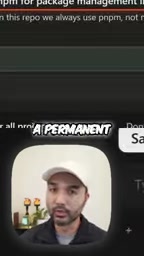
The value of this mechanism lies in "granularity control." RLHF is a large-scale, general-purpose alignment method, while Reflect lets you decide which feedback is worth remembering and which corrections should become long-term rules. Next time a similar scenario arises, Claude won't make the same mistake again.
RLHF (Reinforcement Learning from Human Feedback) is the mainstream method for training large models to align with human preferences: first, humans rank and score multiple outputs from the model, then a "reward model" is trained based on that, and finally reinforcement learning is used to optimize the main model toward high-reward directions. Its characteristics are large scale and broad coverage — a single training session gets baked into the model weights, and all users share the same set of behavioral tendencies. But precisely because of this, RLHF cannot remember "your personal" temporary preferences from a specific conversation — your corrections won't immediately change the model unless they're written into the next round of training data. Reflect takes exactly this complementary path: it doesn't touch the model weights, but instead distills feedback into external, readable-writable rule files, achieving instant, personalized alignment.
Claude.md is a project-level context file convention used by tools like Claude Code, typically placed in the root directory of a code repository, used to inject project descriptions, coding standards, common commands, and user preferences into the model. Each time a session starts, the tool automatically reads the file's contents and includes them as part of the system context, so rules written into it are continuously followed. Skill files are more granular capability units, used to encapsulate operational workflows or constraints for specific tasks. Writing feedback into these two types of files is equivalent to building a "long-term memory list" for the model: it doesn't change the underlying model, but it can take effect again through context in every conversation, and is entirely under the user's control for adding, deleting, or modifying.
Why These Two Tools Are Worth Paying Attention To
Looking at these two tools together, they actually address two complementary pain points in AI-assisted programming:
Safety boundaries: Blast Rages deals with things "AI can do but shouldn't do freely." It's a passive guardrail that forces a stop at critical moments.
Behavioral evolution: Reflect deals with things "AI can do but always gets wrong." It's an active learning mechanism that turns your corrections into long-term memory.
Combined, they're like adding a "safety lock" and a "memory chip" to your AI coding assistant. The former prevents catastrophic errors, the latter avoids repetitive errors.
From a broader perspective, this also reflects a trend in the current AI tool ecosystem: users are no longer satisfied with just "what AI can do" — they're starting to care about "how to make AI more controllable and more understanding of me." Personalized rule engines, fine-grained feedback mechanisms, safety confirmation workflows — these are the key pieces that transform AI from a "smart tool" into a "reliable partner."
If you're using Claude for programming or other file operations, these two tools are worth trying. After all, nobody wants to be the protagonist of the next "AI deleted my database" story.
One-line Summary
Two tools add safety confirmation and personalized feedback learning to AI coding assistants
Paragraph Summary
The article introduces two complementary AI programming assistant tools. Blast Rages focuses on safety boundaries by intercepting dangerous commands like rm -rf, forcing manual confirmation clicks, and showing a list of files to be deleted before execution — installing an emergency brake on AI. Reflect addresses the problem of AI repeating mistakes: when users express dissatisfaction with trigger phrases like "no," it pops up a dialog asking whether to save the feedback as a permanent rule written into Claude.md or skill files. This is essentially micro, personalized RLHF, letting users decide for themselves which corrections are worth remembering long-term. Together, they prevent catastrophic errors and repetitive errors respectively, reflecting how the AI tool ecosystem is shifting from "what it can do" to "how to make it more controllable and more understanding of me."
Related articles

Chain of Thought Isn't Just for AI: How Humans Can Use CoT to Improve Thinking Quality
Chain of Thought isn't just a prompt trick for large models. Starting from a Hacker News discussion, this article analyzes why CoT works for human thinking too, breaks down actionable ways to transfer it, and highlights the key differences between human CoT and machine CoT.
Cloudflare Teams Up with OpenAI: Closi…
Cloudflare Teams Up with OpenAI: Closing the Loop from Vulnerability Discovery to Defense with AI
Cloudflare uses OpenAI Daybreak to investigate security vulnerabilities and generate reviewable remediation plans, while developers use Codex to boost coding efficiency and quality.

Orca Multi-Agent Orchestration in Practice: A Guide to Parallel Collaboration with Claude and Codex
Orca is Stable AI's free open-source agent workbench supporting 34 agents like Claude Code and Codex in parallel. Learn its Git worktree isolation, multi-model orchestration, and mobile management.