Stuck in a Google AI Plus Student Verification Loop? Causes and Solutions

Google AI Plus student verification succeeds but loops back due to a state sync bug between SheerID and Google's system.
Some users signing up for the Google AI Plus student plan are getting caught in a loop where SheerID verification succeeds but the subscription never activates — clicking "Continue" in the confirmation email just redirects back to the SheerID page, and retrying triggers a "verification limit exceeded" error. Even after ruling out age, region, family group, and multi-account issues, the problem persists, and there's no dedicated support channel to turn to. The root cause appears to be a state sync failure between SheerID and Google's subscription system. The recommended fix: wait 24–48 hours after verification, keep your account environment consistent, and contact the Google One Help Center instead of Google Drive.
Problem Overview: Verified Successfully But Can't Activate
Recently, many users attempting to sign up for the Google AI Plus student plan have run into a frustrating verification loop. According to feedback from a Reddit user, even after completing SheerID identity verification and receiving an official "Verification Successful" email, the process still fails to move forward.
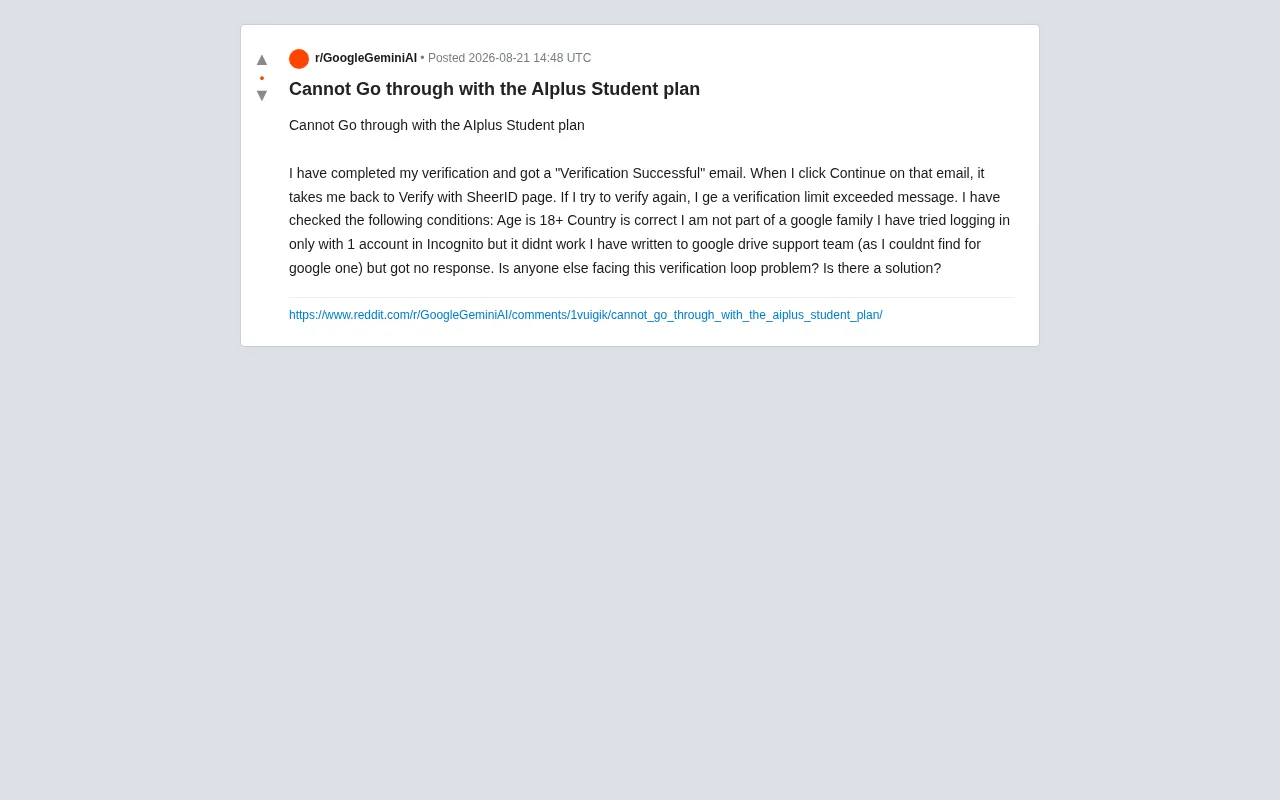
The core issue this user described: clicking the "Continue" button in the verification success email doesn't redirect to the subscription activation page — instead, it sends the user right back to the "Verify with SheerID" page. Attempting to verify again triggers a "verification limit exceeded" error, leaving users completely stuck with no way to proceed or retry.
Google AI Plus Student Plan and SheerID Verification
Google AI Plus is Google's AI subscription service, which typically includes access to Gemini's advanced models, expanded cloud storage, and other AI-enhanced features. To attract students, Google offers a dedicated student pricing plan at a more affordable rate.
How SheerID Verifies Student Status
To confirm applicants' student status, Google uses the third-party identity verification service SheerID. SheerID is a widely used verification platform that brands like Spotify and Adobe rely on to verify eligibility for students, teachers, military personnel, and other specific groups.
Under normal circumstances, the verification flow should work like this:
- User submits student information on the Google page
- SheerID verifies the student's identity
- Verification result is returned to the Google page
- User activates the student discount subscription
In practice, however, the status sync between SheerID and Google's system appears to break down, causing a disconnect between steps 3 and 4 — and producing the loop described in this article.
Troubleshooting Steps Already Attempted
To their credit, the affected user had already done thorough self-diagnosis before reaching out for help, ruling out most common failure causes:
- Age requirement: Confirmed they are 18 or older, meeting the plan's eligibility criteria
- Region match: Confirmed their country/region is correct
- Family group conflicts: Confirmed they are not part of any Google Family group, since family group members may be ineligible for certain individual subscription discounts
- Single-account isolation test: Performed the entire flow in Incognito mode with only one account logged in, ruling out multi-account cookie interference
Unfortunately, none of these steps resolved the issue. This strongly suggests the problem is not a user-side configuration error, but rather a bug in how Google's backend system syncs with SheerID's verification results.
No Help in Sight: The Support Channel Problem
Another frustrating aspect of this situation is that the user couldn't find the right customer support channel. With no dedicated support entry point for Google One or AI Plus subscriptions, the user resorted to contacting Google Drive's support team — and as of their post, had yet to receive any response.
This reflects a broader issue: Google's product ecosystem is vast, and its customer support is siloed by product. For relatively newer subscription services like AI Plus, users often struggle to find the right official support channel, leaving their reports unanswered.
Root Cause Analysis and Suggested Solutions
While there's no official fix available yet, the following approaches are worth trying based on how SheerID's verification mechanism works and how similar cases have been handled.
1. Wait for State Synchronization to Complete
Some similar cases suggest that after SheerID completes verification, it can take anywhere from several hours to a few days for the result to sync back to Google's system. After receiving the verification success email, it's advisable to wait 24–48 hours and then log back into your Google account to check your subscription status — rather than repeatedly clicking Continue right away, which risks triggering the "verification limit exceeded" error.
2. Fully Clear Cache and Session Data
Even though the user already tried Incognito mode, a few additional steps are worth trying:
- Fully clear your browser cache and cookies
- Switch browsers (e.g., from Chrome to Firefox) or try a different device
- Make sure you're logged into the same Google account throughout the entire process
A mismatch between the account used to start verification and the account used for activation is one of the most common triggers for this kind of loop.
3. Contact the Right Support Team
For AI Plus subscription issues, your first stop should be the Google One Help Center (not Google Drive). Google One offers dedicated chat and email support for subscription, billing, and eligibility issues. You can also try contacting SheerID's support directly to confirm whether your verification record is in order.
4. Report the Issue in Community Forums to Push for an Official Fix
If the problem is indeed a system bug, a backend fix from Google or SheerID will ultimately be required. Posting about the issue on the Google Support Community and relevant Reddit forums can help — multiple reports of the same bug often accelerate official attention and resolution.
Summary and Recommendations
The verification loop in Google AI Plus's student plan is fundamentally a technical failure caused by a state sync mismatch between the identity verification system and the subscription activation system. For users experiencing this issue, the most practical steps are:
- Wait 24–48 hours after completing SheerID verification before attempting to activate
- Avoid retrying repeatedly to prevent hitting the verification attempt limit
- Maintain a consistent account and browser environment throughout the process
- Report the issue through the Google One Help Center, not Google Drive
This case is also a reminder to major tech companies: when integrating third-party verification services to enhance security, it's critical to ensure robust system-to-system handoffs and to provide users with clear, accessible support channels. No matter how attractive the pricing is, a poor onboarding experience will undermine its value every time.
Related articles

Coinbase Engineer: How to Determine Whether an AI Agent Can Operate Unattended
Coinbase engineer Evan Kormos shares an engineering method for judging whether an AI agent can run unattended: model processes with DAG/DCG, replace output comparison with statistical evaluation, and hand over control in three phases—supervision, sampling, and exception handling.

WorkBuddy Beginner's Guide: How AI Agents Automate Office Tasks
WorkBuddy tutorial: learn how this desktop AI agent workbench automates files, organizes data, and generates documents, compared with LLMs and Codex, plus a beginner path and cost analysis.

Doubao Work in Practice: Three Modes That Let AI Actually Get Work Done
Doubao Work practical tutorial: from chat mode to Work Mode Lite and Pro, explaining the logic for choosing among three modes with real office task demonstrations. Even complete beginners can learn to use an AI agent to handle local files, organize materials, and generate documents.