SubtitleYC: Open-Source Hard Subtitle Extraction Tool with Integrated OCR and Editing

Open-source tool combining video download, OCR hard subtitle extraction, and SRT editing in one workflow.
SubtitleYC is an open-source Windows application that consolidates the entire hard subtitle processing workflow into a single tool. It integrates yt-dlp for video downloading, PaddleOCR and VideOCR for optical character recognition of burned-in subtitles, frame-accurate video preview for timeline alignment, and a built-in subtitle editor with SRT export. Available in both CPU and GPU versions, it's designed for translators and fansub groups who need to extract and edit hardcoded subtitles efficiently.
An Open-Source Tool Integrating Video Download, OCR Subtitle Extraction, and Editing
For translators and content creators who frequently work with video subtitles, a common pain point is that many videos have subtitles directly "burned in" (hardsub) onto the video frames, making them impossible to extract and edit like soft subtitles.
Hard Subtitles vs. Soft Subtitles: A Key Technical Distinction
Video subtitles fall into two major categories: soft subtitles (softsub) and hard subtitles (hardsub). Soft subtitles are stored as independent text tracks within video containers (such as MKV or MP4) and can be separately read, switched, or turned off by the player. Common formats include SRT, ASS/SSA, and others. Hard subtitles, on the other hand, are rendered into the video pixels during the encoding stage, becoming part of the video image and inseparable through conventional means. Many video platforms in East Asia, early fansub works, and some streaming services adopt hard subtitles for anti-piracy or compatibility reasons. This means once subtitles are burned in, the only way to extract them is through Optical Character Recognition (OCR) to "read" the text from the video frames.
To process such hardsubbed videos, you typically need to switch between multiple software tools—first download the video, then use an OCR tool to recognize subtitles, adjust the timeline, edit the text, and finally export. The entire workflow is tedious and error-prone.
Recently, a developer shared his open-source project SubtitleYC on Reddit, attempting to consolidate this entire process into a single workflow. It's an open-source Windows application that handles everything from video download to hard subtitle extraction, editing, and export in one place.
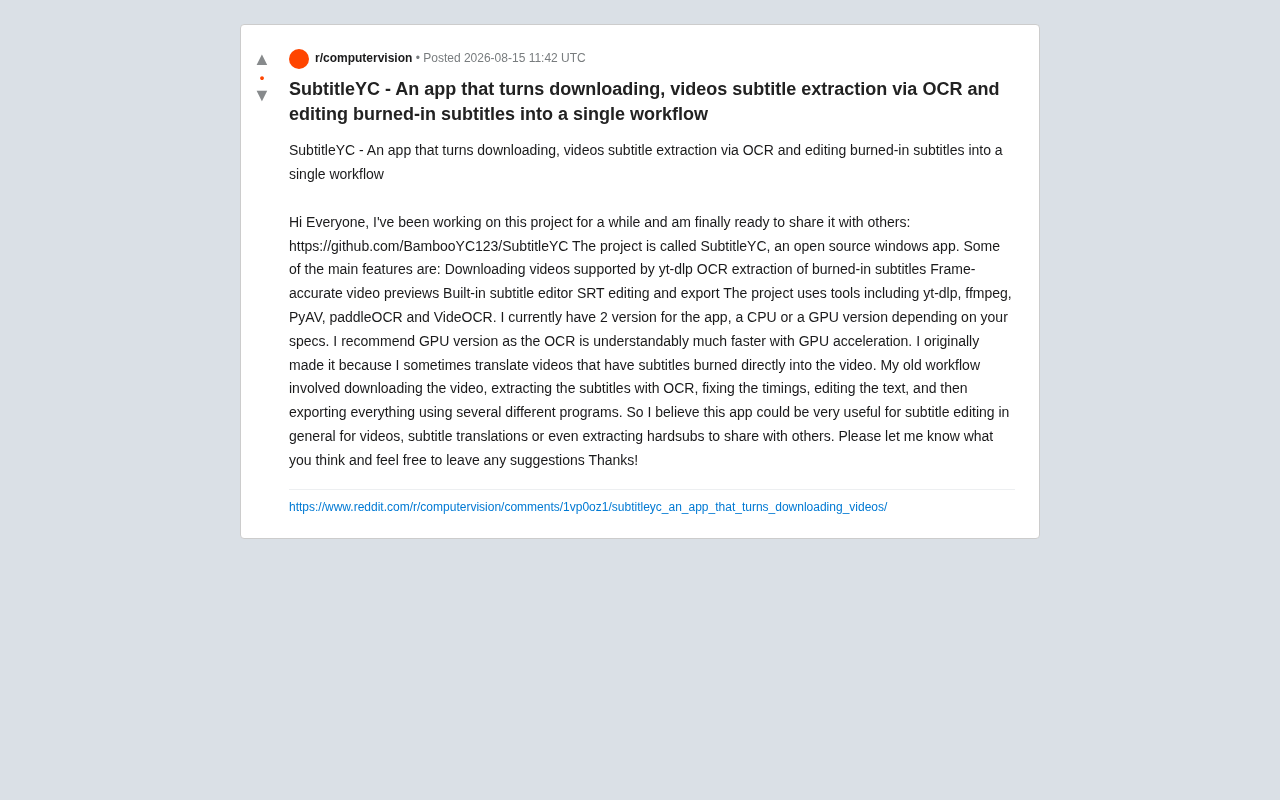
SubtitleYC Core Features Overview
According to the author, SubtitleYC's main features cover the complete hard subtitle processing pipeline:
Integrated Video Download
The application integrates yt-dlp, meaning it supports downloading videos from the vast number of platforms that yt-dlp supports.
yt-dlp is a community-driven fork of the now-unmaintained youtube-dl project, created by developer pukkandan in 2021. Compared to the original project, yt-dlp has made significant improvements in download speed, format selection, plugin systems, and more, while maintaining an extremely high update frequency to adapt to platform API changes. As of now, yt-dlp supports content downloads from over 1,000 video platforms, including YouTube, Bilibili, Twitter/X, and others. It uses a command-line interface design and supports fine-grained control over download format, resolution, subtitle language, and more through parameters. Many GUI applications choose to integrate yt-dlp as their backend download engine precisely because of its powerful platform coverage and active community maintenance. This provides a convenient source of material for subsequent subtitle processing.
OCR Hard Subtitle Extraction
This is the tool's core capability. For videos where subtitles are burned directly onto the frames, SubtitleYC uses PaddleOCR and VideOCR for optical character recognition, extracting the text from the video frames into editable text. This step directly solves the fundamental problem of hard subtitles being uneditable.
PaddleOCR is an open-source OCR toolkit developed by Baidu based on their deep learning framework PaddlePaddle. Since its release in 2020, it has become one of the most popular open-source OCR solutions globally. It employs the PP-OCR series model architecture, comprising three core modules: text detection (DB algorithm), direction classification, and text recognition (CRNN+CTC). PaddleOCR's standout advantages include: support for over 80 languages; small model size with fast inference speed; and particularly excellent performance in Chinese recognition scenarios, making it especially suitable for processing Chinese hard subtitles. Its latest PP-OCRv4 version has significant improvements in both accuracy and speed, offering both lightweight (~10MB) and server-side (~100MB) model configurations for different use cases.
VideOCR is a processing library specifically designed for video subtitle OCR scenarios. The core problem it solves is that video subtitles are not static images but rather the same text appearing repeatedly across consecutive frames. Traditional frame-by-frame OCR produces massive redundant results, and independent recognition of each frame may yield inconsistent results. VideOCR typically employs strategies including: detecting subtitle change moments (i.e., subtitle switching points) through frame differencing; voting or fusing results from multiple frames of the same subtitle to improve accuracy; and automatically merging adjacent identical text while generating timestamps. This specialized processing offers orders-of-magnitude improvements in both efficiency and accuracy compared to simply calling a generic OCR on every frame.
Frame-Accurate Video Preview
The application provides frame-accurate video preview functionality, which is crucial for subtitle timeline alignment. Users can precisely see the subtitle content corresponding to a specific frame, avoiding misalignment between subtitles and video.
Frame-accurate video positioning is a capability in subtitle editing that seems simple but has a significant technical threshold. Modern video codecs (such as H.264/H.265) use inter-frame prediction: most frames in a video (P-frames and B-frames) don't store complete images but record differences from reference frames. This means to jump precisely to a specific frame, the decoder may need to decode frame by frame starting from the nearest keyframe (I-frame). For subtitle timelines, a 1-frame offset amounts to approximately 42 milliseconds in 24fps video and approximately 17 milliseconds in 60fps video. While this sounds minimal, in fast-paced dialogue scenes, even a few frames of offset can make viewers feel the subtitles are "jumping" or "lagging." PyAV, as a Python binding for FFmpeg, provides low-level frame-level access capabilities, enabling the application to precisely seek to any frame and render previews.
Built-in Subtitle Editor and SRT Export
Extracted subtitle text can be directly edited within the application—correcting OCR recognition errors, adjusting timelines—and ultimately exported in standard SRT format. The entire process requires no other software.
SRT (SubRip Text) is one of the most widely used subtitle file formats, known for its simple plain-text structure. Each subtitle entry consists of four parts: a sequence number, timecodes (start-->end, precise to milliseconds), text content, and a blank line as separator. SRT's advantages lie in being human-readable and editable, supported by virtually all video players and subtitle editing software, with extremely small file sizes. Compared to the more feature-rich ASS/SSA format (which supports fonts, colors, positioning, and other styles), SRT trades styling flexibility for maximum compatibility, making it the preferred format for subtitle exchange and sharing.
Tech Stack: Standing on the Shoulders of Open-Source Giants
SubtitleYC's implementation integrates multiple mature open-source tools, embodying the "combinatorial innovation" characteristic of modern open-source applications:
- yt-dlp: Handles video downloads, covering 1,000+ platforms
- ffmpeg: The infrastructure for video/audio processing, serving as the underlying dependency for virtually all multimedia applications
- PyAV: A Python audio/video processing binding library based on FFmpeg's libav libraries, providing frame-level manipulation capabilities
- PaddleOCR: Baidu's open-source high-accuracy OCR engine, supporting 80+ languages
- VideOCR: OCR processing specifically designed for video subtitle scenarios, solving deduplication and fusion problems for temporal subtitles
The benefit of this technology selection is that the author doesn't need to reinvent the wheel. Instead, these excellent tools from their respective domains are chained together into a complete user workflow, significantly reducing development costs while making the final product more robust. This is the beauty of the modern open-source ecosystem—each component has undergone large-scale community validation and iteration, and the combined product naturally possesses high reliability.
CPU and GPU Dual Versions: Adapting to Different Hardware
Interestingly, the author provides two versions: a CPU version and a GPU version. OCR is a typical compute-intensive task, and GPU acceleration can significantly improve processing speed. The author explicitly recommends using the GPU version—after all, for long videos or batch processing scenarios, the speed difference in OCR becomes very apparent.
OCR models are essentially deep neural networks whose inference process involves massive amounts of matrix multiplication and convolution operations. GPUs (Graphics Processing Units) have thousands of computing cores, naturally suited for parallel processing of such operations. Taking NVIDIA GPUs as an example, through the CUDA framework and cuDNN acceleration libraries, deep learning inference speeds can typically be 5-20x faster than CPU. For video OCR scenarios, a 10-minute video at 30fps contains 18,000 frames, and even extracting only keyframes may require processing hundreds to thousands of images. In CPU mode, processing a video might take tens of minutes or even hours, while GPU acceleration can compress this to just a few minutes. PaddleOCR supports both NVIDIA GPUs (via CUDA) and some other acceleration solutions in certain scenarios.
This dual-version strategy accommodates users with different hardware configurations: users without discrete graphics cards can still use the CPU version to complete their work, just at a slower speed. For users who only occasionally need to process short videos, the CPU version is perfectly adequate; while fansub groups and other high-frequency users almost certainly need to choose the GPU version to maintain work efficiency.
From Personal Pain Point to Open-Source Tool
SubtitleYC was born from the author's own real needs. The author stated that he sometimes needs to translate videos where subtitles are burned directly onto the frames, and the old workflow required "downloading the video, extracting subtitles with OCR, correcting timing, editing text, and then using several different programs to export."
This is a very typical "scratch your own itch" origin story for an open-source project. When a developer personally experiences the pain of a tedious workflow and has the ability to automate it, they often create truly practical tools. Many famous projects in open-source history have similar origin stories—Linux came from Linus Torvalds' dissatisfaction with MINIX, Git came from the Linux kernel community's need for a version control tool. Projects that originate from actual pain points tend to be more aligned with users' real-world usage scenarios than purely technology-driven projects.
The author notes that the application's use cases include:
- General video subtitle editing
- Subtitle translation work
- Extracting hard subtitles to share with others
Summary and Outlook
SubtitleYC fills a relatively niche but genuinely existing gap. There are plenty of standalone video downloaders, OCR tools, and subtitle editors on the market, but open-source solutions that integrate them into a one-stop workflow are rare. For fansub groups, video translators, and users who need to process hardsubbed content, this tool can significantly reduce the time cost of switching between multiple software applications.
Of course, as a relatively new open-source project, it currently only supports the Windows platform, and OCR recognition accuracy is highly dependent on PaddleOCR's performance with specific languages and fonts. For subtitles with complex backgrounds, artistic fonts, or multilingual mixed layouts, recognition results may still require manual correction. Additionally, automatic detection of subtitle regions in video, recognition accuracy for low-resolution videos, and edge cases like vertical text are all areas that may need continued optimization in the future.
The author also sincerely invites community feedback and suggestions in his post. For readers with related needs, consider visiting the GitHub repository for more details and participating in the project's improvement.
Related articles

Chain of Thought Isn't Just for AI: How Humans Can Use CoT to Improve Thinking Quality
Chain of Thought isn't just a prompt trick for large models. Starting from a Hacker News discussion, this article analyzes why CoT works for human thinking too, breaks down actionable ways to transfer it, and highlights the key differences between human CoT and machine CoT.
Cloudflare Teams Up with OpenAI: Closi…
Cloudflare Teams Up with OpenAI: Closing the Loop from Vulnerability Discovery to Defense with AI
Cloudflare uses OpenAI Daybreak to investigate security vulnerabilities and generate reviewable remediation plans, while developers use Codex to boost coding efficiency and quality.

Orca Multi-Agent Orchestration in Practice: A Guide to Parallel Collaboration with Claude and Codex
Orca is Stable AI's free open-source agent workbench supporting 34 agents like Claude Code and Codex in parallel. Learn its Git worktree isolation, multi-model orchestration, and mobile management.