Switching from ChatGPT to Claude Pro: An Advanced User Guide and Migration Tips
A practical guide to migrating from ChatGPT to Claude Pro with advanced tips and feature walkthroughs.
This article helps ChatGPT users transition smoothly to Claude Pro by covering its standout features — including the 200K-token context window, Projects for knowledge management, Artifacts for interactive output, and custom instructions. It also explains the technical differences between the two platforms and offers practical prompting strategies for maximizing productivity.
A Long-Time ChatGPT User's Transformation
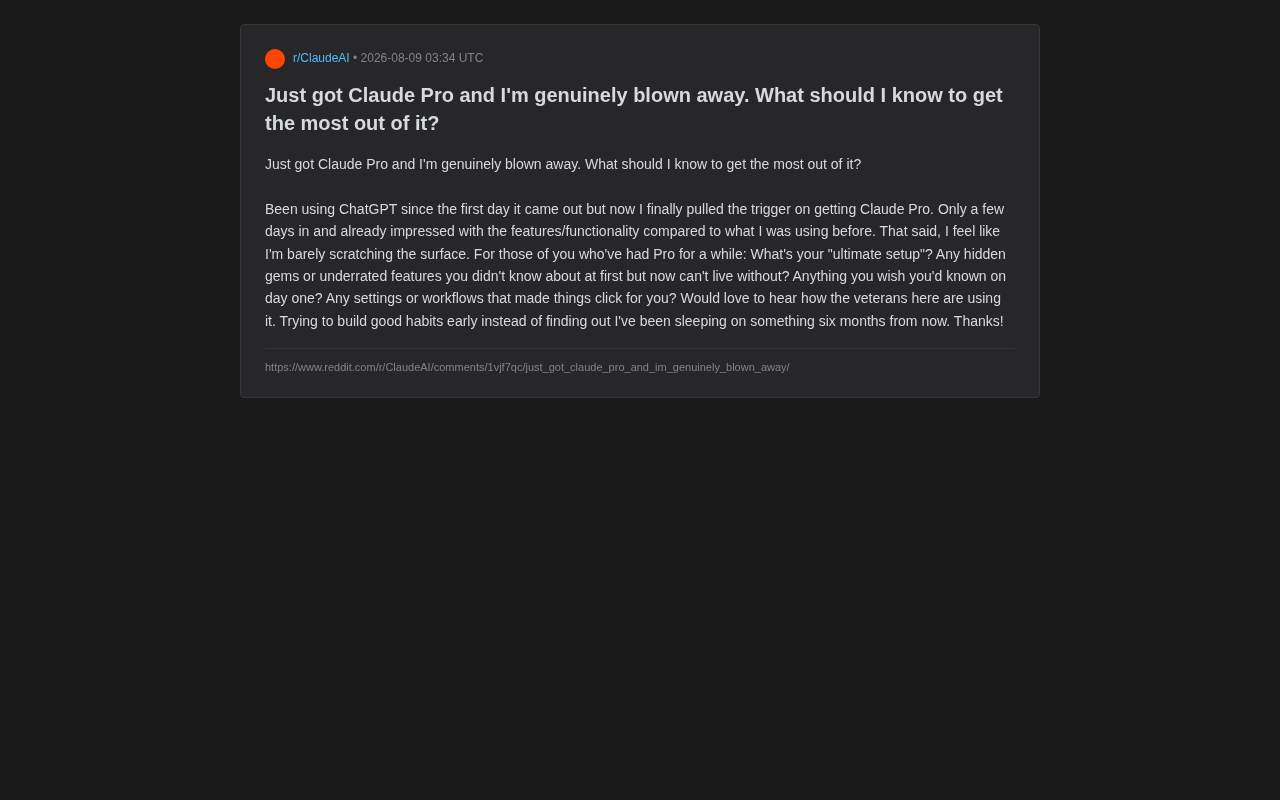
Recently on Reddit, a veteran user who had been using ChatGPT since its launch day shared his new experience: after hesitating for a long time, he finally subscribed to Claude Pro, and within just a few days was blown away by its capabilities and performance. At the same time, he admitted he had "only scratched the surface" and wanted to ask experienced users how to build efficient usage habits to avoid discovering six months later that he'd missed key features.
This question is highly representative. Many users migrating from ChatGPT go through a similar adjustment period — after switching tools, quickly mastering the new platform's unique capabilities becomes the key to boosting productivity. This article will outline Claude Pro's core features and advanced usage tips based on these real-world needs.
Where Does Claude Pro's Core Value Lie?
Long Context and Document Processing
One of the most celebrated advantages of the Claude model family is its ultra-long context window. Models like Claude 3.5 Sonnet and Claude 3 Opus support context windows of up to 200K tokens, roughly equivalent to 150,000 English words or the full content of a 500-page book. By comparison, GPT-4 Turbo's context window is 128K tokens.
The "context window" refers to the total amount of text a model can "see" and process in a single conversation, including all user inputs and model outputs. The larger the context window, the less the model needs to truncate or batch-process long documents, allowing it to maintain a holistic understanding of the entire text. Behind this capability lies engineering optimization of the attention mechanism in the Transformer architecture — the computational complexity of attention scales quadratically with sequence length, so extending the context window requires substantial breakthroughs at both the algorithmic and hardware levels.
This means you can feed in large volumes of documents, codebases, or lengthy materials all at once and have Claude perform comprehensive analysis, summarization, or Q&A. For researchers, legal professionals, programmers, and others who regularly work with large amounts of text, this is an extremely compelling capability.
In comparison, many users report that Claude demonstrates stronger contextual coherence when handling complex, lengthy texts — it's less likely to "forget" details mentioned earlier, and its answers tend to be more rigorous and restrained, with fewer instances of fabricated content. This "fabrication" has a specific term in AI: "hallucination" — when a large language model generates information that appears plausible but is actually completely wrong or fictional. The root cause of hallucinations is that language models are fundamentally probability-based text generation systems that predict "the next most likely word" rather than retrieving facts from a reliable knowledge database. Anthropic uses a unique technical approach called "Constitutional AI" when training Claude, employing a set of explicit behavioral guidelines to constrain model output, making it more inclined to honestly acknowledge limitations rather than fabricate answers when uncertain. This philosophical design difference is a key reason why Claude has received widespread praise for its rigor.
Writing and Reasoning Style
Many users switching from ChatGPT immediately notice Claude's different writing style: its output tends to be more natural and aligned with human expression habits, especially in long-form writing, content polishing, and logical argumentation. This was one of the main reasons the original poster was "blown away."
Advanced Claude Pro Features Worth Mastering
Projects: Build Your Own Dedicated Workspace
The Projects feature offered by Claude Pro is a "hidden gem" that many new users tend to overlook. You can create separate projects for different work scenarios and upload relevant background materials and reference documents as a "knowledge base." All conversations within that project will automatically reference these materials, eliminating the need to repeatedly paste context each time.
The underlying logic of the Projects feature is closely related to RAG (Retrieval-Augmented Generation) technology. The core idea of RAG is: before a large language model generates an answer, it first retrieves the most relevant document fragments from an external knowledge base, then injects these fragments as context into the model's prompt, enabling the model to answer based on real, domain-specific materials. This approach effectively mitigates the model's hallucination problem while allowing users to obtain high-quality domain-specific output without fine-tuning the model. The documents uploaded to Projects essentially constitute a private knowledge base — Claude automatically references these materials in every conversation within that project, achieving lightweight "upload-and-use" knowledge management.
For example, you could create a project for "company product documentation" and load in product manuals and FAQs. From then on, no matter what related question you ask, Claude can provide precise answers based on these materials. This is crucial for building reusable workflows.
Artifacts: Interactive Output
The Artifacts feature allows Claude to generate independently editable, previewable content blocks in a conversation sidebar — whether it's code, web prototypes, or document drafts. You can see running results in real time and iterate on modifications, dramatically improving efficiency for programming and content creation. For programmers, this is practically a must-use feature.
Artifacts represent an important trend in AI-assisted development — upgrading conversational AI from pure text output to an interactive, previewable integrated development environment. Traditional AI coding assistants can only output code as text, requiring users to manually copy it into an IDE to run and debug. Artifacts support rendering HTML/CSS/JavaScript directly in the browser, executing React components, displaying SVG graphics, previewing Mermaid flowcharts, and more — essentially embedding a lightweight sandbox environment within the chat interface. This model echoes the vision behind products like Vercel's v0 and Google's Project IDX, all pointing in the same direction: AI not only generates code but also instantly renders results, compressing the multi-step "write-copy-run-debug" process into a compact "describe-preview-iterate" loop.
Custom Instructions and Style Settings
By setting personal preferences and custom instructions, you can have Claude remember your identity, work background, and preferred response style. For example, you might request it to "answer concisely and get straight to conclusions" or "explain things in the tone of a senior engineer." These settings significantly reduce the time cost of repeatedly adjusting prompts.
Practical Advice for Migrating from ChatGPT to Claude Pro
Adjust Your Prompting Habits
While both tools are based on large language models, their "response preferences" to prompts differ slightly. Claude generally responds well to structured, explicit instructions and readily handles requests with clear role definitions and task boundaries. Experienced users suggest: giving Claude ample context and clear objectives often yields higher-quality output.
This difference in response behavior between platforms stems from differences in their respective training data, RLHF strategies, and system prompt design. RLHF (Reinforcement Learning from Human Feedback) is the current mainstream model alignment technique — human annotators rank and score model outputs to train a reward model, which is then used with reinforcement learning to make the language model's output better align with human preferences. OpenAI and Anthropic chose different human preference standards and training strategies during the RLHF phase, directly leading to the divergence in response styles between the two models: the GPT series tends to be more thorough and proactively expansive, while Claude focuses more on precisely addressing the user's specific request and reducing unnecessary redundancy. Understanding this difference helps users craft more efficient prompting strategies for each platform.
Leverage the Long Document Capability
Don't treat Claude as a tool that can only handle short Q&A. Its long context capability means you can:
- Upload an entire research report and have it extract key points
- Feed in complete code files for review and refactoring
- Paste lengthy meeting transcripts to generate structured minutes
These are exactly the scenarios that many users say they "can't go back from" once they've experienced them.
Build Good Habits Early
As the original poster hoped, establishing good usage habits early on is crucial:
- Create Projects for frequently used scenarios to avoid repetitive work
- Make good use of conversation branching — regenerate responses when unsatisfied instead of forcing edits
- Regularly organize your knowledge base to keep project materials up to date
Conclusion: Reflections Behind the Tool Switch
Switching from ChatGPT to Claude Pro fundamentally reflects the increasingly fierce competition in the AI tools market, as well as users' ongoing exploration of tools that best fit their needs. There's no absolutely "best" tool — only the one that best fits your workflow.
For explorers like the original poster, the key isn't mastering every feature but finding the few core use cases that truly boost your productivity. Rather than worrying about "what you might be missing," start with the high-value features — Projects, Artifacts, and long document processing — and gradually build your own efficient AI workflow.
Key Takeaways
Related articles

Chain of Thought Isn't Just for AI: How Humans Can Use CoT to Improve Thinking Quality
Chain of Thought isn't just a prompt trick for large models. Starting from a Hacker News discussion, this article analyzes why CoT works for human thinking too, breaks down actionable ways to transfer it, and highlights the key differences between human CoT and machine CoT.
Cloudflare Teams Up with OpenAI: Closi…
Cloudflare Teams Up with OpenAI: Closing the Loop from Vulnerability Discovery to Defense with AI
Cloudflare uses OpenAI Daybreak to investigate security vulnerabilities and generate reviewable remediation plans, while developers use Codex to boost coding efficiency and quality.

Orca Multi-Agent Orchestration in Practice: A Guide to Parallel Collaboration with Claude and Codex
Orca is Stable AI's free open-source agent workbench supporting 34 agents like Claude Code and Codex in parallel. Learn its Git worktree isolation, multi-model orchestration, and mobile management.