T3 Code Hands-On: An MIT Open-Source Multi-Agent Coding Console
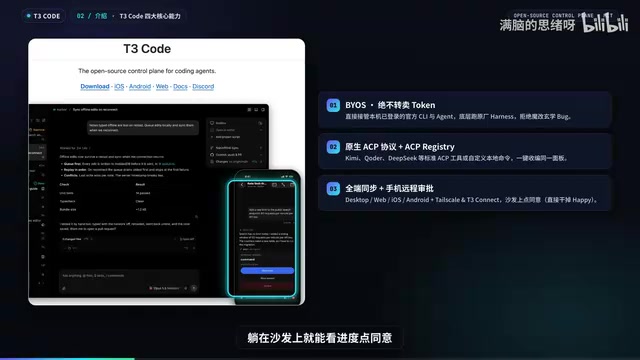
T3 Code unifies local official coding agents under one panel, orchestrating only without touching inference.
T3 Code is an MIT open-source multi-agent coding console from PinLabs that orchestrates without touching execution: BYOS model, no token reselling, direct takeover of local official CLIs with subscription login. It natively supports ACP protocol and Registry, auto-scans existing agents, and offers one-click import of old projects. Hands-on tests show single-agent results in 6 seconds and cross-agent orchestration delivering 404 lines in four minutes with automatic review catching four high-severity issues, plus Git Worktree isolation and mobile remote approval.
Why You Need a Unified Control Panel
If you use multiple coding agents at once, your desktop easily turns into an "AI zoo"—Cursor, Claude Code, OpenCode, and others each occupy their own corner, and you often click the wrong window when switching. What's more troublesome: pairing a self-modified model with a non-official harness tends to produce mysterious bugs, yet you can't bear to give up each vendor's official execution capabilities. The MIT open-source project T3 Code tries to resolve this contradiction: it doesn't touch models or tokens, and only builds a unified control panel at the outermost layer to bring all local official CLIs under one roof.
T3 Code was initiated by PinLabs (Deo Brown's team), with a restrained and precise positioning—a unified control panel for multiple coding agents. It differs from ordinary clients in four core ways: the BYOS model doesn't resell tokens and directly takes over local official CLIs with subscription login support; native support for the ACP protocol and ACP Registry means one-click access to mainstream tools; full-platform coverage with mobile remote approval; and native Git Worktree isolation so concurrent code changes don't clash.
Harness is a key concept in the coding agent ecosystem, referring to the execution framework and toolchain wrapped around the underlying large model, responsible for prompt assembly, tool-call parsing, file reading/writing, terminal execution, context management, and more. The same model can perform very differently under different harnesses. The so-called "official harness" is each vendor's own companion execution framework, tuned specifically by the vendor with predictable behavior; self-built or modified harnesses often lack boundary testing and easily produce hard-to-reproduce mysterious bugs in scenarios like long context and concurrent tool calls. T3 Code's trade-off is precisely to keep the official harness and only schedule at its outer layer, minimizing stability risk.
ACP (Agent Client Protocol) is an open communication protocol for AI coding agents, standardizing session creation, message streams, tool calls, and permission approval between clients and agent processes, so that agents from different vendors can be invoked by third-party panels through a unified interface. ACP Registry is an agent directory service maintained on top of this protocol—essentially an "app store" from which clients can discover and one-click connect to listed agents. Combined, these two mean T3 Code doesn't need to write a separate adapter for each tool; any new agent that implements ACP can be managed, which is the technical basis for its "one-click access to mainstream tools" promise.
Getting Started: Automatic Scanning and Zero-Cost Migration
Installation takes just one brew install or npx command. On launch, the onboarding page directly scans existing tools on your machine such as Anti-Gravity, Codex, Cursor, and Pi; a green light means Ready. It also supports one-click import of old projects and conversation history from Claude Code, Codex, and Pi, making migration cost nearly zero.
If the home page doesn't list everything, open more agents to enter the Browser and browse the ACP Registry marketplace, or define a custom local ACP name. If you can't be bothered to configure each one, you can have the AI configure them all for you. When adding a project, no need to pop up Finder and dig through directories—just type a path with Raycast-style autocomplete and hit Command+Enter to open instantly, very keyboard-friendly.
Single-Agent Execution: The Official Runtime Is More Stable
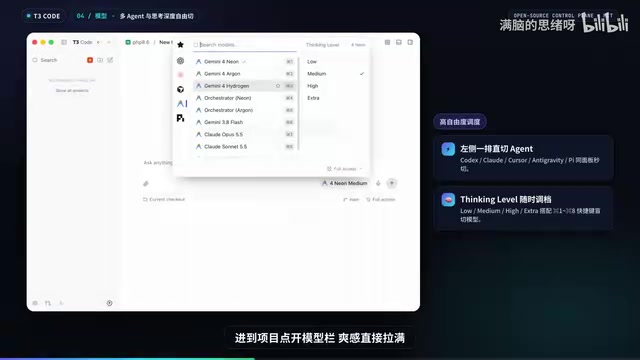
After entering a project, switch between agents on the left, select a model in the middle, and adjust Thinking Level on the right. In testing with Gemini, results came back reliably in 6 seconds. Previously, connecting to Gemini through a reverse proxy often risked account bans, but T3 Code can use it stably because Google made Anti-Gravity a standard ACP Server, using the official unmodified runtime and personal native login—fully compliant. This point is critical for developers who rely on official capabilities.
BYOS (Bring Your Own Subscription) is T3 Code's business model positioning: users bring their own existing subscriptions and quotas, and the tool vendor does not resell tokens in the middle, does not profit from the spread, and does not proxy requests. The opposite is the "wrapper resale" model: service providers bulk-purchase or resell model call quotas, and user requests are relayed through their servers—posing privacy and compliance risks and potentially triggering vendor risk controls due to unofficial channels, such as the ban risk of accessing Gemini through a reverse proxy. Under BYOS, requests go directly through the local official CLI and personal native login, with a compliant chain and transparent billing, while returning account security responsibility to official channels.
Cross-Agent Orchestration: From "Reviewing Code" to "Commanding a Team"
What really sets it apart is cross-agent orchestration. Through the built-in Delegate_Test, you can split tasks by role to different models, with support for Shared read-only or Virtual independent branch isolation. In testing, typing just one sentence in the main session—"use Cursor to review the code"—completed the review and summarized it into a table in under two minutes.
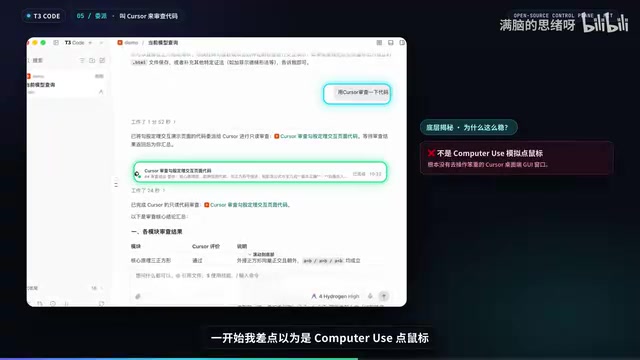
At first I thought it was using Computer Use to simulate mouse operations; checking the logs revealed it uses an internal MCP delegation interface over the ACP protocol to directly launch the local Cursor CLI process—lightweight and stable. Raising the intensity further: the main session acts as the foreman, having Pi write a trigonometric function interactive demo and Codex write in parallel a Riemann sum curved-area calculation; when done, Anti-Gravity is called in to review. Two parallel sub-agents start at the same time, and you can click in to supervise at any moment—Pi on the left conceiving the page, Codex on the right coding to mathematical specs, without interfering with each other. Four minutes later, 404 lines of code were delivered, and the main session automatically triggered an Anti-Gravity review; the reviewer not only read the code but also rendered both web pages under a dark theme for verification, ultimately identifying four high-severity issues, including x-axis tick spacing off by a factor of two, animation freezing on high-refresh-rate screens, flying out of the canvas instantly, and linked points derailing.
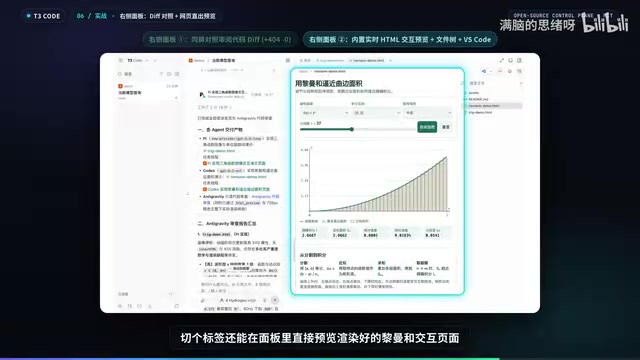
The workspace panel on the right lets you view green code diffs against the review report, handier than Codex; switching tabs also previews the rendered Riemann sum interactive page—curve error, panel file count, and one-click jump to VS Code all in one screen. Combined with parallel Worktree PR submissions, it really feels like commanding an AI R&D team.
Git Worktree allows multiple independent working directories to be checked out under the same repository, each bound to a different branch, sharing the same Git object database without copying the full repository. For multi-agent concurrency, this means each sub-agent can independently modify code in its own Worktree and branch, without overwriting each other's workspace and staging area, then submit PRs separately and merge. Compared with simply copying directories, Worktree saves disk, keeps history consistent, and has extremely low switching cost. T3 Code further automates the Worktree lifecycle: created on demand when delegating tasks, run in isolation, and reclaimed when finished—the underlying guarantee for "concurrent code changes without clashing."
Architecture Analysis: Why Is It So Smooth
The system architecture diagram shows a three-layer design: the top layer is the presentation layer—desktop web and mobile share the same backend via WebSocket and RPC; the middle server layer is the brain, using event-driven management of persistent threads; the most ingenious part is the internal MCP service, which lets any main agent call other agents across camps; the bottom layer connects directly to official CLIs on one side and follows the standard ACP ecosystem on the other, combined with dynamic Git Worktree isolation, never modifying official inference.
Restraint Is the Selling Point
What's most appealing about T3 Code is its restraint: no large-model wrapper, no token spread, just honestly serving as a reporting hub and unified entry point for multiple agents. If your desktop is also crowded with coding agents and you're switching until you doubt life, you can run npx t3@latest to give it a try. It may not suit everyone, but for developers who need to schedule multiple official agents simultaneously, this "orchestrate only, don't touch execution" approach is worth considering.
One-line Summary
T3 Code brings local official coding agents under a unified panel, orchestrating only without touching inference.
Paragraph Summary
T3 Code is an MIT open-source unified control panel for multiple coding agents initiated by PinLabs, with the core idea of "orchestrate only, don't touch execution": it uses the BYOS model without reselling tokens and directly takes over local official CLIs with personal subscription login, avoiding mysterious bugs from modified harnesses and ban risks from reverse proxies. It natively supports the ACP protocol and Registry, automatically scans existing agents on the machine, and one-click imports old projects with nearly zero migration cost. The article demonstrates two capabilities through hands-on testing: single-agent execution returns results reliably in 6 seconds; in cross-agent orchestration, the main session uses an internal MCP delegation interface to launch sub-agents such as Cursor, Pi, Codex, and Anti-Gravity to write code in parallel, delivering 404 lines in four minutes and automatically triggering a review that uncovers four high-severity issues. Combined with native Git Worktree isolation and mobile remote approval, it delivers an experience close to "commanding an AI R&D team."
Related articles
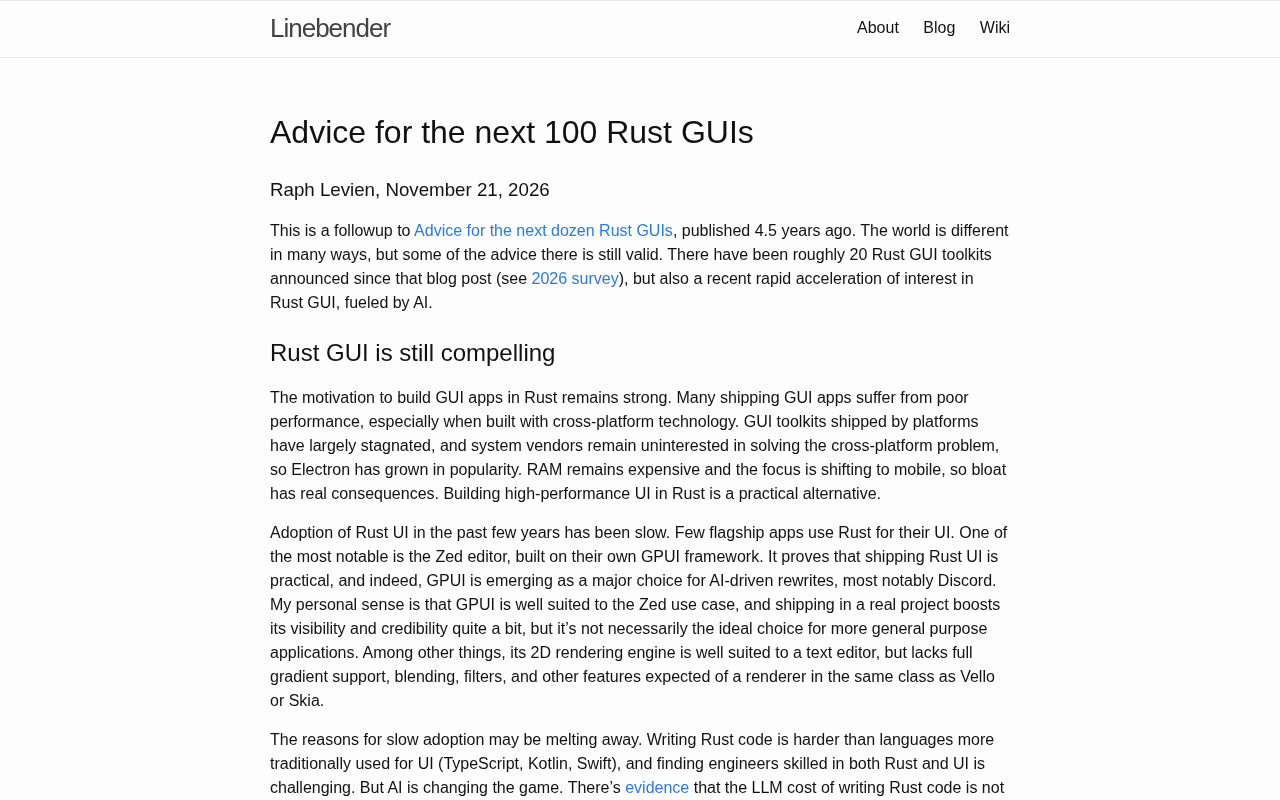
The Next Hundred Rust GUIs: Practical Advice from Linebender
Linebender shares practical Rust GUI advice on architecture design, state management, rendering performance, and ecosystem tooling for the next 100 Rust GUIs.
Tamagotchi: Lessons from the Virtual Pet's Rise and Fall
A look back at the Tamagotchi's rise and fall, how its emotional design hooked users, and what it teaches today's AI companionship products.
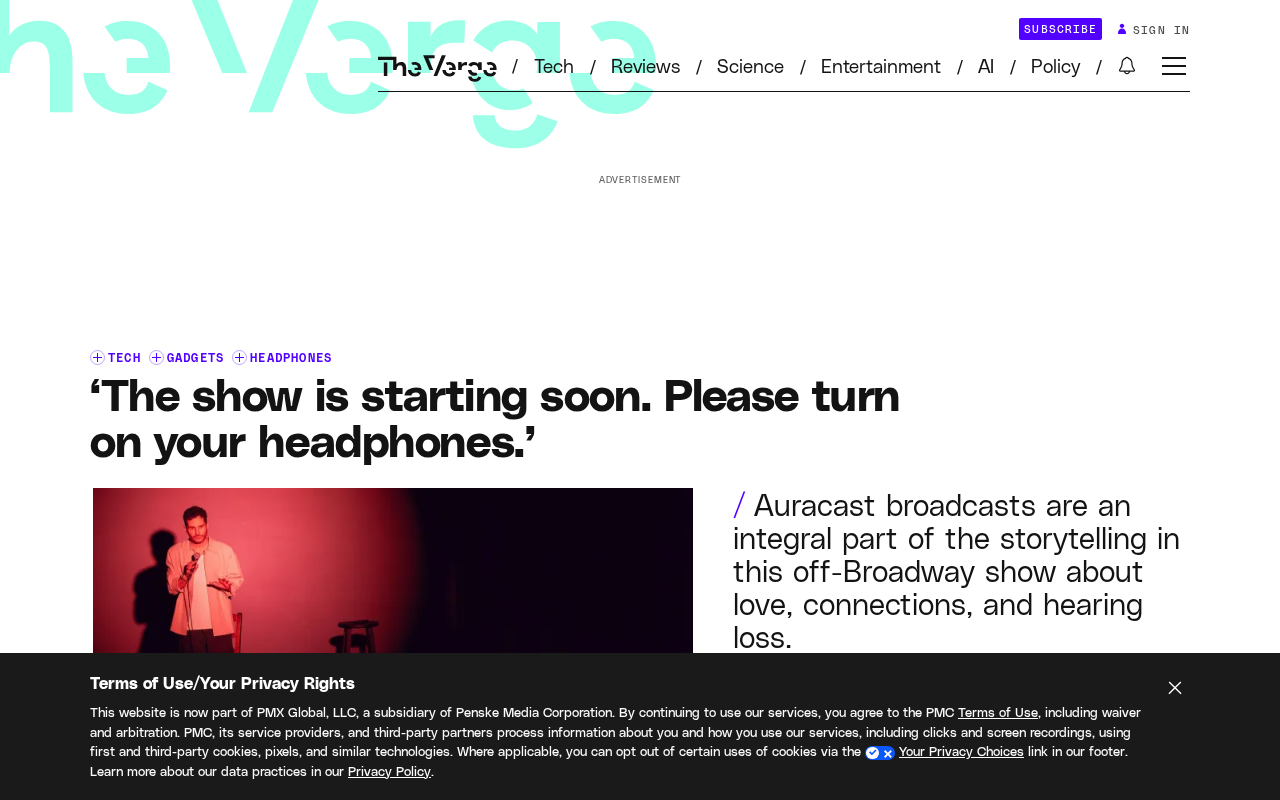
Headphones as Stage: How Auracast Is Reshaping the Live Performance Experience
A New York SoHo Playhouse performance required audiences to wear Auracast-connected headphones. This article examines how Bluetooth broadcast audio is changing the sound experience and operating model of live performance.