Termphin Review: An SSH Client Where Sessions Never Drop

Termphin is a free Android SSH client that auto-resumes sessions after network drops via a server-side agent.
The biggest pain point of mobile SSH is losing sessions when the network drops. Termphin is an Android SSH client that runs a lightweight agent on the server to hold shell sessions open, automatically restoring the exact pre-drop state after the phone locks, loses signal, or switches from Wi-Fi to mobile data. It combines tmux-style server-side session persistence with mosh-style network roaming, and addresses mosh's long-standing rendering issues with full-screen TUI apps like htop and vim. It's free and bundles SFTP, SSH key management, snippets, and port tunnels. The main barrier is requiring agent deployment on target servers, with security yet to be publicly audited. It ranked 5th on ProductHunt launch day with 96 upvotes.
Mobile SSH has always had an annoying pain point: lock your screen, switch networks, or lose signal — and your remote session is gone. The command you were halfway through, the htop you were watching, the unsaved vim buffer — all vanished. Termphin, a newcomer on ProductHunt, has made solving this problem its core value proposition. It promises SSH sessions that "never drop."
What Problem Does Termphin Actually Solve
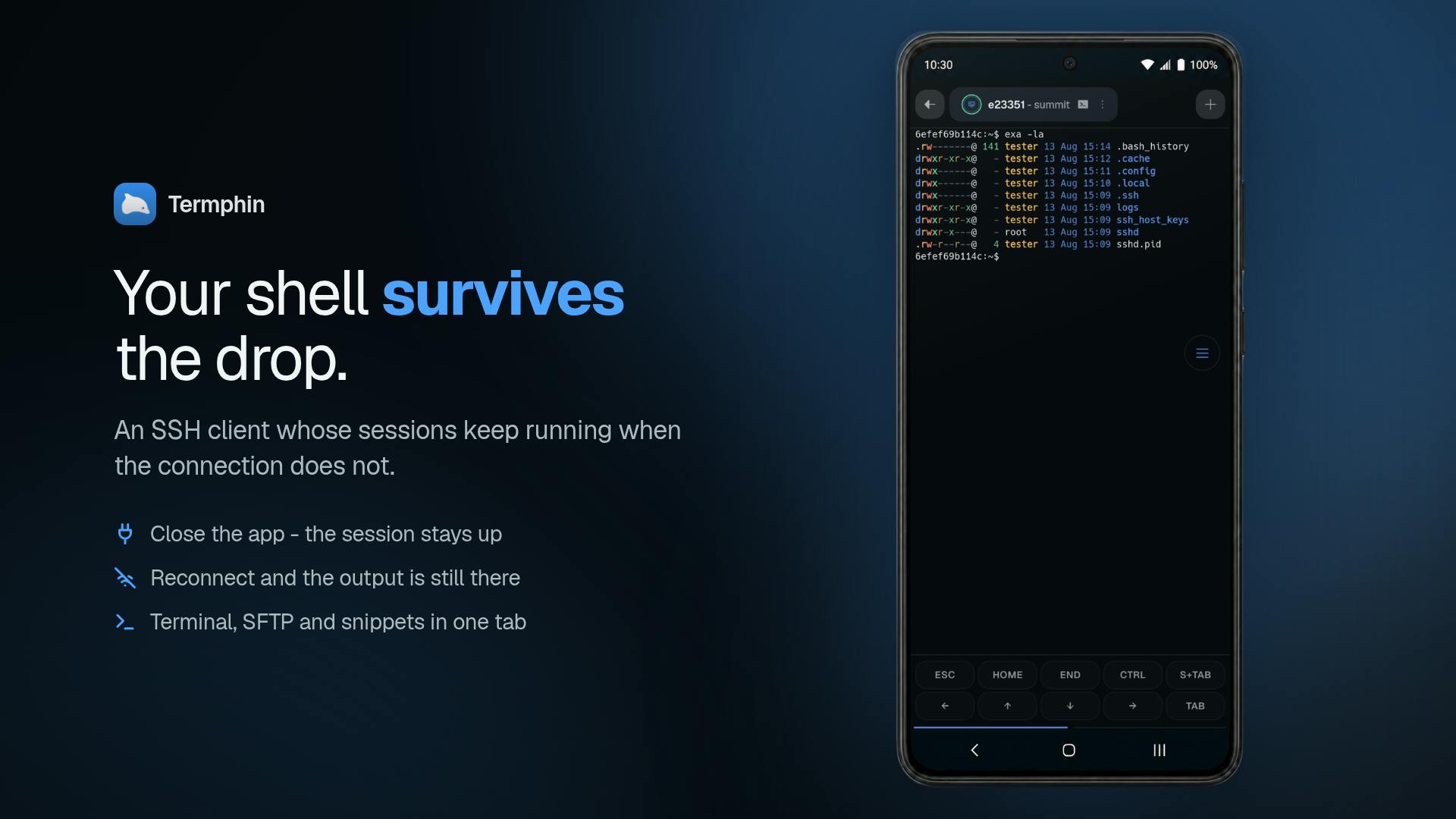
Termphin positions itself as an Android SSH client built around persistent sessions. According to its official description, it keeps SSH sessions alive when your phone locks, loses signal, or switches from Wi-Fi to mobile data.
The core mechanism is a lightweight agent running on the server side, which continuously holds the shell session. When your phone reconnects to the network, Termphin drops you back on the "same screen" — the exact state you were in before the connection dropped. This is fundamentally different from traditional SSH clients, where a severed TCP connection typically kills the server-side session along with it.
From its ProductHunt launch data, Termphin ranked 5th on launch day, earning 96 upvotes and 3 comments. It's categorized under Android, Productivity Tools, and Developer Tools, and was built by developer Mikołaj.
Comparing the Approach to tmux / mosh
Developers familiar with the command line will immediately think of two classic solutions: tmux (or screen) and mosh.
Relationship to tmux
tmux creates a detachable/attachable session on the server side, so when you reconnect after a drop you can return to your previous workspace. Termphin's server-side agent that "holds the shell alive" is conceptually similar to tmux — both maintain session state on the server. The difference is that Termphin wraps this mechanism into a ready-to-use mobile client. Users don't need to manually type tmux attach; reconnection after a network switch happens automatically.
tmux (Terminal Multiplexer) is essentially a "terminal multiplexer" running on the server. It inserts a persistent intermediate layer between your shell and the actual terminal. When you disconnect from SSH, the tmux process keeps running on the server, maintaining the state of all windows and panes; reconnecting is as simple as running
tmux attach.screenis an older tool of the same type — similar in function but more bare-bones. The reason users need to do this manually is that tmux itself has no awareness of network state; it only "saves the scene," and deciding when to restore it is entirely up to the user. Termphin's server-side agent conceptually takes on a role similar to the tmux server, but the client can automatically trigger an attach when the network recovers — no manual steps required, making it far more friendly for mobile use cases.
Relationship to mosh
mosh was designed specifically for mobile and high-latency networks. It maintains connections through IP changes and network switches, and delivers smooth local echo. Termphin's emphasis on "staying connected when switching from Wi-Fi to mobile data" aligns with mosh's roaming capability goals. However, Termphin addresses a long-standing criticism of mosh: the official description states that htop and vim render correctly, suggesting it has handled compatibility with full-screen terminal applications.
mosh (Mobile Shell) was released by MIT in 2012, designed specifically for unstable network environments. Its core innovation was replacing TCP at the transport layer with a UDP-based SSP (State Synchronization Protocol), and synchronizing "the latest terminal state" rather than a byte stream. This allows mosh to automatically reconnect after an IP address change (such as switching from Wi-Fi to 4G), while also enabling local predictive echo so that typing feels responsive even on high-latency networks. However, mosh has a well-known long-standing flaw: its state synchronization approach is incompatible with full-screen TUI programs that need precise cursor control (such as vim, htop, and tmux itself), sometimes causing display corruption. Termphin specifically mentions that htop and vim render correctly, hinting that it takes a different approach to handling terminal control sequences — a noteworthy improvement over mosh.
Feature Set: More Than Just a Terminal
Termphin doesn't limit itself to session persistence. It bundles a full toolkit of tools commonly used in mobile server administration:
- SFTP file transfer: Upload and download files directly within the client;
- SSH key management: Supports key-based authentication, more secure than passwords alone;
- Snippets: One-tap access to frequently used commands — a major relief when typing long commands on a small screen;
- Port tunnels: SSH tunnel forwarding support, making it easy to access internal network services;
- Full-screen app compatibility: TUI programs like htop and vim display correctly.
Notably, the developer explicitly states all of these features are free. For developers and sysadmins who regularly manage servers during a commute, on-site at a data center, or in an emergency from their phones, this combination is genuinely practical.
Who Needs It Most
Termphin's target user profile is clear: technical professionals who need to manage remote servers anytime, anywhere. Consider a few typical scenarios —
A server alert fires at midnight. All you have is your phone. You connect with a regular SSH client and start reviewing logs — then the subway enters a tunnel, signal drops, and everything you did is gone. Termphin lets you pick up right where you left off once you're back in range.
Or imagine connecting to a server over mobile data outdoors to run a long task, and your phone locks and goes to sleep. A traditional client would have dropped the session long ago, but Termphin's server-side agent is still holding that shell open for you.
Things to Keep in Mind
As a newly launched product, a few things warrant careful consideration. First, session persistence depends on installing an agent on the server — meaning you need deployment permissions on the target host. The benefit is limited for pure one-off login scenarios. Second, a server-side process that permanently holds a shell session raises questions around resource usage and security boundaries; enterprises should evaluate the agent's implementation details and compliance implications before adopting it. Third, most product information currently comes from the ProductHunt launch page; actual stability, security audits of the agent, and whether an iOS version is coming all still need more user feedback to verify.
The security of a server-side agent is an unavoidable core issue for this type of architecture. The agent process needs to run persistently while holding an authenticated shell session — meaning that if the agent itself has a vulnerability, an attacker could potentially take over the session without re-authenticating. Additionally, whether the reconnection protocol between the agent and client is encrypted and identity-verified, the expiration and revocation mechanisms for session tokens, and how the agent process is privilege-isolated are all dimensions that enterprise security teams need to review before adopting such a tool. Termphin has not yet publicly disclosed the technical implementation details of its agent or a security audit report. For users managing production servers, it's advisable to thoroughly validate it in a personal or test environment before considering it for critical business use cases.
Wrap-Up
Termphin integrates tmux-style session persistence, mosh-style network roaming, and operational tools like SFTP, tunnels, key management, and snippets into a single mobile SSH client — and it's free. It targets the most real and frustrating pain point in mobile server management: losing your session on a dropped connection. For anyone who frequently manages servers from a phone, this is a new tool worth watching. But the deployment overhead and security considerations introduced by the server-side agent are the key factors that will determine whether it finds a place in daily workflows.
Related articles

Grok Bot vs ChatGPT Agent: Which AI Agent Is More Powerful?
How does Grok Bot differ from ChatGPT Agent? This comparison examines how they work: Grok Bot has a cloud computer and runs persistently inside tools to execute multi-step tasks automatically; ChatGPT Agent operates web pages in a browser and is more mature at general tasks. Includes selection advice.

Walmart Agent Gateway: AI Shops for You Automatically—Why Is Amazon Going the Opposite Way?
Walmart's Agent Gateway lets ChatGPT, Gemini and other AI assistants access its product catalog to search, compare and add to cart, with spending limits and per-purchase approval. Amazon blocks external AI agents—two retail giants, opposite paths. Currently US-only, India may follow.

Walmart Opens Shopping to AI Agents: ChatGPT and Gemini Can Place Orders
Walmart launches Agent Profiles, allowing AI agents like ChatGPT, Gemini, and Meta Muse to shop for users with spending limits, per-transaction approval, and isolated orders—no Walmart Plus required. This article analyzes how it works and its industry impact, in stark contrast to Amazon's blocking of AI agents.