The Complete DeepSeek Harness Tutorial: From Installation to Advanced Agent Modes

DeepSeek Harness rebuilds the local Agent around "everything is a plugin," with three modes each excelling in its own way.
Based on a hands-on Bilibili tutorial, this article introduces DeepSeek Harness, a local Agent framework where everything is a plugin. It covers Node.js installation and API Key setup, then dives into three working modes—Collection-Resolution for stress testing, Standard for fault-tolerant complex tasks, and PTC for fast high-frequency work—comparing their Token usage through two real-world cases.
The Complete DeepSeek Harness Tutorial: From Installation to Advanced Agent Modes
DeepSeekAd's newly launched Agent framework, DeepSeek Harness (also referred to as DeepSeek Harmless in the video), is sparking discussion among programmers. What exactly is it? How does it fundamentally differ from local Agent tools like Codex and WarpBody? Based on a hands-on tutorial from a Bilibili creator, this article takes you from environment installation and underlying logic to working-mode practice, so you can quickly get up to speed with this "everything is a plugin" Agent tool.
The Core Logic of Local Agents: Scheduling and Orchestration
No matter how flashy the upper-layer packaging, every local Agent tool does two core things. First, they're installed on your local machine and can inherently schedule local resources—reading and writing files and executing applications are all within their reach. Second, they orchestrate tasks—when you propose a task, it doesn't just hand it straight to the LLM. Instead, it first breaks the task down in the middle layer into smaller subtasks, then calls the LLM in sequence, and finally integrates the results for you.
The real difference between these tools lies precisely in "how tasks are broken down." DeepSeek Harness reveals its essence in one official phrase: everything is a plugin. What does that mean? It's like when you need to read files but local storage isn't enough, so you plug in a USB drive; when you're done reading, you pull it out. Models, tools, and scheduling are all composed of plugins that can be freely swapped and flexibly recombined. This means that when you use it, you can choose different modes—or even different combinations—entirely based on the characteristics of the task.
What is a "local Agent"
A local Agent is an intelligent agent program that runs on the user's own machine, as opposed to conversational AI that runs entirely in the cloud. Its key trait is having "operating rights" over the local file system, command line, and installed software, so it can actually execute tasks rather than just offer suggestions. Codex, WarpBody (often written as Warp/Warp Terminal-style tools), Claude Code, and Cursor's Agent mode all fall into this category. To judge whether a tool is a local Agent, look at two things: whether it can directly read and write files on your disk, and whether it can autonomously decide which tool to call and how many times. This is also the fundamental divide between it and the "chatbot + copy-paste" model.
API Keys and Token Billing
An API Key is the identity credential for calling LLM services—essentially a string of secret keys used to identify "who is calling and whose account the cost goes to." When you make calls, the service provider bills by Token. A Token is the smallest unit of text the model processes: in Chinese, roughly 1 character corresponds to 1–2 Tokens, while in English about 4 characters correspond to 1 Token. Because Agent tools repeatedly stuff context, tool descriptions, and historical results into requests, their input Token consumption is often far greater than a single-turn conversation—which is exactly why the 28K, 41K, and 62K figures compared later matter.
Installation and Getting Started: So Simple You Don't Need a Course
Any mature product is bound to be simple to use. DeepSeek Harness is so simple that you don't even need to download it—just use the NPX command. NPX is a Node.js command, and Node.js is a local development environment used to run JavaScript or TypeScript scripts and set up services. DeepSeek Harness itself is built with Codex (a TypeScript service), so installing a Node.js environment is all you need to run it.
We recommend installing the latest LTS (Long Term Support) version, which is the most stable. If you don't want to go to the official website and re-download every time, you can use NVM, a Node.js version management tool that lets you install multiple versions locally and switch between them with one command. Run nvm install to download a specified version and nvm use to switch versions. After a successful installation, type node -v; if a version number appears, the environment is ready.
Next, copy the DeepSeek Harness command and execute it directly. The first run downloads some components and is a bit slower; afterward, it exposes a local service address that you can visit in your browser. On first entry, you need to enter an API Key—register and log in at DeepSeek's official API open platform, create a Key in the backend, and fill it in.
What are NPX, NVM, and LTS?
Node.js is a runtime environment that lets JavaScript/TypeScript run directly on the operating system without a browser. NPM is the package manager installed alongside Node.js, used to download third-party libraries; NPX is the "one-off execution" command that comes with NPM—it temporarily downloads the specified package to the cache and runs it immediately without leaving dependencies in your local project. This is exactly the technical basis for DeepSeek Harness being able to "run with a single command without downloading an installer."
NVM (Node Version Manager) is a version manager for Node.js. Because different projects may depend on different Node versions, NVM lets multiple versions coexist on the same machine and switch between them instantly with nvm use. LTS (Long Term Support) refers to versions that the official team promises to maintain long-term and prioritize for security fixes. Odd-numbered versions are usually early-adopter releases with short lifecycles, so for production environments it's generally safer to choose even-numbered LTS versions.
Workspaces: Managing by Task Dimension
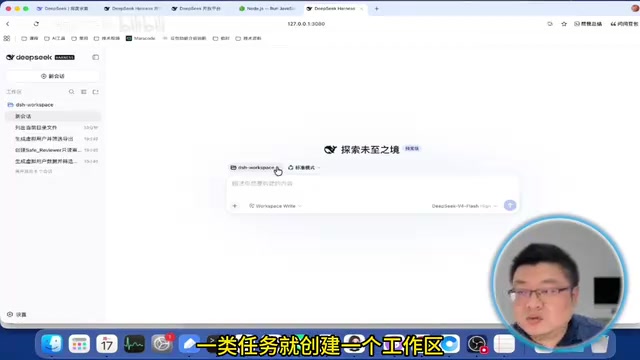
After entering the page, the core functionality organizes conversations in the form of workspaces, essentially categorizing tasks like files. We recommend creating one workspace per type of task and specifying a local working directory. All subsequent work revolves around this directory—for example, if you ask it to list the files in the current directory, it will list the files in your corresponding local directory. Putting different tasks into different workspaces keeps things very clear.
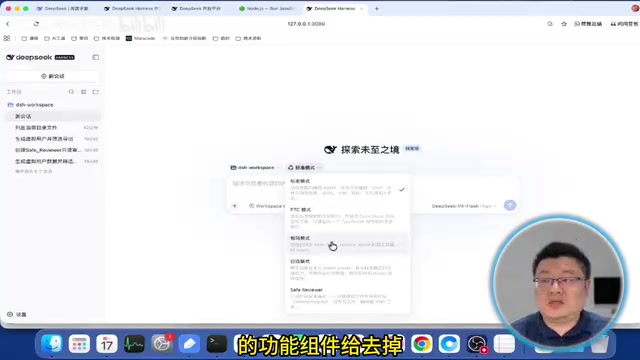
Configuration is also quite simple: the API Key you entered the first time will appear under the model provider, and two DeepSeek models are provided by default—Flash responds faster, while Pro handles complex tasks better but is slower and consumes more Tokens. If you want to switch to other models, you can add a new provider, such as Anthropic's Claude models—fill in the API Key and select an available model. Users in China can also consider comprehensive platforms that host many models, including DeepSeek, Alibaba's Tongyi Qianwen, MiniMax, and others.
Three Core Working Modes: Standard, PTC, and Collection-Resolution
The most interesting and core aspect of DeepSeek Harness is its working modes (Agent Presets). Handling different tasks requires different combinations of functional components, which it combines in the form of Presets. There are three common default modes, plus a creation mode for building new modes.
Collection-Resolution Mode: Extreme Stress Testing
Collection-Resolution mode provides only two tools, Bash and Str Replace Editor, essentially unplugging most plugins and keeping only the most essential parts. It's mostly for developers to test the extreme stress-bearing capacity of LLMs—just like when testing an off-road vehicle, you strip away imaging, broadcasting, and other features to run extreme terrain, keeping only the most essential parts. Its execution style is to work heads-down, writing scripts on its own to get things done, with little reporting in between and relatively low input Token usage.
Standard Mode: One Step at a Time
Standard mode is closest to the common approach of other Agents: call the LLM to determine which tools are needed, execute the tools to gather information, then hand it back to the LLM for integration. Its advantage is high fault tolerance—if it goes wrong, it can backtrack on its own—making it suitable for complex tasks such as compiling a complete report or searching for information online, which involve many steps. The cost is that it needs to retrieve more local plugins and uses more input Tokens, but the cache hit rate is very high, so the actual cost is relatively low.
PTC Mode: Orchestrate First, Execute Later
PTC stands for Program to Call, and its core is orchestrating the task on the backend into a TypeScript program, using a piece of code to drive the entire LLM to solve the problem. It's like holding a meeting before a marketing task to map out the entire process and form a battle guide before executing. Its execution is faster and its logic more precise, making it suitable for tasks that aren't too difficult but are high-frequency, such as pulling news every day. The downside is weak error handling—once an error occurs, you need to go back and adjust the entire script, and the back-and-forth consumes more resources.
PTC and the "Code as Tool Calling" Paradigm
The idea behind PTC (Program to Call) is often called "Code as Action" or "programmatic tool calling" in academic and engineering circles: instead of having the model output tool-calling instructions one step at a time, you have it first generate a complete script that writes multiple tool calls, loops, and conditionals into code and executes them all at once. The benefits are obvious—it saves the overhead of feeding context back to the model between each step, so it's faster and saves Tokens; the cost is that the execution process becomes a black box, and when something goes wrong mid-way, the model can't easily make local corrections "one step at a time" like in standard mode—it can only tear it down and rewrite. Understanding this makes it clear why high-frequency, stable-flow tasks suit PTC, while exploratory tasks with uncertain paths suit standard mode.
Hands-On Comparison: One Task, Three Modes, Three Behaviors
The Bilibili creator designed a comprehensive task: generate virtual user information in memory, sort it by the first letter of the name, and then write it to a file.
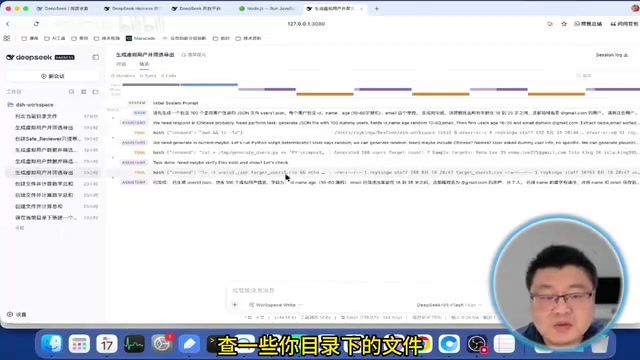
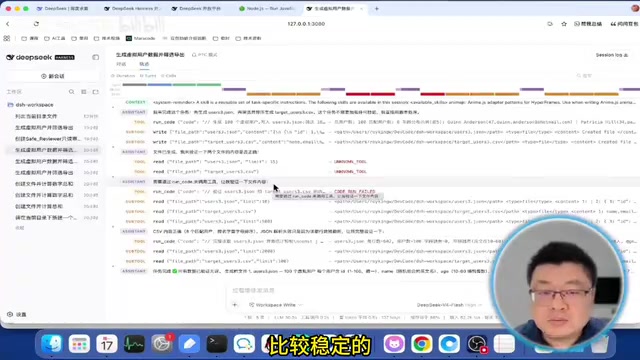
In Collection-Resolution mode, it directly writes a Python script and executes it; the trajectory only contains the Bash tool, it works heads-down and delivers the result, with low input Token usage. In Standard mode, it first checks the environment, finds that Python is available locally, then decides to write a script in Python, scheduling step by step with more feedback in between and more input Tokens. PTC mode is the most complex: first there's a Code process that internally orchestrates the task, and during execution it runs into the problem that the Write tool can't be used, so it rewrites the instructions and executes again—the process has back-and-forth.
Now look at another case: "creating a security audit mode." When using creation mode to build the Safe Review mode, you only state the requirements—review local code only, don't modify files or execute scripts—and internally it schedules various plugins to form the new mode. When using this mode to execute a task, it determines that it needs file read/write permissions, but the current mode doesn't have those tools, so it offers three options: provide a Python script, output the content directly in the reply, or only explain the limitations without further action. After the user chooses the first option, it outputs a script for you to execute yourself. This task consumed only 28K Tokens, versus 41K for standard mode and 62K for PTC mode due to repeated adjustments.
Why Prompt Caching Saves Money
The article mentions that standard mode has "more input Tokens, but a high cache hit rate, so the actual cost is relatively low." This involves the context caching mechanism of LLM service providers. When the prefix portion of multiple requests (such as system prompts, tool definitions, and historical conversations) is completely identical, the provider can cache the computation results for that part, and subsequent Tokens that hit the cache are billed at a significant discount—usually only about one-tenth of the original price. The Agent scenario fits this characteristic perfectly: tool descriptions and conversation history remain almost unchanged each round, with only a small new segment added at the end. Therefore, "more input Tokens" does not equal "more money spent." When evaluating Agent costs, look at the comprehensive bill of cache hit rate and effective Tokens, not just the total Token count.
Takeaways: An Agent's Strength Doesn't Depend on the Model Alone
The biggest takeaway from DeepSeek Harness is this: an Agent's strength depends not only on how smart the LLM is, but even more on how you build the right mode for different tasks. Modes aren't just officially preset—you can absolutely participate in creating them. Basic application scenarios have been largely explored and various products have matured; what comes next is a competition over who can land things more solidly and use them more precisely.
For developers, this means a freer way of using tools—choosing the flexibility of standard mode, the efficiency of PTC mode, or the low consumption of Safe Review mode based on task characteristics, and using LLMs more precisely.
One-line Summary
DeepSeek Harness rebuilds the local Agent around "everything is a plugin," with three modes each excelling in its own way.
Paragraph Summary
Based on a hands-on tutorial from a Bilibili creator, this article systematically introduces DeepSeek Harness, an emerging local Agent framework. It first clarifies the common logic of local Agents—scheduling local resources and decomposing/orchestrating tasks—and points out that Harness's essence is "everything is a plugin," where models, tools, and scheduling can all be freely combined and swapped. Installation requires only a Node.js environment and a single NPX command, and configuring a DeepSeek API Key makes it usable. The core content revolves around three working modes: Collection-Resolution mode keeps only Bash and the editor, suitable for extreme stress testing; Standard mode judges while calling tools, with high fault tolerance; PTC mode first orchestrates the task into a TypeScript program before execution, offering speed but weak error correction. Through two hands-on cases—generating virtual user information and creating a Safe Review mode—the article compares the execution trajectories and Token consumption of the three modes, concluding that an Agent's strength depends not only on the model itself but even more on the orchestration ability to build the right mode for the task.
Related articles

How Did Da Vinci Prove the Sun Is Hot? A Neglected Chapter in Science History
How did da Vinci use a concave mirror experiment to overturn Aristotle's cold sun theory? This article traces this neglected chapter in science history, revealing the embryo of scientific thinking in the 15th century and da Vinci's cold observations on solar heat and the nature of life.
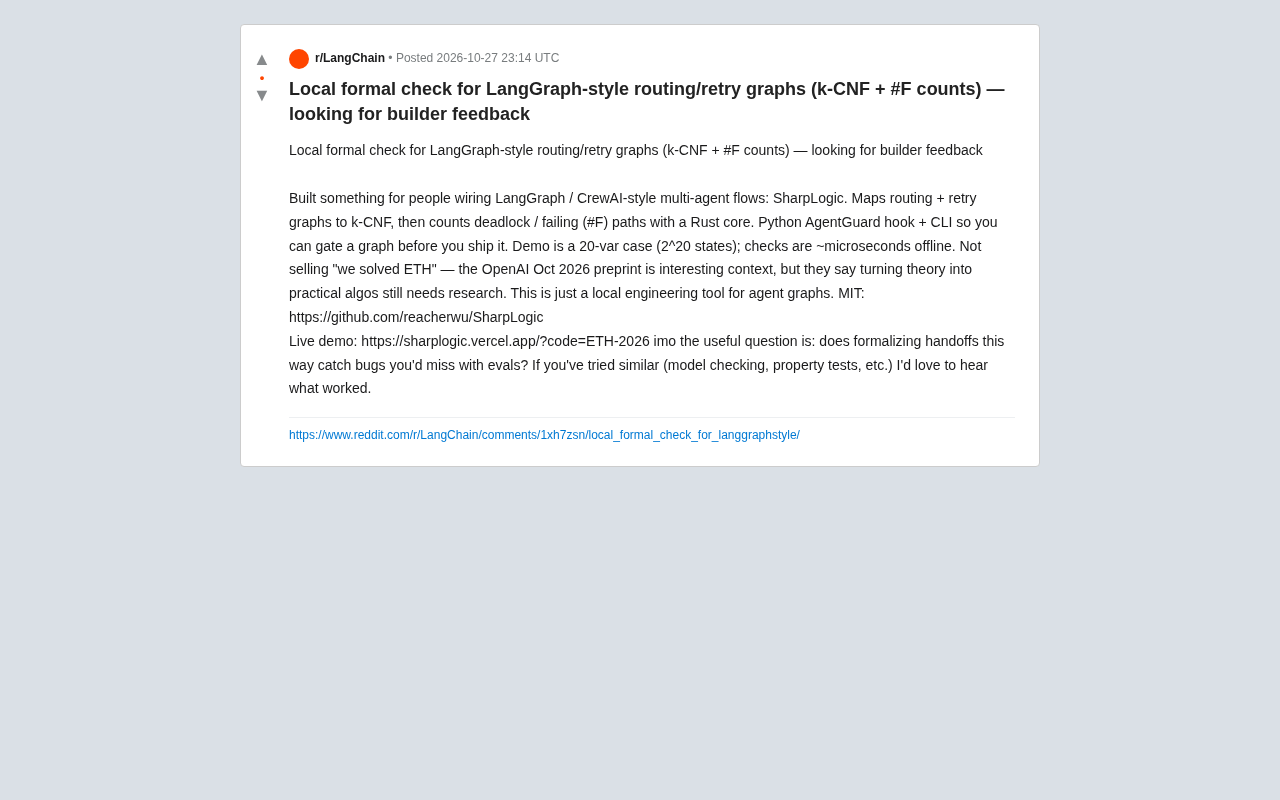
SharpLogic: Formalizing Bug Detection for LangGraph Routing Graphs with k-CNF
SharpLogic, an open-source project, maps LangGraph-style multi-agent routing and retry graphs to k-CNF, using a Rust kernel to count deadlocks and failing paths (#F counting), offering a Python AgentGuard hook and CLI for pre-release formal gate checks. This article analyzes its principles, its complementary relationship with evals, and the community's concern about modeling costs.
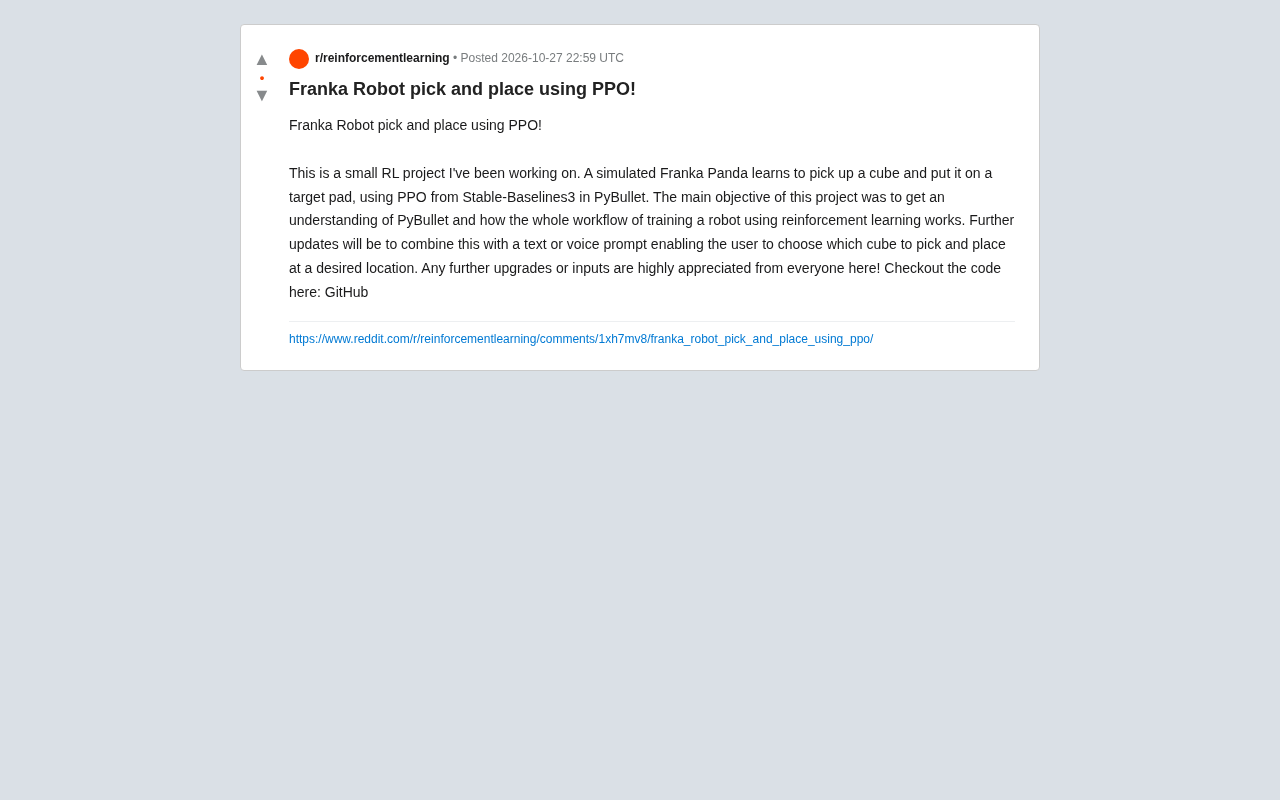
PPO Training of a Franka Robotic Arm for Pick-and-Place: A Reinforcement Learning Starter Project
A reinforcement learning project using PPO to train a Franka Panda robotic arm for pick-and-place in PyBullet, covering tech stack choices, task design challenges, and future text/voice command interaction plans—a good reference for beginners.