The Docker Server Backup Dilemma: Finding a 3-2-1 Solution That Actually Works
Docker users lack a backup tool that natively understands compose projects and backs up volumes per-project out of the box.
A Reddit post highlights a widespread pain point in the Docker self-hosting ecosystem: existing backup tools either lack Docker-awareness (like Duplicati), have steep CLI-based configuration (like Borg and Restic), or rely on error-prone label configs that can silently fail (like Nautical Backup). The user's requirements are clear and reasonable — auto-discover compose projects and volumes, back up per-project, support 3-2-1 strategy, offer a Web UI and hook scripts — yet no single tool covers all of it. Until an ideal solution emerges, Restic with scheduling wrappers and pre/post backup hooks remains the most practical approach.
For anyone running a self-hosted server, backup is one of those problems that sounds simple but never seems to have a perfect answer. A Reddit user recently posted for help, describing in detail their struggles finding a backup solution for a Docker-based server — and it turns out they're voicing a pain point shared by countless Docker users.
A Typical Docker Backup Requirement
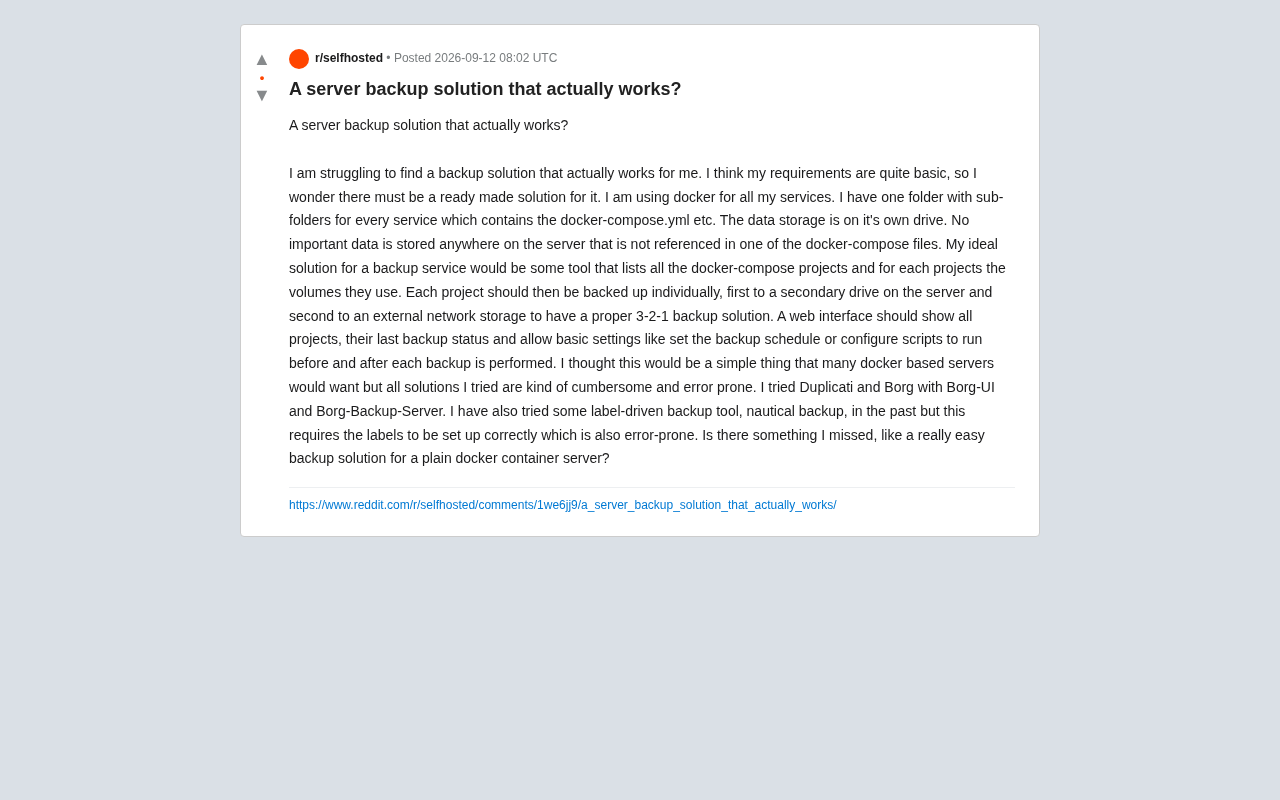
This user's server setup is actually quite clean: all services run inside Docker containers, each service lives in its own subdirectory with a docker-compose.yml and associated config files, persistent data is stored on a separate disk, and there's no important data anywhere on the server that isn't already referenced by a docker-compose project.
In other words, their ideal backup logic is crystal clear: if a tool can identify all docker-compose projects and the volumes they use, then backing up each project independently is all that's needed.
Here's what they wanted from an ideal tool:
- Automatically enumerate all docker-compose projects and their associated volumes
- Back up each project independently, rather than treating everything as one big blob
- Support backing up first to a second local disk, then syncing to external network storage — following the classic 3-2-1 backup principle
- Provide a Web UI showing the latest backup status for each project
- Allow configurable backup schedules and the ability to run custom scripts before and after each backup (e.g., stopping containers, exporting databases)
None of this sounds extravagant. In fact, it reads like a wish list most home server users running Docker would immediately recognize as reasonable.
Why Existing Solutions Always Fall Just Short
The poster admitted they had tried all the mainstream tools — and found every one of them "cumbersome and error-prone."
Duplicati is a veteran open-source backup tool with a Web UI and support for a wide range of cloud storage backends. But it's built for general-purpose file backup and has no concept of a "Docker project." Users must manually specify paths, with no project-oriented organizational view.
Borg (along with Borg-UI and Borg-Backup-Server) is celebrated for its deduplication and encryption — highly efficient, and a favorite for many. But at its core it's a command-line tool, and even with a UI layered on top, the configuration overhead is significant. It doesn't natively support the idea of managing each compose project as a separate backup unit.
Nautical Backup takes a different approach — label-driven configuration. It reads labels on containers to determine backup behavior, which is elegant in theory. But the poster identified a fatal weakness: it depends entirely on labels being configured correctly. If a container's labels are wrong or missing, the backup can silently fail — and silent failures are exactly what you don't want in a backup system.
What these tools share is a common problem: they're either general-purpose backup tools retrofitted for Docker, or they offload the complexity onto the user through manual configuration. None of them truly thinks from the perspective of a Docker server operator and automatically connects the chain of "project → volumes → backup destination."
This Exposes a Real Gap in the Self-Hosted Ecosystem
This thread is worth discussing precisely because it reveals a genuine gap in the Docker self-hosting ecosystem.
Docker has dramatically simplified service deployment and migration, and docker-compose.yml files are naturally declarative manifests for services. In principle, a backup tool could absolutely parse those manifest files, automatically discover the volumes mounted by each service, and enable intelligent per-project backups. This isn't technically difficult — the challenge is whether anyone has turned it into a polished, out-of-the-box product with a friendly interface.
The reality is that backup occupies an awkward middle ground: power users are comfortable writing Borg or Restic scripts with cron jobs and don't need a Web UI; casual users get discouraged by the configuration complexity of existing tools. The space in between — "automated, visualizable, and Docker-aware" — is exactly where a well-targeted solution is missing.
Why the 3-2-1 Principle Matters So Much
The poster specifically emphasized the 3-2-1 backup strategy, which is worth unpacking. The 3-2-1 rule means: keep 3 copies of your data, stored on 2 different types of media, with 1 copy kept off-site.
Their design maps perfectly to this: original data (1) + a second local disk (2) + external network storage (3), with the local disk and network storage representing two different media types, and the network storage providing off-site disaster recovery. This is a battle-tested, reliable strategy — and it shows the poster understands backups quite well. What they're missing is simply a tool that can automate this approach end-to-end.
Alternative Approaches Worth Considering
While the original post didn't arrive at a definitive answer, a few directions are worth exploring based on community experience:
- Restic + scheduling wrapper: Restic is similar to Borg in deduplication, encryption, and multi-backend support. Combined with wrapper projects or custom scripts, it can achieve project-level backups organized around directory structure.
- Pre/post backup hooks: Regardless of which tool you use, running scripts before and after backup to stop containers and export database snapshots (e.g.,
mysqldump) is essential for avoiding backups of inconsistent data — this is key to ensuring backups are actually usable. - Accept the one-time configuration cost: There may simply be no truly zero-configuration solution. Investing the effort upfront to write a solid set of backup scripts with proper monitoring and alerting may ultimately be more worthwhile than constantly trying new tools.
At the end of the day, this user's frustration speaks for many in the self-hosting community: Docker has made deployment easy, but the backup experience has lagged far behind the convenience of deployment itself. Until a backup product appears that truly understands Docker semantics and works out of the box, combining existing tools thoughtfully — with solid monitoring in place — remains the most pragmatic path forward.
Related articles

Vibe Coding Full-Stack in Practice: AI Programming from Beginner to Enterprise Deployment
From Cursor to Claude Code, this Bilibili AI programming course uses four progressive projects to cover full-stack development, open-source secondary development, and team collaboration. The article analyzes the shock to frontend roles, the efficiency shift from 50 people to 5, and the methodology required for enterprise-grade projects.

David Blaine's Global Quest for Real Magic: From South Africa to Japan and India
David Blaine travels to South Africa, Japan, and India in his Do Not Attempt special, documenting Spinning drivers, black mamba rescuers, iaijutsu masters, and ascetics—exploring the boundary between magic and real human极限 challenges.

Is a Touchscreen MacBook Coming? Vergecast Reveals Apple Executive's Response
Vergecast podcast reveals a conversation between a reporter and Apple executive John Ternus about a touchscreen MacBook and Apple Pencil support. Ternus says iPad is the best device for a stylus, while the reporter bets MacBook will eventually support Apple Pencil.