The Drive AI: An AI Agent That Executes File Operations Across Cloud Drives

The Drive AI is an AI agent spanning multiple storage sources that can directly execute file organization operations.
The Drive AI is an execution-oriented AI agent launched on Product Hunt that stands apart from file AI tools that only do Q&A retrieval—it not only reads files but directly completes write operations like organizing, deduplication, and document merging. It supports Google Drive, SharePoint, OneDrive, Dropbox, local machines, and NAS, managing scattered files with one agent. Its safety flow shows a plan first, acts after confirmation, and allows undo, plus automatic routines on new files. Cross-platform API and permission differences, plus NAS access, are its main challenges.
Most AI file tools stop at "understanding your files," but The Drive AI, launched on Product Hunt, wants to cover the second half too: after reading files, it directly takes action to complete tasks. It positions itself as an AI agent spanning Google Drive, SharePoint, OneDrive, Dropbox, local computers, and NAS, organizing thousands of files with a single instruction.
The leap from "reading files" to "modifying files"
The common form of file-based AI products is Q&A retrieval: you upload or authorize a directory, then ask questions in natural language, and the AI provides summaries or answers. After getting the answer, users still have to manually move, rename, and merge files. The Drive AI's differentiating bet is on the execution stage—it claims to continue completing actual operations after reading.
The capabilities listed in its official description include: organizing massive numbers of files with a single prompt, finding duplicates, assembling 20 PDFs into a new closing binder, and automatically running preset routines when new files arrive. These tasks traditionally require repeatedly switching between multiple cloud drive clients, manual batch processing, or writing scripts to call each provider's API. Converging these operations into a single agent is the efficiency problem it aims to solve.
RAG (Retrieval-Augmented Generation) is the most commonly adopted technical paradigm for file-based AI products: chunk files, vectorize them into an index, retrieve relevant fragments when a user asks a question, then hand them to a large model to generate an answer. Its output is text and doesn't touch the original files, making it safe but stopping at "suggestions." The Drive AI aims to cross exactly this step—converting the LLM's output from natural language into structured file operation instructions (move, rename, merge, delete), then actually executing them through each storage platform's API. This requires the model not only to understand semantics, but also to map vague instructions into deterministic operation sequences, and to handle execution-time errors such as path conflicts, duplicate names, and insufficient permissions.
One agent managing multiple storage sources
The Drive AI explicitly lists the storage locations it covers: Google Drive, SharePoint, OneDrive, Dropbox, local machines, and NAS. This is particularly important for small and medium-sized teams and individual users—in reality, files are often scattered across multiple platforms, cloud drives each manage their own segment, and NAS follows yet another set of logic. Cross-source operation capability determines whether such tools can truly replace manual labor, rather than being just another single-platform plugin.
The product appears simultaneously in the Android, Chrome extension, productivity tools, SaaS, and artificial intelligence categories, indicating it seeks to use browser extensions and mobile as entry points to lower the barrier to use. The Product Hunt page shows it was built by Bigyan Karki, with 90 votes, 7 comments, and a ranking of 19th.
NAS (Network Attached Storage) is a storage device connected to a local network that provides shared access via file protocols (SMB/NFS), commonly found in homes and small offices. Its key difference from public cloud drives is that it has no unified open API; access depends on the local network and account permissions, and cross-internet use typically requires additional NAT traversal or VPN configuration. Therefore, if an agent is to cover both cloud drives and NAS simultaneously, it must handle two completely different access models—one being OAuth authorization plus HTTP APIs, the other being read/write permissions on a local file system or network share. This is also why "cross-source operations" are more complex in engineering than they appear.
Show the plan first, wait for confirmation, and allow rollback
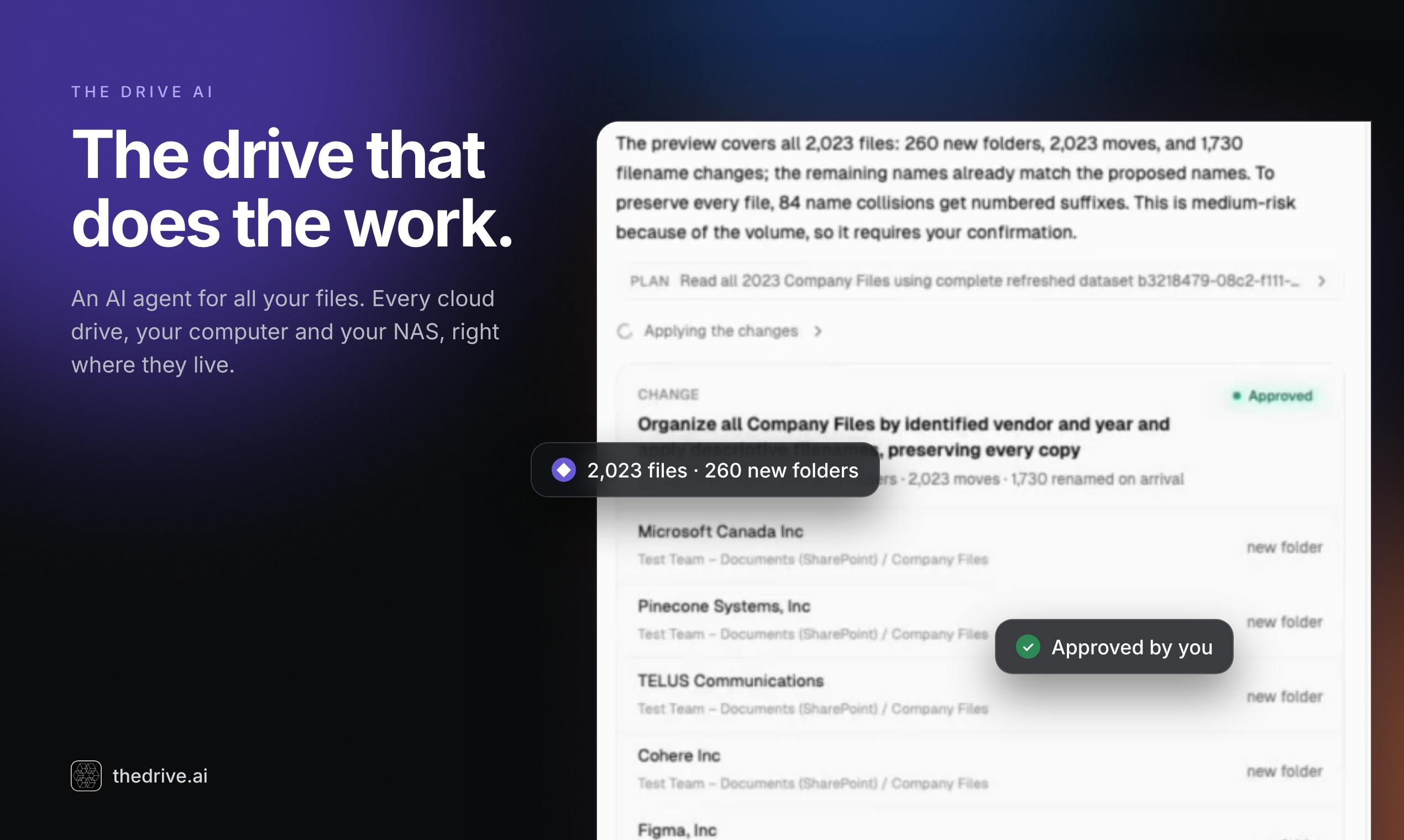
When letting AI operate on files in bulk, the most direct concern is accidental deletion or modification. The Drive AI has designed three layers of protection here: first display the execution plan, then act only after user confirmation; every change can be undone.
This flow constrains the agent's "autonomy" within a reviewable range. For high-risk actions such as bulk organizing, deduplication, and generating summary documents, previewing the plan is a necessary safety valve. Reversibility further reduces the cost of trial and error—users can first validate the agent's judgment on a small set of files before deciding whether to expand it to the entire directory.
Undo in bulk file operations is not simply recording one step of history. A single task may involve renaming, moving, and merging hundreds or thousands of files. To achieve reliable undo, the agent needs to save each file's original path, name, and even a content copy before execution, or rely on the underlying storage's built-in version history (Google Drive, OneDrive, etc. offer versioning, but retention periods and granularity vary). When operations span multiple platforms, the undo logic must also adapt separately to each provider's capabilities and cannot be handled uniformly with a single solution.
Automatic routines: triggered as soon as files arrive
In addition to manually initiating tasks, The Drive AI emphasizes "routines on autopilot as new files arrive," meaning preset routines run automatically when new files arrive. This is closer to the idea of workflow automation: handing repetitive archiving, classification, and naming convention actions to the agent for always-on execution.
This type of capability is most valuable for inbox-style folders (such as contracts, invoices, and scans that keep arriving). However, automatic triggering also means users need to design the routine rules clearly in advance; otherwise, the cost of automation going off track will be amplified.
Observations and judgment
The Drive AI hits a real pain point: the "last mile" of file management has always been manual work. It combines the LLM's understanding capabilities with write operations on the file system and uses a "plan—confirm—undo" approach to control risk; the product concept is complete.
What needs to be observed is the stability of cross-platform writing and permission handling. Google Drive, SharePoint, OneDrive, and Dropbox have different API capabilities and permission models, and NAS often also involves local network access. Truly achieving "one agent handles everything" is not easy in engineering terms. In addition, the product is currently at an early stage, with limited comment and vote counts, and the actual success rate of bulk operations and handling of edge cases still need validation from more users.
For users whose files are scattered across multiple platforms and who are troubled by repetitive organizing work, this is a direction worth watching; but whether it can replace manual operations depends on its execution accuracy in real directories.
One-line Summary
The Drive AI is an AI agent that spans multiple storage sources and can directly execute file organization operations.
Paragraph Summary
The Drive AI is an execution-oriented AI agent launched on Product Hunt, positioned differently from file AI tools that only do Q&A retrieval—it not only reads files but also directly completes write operations such as organizing, deduplication, and document merging. The product supports multiple storage sources including Google Drive, SharePoint, OneDrive, Dropbox, local machines, and NAS, managing files scattered everywhere with one agent. For safety, it adopts a process of first showing the execution plan, acting after user confirmation, and allowing every change to be undone, and it supports automatically running preset routines when new files arrive. Built by Bigyan Karki, the product is at an early stage with limited votes and comments. Differences in cross-platform API capabilities and permission models, plus NAS local network access, are its main challenges in truly replacing manual operations.
Related articles

Chain of Thought Isn't Just for AI: How Humans Can Use CoT to Improve Thinking Quality
Chain of Thought isn't just a prompt trick for large models. Starting from a Hacker News discussion, this article analyzes why CoT works for human thinking too, breaks down actionable ways to transfer it, and highlights the key differences between human CoT and machine CoT.
Cloudflare Teams Up with OpenAI: Closi…
Cloudflare Teams Up with OpenAI: Closing the Loop from Vulnerability Discovery to Defense with AI
Cloudflare uses OpenAI Daybreak to investigate security vulnerabilities and generate reviewable remediation plans, while developers use Codex to boost coding efficiency and quality.

Orca Multi-Agent Orchestration in Practice: A Guide to Parallel Collaboration with Claude and Codex
Orca is Stable AI's free open-source agent workbench supporting 34 agents like Claude Code and Codex in parallel. Learn its Git worktree isolation, multi-model orchestration, and mobile management.