The Four Forms of OpenAI Codex Explained: Comparison with Claude Code and Best Usage Strategies

A breakdown of OpenAI Codex's four forms and how it compares with Claude Code for different dev scenarios.
This article explores OpenAI Codex's four product forms — CLI, web, IDE plugin, and standalone APP — and provides a detailed comparison with Claude Code across pricing, stability, and frontend vs. backend capabilities. It recommends the Codex APP + VS Code combo as the optimal setup and advises developers to master all three major AI coding tools: Cursor, Claude Code, and Codex.
AI Coding Agents Enter the Four-Form Era
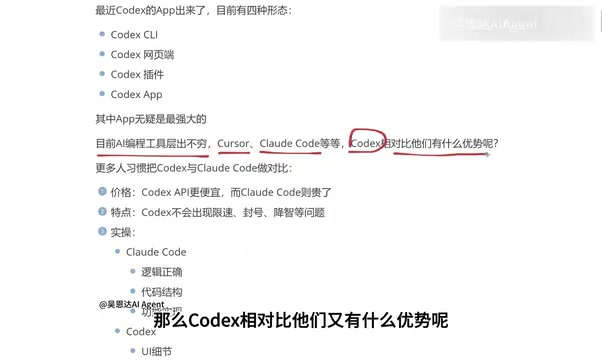
As OpenAI Codex continues to evolve, this coding agent tool has moved well beyond its early plugin form. According to a recent breakdown by a Bilibili content creator, Codex now comes in four distinct forms: CLI (terminal), web interface, IDE plugin, and the newly launched standalone APP.
Each form has its own ideal use cases and target audience. The CLI (Command Line Interface) lets developers interact with AI by typing text commands in the terminal — ideal for senior engineers comfortable with Linux/Unix environments, with the advantage of seamless integration with Shell scripts for automated workflows. The IDE plugin form embeds AI capabilities directly into integrated development environments like VS Code and JetBrains, allowing developers to get code completion and generation without switching windows. The web interface offers the lowest barrier to entry via browser access. The standalone APP, however, represents an entirely new product philosophy — AI coding tools are no longer add-ons to a development environment but independent applications with full interaction interfaces, project management capabilities, and multimodal input. This marks a paradigm shift from "assistive tool" to "independent workstation" for AI coding agents.
For many developers, the primary way to use Codex used to be as a plugin integrated into various development tools. Now, with the more feature-complete APP version available, both the official team and the community recommend using the APP form directly — because among all four forms, the APP is undeniably the most comprehensive and powerful entry point.
Codex vs. Claude Code: A Deep Comparison
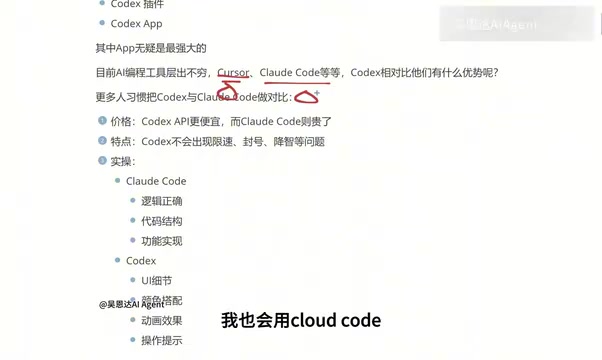
In today's crowded AI coding tool landscape, Cursor, Claude Code, and Codex are widely regarded as the "Big Three." In practice, Codex is most frequently compared head-to-head with Claude Code.
To understand this competitive landscape, it helps to know the technical lineage behind each tool. Cursor, developed by Anysphere, is essentially a heavily modified AI-native IDE built on VS Code, deeply integrating large language model capabilities into every aspect of code editing — including Tab-key smart completion, multi-file collaborative editing, and natural language instruction programming. Claude Code is Anthropic's coding agent tool, built on its Claude model family (especially Claude Sonnet and Opus), primarily using terminal interaction. It can autonomously read project structures, execute commands, and complete complex multi-step programming tasks. OpenAI Codex is built on the GPT model family (including codex-series models specifically optimized for programming), with its core philosophy being "agentic coding" — AI functioning as a programming agent with autonomous planning and execution capabilities, rather than a simple code completion tool. The competition among the three is essentially a full-spectrum battle across model capability, product experience, and ecosystem development in the AI coding space.
Price: Codex Offers Better Value
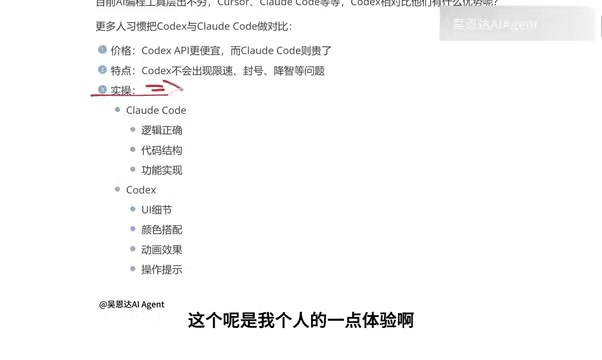
From a pricing perspective, the Codex APP version is relatively cheaper, while Claude Code tends to be more expensive. For individual developers and small teams that need to use AI coding tools frequently over the long term, cost is an unavoidable practical consideration — and Codex holds a clear advantage here.
Stability: Fewer Rate Limits and Account Bans
Based on the content creator's hands-on experience, Claude Code is prone to rate limiting and account bans during use, disrupting continuous workflows. Codex performs more reliably in this regard.
The issues of rate limiting and account bans involve complex technical and business considerations. LLM inference consumes massive amounts of GPU compute — each code generation request may involve processing thousands to tens of thousands of tokens, while high-end GPUs (such as NVIDIA H100/B200) remain in chronically tight supply. Service providers must therefore use Rate Limiting to control per-user resource consumption and ensure overall service availability. These issues are particularly prominent under subscription-based business models, where providers must balance users' expectations of "unlimited usage" against finite compute resources.
As for the widely discussed "quality degradation" issue (where model output quality drops under load), the author candidly states they haven't noticeably experienced it in their own use cases. However, they honestly note that some community members have reported quality degradation, and this still needs further verification. The so-called "quality degradation" phenomenon may be related to providers routing requests to smaller models during peak periods, reducing inference steps, or lowering sampling temperature — but providers typically don't publicly acknowledge such practices.
Frontend vs. Backend: Where Each Tool Excels
This is the most practically valuable observation from the breakdown. As a frontend developer with extensive hands-on experience, the author identified clear capability differences between the two tools:
Claude Code: Excels at Logic and Code Structure
Claude Code focuses more on logical correctness, code structure, and functional implementation. As a result, many backend engineers prefer Claude Code, whose complex logical reasoning capabilities are considered stronger.
This advantage is closely tied to the technical characteristics of the Claude model family. Backend development emphasizes algorithm logic, data structures, concurrency control, and system architecture design — capabilities that rely on the model's long-chain logical reasoning and understanding of abstract concepts. The Claude model family is known for its long context window (up to 200K tokens) and excellent instruction-following ability, giving it a natural edge in handling complex backend logic — such as database query optimization, microservice call chain design, and distributed transaction processing.
Codex: Excels at UI and Visual Experience
Codex focuses more on UI details, color coordination, animation effects, and interaction cues. This makes it perform better in frontend development, app interface building, and similar scenarios, earning it strong favor among frontend developers.
Frontend development involves extensive visual presentation — CSS styling fine-tuning, responsive layouts, animation transitions, color theory application, and more. These lean toward the "sensory" and "aesthetic" dimensions. OpenAI's deep investment in multimodal training (including technologies like DALL·E image generation and GPT-4V visual understanding) likely gives Codex stronger intuition for understanding and generating visually-related code. For example, when a developer describes "a card component with a frosted glass effect and a subtle lift animation on hover," Codex tends to generate CSS and JavaScript code that more closely matches the design intent. Of course, these differences may shift as models continue to iterate.
The author also emphasizes that this is based on personal experience and may not be entirely accurate, encouraging readers to test and validate based on their own scenarios. There's no absolute answer in tool selection — the key is matching your development focus.

Master All Three Giants
The author makes a point that every developer should take seriously: Don't limit yourself to just one tool.
Ideally, developers should have working knowledge of all three giants — Cursor, Claude Code, and Codex. The reasoning is practical: different companies may provide different accounts and require different AI tools. Mastering multiple tools means greater adaptability and broader career options.
The author also shared their own tool evolution journey: they started with Cursor for over half a year but "felt the pain every time they paid"; then switched to Claude Code connected to domestic Chinese models, which reduced costs but compromised the experience; since they weren't particularly comfortable with pure terminal CLI interaction, Codex's APP form ultimately became the better fit.
APP + VS Code: The Optimal Combo
It's worth noting that the Codex APP isn't meant to replace traditional development tools — it complements them. The author points out that using the Codex APP alongside a traditional development environment like VS Code delivers the best results — the APP handles efficient agentic coding and interaction, while the IDE handles precise code editing and debugging.
Behind this pairing is "Agentic Coding" — the most important paradigm evolution in AI programming during 2024-2025. Unlike traditional code completion, coding agents can autonomously plan tasks, read project context, execute Shell commands, run tests, and even self-debug errors — acting more like a "junior programmer colleague" than a smart input method. But agentic coding doesn't mean developers can go completely hands-off. AI-generated code still requires manual Code Review, fine-tuning, and performance optimization. Therefore, the Codex APP handles "coarse-grained" feature implementation and prototype building, while VS Code handles "fine-grained" code review, breakpoint debugging, and performance analysis. This human-machine collaboration model is also known as "Human-in-the-Loop" and is considered the safest and most efficient development approach given current AI capabilities.
For complete beginners with no development experience, Codex's advantages in visual presentation and ease of use are particularly notable, lowering the barrier to entry and enabling more people to quickly enter the world of AI-assisted programming.
Conclusion
With its more accessible pricing, more stable user experience, and outstanding strengths in UI and frontend scenarios, OpenAI Codex is becoming the AI coding agent of choice for an increasing number of developers. But as the author repeatedly emphasizes: no tool is absolutely superior — selection depends on the scenario. Truly mature developers should master all three giants — Cursor, Claude Code, and Codex — to thrive in any environment.
Key Takeaways
Related articles

ICANN Revokes Bulletproof Registrar Trustname's Accreditation: Impact and Analysis
ICANN has officially revoked bulletproof registrar Trustname's accreditation, severing its ability to harbor cybercrime. This article analyzes the impact on internet security governance.

ChatGPT Voice Mode Clones User's Voice: Root Cause Analysis and Security Implications
Reddit user reports ChatGPT voice mode cloning their voice. Analysis of OpenAI's disclosed unauthorized voice generation risk, technical causes, and safety guardrail limitations.

Building a Neural Network from Scratch: A Practical Guide to Backpropagation and Gradient Computation
A detailed guide on building neural networks from scratch with Python and NumPy, covering forward propagation, backpropagation, gradient checking, and numerical stability.