The Memory Problem with AI Agents: Why Every Existing Solution Falls Short — and a New Approach

Why existing AI agent memory solutions all fail at the moment that matters most — and what a better design looks like.
This article breaks down the fundamental flaw in AI agent memory: markdown files, call-based memory tools, and search hooks all fail at the same critical moment — when a new prompt arrives, the agent gets almost nothing useful. The author proposes one core criterion: memory's value lies in "what's in front of the model right now," not what's stored or retrievable. From this come three tests — a proactive session briefing, per-prompt preloading, and traceable decisions with dates and reasoning — addressed by a three-layer architecture of curated records, a decision graph, and full history. The article is ultimately a product pitch, but its framing of "storage ≠ briefing, retrieval ≠ reconciliation, fragments ≠ reasoned decisions" is more valuable than the product.
Every time you open an AI agent session, you probably go through the same routine: paste in your tech stack description, project conventions, that authentication flow decision from last Tuesday, the approach you tried and abandoned back in March. Then you get to work, the session ends, and everything you built up disappears.
This article is about the memory system problem in AI agents — a pain point every heavy user silently endures, even if they've grown so used to it they barely notice anymore. The original author tried most of the memory solutions on the market, concluded they all fail in the same place, and built their own. Setting aside the obvious product pitch, the article's breakdown of "what agent memory actually needs to solve" is genuinely worth reading.
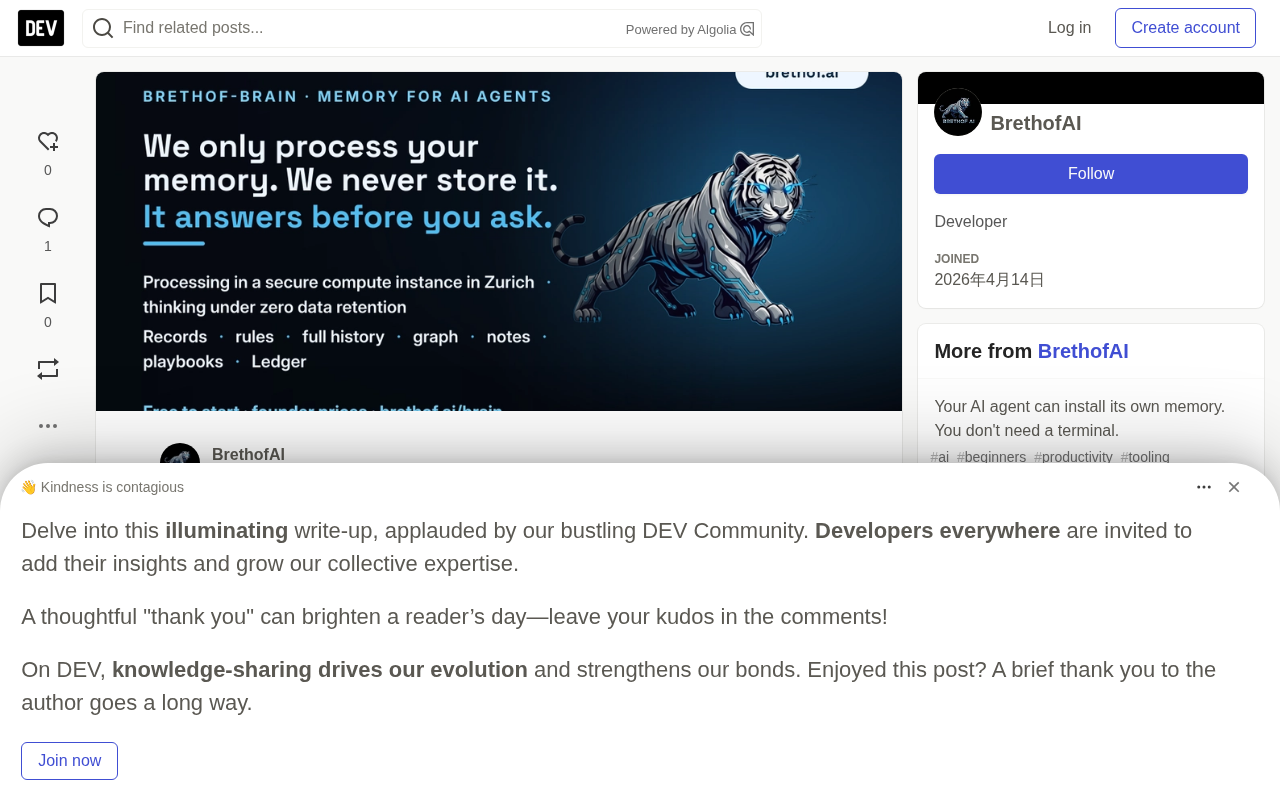
The Smartest Tool That Remembers Nothing
The author opens with a striking observation: the smartest tool on your machine is the only one that remembers nothing. Your editor remembers your settings, your terminal remembers your command history — but the agent that costs the most and requires the most onboarding starts from zero every morning. And you've made peace with that.
What does that peace cost you? A CLAUDE.md file you maintain by hand, like a wiki nobody really owns. A "save context" ritual before closing every session. Five markdown note files that are, in essence, a manual memory system you operate yourself — in service of software that costs more than your editor.
The One Question That Tests Any Memory System
The author proposes a single criterion for evaluating all memory tools: When the next prompt arrives, what does the agent actually know? Not what's been stored, not what can be retrieved — but what is in front of the model right now.
Using this standard, he examines three categories of existing solutions and argues they all fail in the same way:
Markdown Files (CLAUDE.md and Its Cousins)
These files are loaded once at the start of a session, then frozen. Whatever you wrote in on Tuesday is what the agent believes all week. And nobody wants to maintain them, because maintenance is exactly the manual work you're trying to escape. A month later, they've become a junk drawer: three conflicting instructions, a tech stack list from two projects ago, a note that stopped being relevant long ago. It's a snapshot, not a memory.
Memory Tools That Require the Agent to Actively Call Them
These tools have solid storage capabilities, but they sit there waiting to be asked. Unless the agent decides mid-conversation to run a search — and remembers to run a search — nothing gets surfaced proactively. The handoff at the end of a session depends entirely on whether the next session thinks to ask the right question. The author's analogy is precise: a library you have to remember to use is not memory.
Representative tools in this category include LangChain's Memory module, MemGPT (now renamed Letta), and various RAG-based memory solutions built on vector databases. Their shared architecture: vectorize historical conversations or knowledge fragments, store them in a database (Pinecone, Chroma, Weaviate, etc.), and have the agent trigger retrieval calls when needed, pulling back semantically similar fragments to inject into context. The core problem is that retrieval is passive — it depends on the agent judging mid-reasoning that "right now I need to look something up," which itself requires already knowing there's something worth looking up. The deeper trap: the more novel the problem the agent is working on, the less likely it is to think to retrieve old decisions — and those old decisions are precisely the ones most likely to conflict with the new problem.
Search Hooks
Better solutions push some matching raw text fragments at every prompt. This is genuine injection, but still not enough — fragments are retrieval, not a briefing. They surface pieces, but they don't carry your standing rules, they don't reconcile fragments against decisions you made later, and they don't come with reasoning attached. The agent receives search results, not an answer to the question "what's correct here?"
All three fail in the same way: knowledge exists somewhere, but at the moment that actually matters — when the prompt fires — almost nothing gets through.
Search hooks typically work by having the framework layer automatically trigger a semantic search before each prompt is sent, prepending matched results to the system prompt or user message — transparent to the user. This is a step forward from tools that require the agent to actively call them: retrieval becomes automatic infrastructure rather than an optional tool call. But the fundamental mechanism is still similarity matching: it finds history fragments semantically close to the current prompt, not information that's "genuinely important for the current task." There's a structural gap between the two. A code snippet about rate limiters will match on "rate limiter" keywords, but the architectural decision from three months ago — "we decided not to do rate limiting at the gateway layer" — might fall outside the retrieval results due to phrasing differences. Fragments also carry no metadata: when was this, what decision context surrounded it, was it later overturned? All of that requires additional structure to hold.
Three Tests a Memory System Must Pass
The author identifies three moments that any qualified memory system must answer — this is the most practically valuable part of the article:
- At session start: Deliver a briefing before you've said a word — where things left off, what rules are currently active, what's next on the plan.
- At every prompt: The records relevant to that specific prompt arrive with it, rather than dumping the entire memory into the context window every turn.
- At "why is it this way?": The decision itself, the date, the reasoning, and the alternative it beat out — in the exact words from the conversation at the time.
That's the specification. Everything else is an implementation detail. This framework also provides a clear requirements definition for anyone building agent memory.
A Typical Workday: A "Brain" Rather Than Just "Memory"
The author describes a day of actual use to illustrate what the ideal experience looks like:
Morning: Boot up, open a session, say "continue." The briefing is already there — the handoff note from the last session, project rules, the next few lines of the plan, an index of the playbook for this project. No re-explaining, no "let me do a quick review of the repo."
Midday: Each prompt arrives pre-briefed — not carrying everything, just the records relevant to that prompt. Ask about the rate limiter, and the memory from that rate-limiter conversation comes along with the question. The author says he stopped maintaining md files back in March and dropped the "save context" ritual, because the organizing happens as the conversation unfolds.
Afternoon: Two agents working on the same project — one handling frontend, one backend, each with its own key but sharing a single memory. The backend agent's next prompt carries what was settled in the frontend conversation. When the frontend agent proposes something for the settings page, memory answers on its behalf: that option was rejected in March, here's the date, here's the reasoning, in the exact words from that conversation. Nobody re-argues a dead option.
The author also acknowledges a real tradeoff: injection consumes context. Briefings and per-prompt records cost tokens — that's the nature of injection. What you get in return is fewer tool calls, fewer conversation turns, and less digging. He believes that math works in his favor over time.
The Underlying Design: Three Layers
The system is implemented in three layers, each with a distinct role:
- Curated records: The current truth. The system reads content in five-turn windows, retains what the conversation "settled," reconciles new facts against old ones, and quietly retires records that describe things that have been replaced.
- Decision graph: Records how things got to where they are. One line per decision: dated, with the reasoning from that moment, and the alternative it beat. Reversals are a new line added — history is never rewritten, so "why is it this way?" always has an answer.
- Full history: Everything, preserved completely, searchable by keyword or semantic query.
Two practical details worth noting: projects are isolated from each other, each with its own records, rules, graph, and plan, unless you explicitly invoke cross-project search. Rules have a capacity ceiling — a warning fires at 80%, and saves that would cause overflow are rejected with a suggested fix rather than silently trimming what you wrote.
On privacy: the author states that memory lives on your local machine (a local container) or their encrypted cloud, and the hub that processes briefings retains no fragments.
This three-layer separation mirrors the "hot/warm/cold" storage tiering logic familiar from software engineering. Curated records are hot data — frequently accessed, always current. The decision graph is warm data — rarely modified but must be precise when needed. Full history is cold storage — low frequency but requires completeness. Worth noting is the "decision graph is append-only" design: this is an append-only data pattern common in distributed systems and Event Sourcing architectures, whose core benefit is an immutable audit trail and the ability to reconstruct historical state at any point. Applied to agent memory, it means reversals don't erase old decisions — new decisions supersede old ones while the historical context is fully preserved. This is especially valuable in multi-agent collaboration scenarios: any agent can independently trace the backstory of a decision without relying on another agent's account.
A Sober Assessment
Worth noting: this article is essentially a product pitch. The closing section explicitly provides installation instructions for install brethof-brain, a website link, and an affiliate programme. Claims like "we use it to run our own company" and "every conversation since April is there and searchable" are single-source self-reported assertions that lack independent verification.
But strip away the marketing shell, and the article's problem definition — storage ≠ briefing, retrieval ≠ reconciliation, fragments ≠ decisions with reasoning — genuinely identifies weaknesses in most current agent memory approaches. For developers building or evaluating agent memory systems, the "three moments" test and the "curated records / decision graph / full history" layering concept are worth more than the product itself.
If you've read this far, it's probably because you've already accepted "re-explaining everything repeatedly" as part of the job. The author's core claim: it doesn't have to be.
Related articles

How Big Can Stars Really Get? The Physical Limits of the Largest Stars
Red supergiants are the largest stars by volume, with radii up to 2,000 times the Sun, engulfing the inner solar system. But there is no precise upper limit on stellar size—models predict up to 15,000 solar radii. The most massive blue stars are far smaller than red supergiants—biggest and heaviest are two different things.

Apple HomeView Smart Display Full Feature Breakdown: Wall-Mount or Desktop, $299
Apple launches HomeView, a $299 smart display with wall-mount and desktop options, 12MP camera for facial recognition, smart home control, music playback, and recipe step-by-step cooking. Full breakdown of watch faces, apps, privacy, and cooking integration.

Where Did the Promised New Studio Go? Craft Computing Answers After Five Years
Craft Computing's host responds to viewer questions: the new studio promised five years ago was shelved as construction costs soared from $30,000 to $75,000, and was replaced by a 168-square-foot garage conversion.