The Official Claude.ai Beginner's Guide: Prompts, Files, Models, and Research Explained

Master Claude.ai with this guide to prompts, file uploads, model selection, and the Research feature.
Based on the official Claude.ai onboarding tutorial, this article covers the four core areas for getting the most out of Claude. On prompts, the guide recommends framing your request around setting the scene, defining the task, and specifying rules. Uploading PDFs or CSVs lets Claude work with your own context, while web search and Google Drive connections keep responses grounded in real data. For model selection, the philosophy is fit over power — Sonnet for everyday tasks, Extended Thinking for complex reasoning. The Research feature can autonomously break down questions, explore hundreds of sources, and return a cited report in 5 to 45 minutes. The core takeaway: Claude's real value comes from ongoing collaboration, not one-off queries.
Staring at a blank page with a massive, complex project ahead — nearly every knowledge worker has been there. Claude's official onboarding tutorial frames it clearly: Claude isn't a tool that does everything for you; it's an intelligent collaborator that amplifies your capabilities. Claude provides the AI intelligence, while you supply the context and professional judgment that make the work truly meaningful.
This article is based on the official Claude.ai introductory video and covers four key areas: how to write effective prompts, how to upload files to add context, how to choose the right model, and how to use the Research feature in practice.
Starting with the Sidebar: Claude's Workspace Structure
The sidebar is the starting point for everything in Claude. It contains entry points for starting new conversations and returning to past ones, plus two feature modules worth highlighting.
The first is Projects, which lets you organize related conversations together while preserving persistent context and custom instructions. For long-term tasks that require ongoing communication, this means you never have to re-explain your background from scratch.
The second is Artifacts, which transforms your ideas directly into shareable apps, tools, or content. In other words, the output of a conversation isn't limited to text — it can be an actual, usable deliverable.
The persistent context mechanism in Projects is worth unpacking further. In a regular conversation, every new chat starts with a completely blank memory — Claude won't remember anything from your previous sessions. Projects solve this by grouping multiple conversations under one project and letting you set a project-level system prompt, so Claude retains your role, preferences, writing style, or specific background knowledge throughout the entire project lifecycle. For long-term collaboration scenarios — like ongoing product documentation or recurring report writing — this is especially significant, saving you the overhead of "re-introducing yourself" at the start of every conversation.
Artifacts represents a shift in how outputs are delivered. Traditional chatbots typically produce only text, but Artifacts can generate self-contained units of content that are ready to run or share — such as a complete HTML page, an interactive data visualization, or a neatly formatted document. This means Claude doesn't just "tell you what to do" — it can hand you something you can actually use.
Writing Great Prompts: As Natural as Talking to a Colleague
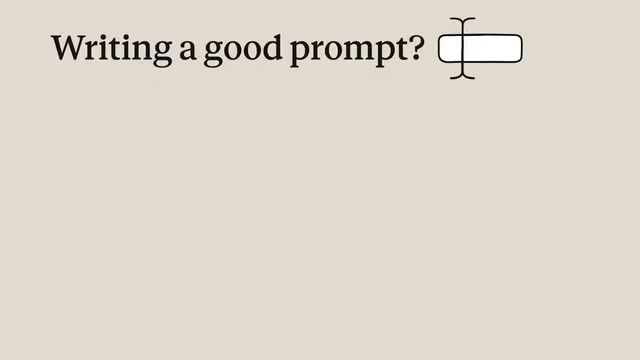
Every interaction with Claude starts with a prompt, and your prompt — combined with any additional context — determines the quality of its response. The official advice is refreshingly straightforward: communicate naturally, concisely, and conversationally, just like you would with a coworker.
But "natural" doesn't mean "careless." Before starting a conversation, the official guide recommends thinking through your prompt along three dimensions:
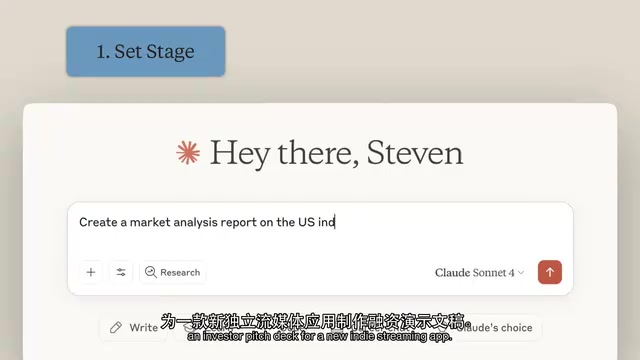
1. Setting the Stage
What's your role? What's your goal? Is there any background context Claude needs to know?
2. Defining the Task
What specific action do you want Claude to take — write, analyze, or build something?
3. Specifying Rules
What style or tone do you want? Which tools should Claude use? Are there examples you can include to make your expectations clearer?
The official tutorial uses a concrete example: creating investor pitch materials for a new independent streaming app. You start by stating the purpose to set the scene (that's your context and objective), then provide relevant details to define the task clearly, and finally specify the rules — use real-time web research with citations, and present the output in a professional report format. This gives Claude a precise understanding of the content direction, style, and formatting requirements.
Uploading Files: Making Responses Truly Tailored to You
Once you've set up a solid base prompt, the real power move is adding your own context. When you upload relevant documents or background materials to a conversation, Claude incorporates that information into its responses — whether it's company documentation, project files, or background research.
Think of it as a shortcut: instead of describing everything in words, you hand Claude the materials directly so it can quickly understand your actual needs. Claude supports a wide range of file types for both input and output, including common formats like PDF and CSV.
In the "Search and Tools" menu, you can give Claude even more capabilities. For example, you can enable web search so it can look up current market data, or connect data sources like Google Drive to access live information. Claude will invoke these tools as needed while working through your request, choosing the most appropriate approach on its own.
Choosing the Right Model: Not the Most Powerful — the Best Fit
Claude offers multiple models with different capabilities, each suited to different needs. In the model selector, the currently selected model appears below the input box — click the model name to switch (switching opens a new conversation).

The official guidance on model selection is refreshingly pragmatic:
- The largest-scale model: Features hybrid reasoning capabilities and is suited for complex, multi-step tasks like multi-stage financial analysis.
- Claude Sonnet: Designed for everyday users and is the officially recommended default, balancing sophisticated capability with cost efficiency.
The logic here is like choosing the right tool for the job. You can switch models at any time based on your objective, rather than always reaching for the most powerful option.
Extended Thinking mode is particularly valuable for complex reasoning and analysis, but it increases latency and isn't necessary for straightforward everyday questions. For direct tasks, the official recommendation is to start with the Sonnet model with thinking mode off for the fastest output, then switch models or enable thinking mode if you need more support.
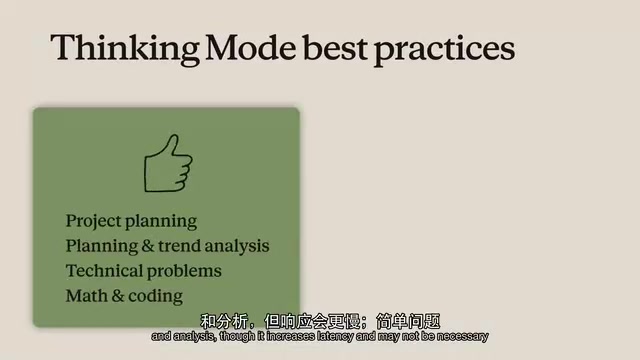
The underlying principle behind Extended Thinking comes from the Chain-of-Thought reasoning method: before delivering a final answer, the model generates an internal reasoning process, breaking the problem down step by step, verifying intermediate steps, and then outputting a conclusion. This significantly improves accuracy when handling mathematical proofs, multi-step logical inference, or complex decisions that require weighing multiple variables. The trade-off is longer response time — the model needs to "think longer." That's why the official guidance recommends reserving it for genuinely complex tasks, rather than enabling it for everyday Q&A where the extra wait time would hurt rather than help. Understanding this mechanism helps you judge when it's worth letting Claude "think a little longer," rather than always optimizing for the fastest output.
Research: Let Claude Do the Systematic Legwork for You
The Research feature is the most substantial piece of this entire toolkit. It enables Claude to automatically break down complex questions, conduct multi-angle systematic investigations, explore hundreds of sources, and deliver a complete report with citations — all within 5 to 45 minutes.
The design philosophy here is about division of labor: Claude handles the time-consuming research work while you focus your energy on other high-value tasks. For work that involves heavy information gathering, it's the equivalent of having a research assistant available on demand.
The core difference between the Research feature and simply enabling web search in a regular conversation lies in autonomous task decomposition. A regular web search typically follows the pattern of "you ask a question, Claude searches once and synthesizes the results." In Research mode, Claude first breaks your complex question into several sub-questions, then independently searches for each one, cross-references different sources, and finally synthesizes all findings into a structured, citation-backed report. This multi-round iterative search process more closely mirrors how a human researcher works, rather than a single query. The 5-to-45-minute range depends on the complexity of the question and the number of sources that need to be covered. For scenarios that require comprehensive coverage rather than a point answer — competitive analysis, industry research, policy reviews — the Research feature delivers far more value than a standard search.
Ongoing Conversation Is Where Claude's Real Value Lives
The official tutorial closes with a point that's easy to overlook: Claude's true power comes from continuous, frequent communication — not one-off questions. The more you interact with it, the better it understands your communication style and preferences, and the better it performs in future conversations.
This echoes the framing from the very beginning — Claude brings the AI intelligence, and you bring the context and professional expertise that make the work meaningful. Treat it as a long-term collaborative partner you develop a working rhythm with, rather than a one-time answer machine, and you'll unlock its real potential.
Related articles

Chain of Thought Isn't Just for AI: How Humans Can Use CoT to Improve Thinking Quality
Chain of Thought isn't just a prompt trick for large models. Starting from a Hacker News discussion, this article analyzes why CoT works for human thinking too, breaks down actionable ways to transfer it, and highlights the key differences between human CoT and machine CoT.
Cloudflare Teams Up with OpenAI: Closi…
Cloudflare Teams Up with OpenAI: Closing the Loop from Vulnerability Discovery to Defense with AI
Cloudflare uses OpenAI Daybreak to investigate security vulnerabilities and generate reviewable remediation plans, while developers use Codex to boost coding efficiency and quality.

Orca Multi-Agent Orchestration in Practice: A Guide to Parallel Collaboration with Claude and Codex
Orca is Stable AI's free open-source agent workbench supporting 34 agents like Claude Code and Codex in parallel. Learn its Git worktree isolation, multi-model orchestration, and mobile management.