The Sandbox Dilemma for Desktop AI Agents: Bundle a Runtime or Require Docker?

Bundling a runtime vs. requiring Docker is really a question of who owns the complexity.
When shipping a desktop AI agent for general users, teams face a core trade-off: bundle the runtime for a seamless experience (but own all maintenance), or require Docker (lower dev cost, but a steep barrier for non-technical users). The hardest group to serve is the in-between user — technically capable but unwilling to maintain extra tooling. The right answer depends on audience profile, long-term support costs, and whether you can offer parallel paths for different user types.
A Technical Decision That Keeps Small Teams Up at Night
When you're shipping a desktop AI agent for everyday users, one question inevitably surfaces: how do you handle the sandbox environment? Do you bundle the runtime directly into your app, or do you require users to install Docker first?
This question recently sparked a discussion on Reddit. The poster's core concern was refreshingly practical — asking a regular user who just wants an "agent to help with a few files" to install Docker sets the bar far too high. But if you go the bundled route, your team alone bears the burden of runtime updates, platform-specific quirks across operating systems, and every possible failure mode on users' machines.
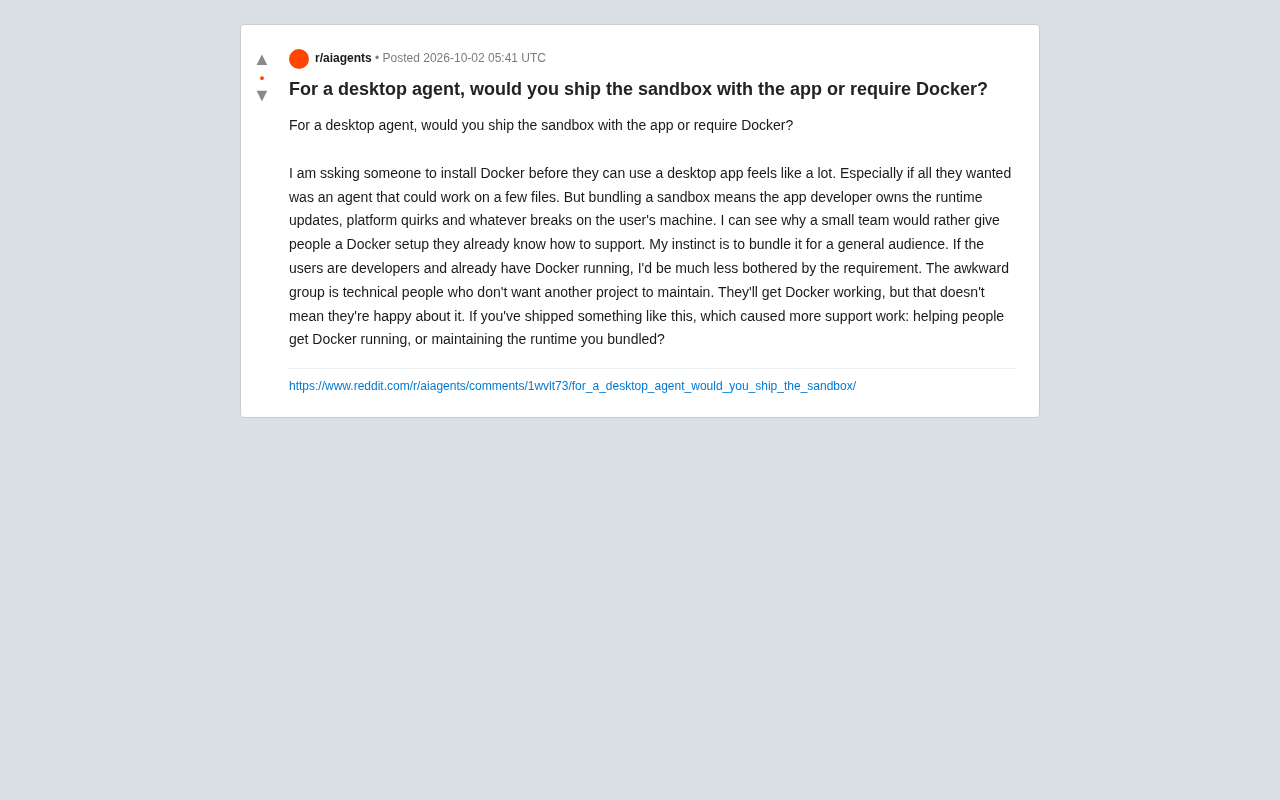
This isn't an engineering problem with a clear right answer. It's a trade-off about where the complexity lives — do you keep it in-house, or push it onto your users?
At Its Core, This Is a Question of Responsibility
Bundling the Sandbox: The Developer Takes on Everything
Choosing to ship the sandbox alongside your app means you "own" the entire runtime. The upside is obvious — users download and go, no prior setup required, a smooth out-of-the-box experience. For consumer-facing products, this is often the only reasonable path.
The cost is a heavy maintenance burden. Runtime version upgrades, platform differences across operating systems, and the infinite variety of edge cases on users' machines all become your team's problem. As the original poster acknowledged: "My instinct is to bundle it for a general audience." The reasoning is straightforward — ordinary users shouldn't need to understand containerization, and they won't want to.
The most common approaches to "bundling a runtime" include: embedding a lightweight container engine (such as Podman in daemonless mode), using a WebAssembly (WASM) sandbox for an isolated execution environment, or leveraging native platform virtualization (like macOS's Virtualization.framework or Windows's WSL2). Electron apps have long shipped with a stripped-down Node.js runtime or Python interpreter, but AI agent scenarios typically require system-level isolation to prevent code execution escapes — bundling a language runtime alone isn't enough. Engineering a bundled sandbox is therefore far more complex than bundling an ordinary dependency library. Installer size, startup latency, and cross-platform code signing and notarization (such as macOS Gatekeeper) all become details that require ongoing polish.
Requiring Docker: Offloading Complexity to the User
The alternative is simply requiring users to install Docker. For a small team, this means leaning on a mature ecosystem that users already know how to support, effectively outsourcing runtime maintenance.
The catch is audience fit. If your target users are developers who already have Docker running on their machines, this requirement is barely a hurdle. As the original post put it: "If the user is a developer and already running Docker, I'd mind this requirement a lot less."
Docker achieves process isolation and resource limits through Linux kernel cgroups and namespace mechanisms. On macOS and Windows, it does this by running a Linux virtual machine in the background (Docker Desktop). In practice, "requiring users to install Docker" on non-Linux platforms means asking them to keep a full VM running in the background — typically adding 1–2 GB of memory overhead and noticeable startup latency. Developers who know Docker well have already internalized these costs. But users unfamiliar with what's happening under the hood may simply notice that "after installing this AI tool, my computer got slower" — which translates directly into negative word-of-mouth and support tickets.
The Awkward Middle Ground
One of the most insightful parts of the discussion describes a class of "in-between" users: people who are technically capable, but don't want to maintain yet another project on their machine.
These users can absolutely get Docker running — but that doesn't mean they'll be happy about it. They'll do it, with quiet reluctance. From a product experience perspective, this "works but feels bad" state is actually the most dangerous outcome. It won't cause immediate churn, but it steadily erodes satisfaction and reputation.
In other words, pure developer audiences and pure non-technical audiences are both manageable: developers accept Docker, non-technical users need something that works out of the box. The genuinely difficult group is the middle — and for many utility tools, that middle is exactly where your core users live.
The Real Question: Which Choice Creates More Support Work?
The original post ends with a question that's intensely practical, and one every team that has shipped something like this should think hard about:
If you've shipped something like this, which approach generated more support work — helping users get Docker running, or maintaining your own bundled runtime?
This reframes an abstract architectural choice into a concrete operational cost. The technical merits of each approach can be debated endlessly, but "number of support tickets" is a cold, clear metric.
Based on experience, the answer likely depends on your audience profile:
- Consumer-facing products: Docker installation and troubleshooting generates a long tail of fragmented support requests involving concepts users don't understand at all. Bundling a sandbox has higher upfront development costs, but keeps problems within territory your team can control.
- Developer-facing tools: A bundled runtime can actually create friction by conflicting with users' existing environments. Leaning on the Docker ecosystem is cleaner and more predictable.
A Few Recommendations for Desktop Agent Teams
Drawing on this discussion, a few decision-making principles are worth highlighting:
Start by defining who your core user actually is. This is the foundation of every trade-off that follows. If 80% of your users are non-technical, bundling is almost a given. If you're building a developer tool for engineers, a Docker requirement may actually signal credibility.
Watch for invisible churn from in-between users. For the "technically capable but not happy about extra friction" segment, consider offering two paths — a bundled default for zero-setup experience, with an option for power users to plug in their existing Docker installation.
Factor support costs into your architecture evaluation. Technical decisions aren't just engineering problems. For a small team, the long-term human cost of runtime maintenance and user troubleshooting may be more damaging than shipping features slowly.
There's no universal answer here. But this discussion is a useful reminder for anyone building agent-powered products: the sandbox isn't just an implementation detail. It's a strategic choice that directly shapes the product experience, defines your reachable audience, and determines how much of your team's future bandwidth gets consumed.
Related articles

Chain of Thought Isn't Just for AI: How Humans Can Use CoT to Improve Thinking Quality
Chain of Thought isn't just a prompt trick for large models. Starting from a Hacker News discussion, this article analyzes why CoT works for human thinking too, breaks down actionable ways to transfer it, and highlights the key differences between human CoT and machine CoT.
Cloudflare Teams Up with OpenAI: Closi…
Cloudflare Teams Up with OpenAI: Closing the Loop from Vulnerability Discovery to Defense with AI
Cloudflare uses OpenAI Daybreak to investigate security vulnerabilities and generate reviewable remediation plans, while developers use Codex to boost coding efficiency and quality.

Orca Multi-Agent Orchestration in Practice: A Guide to Parallel Collaboration with Claude and Codex
Orca is Stable AI's free open-source agent workbench supporting 34 agents like Claude Code and Codex in parallel. Learn its Git worktree isolation, multi-model orchestration, and mobile management.