The Three Pillars of AI Agents in Practice: Building an End-to-End NDA Automation Workflow

Build an enterprise NDA automation agent using the Brain/Tools/Permissions framework with Claude and DocuSign MCP.
This article breaks down the complete approach to building an enterprise NDA automation agent, centered on a three-pillar framework: Brain (Claude model + Agent SDK harness), Tools (DocuSign IAM via MCP server), and Permissions Layer (agent inherits only the logged-in user's access rights). In the demo, a single voice command triggers the agent to confirm template selection, draft the agreement, send it via email, and track signing status end-to-end — with human-in-the-loop checkpoints at critical moments. On the engineering side, the author uses an incremental "UI shell first" approach and leverages MCP to avoid writing custom APIs, turning the abstract concept of an "Agent" into a reusable engineering paradigm.
If you're still building simple chatbots that can only query data and generate summaries, you may already be falling behind. User expectations for AI have long surpassed Q&A — they need agents that can act on their behalf and complete complex tasks. In this tutorial, a developer breaks down the core methodology for building "action-capable agents" using an enterprise-grade NDA (Non-Disclosure Agreement) automation application as the example.
This article is based on that tutorial. It covers the three core pillars of AI agents and walks through the complete approach to building an agent that can automatically draft, send, and track the signing status of agreements — from scratch.
The Three Core Pillars of an AI Agent
The author argues that no matter how complex the application, building a truly capable agent comes down to three simple concepts.
The first is the Brain — the model itself and the "harness" it runs on. The tutorial uses a Claude model (specifically at the Opus level), with the Claude Agent SDK running the agent inside a web application, giving it the ability to call MCP servers and tools. The author emphasizes that the model provider can be swapped freely; what matters is the design of the harness.
The second is Tools — the means by which the agent takes action on behalf of the user. A model without tools can only say things; tools are what let it do things.
The third is the Permissions Layer — which defines what the agent is and isn't allowed to do. This layer is the security baseline for enterprise applications: an agent cannot blindly execute any instruction.
All three are indispensable: the brain handles reasoning, tools handle action, and the permissions layer handles constraints. This framework turns the abstract concept of an "Agent" into an engineerable structure.
The Claude Agent SDK is a development framework provided by Anthropic for building production-grade AI agents. Its core capabilities include managing the agent's conversation loop, orchestrating tool calls, and tracking state across multi-step tasks. Compared to calling the model API directly, the SDK's "harness" abstraction hides a great deal of low-level complexity: when the agent should call a tool, how results are fed back to the model, and when to terminate the reasoning loop — all of this is handled by the framework. Developers only need to declare available tools and write business logic; the framework handles coordination between the model and tools across multiple turns. This design keeps the core structure of agent applications clean while also making it relatively low-cost to swap out the underlying model provider (e.g., switching from Claude to another model), since business logic and model calls are decoupled by the framework.
Starting from a Real Pain Point: Why NDA Automation Matters
The scenario the author chose is highly relatable: enterprise teams drowning in contract work. They repeatedly draft the same NDA, chase signatures from multiple parties, and dig through email inboxes trying to figure out whether a given agreement has been signed.
Many people's solution to this is to build a chatbot that scans inboxes or queries a database for status, then reports back to the user. But the author argues this falls far short of what's actually needed. What you really want is an agent that can create agreements, send them to all parties, ensure they get signed, and track the entire workflow.
In the demo, the author types something like "Please send Jane an NDA, her email is…" — and the agent doesn't execute blindly. Instead, it makes two confirmations first: it notices there are multiple NDA templates and proactively asks which one to use; it also detects that the recipient's email address is very similar to the user's own and flags it for verification. This is exactly the value of the permissions layer and "human-in-the-loop" design — the agent is an assistant that acts on your behalf, but it checks in at critical moments.
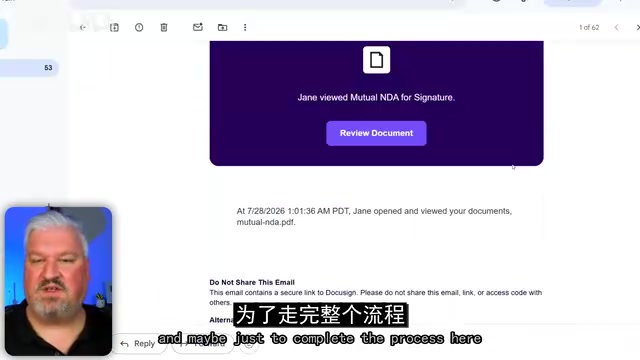
Once everything is confirmed, the agent pulls the NDA template, creates a draft, sends the agreement, and returns an envelope ID and current status. After Jane signs and the internal approver signs as well, querying the agent for "current status" at any point yields an accurate response: "Both parties have signed."
Human-in-the-Loop (HITL) is a core safety principle in AI system design. It means preserving human confirmation steps at critical decision points in an automated workflow, rather than letting the system operate entirely autonomously. In agent scenarios, HITL is especially important: the more capable and permissioned an agent is, the higher the cost of a single mistake. Typical HITL intervention points include: when an action has real monetary or legal consequences (e.g., sending a contract); when input is ambiguous (e.g., multiple templates available); and when a potential error is detected (e.g., the recipient's email closely resembles the user's own). Well-designed HITL doesn't weaken agent capability — it finds the right balance between autonomy and reliability, which is especially critical in enterprise compliance scenarios.
The Tech Stack: Model + SDK + DocuSign IAM
Within the three-pillar framework, the technology choices for this application are straightforward:
- Brain & Harness: Claude model + Claude Agent SDK
- Context & Action: DocuSign IAM
The author specifically notes that DocuSign IAM plays two roles simultaneously: "system of record" and "system of action" — all agreements are stored there, and also sent, routed, and signed there. The agent interacts with DocuSign through an MCP server, which exposes a set of tools that allow the agent to create, track, and query agreements.
The key point: you don't need to write custom APIs. Just assign the MCP server to the agent and it can manage all agreements. This demonstrates the value of MCP (Model Context Protocol) as a standardized way to connect tools. The author is also transparent that this video is sponsored by DocuSign, and that their MCP server was still in beta at the time of recording.
MCP (Model Context Protocol) is an open standard protocol proposed by Anthropic in late 2024, designed to unify how AI models connect to external tools and data sources. Before MCP, every application had to build separate integration code for different AI models, which was extremely costly to maintain. MCP's core idea is to wrap external systems (databases, SaaS platforms, APIs, etc.) into standardized "MCP servers," so that any AI model supporting the MCP client protocol can plug in and use any tool out of the box. This is analogous to what USB ports did for hardware ecosystems — no need to write separate drivers for every device. For developers, connecting to an MCP server is far cheaper than maintaining a custom API integration; for enterprises, as AI clients supporting MCP (like Claude Desktop) become widespread, the same MCP server can be reused across applications, dramatically reducing redundant work at the tooling layer.
Building It: From an Empty Shell to an Action-Capable Agent
The author's development philosophy is "one feature at a time" — build the skeleton first, then fill it in incrementally, so that anything unnecessary is easy to modify or remove.
Two Prerequisites
Before starting, the author installs two things in the project:
- Playwright MCP Server: Lets the agent control a browser and test the application on your behalf. If you're using a client like Claude Desktop or ChatGPT Desktop that comes with a built-in browser, you can skip this — but in a terminal environment it's very useful.
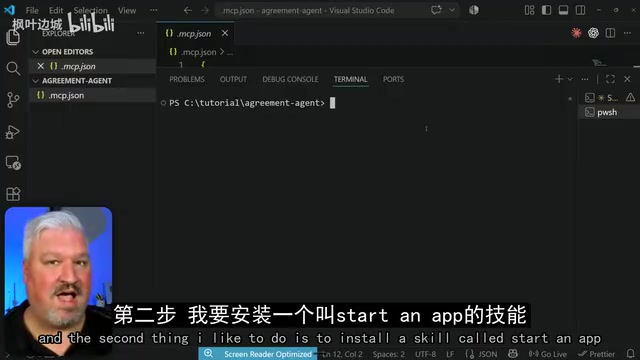
- Start an App Skill: Installed via
npx skills add. It gives the agent a clear technical stack specification (Next.js apps, storage, payment integrations, landing pages and dashboards, databases, authentication systems, AI libraries, etc.). The author notes that many people ask an agent to build an app without specifying a stack, and the model's self-selected choices often cause problems down the line — this skill provides the guardrails.
Build the UI Shell First
After entering planning mode, the author uses a single prompt to have the agent create an app called "Agreement Agent" with three views: a login page, a chat panel, and an agreements table — without connecting DocuSign yet. The goal is just a shell with working authentication and a professional, enterprise-grade UI.
Because the Start an App skill is installed, there's no need to specify a tech stack. The agent proactively asks a series of clarifying questions: Should the chat panel connect to a real model? (Answer: UI shell only.) Who can see which agreements? (Answer: Each user sees only their own.) Where should data be stored? (Recommendation: Postgres in Docker, easy to migrate to Neon or Vercel later.) How should the chat and table be laid out?
With Playwright MCP, the agent can also automatically open a browser and run end-to-end tests with mock data. The author verifies that sign-up, login, and light/dark theme switching all work correctly.

Connect DocuSign OAuth
Next, clear the context window and use a second prompt to have the agent add DocuSign OAuth connectivity, providing the MCP documentation URL for reference.
On the DocuSign side, the author completes the configuration in the developer portal: create a free developer account, go to "My Apps and Keys" to create a new app, generate an integration key and secret key, and set the redirect URI (e.g., localhost:3000/api/docusign/callback).
One important principle is repeated throughout: the agent only has the same permissions as the logged-in user — it can only perform actions that the current user is authorized to perform. This fundamentally protects enterprise security boundaries.
Integrate the Agent Brain
Another prompt instructs the agent to use Claude (Opus-level model) for reasoning and to connect the DocuSign remote MCP server for agreement management.
Create Templates and Workflows
On the DocuSign side, the author demonstrates two approaches:
- Complex workflows: In "Agreements → Workflows," create a visual canvas based on an NDA template, with a start node, counterparty signing, and internal approval — ultimately saving the document to Google Drive. Each node supports field mapping and deep customization, ideal for organizations with complex processes.
- Simple templates: In "Templates," create an envelope template, upload a custom PDF NDA, set signing order (one internal approver role, one counterparty role — email and name left blank for the agent to fill in), drag and drop signature, name, and date fields, and save.

Validation: The Agent Can Actually "Get Things Done"
The final step is the moment of truth. The author first asks the agent "What templates do we have available?" — it calls DocuSign, retrieves user info and the template list, and successfully returns the newly created "my NDA" template.
The author then dictates: "Please send Jane an NDA using the my NDA template — I'm the internal approver." The agent, true to form, asks for email confirmation before sending. After refreshing the inbox, a PDF pre-filled with the counterparty's name and date is visible. After signing and submitting, querying the status returns an accurate response: "You have signed; the counterparty has not yet signed" — matching the signing order configured in DocuSign.
The author also adds a prompt to populate the agreements table, but emphasizes that since this is an "AI Agent-first" application, the primary interface is still the chat panel.
The Real Value of This Methodology
The real takeaway from this tutorial isn't the NDA itself — it's how it breaks down building an "action-capable agent" into a reusable engineering paradigm:
- The three-pillar framework (Brain / Tools / Permissions) gives agent design a principled structure;
- MCP servers as standardized tool connectors eliminate the cost of writing custom APIs;
- Human-in-the-loop + permission inheritance ensure security in enterprise scenarios;
- Skills + incremental building make AI-assisted coding more controllable.
The author also notes that the DocuSign MCP server isn't limited to custom-built apps — since it's fundamentally an MCP server, it can be connected to Claude Desktop and other AI clients as well. This pattern of "agreements as tools" may well be the next direction for enterprise AI application deployment.
Related articles

@ai-sdk/vue 3.0.306 Patch Release Syncs with [email protected] Update
@ai-sdk/vue 3.0.306 released, synced with [email protected]. A routine patch release for the Vercel AI SDK ecosystem with no public API changes; the Vue adapter layer stays version-aligned with the core package.

Gemini 4 Argon API Launches: The Era of Million-Token Output Begins
Google launches Gemini 4 Argon with sparse MoE architecture, up to 1M output tokens, and a 68.90% Vals Index score, available across API, AI Studio, and the Gemini app.

DukaanAI: Turning Product Photos into Inventory Lists with Open-Source AI
DukaanAI is an AI inventory tool for small retailers that turns product photos into inventory entries using the open-source Gemma 3 model, with local inference, editable fields, and CSV export.