The Ultimate Codex Tutorial: From Zero to Hands-On in 40 Minutes
A beginner's Codex tutorial: practical essentials from registration and installation to quota management and Pro upgrades.
This tutorial walks through the complete Codex workflow from sign-up to hands-on use in actual operation order, focusing on where beginners get stuck: install via the Microsoft Store to avoid non-system-drive startup failures; bypass phone verification by subscribing or using US-region SMS; fix 403, token exchange, and reconnect issues by creating an .env file with the proxy port in the .codex directory. It explains the Plus quota mechanism (100 weekly points, 20 max per five hours) and the Astra, CO, and Luna model tiers, plus the Pro upgrade process. The author reminds readers to use tutorials for specific bottlenecks rather than grinding through whole courses.
Why Codex Is Worth Trying for Complete Beginners
AI coding assistants are shifting from "helping you write code" to "directly completing tasks for you." In his latest tutorial, a Bilibili creator walks through the full Codex workflow from sign-up to hands-on use, and puts it bluntly: today's large models are already powerful enough to directly handle things like building a website or editing a video—just ask when you get stuck. Rather than grinding through dense tutorials, get your hands dirty first—that's the core attitude behind this guide.
The tutorial covers account registration, desktop installation, login troubleshooting headaches, permissions and quota settings, and plan upgrades—it's dense with information. Below I've organized it in the order of actual operation and added some judgment calls that are easy to overlook.
Account and Installation: Avoiding the Most Common Pitfalls
Registration has few barriers: open the GPT official site and receive a verification code via a 163 or QQ email address. The real sticking point is desktop installation. The creator warns that installing to a partition other than the C drive may cause the program to fail to open. It's best to search and install directly from the Microsoft Store, which automatically installs to the system drive and basically avoids startup problems.
The most frequent login issue is phone number verification. The tutorial offers two paths: subscribing to a membership has a chance of skipping verification, or using a US-region phone number for SMS verification. Newly registered accounts will most likely still need verification when logging into Codex even after subscribing; older accounts have a higher chance of skipping verification after subscribing. This judgment comes from the creator's hands-on experience and is a single-source observation—different accounts may vary.
Troubleshooting Login Errors and Network Issues
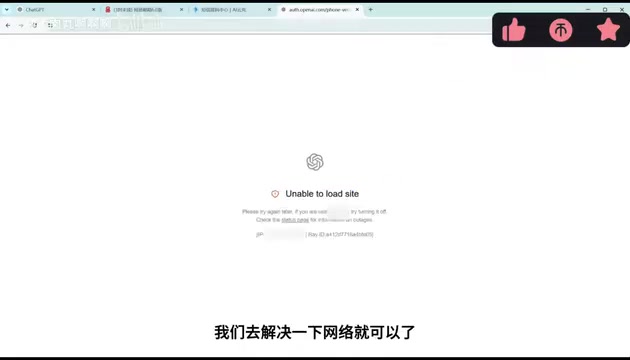
A 403 prompt, token exchange failure, login pop-up, and a whole series of other issues—the creator attributes these to network and cache. The solution approach is to optimize the network, clear the cache, and try logging in from a different browser. There are no complex configuration tricks here; the key is to get your network environment in order first.
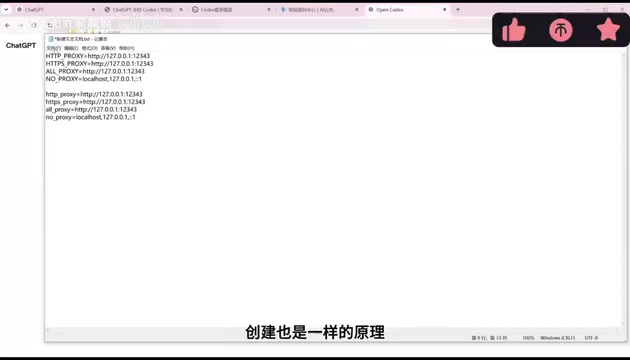
Another frequent issue is the repeated "reconnecting 5 times" message during conversations. The fix is to create an .env file in the .codex directory under your C drive user folder, write in the proxy configuration, and change the port number at the end to the global or TUN mode port of your network proxy. If you can't find the port, the creator suggests just asking Codex to find it and generate the environment file for you. This approach is worth borrowing: handing the troubleshooting tool itself to AI is more efficient than manually digging through settings.
When the configuration gets messed up, the fallback is to restore it. The creator recommends having the web version of GPT guide you step by step through the restore, or logging out and back in; the most drastic method is to delete the codex directory and reinstall, but this may lose local projects—before doing so, first ask GPT to teach you how to back up.
The .env file mentioned in the article is a configuration file for storing environment variables; the program automatically reads the key-value pairs in it at startup. For a desktop client like Codex that needs network access, writing the proxy address and port into .env is equivalent to fixing the egress network at the application level, preventing it from bypassing the system proxy and connecting directly, which would cause timeouts. The proxy's "global mode" means all traffic goes through the proxy, while "TUN mode" takes over traffic through a virtual network adapter—the two may use different port numbers, which is why the tutorial stresses filling in the port you actually use. This approach essentially makes the client aware that a proxy exists, and is more stable than repeatedly toggling settings in the system preferences.
Permissions, Quota, and Model Selection
On first use, it's recommended to grant all permissions directly; otherwise the AI will request confirmation at every step, interrupting the experience.
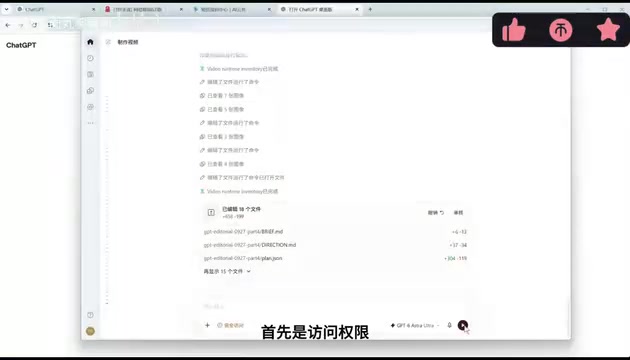
The quota mechanism is the part Plus users most need to understand. The creator explains: Plus members have a five-hour limit, but it's not unlimited use within five hours—it's a weekly quota of 100 points, with at most 20 points usable within any five-hour window. Once used up, you wait for the next five-hour window to recover; if the weekly quota is exhausted, you wait until next week. The highest-tier model consumes quota extremely fast—maxing it out may take just a few minutes, so Plus users should use it sparingly.
As for models, subscribers can use GPT's latest Astra model, with CO, Luna, and others also available. Reasoning intensity ranks Astra > CO > Luna, and quota consumption speed follows the same order. Choose high intensity for complex tasks; low intensity is more economical for everyday tasks.
"Permissions" here refers to the authorization level for the AI agent when performing local operations (reading/writing files, running commands, installing dependencies). Full authorization means the agent can execute multiple steps in succession without step-by-step confirmation—the trade-off is that if it misinterprets an instruction, changes land directly on disk. A safer compromise: open up permissions within trusted project directories, while keeping confirmation on for the system drive and important data directories. On quota, the design of combining a weekly quota with a five-hour window is meant to limit short bursts of high-intensity calls; once you understand this, arranging your task rhythm sensibly (spreading heavy tasks across different time windows) controls costs better than simply upgrading your plan.
Judging and Performing the Pro Membership Upgrade
If your usage really is heavy, the creator suggests paying the difference in the store to upgrade your plan. To confirm whether an account is a non-region top-up, check the billing in the web settings—if the transaction record shows php, it's a non-region account. The upgrade process: open GPT to confirm the account, obtain the session, copy the code to calculate the price difference, submit the order and pay, and the system usually completes the upgrade within a minute.
After upgrading, the five-hour limit disappears and the quota recovers to five times that of Plus. Most of the creator's own motion-graphic videos are made with Codex, and demand is high, hence the upgrade—this is a decision reference based on real usage, not a blanket recommendation.
The method described in the article for determining the billing region is to check the currency code in the transaction record; php is the ISO 4217 code for the Philippine peso. Subscription prices and available models may differ by region, and cross-region top-ups often involve matching payment methods with account regions. Before operating, confirm that the account's registration region matches the payment channel; otherwise you may pay successfully but not receive the benefits. Difference-based upgrades are usually prorated by the remaining subscription period, and the calculation logic is returned by the official interface—which is why the tutorial has users copy the code and calculate on the spot rather than applying a fixed formula.
A Word on "Tutorial Anxiety"
The creator ends with a pointed view: most AI usage tutorials online, especially paid courses, are essentially scams. Large models are already powerful enough—state your needs clearly and they'll automatically install plugins and deliver the goal; with long-term use you can absolutely teach yourself. Many of those segments demonstrating plugin installation or computer control are just for show.
There's truth to this, but it needs nuance: basic environment setup and error troubleshooting still need someone to point the way, and the cost of going in with zero guidance is not low. A more pragmatic approach: use tutorials to solve the specific problems that "block" you, and reinvest the saved time into repeated practice on real needs. Get started first, then fill gaps as needed—that's closer to the right way to learn AI tools than grinding through a whole course from the beginning.
One-line Summary
A beginner's Codex tutorial: practical essentials from registration and installation to quota management and Pro upgrades.
Paragraph Summary
This tutorial walks through the complete Codex workflow from sign-up to hands-on use in the order of actual operation, focusing on the parts where complete beginners get stuck most easily: for desktop installation, use the Microsoft Store to avoid startup failures from non-system drives; phone verification at login can be bypassed by subscribing or using US-region SMS verification; 403 errors, token exchange failures, and repeated reconnections are mostly attributed to network and cache issues and can be fixed by creating an .env file with the proxy port in the .codex directory. The quota section explains the Plus membership mechanism of 100 weekly points with a 20-point limit per five hours, plus the reasoning intensity and consumption ranking of the Astra, CO, and Luna models. Upgrading to Pro requires first confirming non-region billing; after upgrading, the five-hour limit disappears and the quota becomes five times that of Plus. The author concludes by reminding readers that tutorials should be used to solve specific bottlenecks, not to be ground through from start to finish.
Related articles
Dify Low-Code AI in Practice: RAG and Agents Made Easy
Based on a Bilibili Dify course, this article systematically covers Dify's five application types (Chat Assistant, Text Generation, Agent, Chat Flow, Workflow), Windows + Docker deployment, MySQL connection configuration, model integration strategies, and application publishing methods, helping beginners quickly build their own intelligent assistants.
WorkBuddy Hands-On: How Tencent's Strategic AI Workbench Lets Your Computer Do the Work
WorkBuddy is Tencent's strategic AI workbench that directly operates your computer to complete tasks like file conversion. Based on a Bilibili tutorial, this article analyzes its fundamental differences from assistants like Doubao, its four-layer product structure, the 28-knowledge-point learning path, and what to view critically beyond the demo.
LangChain 1.3 in Practice: From Beginner to Agent Development, Building Resume-Worthy Projects
In-depth analysis of a Bilibili tutorial based on LangChain 1.3: from beginner to Agent practical development, covering LangGraph, Deep Agents, RAG, MCP, Skill, and more. Build resume-worthy AI applications through eight industry SOP workflows and multiple projects, ideal for job interviews and engineering implementation.