ThinkPad Revival Code: Hidden Tricks to Bring Old Laptops Back to Life

A hidden ThinkPad power button code documented in 2007 can trigger a hardware reset when a laptop is falsely dead.
The article revisits a 2007 blog post documenting a hidden ThinkPad power button sequence that forces a hardware reset when a laptop is falsely dead due to static buildup, a locked-up power management chip, or a BIOS anomaly. It explains the EC protective lock-up and electrostatic discharge principles, noting that hardware-level reset bypasses the OS and normal ACPI path and still works when software tools fail, drawing a parallel to server BMC hard resets.
Introduction: A Forgotten Hardware "Backdoor"
In an era where AI and software define everything, a laptop that won't boot usually means a failed motherboard or a damaged power module, leaving the user with no option but to send it in for repair or scrap it. But a 2007 article recently resurfaced on Hacker News, revealing a hidden "revival code" behind the power button of older ThinkPads—a key sequence that can wake a "falsely dead" laptop.
This trick is worth the attention of today's AI practitioners because it touches on a fundamental logic: emergency mechanisms at the hardware level are often more fundamental than fixes at the software level. For developers and researchers who depend on large fleets of computing devices, understanding a device's "hard reset" capability may be more directly effective than installing an AI-driven diagnostic tool.
Tracing the Trick: A 2007 Blog Post
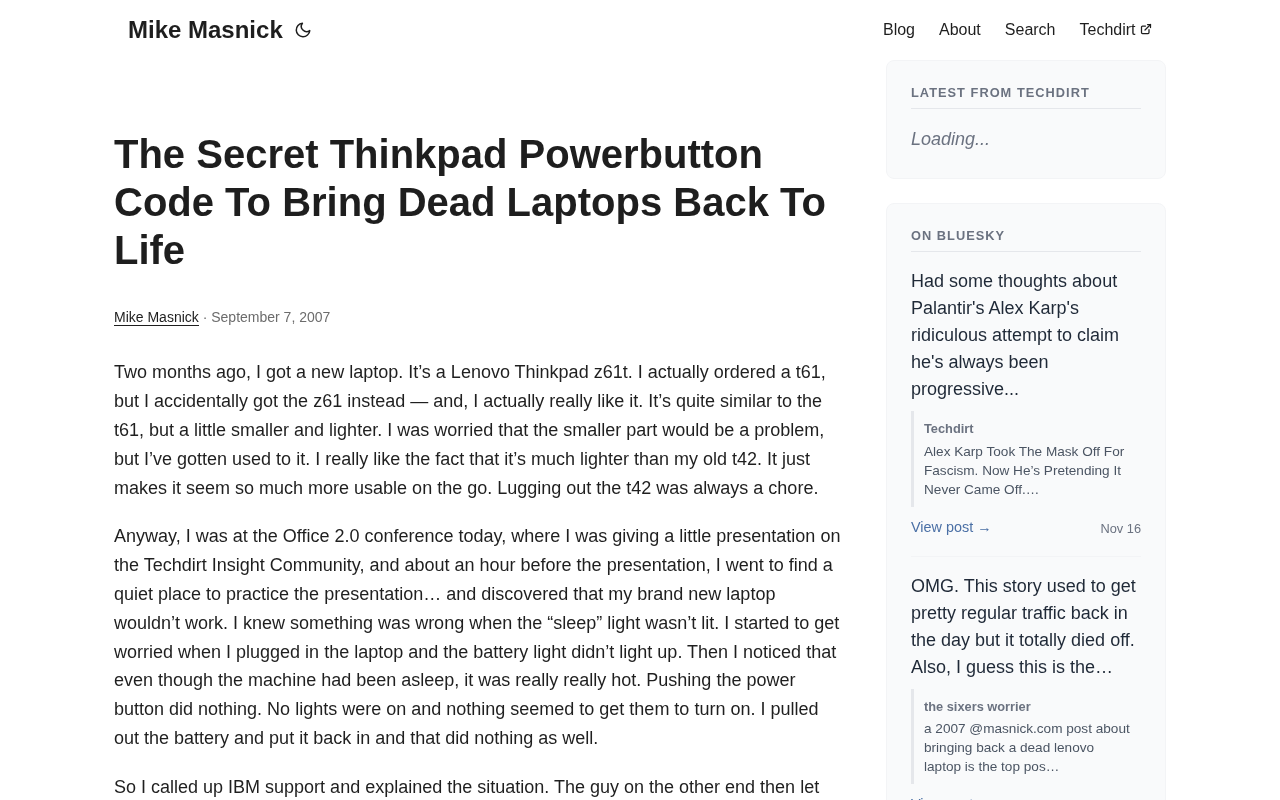
According to the original article on masnick.com, this trick was first documented by a blogger in 2007. The title bluntly describes its value: using a secret ThinkPad power button code to bring dead laptops back to life. In the Hacker News discussion, the post earned 224 points and 90 comments, showing that even in the tech community, this kind of hardware trivia still holds strong appeal.
The core of the original article is this: certain ThinkPad models hide a key combination (or a long-press/short-press sequence on the power button) near the power button. When a laptop is "falsely dead" due to static buildup, a locked-up power management chip, or a BIOS anomaly, this sequence can force a hardware reset and make the machine respond again.
Technical Principles: Why Hardware Reset Can "Bring It Back"
The Locked-Up State of the Power Management Chip
When the power management unit (PMU) or embedded controller (EC) of a modern laptop detects abnormal voltage, overheating, or a firmware error, it enters a protective lock-up state. At this point, when the user presses the power button, the signal may be ignored by the EC, manifesting as "pressed it and nothing happened."
The hidden ThinkPad code is essentially a set of hardware-level interrupts that bypass the EC's normal logic—it sends a reset command directly to the EC, forcing it to reinitialize. This is different from a software-level "force shutdown," which relies on the operating system responding, whereas the former still works when the operating system is completely unresponsive.
The embedded controller (EC, Embedded Controller) is an independent, low-power microcontroller on the laptop motherboard, responsible for "out-of-band" functions such as power sequencing, keyboard scanning, battery management, and thermal sensing. It powers up before the main CPU and continues working while the operating system runs, so when the CPU or system firmware crashes, the EC may still remain active. The EC maintains an internal state machine; once it detects abnormal voltage, overheating, or a firmware verification failure, it switches into a protective state and refuses to respond to normal power button events. At this point, a specific reset signal must be sent to the EC (such as pulling its RESET pin low or triggering a watchdog timeout) to make it reload its firmware. ThinkPad's hidden key sequence exploits the low-level path between the keyboard controller and the EC to construct such out-of-band reset conditions, thereby bypassing the operating system and the normal ACPI power management path.
Static Buildup and Discharge
Another common cause is static buildup that leads the motherboard circuitry to misjudge. The key sequences on older ThinkPads are sometimes combined with unplugging the power and removing the battery, guiding the user through a thorough electrostatic discharge. This physical process cannot be simulated by software tools, which is why hardware tricks still have value in the age of AI diagnostics.
Electrostatic discharge (ESD) and residual charge accumulation are common physical causes of motherboard "false death." When a laptop has not been powered off for a long time, or when the power adapter and battery are present at the same time, the capacitors and parasitic capacitances on the motherboard may store residual charge, putting the enable signal of the power management chip at an indeterminate level and causing the power-on sequence to become disordered. The way to fully discharge (commonly known as "draining static") is to disconnect the power adapter, remove the battery (if removable), and then hold down the power button for 15 to 30 seconds, letting the energy-storage components on the motherboard discharge through the button circuit. Some ThinkPad hidden sequences are actually guiding the user through this physical process, combined with an EC reset. This process cannot be simulated by any software tool, because the precondition for software to run is precisely that the motherboard has already powered up normally.
Implications for AI and Computing Device Maintenance
In AI workflows, device availability directly affects training and inference tasks. If a GPU node is "falsely dead" due to a power management anomaly, remote management tools may fail completely. At this point, physical-layer reset methods—whether ThinkPad's button code or a BMC hard reset on a server—are the last line of defense.
According to discussions in the Hacker News comment section, many users mentioned that similar tricks have variants on laptops from other brands, but the ThinkPad version is the most widely circulated because of its rich community documentation. This reminds us that community maintenance of hardware knowledge bases is just as important as the open-source software ecosystem.
The BMC (Baseboard Management Controller) is an out-of-band management chip on a server motherboard that is independent of the main CPU, functionally equivalent to a server version of the EC. It has its own independent power supply and network interface, and can provide remote power on/off, hard reset, sensor monitoring, and serial console control when the host is powered off or the operating system is unresponsive. However, when the BMC's own firmware hangs or its network configuration is corrupted, the remote management channel also fails, and at that point one can only rely on physical buttons or a power cycle. This is completely isomorphic to ThinkPad's situation: out-of-band management is the first line of defense, and physical reset is the last line of defense. For GPU training clusters, understanding the boundaries of these two lines of defense helps quickly determine whether to use a remote BMC reset or an on-site power cycle when a node loses contact, avoiding blind waiting or mistakenly judging it as hardware damage.
Usage Boundaries and Risk Warnings
It must be emphasized that this trick is not a panacea. Both the original article and the discussion point to one precondition: the machine is only "falsely dead," not hardware-damaged. If a motherboard capacitor has burst or the power adapter has failed, no key code will help.
In addition, the key sequences may differ across ThinkPad models, and blind attempts carry risk. Users are advised to first consult the official hardware maintenance manual for their model, or confirm the sequence in the community before operating. For older ThinkPads still in service, this trick can serve as a first-aid measure, but it cannot replace regular backups and hardware health monitoring.
Conclusion: The Long-Tail Value of Low-Level Knowledge
A small hardware trick from 2007 can still be rediscovered by the tech community nearly twenty years later, showing that low-level knowledge has long-tail value. For AI content creators and developers, paying attention to these "non-mainstream" tricks not only solves practical problems but also provides a differentiated perspective for content creation.
In today's world of increasingly intelligent software tools, occasionally returning to hardware-level thinking may give us a more complete understanding of "failure" and "repair."
One-line Summary
A hidden ThinkPad power button code documented in a 2007 blog can trigger a hardware-level reset when a laptop is falsely dead.
Paragraph Summary
The article revisits a hidden ThinkPad power button key sequence documented in a 2007 blog, which can force a hardware reset when a laptop is "falsely dead" due to static buildup, a locked-up power management chip, or a BIOS anomaly. It explains the protective lock-up mechanism of the embedded controller (EC) and the physical principles of electrostatic discharge, noting that hardware-level reset bypasses the operating system and the normal ACPI path and remains effective when software tools fail completely. The author likens this to a server BMC hard reset, emphasizing the value of low-level hardware knowledge for AI computing device maintenance, while reminding readers that the trick applies only to false-death scenarios, that sequences may differ across models, and that it cannot replace backups and hardware health monitoring.
Related articles

RePlan-VLA: Progress-Aware Replanning Breakthrough for Long-Horizon Robotic Manipulation
The RePlan-VLA framework converts VLA models' short-horizon capabilities into reliable long-horizon execution through progress-aware adaptive replanning, improving success rates by 21.9% and 10.4% on RoboCasa365 and CALVIN, and validating real-world deployment on a Franka Research 3 robot.

Geometric Bridge Flow Matching: A New Breakthrough in Blind Rigid Motion Correction
Geometric bridge flow matching enables blind rigid motion correction in head CBCT, achieving 37.1 dB PSNR and 0.27 mm RPE on simulated data in ~9.1 minutes, outperforming existing methods.

Google Releases Gemini 4 Hydrogen: 2.5x Faster Without Sacrificing Intelligence
Google releases the lightweight Gemini 4 Hydrogen: 2.5x faster task completion, AA Intelligence Index of 54 beating its flagship sibling, 7.3s single-step on Agent Arena faster than Claude and GPT rivals, four thinking levels with pay-as-you-need pricing, now available across AI Studio and more.