Three Essential AI Tools for Developers: A Practical Guide to ChatGPT, Copilot, and Cursor

A practical guide to ChatGPT, Copilot, and Cursor — three AI tools with distinct roles for developers.
This article covers three AI coding tools for everyday developer use: ChatGPT for conversational code explanation, error analysis, and test suggestions (with context-rich prompting as the key); GitHub Copilot for real-time in-editor completion that lowers friction but demands careful review; and Cursor, an AI-native editor with an Agent that understands entire project structures across files. Despite their different strengths, one principle unites all three: generated code must always be read, tested, and verified — AI is a collaborator, not a decision-maker.
AI tools are reshaping how developers work day to day. From explaining unfamiliar code to real-time autocomplete and Agent-driven project-wide understanding, different tools cover different stages of the development process. The tech tutorial channel Tech IT Tips has put together a rundown of three AI tools every developer should know — along with practical usage advice. And one principle runs through all of it: always review AI-generated code.
ChatGPT: Your General-Purpose Assistant for Code Understanding and Debugging
ChatGPT is a general-purpose conversational assistant that excels at three things in a coding context: explaining code, discussing errors, and suggesting test cases. Whether you've inherited code you don't understand or you're stuck on a hard-to-trace bug, ChatGPT offers a quick way to get oriented.
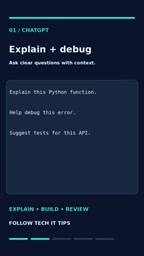
To get the most out of ChatGPT, how you ask matters. Instead of vaguely asking "what's wrong with this code," give it clear context. For example: "Explain this Python function" — then paste the relevant code and describe the expected behavior. The more complete the background you provide — inputs and outputs, error stack traces, runtime environment — the more precise the answer. This habit of "prompting with context" is a universal principle for getting the best out of any AI tool.
GitHub Copilot: A Real-Time Coding Assistant Inside Your Editor
Unlike ChatGPT, which requires switching to a chat window, GitHub Copilot embeds AI assistance directly into your editor — such as Visual Studio Code. Its most typical use case is offering completion suggestions as you type, though it also supports asking questions about existing code.

This "always within reach" experience dramatically lowers the barrier to AI-assisted coding — you never have to leave your current context, and suggestions appear right at your cursor. But convenience comes with risk. The original video emphasizes this clearly: always review suggestions before accepting them. Code generated by Copilot may be syntactically correct but logically wrong, or it may introduce dependencies and patterns you didn't want. Treat it as a fast "typing accelerator" and source of inspiration — not an unconditional authority.

GitHub Copilot is built on OpenAI's Codex model, analyzing the context of your current file — including existing code, comments, and the filename — to predict what you'll write next. It was trained on billions of lines of public code from GitHub, so its coverage of mainstream languages and common programming patterns is broad. Worth noting: Copilot sometimes "hallucinates" library functions or APIs that don't exist. These errors are syntactically valid and easy to miss by eye — they only surface at runtime. Also, because its training data has a cutoff date, its suggestions for newer frameworks or versions may be outdated. Always confirm that a suggested API still exists in the version you're actually using.
Cursor: An AI Code Editor with Agent Capabilities
Cursor represents a different kind of AI coding tool — it's an AI-native code editor with a built-in Agent that understands your entire project. Compared to the "single-point assistance" of the previous two tools, Cursor's Agent can work across files: understanding project structure, editing multiple files, and helping track down bugs.
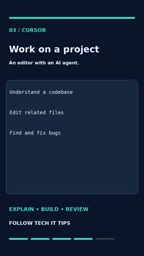
A practical example: you can ask it directly to "explain how an API request flows through this project." For unfamiliar codebases, this kind of high-level understanding can save enormous amounts of time that would otherwise be spent flipping through files and tracing call chains. Agent mode upgrades AI from passively answering questions to actively completing tasks — and that's a major direction in how AI coding tools are evolving.
The core difference between Agent mode (Agentic AI) and traditional question-and-answer AI is autonomy: an Agent doesn't just answer questions — it forms multi-step plans and executes them in sequence. For example, it might first read the project structure, then locate the relevant files, and finally make changes across multiple files. Cursor's built-in Agent typically uses a large language model (such as GPT-4 or Claude) as its reasoning core, combined with codebase indexing tools for context. This architecture gives it capabilities far beyond single-file completion — but it also means a single operation can touch many parts of your codebase, raising the cost of reviewing changes. When using Agent mode for larger-scale refactors or fixes, it's a good idea to create a checkpoint with version control (e.g., Git) beforehand, so you can quickly roll back if the results aren't what you expected.
The Common Principle: Never Blindly Trust Generated Code
The three tools each have their own strengths — ChatGPT for explanation and discussion, Copilot for real-time in-editor completion, and Cursor for project-level understanding and changes. But there's one bottom line that runs through all of them: always read the generated code, run your tests, and verify the final changes.
AI tools can significantly boost your productivity, but they can't replace a developer's judgment about correctness. The smoother the generated code looks, the easier it is to let your guard down — but the responsibility remains yours. Treat AI as a collaborator, not a decision-maker. Walk through a verification step before accepting any change. That's the right way to make these tools truly work for you.
Related articles

How Big Can Stars Really Get? The Physical Limits of the Largest Stars
Red supergiants are the largest stars by volume, with radii up to 2,000 times the Sun, engulfing the inner solar system. But there is no precise upper limit on stellar size—models predict up to 15,000 solar radii. The most massive blue stars are far smaller than red supergiants—biggest and heaviest are two different things.

Apple HomeView Smart Display Full Feature Breakdown: Wall-Mount or Desktop, $299
Apple launches HomeView, a $299 smart display with wall-mount and desktop options, 12MP camera for facial recognition, smart home control, music playback, and recipe step-by-step cooking. Full breakdown of watch faces, apps, privacy, and cooking integration.

Where Did the Promised New Studio Go? Craft Computing Answers After Five Years
Craft Computing's host responds to viewer questions: the new studio promised five years ago was shelved as construction costs soared from $30,000 to $75,000, and was replaced by a 168-square-foot garage conversion.