tide: An Open-Source Self-Hosted Video Conferencing Tool Focused on Core Features

tide is a self-hosted, open-source video conferencing tool built around the philosophy of doing a few things really well.
tide is an open-source video conferencing tool positioned as a lightweight Jitsi alternative, built around the philosophy of "doing a few things well." Unlike Jitsi's feature-rich but complex architecture, tide focuses on just three essentials: link sharing, screen sharing, and server-side recording. Its self-hostable design keeps all meeting data within infrastructure you control, making it especially appealing for teams with strict privacy or compliance requirements. Currently in early stages with 84 Product Hunt upvotes, it's worth evaluating for teams that want straightforward meeting capabilities with full data ownership.
Another Jitsi Alternative — But With a Different Philosophy
In the open-source video conferencing space, Jitsi has long held a dominant position. It's feature-rich and battle-tested, but that maturity has also made it bloated, with a non-trivial deployment and maintenance curve. A new project recently featured on Product Hunt, tide, proposes a different approach: rather than doing everything, do a few things exceptionally well.
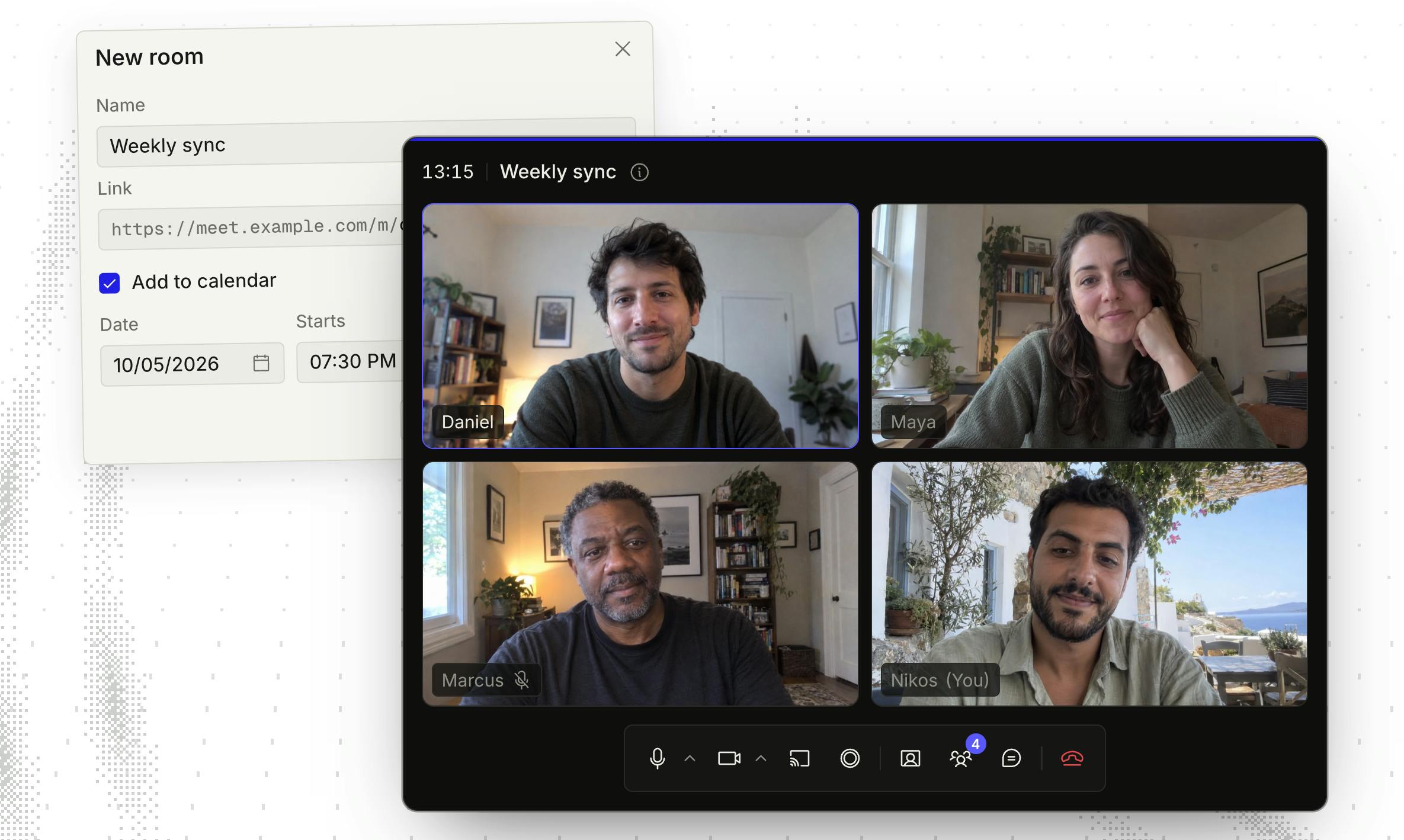
tide is a simple, self-hostable video conferencing service with a clear positioning — a lightweight alternative to Jitsi. It lets you spin up a meet.custom.domain-style meeting environment on your own domain, offering the baseline capabilities users expect, while deliberately avoiding feature bloat. The project earned 84 upvotes on Product Hunt, ranking 14th for the day, under tags including Open Source, Meetings, GitHub, and Video.
What tide Actually Offers
According to its official description, tide focuses on a handful of essential video conferencing capabilities:
- Link sharing: Invite participants via a single link, no complex account system required.
- Screen sharing: Covers the most common meeting scenarios — presentations, collaboration, and more.
- Server-side recording: Meetings are recorded on the server, not the client, making playback and archiving more reliable.
This feature set may seem minimal, but it covers the real day-to-day meeting needs of most teams. tide's product philosophy is captured directly in its tagline — "A few things, done well." Rather than chasing whiteboards, breakout rooms, polls, or virtual backgrounds, it keeps its focus squarely on stable audio/video, sharing, and recording.
Server-side recording differs fundamentally from client-side recording in its architecture. Client-side recording relies on a participant's local browser or application to capture the screen and audio — quality depends on the end device's performance, and if the recorder loses their connection or closes the tab, the recording stops. Server-side recording, by contrast, uses a process running on the server (typically via a headless browser or dedicated media-processing module) to subscribe directly to the meeting's media streams and write them to disk, independent of any participant's connection state. This guarantees recording completeness and consistent quality — which is especially critical for use cases where meeting records serve as formal documentation (e.g., legal audits, training replays), and it's a key reason tide highlights this as a core selling point.
What Self-Hosting Actually Means
One of tide's central value propositions is being self-hostable. You can deploy it on your own server and serve it under a custom domain. This brings several concrete benefits:
Data sovereignty is the biggest consideration. For teams or organizations with strict privacy or compliance requirements, meeting content never touches a third-party cloud — all data stays within infrastructure you control. This matters especially in industries like finance, healthcare, and legal.
Cost predictability is another advantage. Commercial video conferencing services typically charge per seat or per minute, which adds up at scale. With self-hosting, the marginal cost is primarily server resources, making it more economical for high-frequency users over the long run.
Of course, self-hosting also means operational responsibility shifts to the user — you'll need to handle server configuration, bandwidth, and security updates yourself. tide tries to lower this bar through its "simple" positioning, but it still requires a certain level of technical capability compared to a turnkey SaaS product.
The fundamental distinction between self-hosting and SaaS lies in who controls the runtime environment. In the SaaS model, the vendor runs the software on their own cloud infrastructure and grants users access. Self-hosting requires users to independently deploy and run the software on servers they control — whether a local physical machine, a VPS, or a private cloud. For real-time communication applications like video conferencing, self-hosting carries an additional technical dimension: WebRTC traffic (audio/video packets) can flow directly between participants peer-to-peer (P2P), or be relayed through TURN/SFU servers you've deployed yourself, without passing through any third-party nodes — ensuring data privacy at the protocol level. Compliance frameworks like GDPR and HIPAA define data processors very strictly; self-hosting can significantly reduce the complexity of demonstrating compliance, which is why regulated industries are often willing to take on the operational burden.
How tide Differentiates from Jitsi
Jitsi, as a long-established open-source solution, is extraordinarily feature-rich with an active community — but that also means it comes with a large configuration surface and a relatively complex architecture. tide's strategy is subtraction: trade a trimmed-down feature set for lower comprehension and deployment costs.
This is a classic "less is more" product philosophy. For users who only need to "hold a meeting, share a screen, and record it," Jitsi's extensive advanced features become cognitive overhead. By narrowing the interface and functionality to core paths, tide theoretically makes both setup and everyday use more intuitive.
That said, it's worth being clear-eyed: a leaner feature set is both an advantage and a limitation. If your team depends on breakout rooms, live captions, or complex permission management, tide's current scope may fall short. It's best suited for scenarios where stable, reliable core meeting capabilities are the primary requirement.
Jitsi's architecture is assembled from multiple independent components: Jitsi Meet handles the frontend interface, Jicofo manages conference focus and participant coordination, Jitsi Videobridge (JVB) serves as the SFU (Selective Forwarding Unit) for media routing, Prosody provides XMPP signaling, and the optional Jibri component handles recording and live streaming. This modular design gives Jitsi enormous extensibility, but it also means a full deployment requires understanding and correctly configuring communication between multiple services — and debugging requires cross-component log analysis. For small teams or individual developers, this architecture's learning curve is steep. tide's choice to replace this complex component ecosystem with a single, streamlined codebase is a direct response to that pain point.
Is It Worth Watching?
tide represents a persistent trend in open-source collaboration tooling: faced with feature-overloaded mature products, users and developers are increasingly seeking lighter, more focused alternatives. Built by Filippos Taprantzis and collaborators, its open-source nature means the code is auditable, customizable, and open to community contribution.
For teams evaluating self-hosted video conferencing options, tide is worth considering alongside Jitsi. We'd recommend testing it in real-world scenarios — audio/video stability, server-side recording reliability, and server resource consumption under concurrent users — since these are the metrics that ultimately determine whether a conferencing tool can serve you long-term.
As an early-stage Product Hunt project, tide's ecosystem, documentation, and stability still need time to mature. But its clear product focus and self-hosted open-source nature have already earned it a dedicated audience of early adopters.
Related articles

Chain of Thought Isn't Just for AI: How Humans Can Use CoT to Improve Thinking Quality
Chain of Thought isn't just a prompt trick for large models. Starting from a Hacker News discussion, this article analyzes why CoT works for human thinking too, breaks down actionable ways to transfer it, and highlights the key differences between human CoT and machine CoT.
Cloudflare Teams Up with OpenAI: Closi…
Cloudflare Teams Up with OpenAI: Closing the Loop from Vulnerability Discovery to Defense with AI
Cloudflare uses OpenAI Daybreak to investigate security vulnerabilities and generate reviewable remediation plans, while developers use Codex to boost coding efficiency and quality.

Orca Multi-Agent Orchestration in Practice: A Guide to Parallel Collaboration with Claude and Codex
Orca is Stable AI's free open-source agent workbench supporting 34 agents like Claude Code and Codex in parallel. Learn its Git worktree isolation, multi-model orchestration, and mobile management.