TimeOS 2.0 Review: A Complete Loop from Time Tracking to Automated Invoicing

TimeOS 2.0 bridges time tracking and invoicing into one seamless workflow for freelancers.
TimeOS 2.0 introduces a companion invoicing app that automatically converts recorded work sessions into invoice line items, solving the long-standing disconnect between time tracking and client billing. With deep Notion integration and a lightweight approach, it offers freelancers and small teams a complete business loop from task work to professional invoicing, reducing administrative overhead and billing disputes.
TimeOS 2.0 Launch: Time Management Evolves into a Business Loop
Two years after its initial release, the productivity tool TimeOS has received its major 2.0 update. This product, focused on task tracking and time management, debuted on Product Hunt with 68 upvotes, ranking #11 across the Productivity, Finance, and Notion categories. Product Hunt is the world's most well-known platform for discovering new products, with dozens of tech products launching or showcasing major updates there daily, with rankings determined by community votes. 68 upvotes and a #11 ranking represents an above-average performance for an indie developer product—top products typically receive over 500 votes per day, but making the top 15 already means gaining homepage visibility on the platform, which holds significant value for cold starts.
TimeOS 2.0's core tagline—"Work your tasks. Bill your clients with confidence."—directly articulates the value proposition of this update.
For freelancers, indie developers, and small studios, time management and client billing have long been two disconnected processes. Time & Materials billing is one of the most common pricing models in professional services. Unlike fixed-price projects, it requires service providers to precisely record the time spent on each task and charge clients at an agreed hourly rate. This model is widely used in legal, design, software development, consulting, and other fields. According to freelance platform surveys, over 60% of freelancers use some form of time-based billing, but nearly half of them still rely on spreadsheets or manual records to manage their hours, resulting in several hours spent on administrative tasks each month. TimeOS 2.0 attempts to bridge the entire workflow from "recording time" to "collecting payment" through a companion Invoicing app, forming a complete business loop.
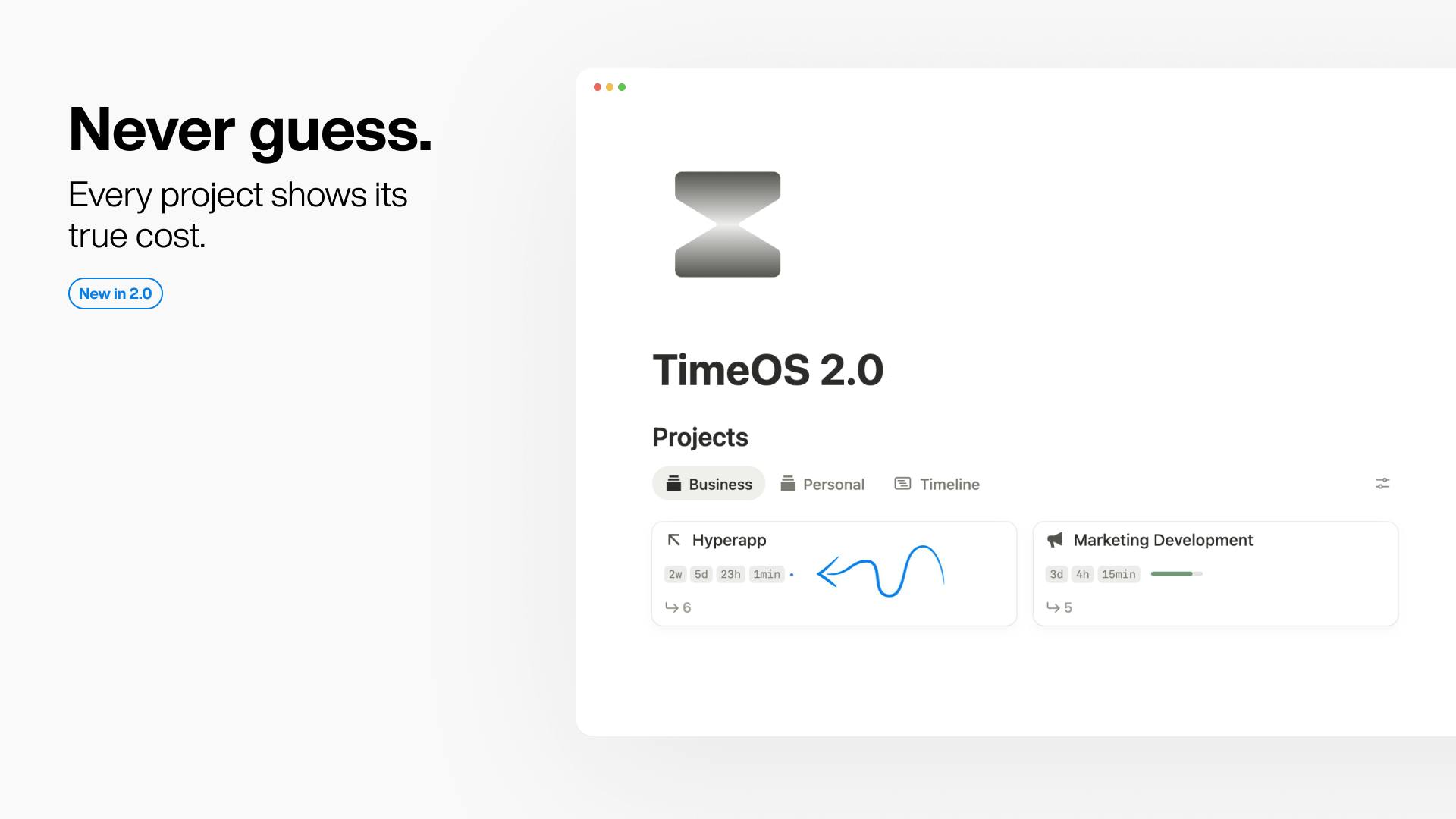
Core Feature: Work Sessions Automatically Converted into Invoice Line Items
Generate Professional Invoices in Three Steps
The biggest highlight of TimeOS 2.0 is its companion invoicing tool. The entire invoicing workflow is simplified into a few intuitive steps:
- Load: Import your recorded work sessions into the invoicing module;
- Generate PDF: The system automatically converts each work session into individual line items on the invoice;
- Customize: Personalize the invoice content and formatting;
- Download & Send: Export the PDF file and send it directly to clients.
The elegance of this design lies in the automatic mapping of "sessions to line items." In the traditional workflow, freelancers need to record hours in a time-tracking tool, then manually transcribe them into invoicing software or spreadsheets—a process that's both tedious and error-prone. TimeOS 2.0 makes every recorded time segment automatically serve as billing evidence, fundamentally reducing repetitive labor and human error.
Deep Integration with the Notion Ecosystem
TimeOS is categorized under the Notion-related section, suggesting it likely exists as a productivity enhancement tool within the Notion ecosystem. Notion is an all-in-one workspace tool combining documents, databases, and project management. It rose rapidly since 2018 and is currently valued at over $10 billion with users worldwide. Its core advantage lies in its highly flexible modular design, allowing users to build virtually any workflow through databases, templates, and relational connections. A massive third-party ecosystem has formed around Notion—including template marketplaces, integration plugins, and enhancement tools. Many indie developers choose to position their products as complementary tools to Notion, leveraging its large user base for initial user acquisition while using the Notion API for data interoperability.
For users who heavily rely on Notion to manage projects and tasks, the ability to complete time recording and directly generate invoices within a familiar workflow significantly reduces the cost of tool-switching. This strategy of "embedding into existing workflows" avoids the high barrier of requiring users to completely change their habits—a common and smart entry approach for indie developer products.
Why a "Closed Loop" Matters for Freelancers
Solving Real Pain Points of Time-Based Billing
For independent workers, the hardest part is often not completing the work itself, but accurately and professionally demonstrating to clients "how much time I spent doing what, and therefore how much I should charge." Without credible time records, clients may question invoices; yet manually organizing bills is extremely time-consuming.
The "with confidence" emphasis in TimeOS 2.0 essentially transforms work process transparency directly into billing evidence. Every line item corresponds to an actual work session, making invoices verifiable and able to withstand client scrutiny. This "data-driven" invoicing approach not only reduces client disputes but also helps freelancers establish a more professional brand image.
Evolution from Point Solution to Workflow Platform
From a product evolution perspective, TimeOS's expansion from a pure time/task tracking tool to covering the complete "tracking to billing" chain represents a typical evolution direction for productivity SaaS products: no longer satisfied with solving problems at a single point, but instead connecting the user's end-to-end actual workflow.
In SaaS product design, a "closed loop" refers to a product covering all key stages of a user's complete workflow. The business logic behind this strategy is: when a user's core data and workflows are all deposited on the same platform, switching costs rise significantly, and user retention rates and lifetime value (LTV) increase accordingly. Classic examples include Shopify expanding from website building to full-chain coverage of payments, logistics, and marketing, as well as HubSpot evolving from a marketing tool to a complete CRM platform covering sales and service. While TimeOS is far smaller than these giants, its product logic follows the same principle—once time data and billing data are both deposited on the same platform, the cost of user migration naturally increases.
TimeOS 2.0 Competitive Analysis
The market TimeOS faces is far from empty. The time-tracking tools market is already quite mature: Harvest, founded in 2006, was one of the earliest tools combining time tracking with invoicing, targeting small and medium teams; Toggl Track is known for its clean one-click timer experience with over 5 million users; Clockify entered the market with a freemium model, monetizing through premium features. These tools share a common trait of being feature-rich but relatively "heavy"—for individual users who only need a lightweight solution, there's significant feature bloat. Additionally, in recent years, boutique tools like Timery and Timing have emerged focusing on specific platforms, with market competition becoming increasingly segmented.
TimeOS 2.0's differentiation may lie in its lightweight experience, tight integration with Notion, and the restraint and focus characteristic of indie developers reflected in "two years of polishing for one major version." In an era where feature bloat has become a common ailment in the SaaS industry, this "do less but do it right" product philosophy may actually become a competitive advantage—especially for individual users frustrated by bloated tools.
For the product maker Kris Theory, being able to deliver a truly closed-loop update after two years, rather than frequently piling on features, reflects clear judgment about core user needs. Of course, as an independent product, whether it can satisfy a broader user base in areas like enterprise-grade features, multi-currency/tax support, and team collaboration remains to be validated by the market.
Conclusion: The Next Step for Time Tracking Tools
TimeOS 2.0's update may seem like merely adding an invoicing module, but its true significance lies in completing the value loop from "work time" to "client revenue." For freelancers and small teams who bill by the hour, this ability to directly convert records into deliverable invoices addresses the most practical pain point in day-to-day operations. In an era of increasingly intense competition among productivity tools, focusing on connecting real workflows—rather than simply stacking features—may be the key to long-term viability for products like this.
From a broader perspective, TimeOS 2.0's evolution also reflects a trend across the entire productivity tools space: pure "recording" is giving way to "recording + action." Future time management tools may no longer be passive data containers, but intelligent work partners that actively participate in business processes—from hour tracking to invoicing, from invoicing to payment reminders, and even to cash flow forecasting.
Related articles

Python 3.15 New Feature: Is the sentinel Type Better Than None?
Python 3.15 adds the sentinel type, using named unique sentinel objects to replace None and bare object(), resolving confusion among missing values, explicit emptiness, and invalid input while avoiding type hint failures.

Deep Learning's Three Architectures and the Universal Approximation Theorem: A Complete Guide to MLPs, CNNs, and Transformers
Explaining the inductive bias differences among MLP, CNN, and Transformer, the existence meaning of the Universal Approximation Theorem (UAT), and the role of Taylor expansion in approximation analysis, while clearing up common misconceptions.

GitLab Emergency Patch Release: Analysis of Critical Security Fixes
GitLab releases critical patch 19.5.1, sparking 355 points of discussion on Hacker News. This article analyzes the background, upgrade steps for self-hosted instances, and verification points to help DevOps teams respond quickly to security updates.