Turn Links into Xiaohongshu Posts in 2 Minutes: 01Agent Hands-On Test

01Agent automatically splits long articles into Xiaohongshu image-text cards; creators only need to make four style choices and manually review.
01Agent is an AI tool that automatically converts links or local documents into Xiaohongshu nine-grid image-text cards. The process: paste a link or upload a document and enter instructions; the tool reads the content and asks the user to confirm four options—cover title direction, visual style, image strategy, and text tone; after confirmation, it automatically splits pages and generates the cover and inner pages. After generation, you need to enter the canvas to review and revise page by page. The core value lies in workflow restructuring—creators shift from manual formatting executors to reviewers, only making directional decisions and final checks. The video does not cover practical issues such as batch processing or long-document splitting accuracy.
Xiaohongshu image-text posts have long relied on a "copy the text + manually format" pipeline. Splitting a long article into a nine-grid layout can eat up half an hour just tweaking the formatting. A video on Bilibili demonstrates another approach: feed a link or document directly to an AI tool and get a set of page-by-page image-text cards in two minutes. The tool is 01Agent.
Core Idea: Let AI Handle "Layout," Keep "Direction" for Yourself
The workflow shown in the video isn't complicated, but the division of labor is worth noting—AI handles the mechanical work of reading, splitting, and formatting, while the human only makes choices at key decision points. Specifically, paste a link with a one-line instruction (e.g., "Turn the content of this link into a Xiaohongshu image-text poster"), and the tool will sequentially read the content, analyze it, and confirm options.
If you have a local document, you can skip the link and upload it directly, then state your intent in one sentence.
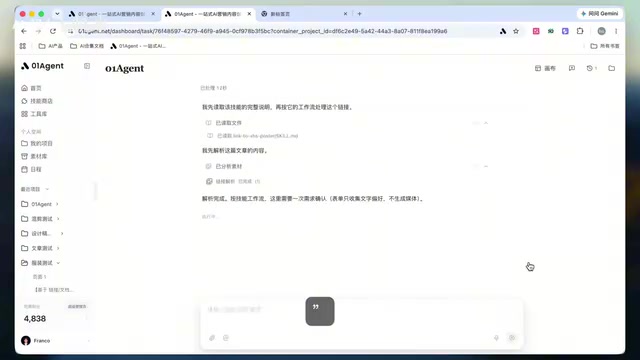
The advantage of this design: it doesn't try to be "fully automatic with one click" but instead inserts a confirmation step before generation. If the direction is wrong, no amount of detailed splitting will help; if the direction is right, the formatting quality is usually good enough.
The "nine-grid" format of Xiaohongshu image-text posts refers to the platform supporting up to 9 images per post, so long-form content needs to be split across multiple cards. Each card typically contains one independent information point, requiring concise text, highlighted key points, and a consistent visual style. In the traditional production process, creators must manually divide a long article into 9 segments, then copy each segment into a design tool to adjust fonts, spacing, and color schemes, ensuring the layout of all nine images is consistent. This process is not only time-consuming but also prone to inconsistent styles due to manual operations. The core of tools like 01Agent is to automate the two mechanical steps of "splitting" and "formatting," letting creators focus on content direction choices.
Four Confirmation Options Determine the Vibe of the Post
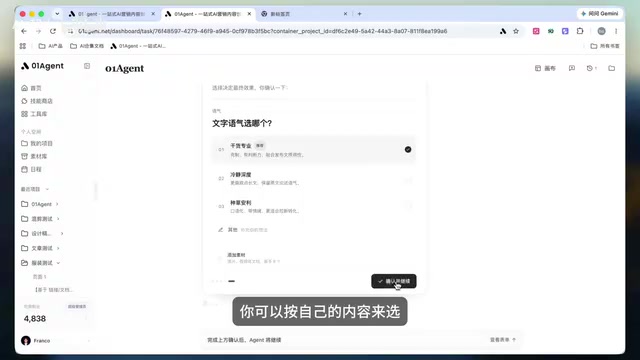
After clicking send, the tool doesn't start generating immediately. Instead, it presents several options for the user to confirm. The video shows four types of decisions in sequence, which basically cover all the "style variables" of a Xiaohongshu image-text post.
Cover Title Direction
The tool offers several title directions to choose from. In the video example, the option "AI Creation Enters the Parallel Era" was selected. The cover title is the first conversion point of a Xiaohongshu post—letting users pick from several candidates is safer than letting AI freewheel.
Visual Style
Minimalist or "textured" (the video's own term, roughly meaning a more designed, layered look that's less plain)—this step sets the tone. This option directly determines the consistency of all subsequent pages.
"Texture" is the video's description of a visual style, not a professional design term. It roughly refers to a look with richer visual elements, layers, and a touch of "imperfect" handcrafted feel, as opposed to a minimalist, white-space-heavy, highly regimented "clean" style. In the context of Xiaohongshu posts, this style is often achieved through overlaid textures, offset layouts, handwritten fonts, and a few decorative elements, aiming to make cards look more like personal creations rather than template-generated, thereby enhancing approachability and recognizability. The contrasting "minimalist" style emphasizes clear information hierarchy and ample white space, suitable for content with high knowledge density that needs to highlight text. Which style to choose depends on the account's positioning and audience preferences.
Image Strategy
Whether the cover needs a main visual, and whether inner pages are text-focused or interspersed with key images—all decided at this step. The video's advice: knowledge-sharing content should highlight text key points, and only add appropriate images when showcasing cases.
The cover main visual refers to the image element occupying the primary visual position in the cover image. It can be a large image related to the topic, an illustration, or an abstract graphic, used to quickly attract attention in the feed. Inner page images refer to images interspersed in other cards besides the cover, usually used to supplement case explanations, display data, or adjust reading rhythm. For knowledge-sharing content, text-focused inner pages ensure information delivery efficiency and avoid images distracting attention; when content involves specific cases, product displays, or operational steps, appropriately adding images can help readers understand. The choice of image strategy is essentially balancing "information density" and "visual appeal," requiring flexible adjustment based on content type and publishing scenario.
Text Tone
Finally, confirm the expression style. For knowledge tutorials, choose a more substantive, professional tone. The tone option affects the wording density of AI rewriting and has a significant impact on whether it "sounds human."
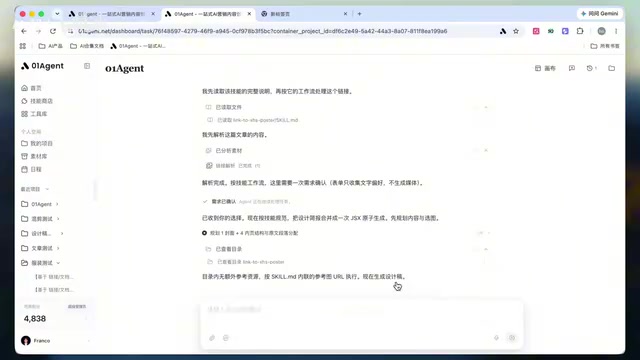
After confirming all four steps and clicking submit, the tool begins organizing content, splitting pages, and generating the cover and inner pages.
Generated Results and Manual Review
An entire article is split into page-by-page image-text cards. The video emphasizes that after generation, you shouldn't publish directly but should enter the canvas and check item by item: is the cover title clear enough, is the key point on each page accurate, and are the images and layout on track?
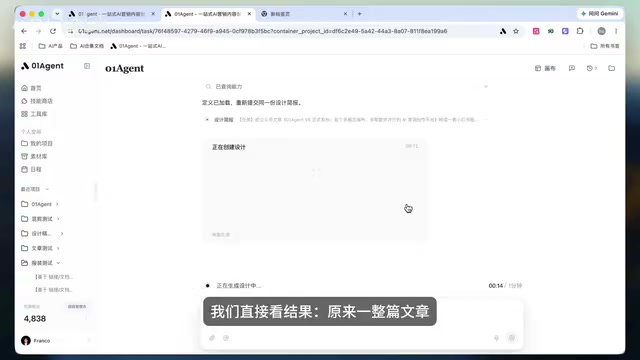
If something doesn't fit, you can continue editing and adjust the content to match your account's tone. This step cannot be skipped—AI generates a first draft, while account style is a long-term asset; the final alignment between the two requires human effort.
What These Tools Really Solve
On the surface, 01Agent saves formatting time. But the more substantial value lies in restructuring the workflow: previously it was "read material → manually excerpt → adjust layout one by one," now it's "feed material → make four choices → review and revise." The human shifts from executor to reviewer.
The three-step mantra summarized in the video is: paste material, confirm style, check after generation. This process is practical for creators who frequently produce Xiaohongshu posts, especially in scenarios requiring conversion of long articles, reports, and documents into social media image-text posts.
Note that the video only demonstrates the complete workflow for one link and doesn't cover batch processing, multi-account management, or fallback plans when generation fails. The tool's splitting accuracy on long documents and adaptability to different content types still require more practical use to verify.
One-line Summary
01Agent automatically splits long articles into Xiaohongshu image-text cards; creators only need to make four style choices and manually review.
Paragraph Summary
01Agent is an AI tool that automatically converts links or local documents into Xiaohongshu nine-grid image-text cards. The process: paste a link or upload a document and enter instructions; the tool reads the content and asks the user to confirm four options—cover title direction, visual style, image strategy, and text tone; after confirmation, it automatically splits pages and generates the cover and inner pages. After generation, you need to enter the canvas to review and revise page by page. The core value lies in workflow restructuring—creators shift from manual formatting executors to reviewers, only making directional decisions and final checks. The video does not cover practical issues such as batch processing or long-document splitting accuracy.
Related articles

AI Comic Drama with WorkBuddy from Scratch: A Step-by-Step Skill Pack Installation Guide
Learn how to create AI comic dramas with WorkBuddy from scratch. This guide covers installation, Skill pack import and invocation, plus a script generation demo with manual revision tips to get you through the first step from script to storyboard.

WorkBuddy Agent Runs the Entire GEO Database Mining Pipeline with a Single Prompt
WorkBuddy agent automates GEO database mining: from data search and curation to batch correction, differential analysis, co-expression networks, feature gene screening, and immune infiltration—a single prompt generates a complete bioinformatics report, greatly lowering the barrier to bioinformatics analysis.

PC Memory Wasted? Hacker News Debates Centralized Data Centers
Hacker News users argue that personal computer memory is wasted and should be centralized in data centers, sparking debate on centralized vs. distributed computing resource allocation. This article analyzes the logic behind the claim, the costs of centralization, and new tensions in memory resource allocation in the AI era.