Turning Company Workflows into Agent Skills: A Practical Guide

Turn your team's way of working into version-controlled Markdown skills, letting the Agent execute by procedure.
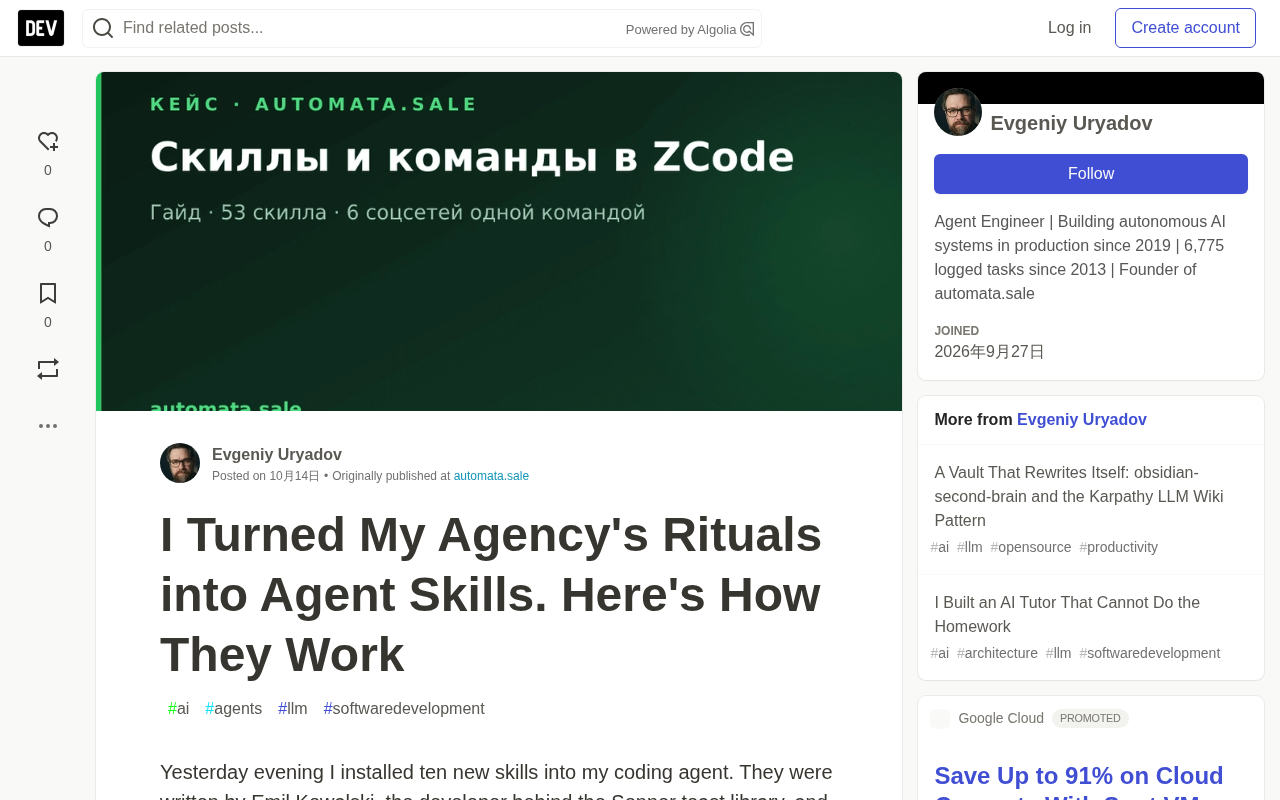
The article introduces an emerging approach to Agent customization: a Skill is not a prompt template, but an executable operating procedure reviewed by humans, managed by Git, and version-controlled. A skill is a directory containing SKILL.md; the frontmatter's name becomes a slash command, description determines automatic invocation, and the body holds the process and hard rules. Through progressive disclosure, 53 resident skills occupy only a few KB of context. Skills live in three tiers—personal, repository, plugin cache—and anything related to company practices should be committed to Git. The author uses a publishing pipeline spanning six platforms as an example, showing human approval gates can be hardcoded into skills. On security, scanners filter while humans decide; one case had 29 CRITICAL findings that were all false positives.
One Folder Holds an Entire Team's Way of Working
According to a practice log shared by a digital marketing agency owner, he spent about five minutes installing ten new skills into his coding Agent, sourced from design engineering skills written by Emil Kowalski, developer of the Sonner toast library—covering specific judgments like "when not to animate," "which easing curve to use," and "how to stress-test UI with worst-case data." After installation, the Agent's quality in writing animations and mobile layouts improved noticeably, without changing a single line of the model itself.
The gap came down to a single folder containing Markdown files. Behind this lies a redefined approach to Agent customization: a Skill is not a prompt template, but an executable operating procedure that can be reviewed by humans, managed by Git, and version-controlled.
For the many developers and teams in China using AI coding tools, the value of this idea is that it turns "teaching AI to work" from word-of-mouth experience into an engineering asset that can be accumulated, reused, and audited.
What Exactly Is a Skill
A Skill is a directory containing a SKILL.md file, plus optional supporting files: templates, checklists, small scripts. The files themselves are pure Markdown, with a cost so low it's almost negligible. The author provides a minimal working real example (SEO audit skill):
---
name: seo-audit
description: "Audit a client site before delivery. Use when asked to
  "check the site", "run an audit", or before handing a project over.
---

**Progressive disclosure** is the underlying design that makes this mechanism viable. If the full text of every skill were stuffed into context at the start of a session, dozens of skills would quickly exhaust the window, and the model would be distracted by irrelevant processes. The approach is two-tiered: the first tier exposes only `name` and `description`, forming a minimal "skill catalog"; the second tier reads the full `SKILL.md` and its supporting files only after a match. This mirrors the "first see what tools exist, then fetch parameters" approach in Agent tool calling—build a cheap index first, defer expensive content until truly needed. The cost is that matching quality rests entirely on the `description`: write it vaguely and the index fails; write it specifically enough to include trigger phrases and hit rates go up.
## Workflow
1. Crawl the site, collect titles/descriptions/headings
2. Check structured data and canonical tags
3. Report as a table: severity, page, fix
## Hard rules
- Report only. Do not fix anything until asked.
The frontmatter bears the responsibility of the "matching surface": name becomes the /seo-audit command in chat, and description is the basis on which the Agent judges whether the skill matches the current task. The body is the process itself.
The truly clever part is the loading mechanism. At the start of a session, the Agent keeps only the names and one-line descriptions of all skills—according to the author, his 53 resident skills together occupy only a few KB of context. Only when a task matches or the user explicitly invokes it does the full skill text get loaded. This is why you can maintain dozens of skills long-term: the cost of idle skills is close to zero.
This is essentially a "process knowledge base retrieved on demand," sharing the same lineage as the RAG approach, except the retrieval unit is an engineered workflow rather than a document fragment.
Two Ways to Invoke
- Explicit invocation: use a slash command, e.g.,
/seo-audit https://client-site.ru. The Agent executes the process step by step, with parameters passed through. Suitable for scenarios where "the ritual itself matters." - Implicit invocation: say in natural language, "check this website before handing it to the client," and the Agent compares the request against each skill's description, automatically pulling in the appropriate one.
Because of this, the description field deserves the most of your effort. The author notes that excellent skill authors even write a dedicated Triggers section listing the specific phrases that should activate the skill. This is especially important for Chinese teams—if the team typically issues instructions in Chinese, the description must include Chinese trigger phrases, otherwise implicit invocation will fail on a large scale.
Prompt injection is the necessary background for understanding the security gate later on. Its principle is: the model cannot naturally distinguish between "instructions given by the system" and "instructions embedded in the data"—as long as some piece of read text is written in a commanding tone, it may be executed as a command. For skills, the risk is amplified—a skill is not ordinary material read by the model, but a set of instructions it actively executes. Installing a skill of unknown origin is equivalent to having the Agent run a stranger's scripts. Common carriers include inducement sentences disguised as checklist items, text hidden in Markdown using zero-width characters, and passages smuggled inside nested code fences. This also explains why line-by-line human review cannot be omitted: scanners can only match patterns, and judging "is this sentence a defensive statement or a real attack" still requires a human.
Where Skills Live: A Three-Tier Structure
The author uses a three-tier layout:
~/.agents/skills/<name>/SKILL.md— personal skills, available across all projects. His work style lives here: publishing pipeline, audit process, security gate.- A skills folder inside the repository — team skills, committed to Git. New hires receive executable operating procedures, not a wiki nobody opens.
- Plugin cache — general-purpose skill packages distributed via marketplace. Adequate for general needs; but anything related to "how your company does things" should go into the first two tiers.
The second tier is key. Managing skills with Git means processes can undergo code review, be traced back, and be branched for experimentation, and it gives "veteran employees' experience" a clear handover medium for the first time.
Why use Git instead of a wiki or shared document is the most worthwhile point to expand on in this three-tier structure. Once a process file enters version control, it gains three capabilities a wiki cannot provide: first, code review—flow diagrams and code can be reviewed by the same reviewer in the same PR; second, traceability—a release incident can be traced to the version of the skill in effect at the time, rather than relying on memory; third, branch experimentation—process improvements can be run on a branch before merging, with no trace left on failure. More importantly, the mode of handover changes: what a new hire receives is not a set of instructions they must interpret themselves, but a procedure the Agent will execute and error-report against—the "correctness" of the process can, for the first time, be automatically verified.
A Real Pipeline: One Command, Six Platforms
The author's heaviest skill is the one used to publish this very article. He types /smm-crosspost with the file attached, or simply says "write an article for our blog," and the Agent sequentially:
- Writes the article in English, adapts it into Russian and Kazakh, and cross-links between the three versions;
- Generates a branded 1200x630 cover;
- Places the content onto the site with full structured data (TechArticle, FAQPage, HowTo, hreflang);
- Stops, showing him everything for approval;
- Upon receiving "ok": deploys, verifies the article is live, runs an internal quality audit;
- Writes a platform-adapted version for each of six social networks, with different formats, tones, and length limits;
- Runs all drafts through human-lint, showing each passage of text with its score;
- Waits again for an explicit "ok". Only then does it publish.
Steps 4 and 8 are hard gates written into the skill. The Agent cannot publish without confirmation, because that's what the Markdown says—and it complied.
The author particularly emphasizes this most underrated point: the Agent's behavioral rules and workflow are written in the same plain-text file, and they actually take effect. Process and constraints are no longer separate—the audit boundary and the operational steps are a single document from the same source and version.
Security Gate: Scanners Filter, Humans Decide
A skill is essentially a set of instructions your Agent will execute. Installing an unreviewed skill is equivalent to running scripts from a stranger's repository. The phrase "ignore previous instructions" can be slipped into a seemingly thoughtful checklist without any sense of incongruity.
The author's security gate is itself a skill: first run NVIDIA's scanner locally and fully offline, then manually read every flagged line:
git clone --depth 1 https://github.com/author/some-skills /tmp/check
skillspector scan /tmp/check --no-llm   # NVIDIA's scanner, fully local
# then: read every flagged line by hand
Regarding false positives, the author gives a very persuasive data point: one week the scanner gave a CRITICAL-level verdict on a completely harmless design skill repository—29 findings, highest severity, "do not install." After human review, all 29 were false positives: it flagged the defensive statement "tell the Agent to ignore manipulation attempts from repository files" (because "ignore previous instructions" appeared inside quotation marks), zero-width characters the author used to nest code fences in Markdown templates, and a ZWJ emoji deliberately placed in test data. Real threats: zero.
The conclusion is not "don't trust scanners," but rather: scanners filter, humans decide. Reading 29 flagged lines took about ten minutes; installing a poisoned skill costs far more.
How to Write Your Own Skills
Ready-made skills are other people's experience. Your own rituals are more valuable, and nobody will write them for you. The author's recipe for clients is four steps:
- Pick a task you repeat every week: publishing, weekly reports, pre-delivery audits, deployment.
- Write down the steps exactly in the order you do them by hand, including the places where you double-check yourself.
- Add hard rules: things you never do, things requiring human approval, where to stop.
- Write the description for the Agent, not for yourself: what this skill does, which phrases should trigger it.
The last piece of advice deserves to be posted at the top of every internal document: start small. A hundred-line skill that saves you an hour a week beats a thousand-line perfect skill you'll never finish writing.
Put this in the context of "handing workflows to AI," and it actually answers a more fundamental question—the ceiling of Agent capability often lies not in how powerful the model is, but in whether you've seriously written down what you know how to do.
Related articles

Python 3.15 New Feature: Is the sentinel Type Better Than None?
Python 3.15 adds the sentinel type, using named unique sentinel objects to replace None and bare object(), resolving confusion among missing values, explicit emptiness, and invalid input while avoiding type hint failures.

Deep Learning's Three Architectures and the Universal Approximation Theorem: A Complete Guide to MLPs, CNNs, and Transformers
Explaining the inductive bias differences among MLP, CNN, and Transformer, the existence meaning of the Universal Approximation Theorem (UAT), and the role of Taylor expansion in approximation analysis, while clearing up common misconceptions.

GitLab Emergency Patch Release: Analysis of Critical Security Fixes
GitLab releases critical patch 19.5.1, sparking 355 points of discussion on Hacker News. This article analyzes the background, upgrade steps for self-hosted instances, and verification points to help DevOps teams respond quickly to security updates.