una mano: The Movable iPhone Keyboard Built for One-Handed Typing

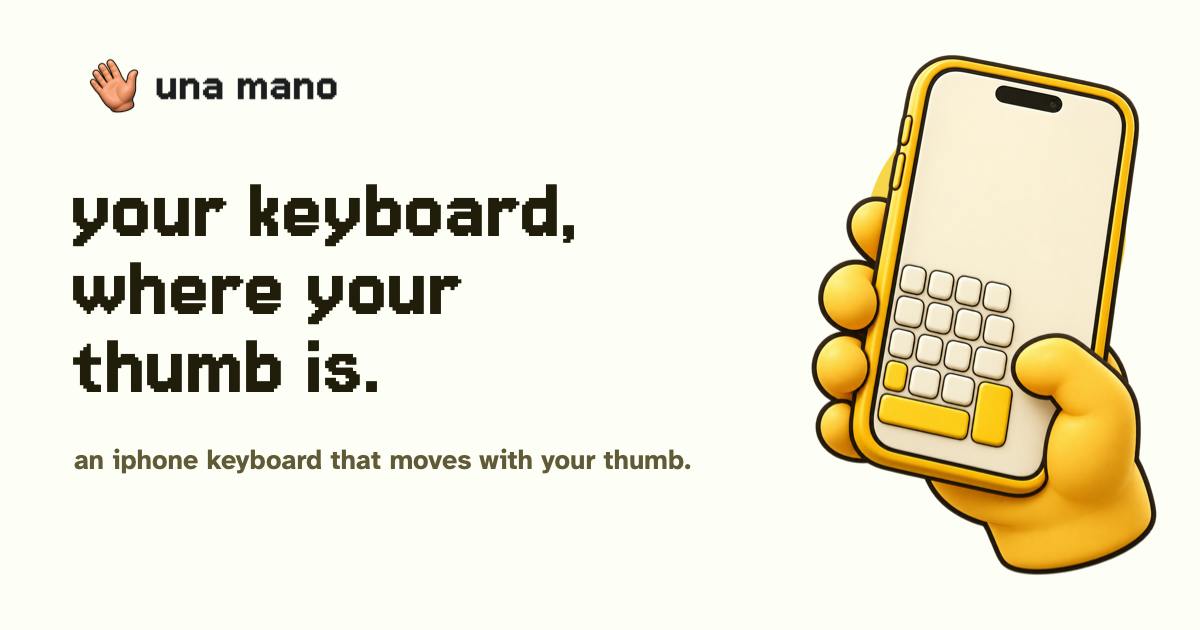
una mano shifts your entire QWERTY keyboard to where your thumb can reach — built for one-handed iPhone typing.
una mano is an iOS custom keyboard on Product Hunt that repositions the full QWERTY layout left, center, or right without altering the familiar key arrangement, making one-handed typing on large phones effortless. Users can switch positions via a dedicated control or by swiping on the keyboard. The paid Plus tier adds Motion Switch for automatic position adjustment based on how the device is held. Crucially, core typing requires no Full Access permission, eliminating any risk of keystroke exposure. New users get a 14-day Plus trial with no subscription pre-selected. It earned 64 upvotes on Product Hunt and differentiates from iOS's native one-handed mode by preserving full key size while offering more flexible repositioning.
Struggling to reach keys on the opposite side of a large screen with just one hand is a pain point almost every smartphone user has experienced. una mano is an iOS custom keyboard that launched on Product Hunt, tackling this problem with a straightforward yet effective idea — moving the familiar QWERTY keyboard to wherever your thumb can actually reach.
Bringing the Keyboard to Your Thumb
una mano's core feature is refreshingly simple: when one hand is occupied (holding a bag, grabbing a handrail), it shifts the standard QWERTY keyboard left, center, or right so one-handed typing feels natural. Users can switch positions either through a dedicated Position control or by swiping directly on the keyboard.
For anyone accustomed to the system keyboard, the biggest selling point is familiarity — una mano doesn't reinvent the typing experience. It preserves the QWERTY layout that users have already built muscle memory around, simply relocating where it sits on the screen. This "don't change the habit, just improve the reach" design philosophy tends to win more adoption than radical new interaction paradigms.
Plus Plan and Motion Switch
Beyond basic position shifting, una mano offers a paid tier called Plus, which includes an optional Motion Switch feature. While the official description is brief, the name suggests the keyboard may automatically adjust its position based on how the device is being held or moved — reducing the need for manual switching altogether.
On the business side, una mano takes a restrained approach: new installs receive a 14-day Plus trial, and no subscription plan is pre-selected by default. Users won't be charged without knowing it — they have to actively choose to subscribe after the trial ends. For a utility app, this kind of transparent monetization goes a long way toward building user trust.
Privacy-Friendly Permission Design
una mano makes a commendable privacy decision: its core typing functionality works without requiring Full Access.
In the iOS ecosystem, once a third-party keyboard requests Full Access, it can theoretically read everything the user types — which is precisely why many people are wary of custom keyboards. una mano decouples basic input from full access permissions, letting privacy-conscious users confidently use its core repositioning feature without granting elevated permissions. Higher permissions are only relevant for advanced features. In an era where users are increasingly protective of their data, this is a meaningful differentiator.
iOS keyboard permissions operate on two levels: without Full Access, the keyboard runs in a sandboxed environment with no network access, no clipboard reading, and no ability to upload keystrokes to external servers. With Full Access enabled, the keyboard extension gains the same network capabilities as the host app, and iOS explicitly warns in Settings that "this keyboard can access everything you type." This is why password managers and banking apps often alert users when a third-party keyboard with Full Access is active, recommending a switch back to the system keyboard. By implementing its core functionality without requesting Full Access, una mano's repositioning logic runs entirely on-device with no need to transmit data — eliminating any architectural possibility of keystroke leakage.
Market Performance and Positioning
una mano was built by maker pherkan and earned 64 upvotes on Product Hunt, ranking 17th, under the Productivity and Custom Keyboards categories.
From a positioning standpoint, una mano is a classic "small but focused" tool: rather than trying to do everything, it zeros in on the single-handed typing scenario and goes deep on it. As phone screen sizes continue to grow, one-handed reachability will only become a bigger issue, giving targeted tools like this a stable demand base.
That said, it does face competition from native iOS capabilities — iOS already includes a built-in "one-handed keyboard" mode that shifts and narrows the keyboard left or right. For una mano to stand out, the key lies in how fluidly it handles repositioning, how smooth the swipe interaction feels, and whether features like Motion Switch deliver an experience that the native solution simply can't match. For users who frequently type one-handed, this app is worth trying.
iOS's built-in one-handed keyboard mode has been available since iOS 11, activated by long-pressing the globe (language switch) button and selecting the left- or right-hand icon. The keyboard shrinks toward that side, leaving a blank area on the other. The key difference from una mano: the native solution physically shrinks the keyboard, reducing key size and typing comfort. una mano keeps the keyboard at its original size and only shifts its position — theoretically improving reachability without sacrificing key dimensions. The native mode also lacks swipe gestures for quickly switching positions, making it less flexible. This distinction is the core reason una mano retains differentiated value even in the presence of a built-in system alternative.
Related articles

Chain of Thought Isn't Just for AI: How Humans Can Use CoT to Improve Thinking Quality
Chain of Thought isn't just a prompt trick for large models. Starting from a Hacker News discussion, this article analyzes why CoT works for human thinking too, breaks down actionable ways to transfer it, and highlights the key differences between human CoT and machine CoT.
Cloudflare Teams Up with OpenAI: Closi…
Cloudflare Teams Up with OpenAI: Closing the Loop from Vulnerability Discovery to Defense with AI
Cloudflare uses OpenAI Daybreak to investigate security vulnerabilities and generate reviewable remediation plans, while developers use Codex to boost coding efficiency and quality.

Orca Multi-Agent Orchestration in Practice: A Guide to Parallel Collaboration with Claude and Codex
Orca is Stable AI's free open-source agent workbench supporting 34 agents like Claude Code and Codex in parallel. Learn its Git worktree isolation, multi-model orchestration, and mobile management.