Unattended Live Streaming: A Practical AI Solution for Auto-Replying to Chat FAQs

Live sellers can use AI to auto-reply to FAQs, but platform interface openness and rule compliance are the real constraints.
Starting from a live seller's real need, the article explores using AI to monitor live chat and auto-reply to FAQs. The core need is event-driven: when a new message appears, the system judges whether it is an FAQ and sends a preset or generated reply. Implementation involves three parts: chat capture (browser automation or OCR without an API), intent matching, and reply sending. Viable paths include customer service bot platforms, custom Python scripts, and OBS/Streamer.bot tools. The biggest risk is that using AI auto-replies to bypass platform activity detection may violate terms of service. A minimum viable solution with OCR + keyword matching + simulated input is low-cost but unstable as platform UIs change.
A Real Live Seller's Dilemma
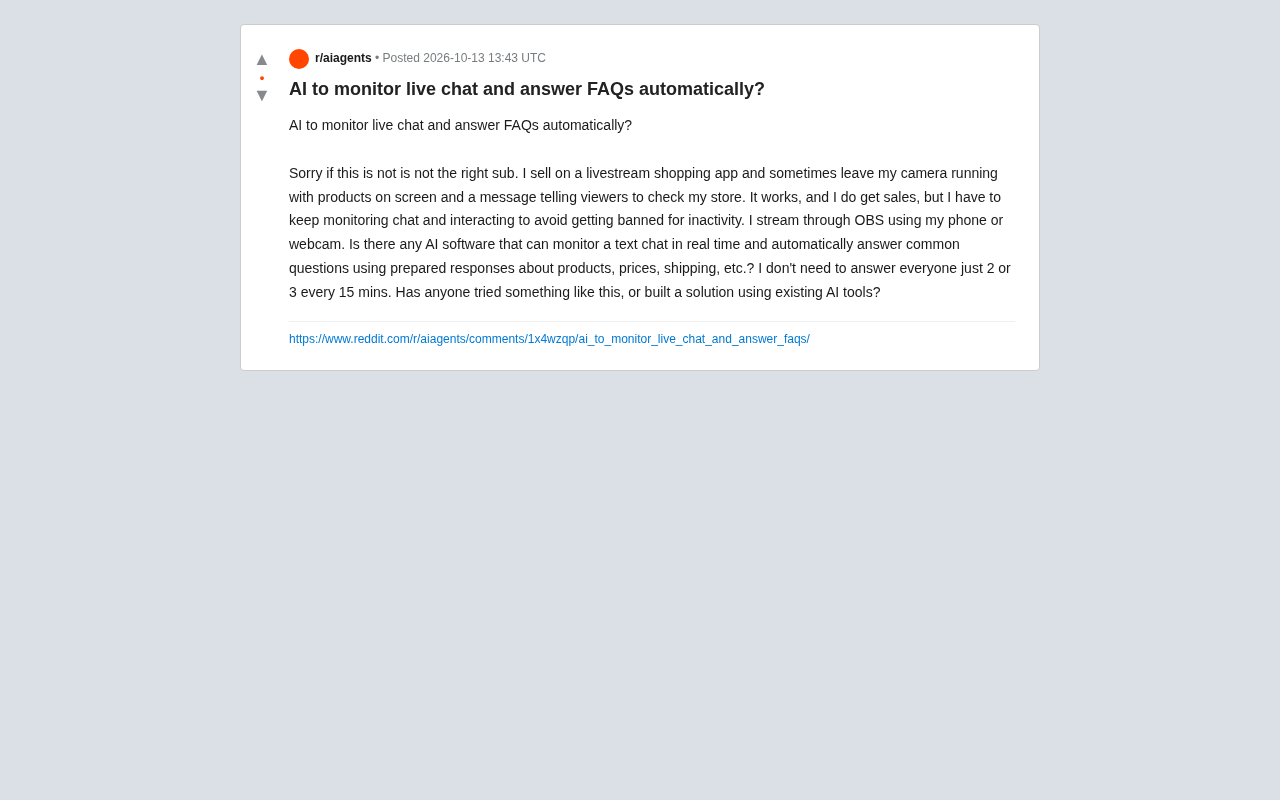
In a Reddit discussion thread, a live shopping seller described a scenario like this: he uses OBS to stream, points a phone or camera at the product, and keeps a "Welcome, browse our store" prompt on screen. This kind of "semi-unattended live stream" does generate sales, but the platform's "inactivity" detection forces him to keep an eye on the chat area and reply every so often — not to serve every viewer, but to keep the stream from being banned.
His need is very specific: Is there an AI that can monitor text chat in real time and automatically answer common questions about products, prices, and shipping using prepared scripts? The frequency requirement isn't high — replying to 2 to 3 messages every 15 minutes would suffice.
This question looks simple, but when it comes to engineering implementation, it touches on several different technical layers.
Why General-Purpose Chatbots Aren't Enough
Directly using the web version of ChatGPT or Claude obviously won't work — they can't proactively "listen" to a third-party platform's chat stream. The real need is event-driven: when a new message appears in the chat area, the system determines whether it falls under FAQs, and if so, calls a preset answer or generates a reply, then sends it through the platform's interface.
There are three independent components here:
Acquiring the chat stream. If the platform doesn't provide a public API (most live shopping apps indeed don't), you need to capture chat content through browser automation or screen OCR. This is the most fragile part of the whole solution, because once the platform's UI changes, the capture logic may fail.
Intent matching. Determining that "How much is this?" and "How many days for shipping?" belong to different categories requires a classification logic. For simple scenarios, keyword matching is enough; for more complex cases, a small model can be used for intent classification.
Sending replies. This is likewise limited by whether the platform opens up an input interface. If even sending requires simulated clicks, the stability of the entire solution drops significantly.
Event-driven architecture is key to understanding this need. Traditional chatbots use a "request-response" pattern: the user actively sends a message, and the system passively replies. Live chat monitoring requires the reverse logic — the system continuously listens to an external event source (the chat stream), and only when a qualifying event is detected (a new message that falls under FAQs) does it trigger subsequent actions. In this mode, the system needs to maintain a long-running listening loop or subscription mechanism, rather than waiting for user input. Common implementations include polling (periodically checking DOM changes), WebSocket subscriptions (if the platform provides them), and using the browser MutationObserver API to listen for node changes. The advantage of event-driven is timely response with controllable resource usage, but the downside is that it must handle two extreme cases: "event storms" (a large influx of messages in a short time) and "missed events" (messages skipped because the listening interval is too long).
Existing Viable Paths
The poster himself also mentioned that he doesn't mind using "off-the-shelf AI tools to build a solution." From community discussions and existing tools, there are roughly three paths:
Path 1: Customer Service Bot Platforms
Customer service tools like Intercom, Tidio, and ManyChat already support FAQ auto-replies and chat stream integration. ManyChat has some support for Instagram and Facebook live scenarios, but for independent live shopping apps, you usually need to check whether the platform is in ManyChat's integration list. The advantage of this path is stability and a backend management interface; the disadvantage is that support for niche platforms is often missing.
Path 2: Build a Lightweight Solution Yourself
Write a Python script that uses Selenium or Playwright to monitor chat DOM changes, calls the OpenAI API for intent determination and reply generation when a new message is detected, then simulates input to send it. Developers on Reddit have shared similar ideas — the core code isn't much, and the difficulty lies in long-term running stability and platform anti-automation mechanisms.
Selenium and Playwright are two mainstream browser automation tools that play the role of "eyes and hands" in this scenario. Selenium appeared earlier with a mature ecosystem and supports multiple language bindings; Playwright, launched by Microsoft, has better support for modern JavaScript-rendered pages and includes a built-in auto-wait mechanism that reduces capture failures caused by page load delays. Both can locate DOM nodes in the chat area and capture new messages by monitoring child node changes. But note that live platform chat areas usually use virtual scrolling (only rendering messages in the visible area), which means historical messages may not exist in the DOM, and automation scripts must capture in real time rather than retroactively. In addition, when simulating keyboard input to send messages, some platforms detect the source of input events (human-triggered or script-triggered), and a simple send_keys may be identified as abnormal behavior.
Path 3: OBS Plugins or Third-Party Tools
OBS itself has a plugin ecosystem, but there aren't many plugins specifically for "chat auto-reply." A more realistic option may be Streamer.bot or similar tools, which support listening to chat events on platforms like Twitch and YouTube and triggering actions, but they also have platform compatibility issues.
An Underestimated Risk: Platform Rules
Beyond technology, there is an even trickier problem. The poster's core demand is "avoid being banned for inactivity," but using AI auto-replies to circumvent platform activity detection may itself violate the platform's terms of service. Most platforms require that interactions during a live stream be genuine, and once automated replies are identified, the consequences may be more serious than "inactivity."
This is also why some community replies suggested: instead of risking AI to fake interaction, it's better to directly contact platform customer service to explain your streaming format and see whether there is a compliant "idle mode" or a solution that lowers activity requirements.
Platform activity detection mechanisms usually combine multiple signals: message sending frequency, reply latency distribution, content diversity, and account behavior patterns. Human reply latency follows some natural distribution (ranging from a few seconds to a few minutes), while automated scripts often show fixed intervals or overly regular rhythms, which is one of the main features used for identification. In addition, platforms may also detect the timing characteristics of input events — real people typing will have key intervals, backspace corrections, and other micro-behaviors, while script-simulated input is often too "perfect." Once judged as automated behavior, the platform may take measures such as throttling, reduced ranking, temporary bans, or even permanent account suspension. More troublesome is that such judgments usually don't provide an appeal channel or specific reasons, so sellers find it hard to know which rule they triggered.
If You Want to Build It, the Recommended Minimum Viable Solution
For technical sellers who really want to try, a pragmatic starting point is:
- First use OCR (such as Tesseract or PaddleOCR) to periodically capture the chat area and recognize text content
- Maintain a mapping table from FAQ keywords to answers, covering the 5 to 10 most frequent questions
- Use simple string matching or a lightweight intent classification model to determine whether there is a match
- After a match, send the preset answer by simulating keyboard input
- Set a frequency cap (such as at most 3 messages every 15 minutes) to avoid triggering the platform's automated detection
This solution doesn't need a large model and has extremely low cost, but you need to accept that it may fail at any time due to platform UI updates.
One-Sentence Summary
Technically, using AI to monitor live chat and automatically reply to FAQs is entirely feasible, with paths available through both off-the-shelf tools and self-built solutions. But the real constraint is not AI capability, but whether the platform opens interfaces and whether automated replies cross the red line of platform rules. Before starting, confirming these two things is far more important than choosing which model to use.
One-line Summary
Live sellers can use AI to auto-reply to FAQs, but platform interface openness and rule compliance are the real constraints.
Paragraph Summary
Starting from a real live seller's need, the article explores the feasibility of using AI to monitor live chat and automatically reply to FAQs. The core need is event-driven: when a new message appears in the chat area, the system determines whether it falls under FAQs, then calls a preset answer or generates a reply to send. Implementation involves three components: chat stream acquisition (browser automation or OCR when the platform has no API), intent matching (keyword or small-model classification), and reply sending (limited by the platform input interface). Viable paths include customer service bot platforms, self-built Python scripts, and OBS/Streamer.bot-type tools. But the biggest risk is not technical — using AI auto-replies to circumvent platform activity detection may violate the terms of service. A minimum viable solution can be implemented with OCR + keyword matching + simulated input at low cost, but stability is affected by platform UI changes.
Related articles

How Big Can Stars Really Get? The Physical Limits of the Largest Stars
Red supergiants are the largest stars by volume, with radii up to 2,000 times the Sun, engulfing the inner solar system. But there is no precise upper limit on stellar size—models predict up to 15,000 solar radii. The most massive blue stars are far smaller than red supergiants—biggest and heaviest are two different things.

Apple HomeView Smart Display Full Feature Breakdown: Wall-Mount or Desktop, $299
Apple launches HomeView, a $299 smart display with wall-mount and desktop options, 12MP camera for facial recognition, smart home control, music playback, and recipe step-by-step cooking. Full breakdown of watch faces, apps, privacy, and cooking integration.

Where Did the Promised New Studio Go? Craft Computing Answers After Five Years
Craft Computing's host responds to viewer questions: the new studio promised five years ago was shelved as construction costs soared from $30,000 to $75,000, and was replaced by a 168-square-foot garage conversion.