URL as Document: The Serverless Innovation of the LaTeX Renderer

Simon Willison builds a LaTeX renderer with Claude Code, compressing entire documents into URL fragments for serverless AI content delivery.
The article introduces a browser-based LaTeX renderer developed by Simon Willison, inspired by Tiny Little Office. The latter encodes entire document data into a URL's #fragment, requiring no server, database, or account — saving means bookmarking a link — and provides an llms.txt to teach AI agents how to construct such links. Simon replicated the idea with Claude Code (Opus 5.5 Extra) using a concise prompt, switching the target to LaTeX rendering. The stack includes Pako (DEFLATE compression with a LaTeX-specific dictionary), MathJax, the WebAssembly-based faster-latex typesetting engine, and DOMPurify. Security relies on iframe sandbox to defend against XSS, and it supports loading LaTeX sources from a URL or GitHub Gist. The article sees this as pointing to a new "URL as document" paradigm, while noting practical limits such as URL length caps, dictionary consistency requirements, and lack of search engine indexability.
From Tiny Little Office to the LaTeX Renderer
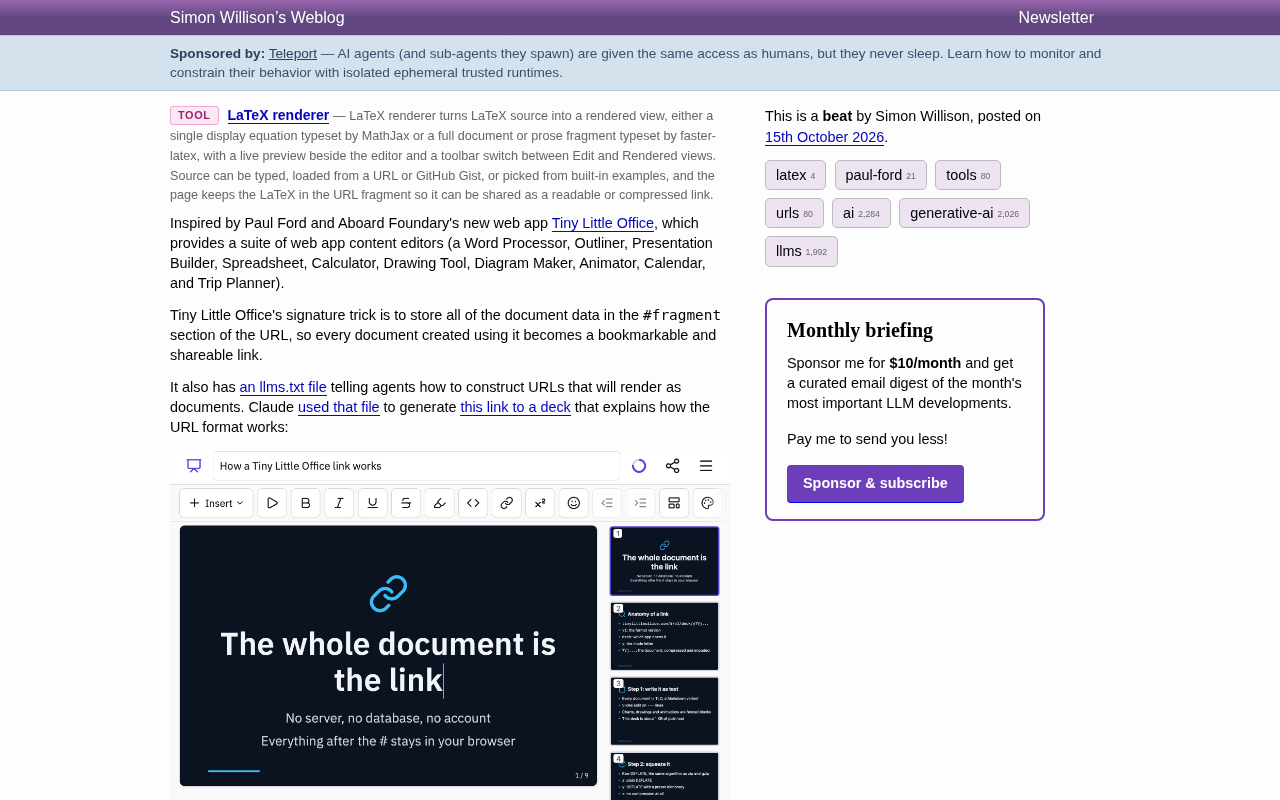
Simon Willison has released a browser tool called the LaTeX renderer, inspired by Tiny Little Office, built by Paul Ford and Aboard Foundry. The latter is a matrix of web apps covering word processing, outlining, presentations, spreadsheets, calculators, drawing, charts, animation, calendars, and trip planning. Its core design idea is to store the entire document's data in the URL's #fragment — saving a document just means bookmarking a link, with no server, database, or account required.
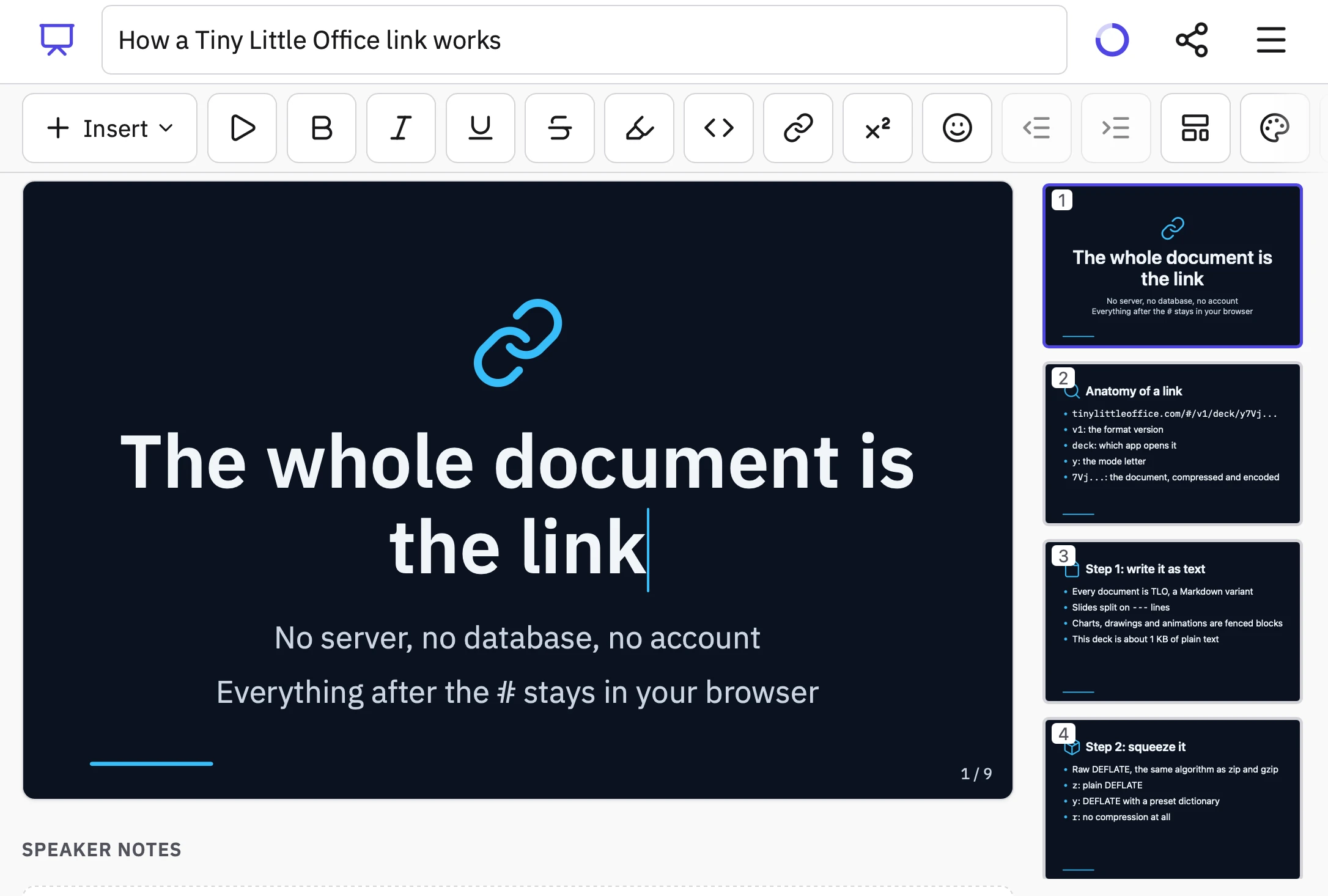
This pattern was quickly absorbed by the AI toolchain: Tiny Little Office provides an llms.txt file that tells AI agents how to construct URLs that render as documents. Based on this, Claude directly generated a presentation explaining the URL format, pushing the concept of "document as link" into programmable territory.
How the LaTeX Renderer Works
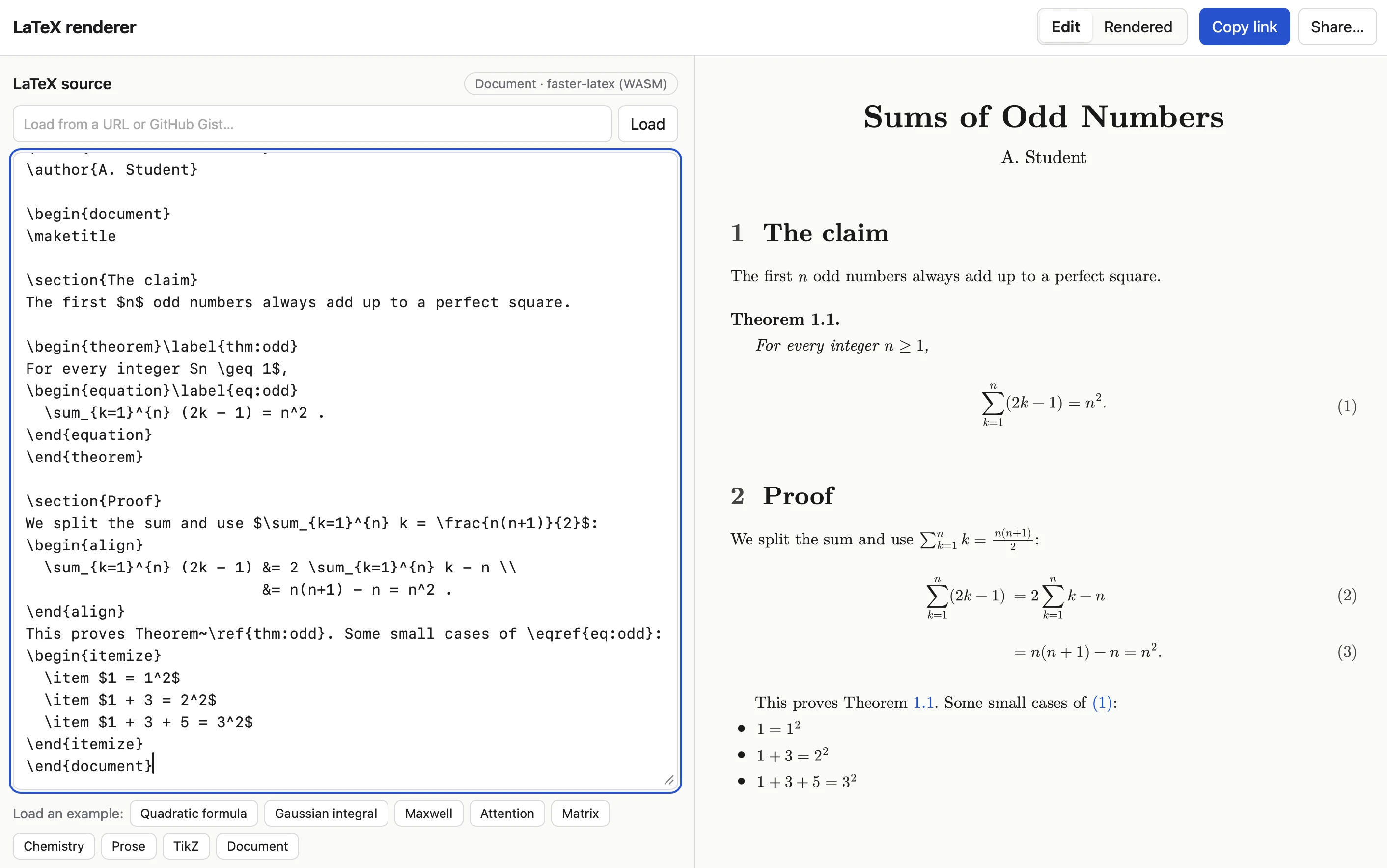
Simon replicated this idea using Claude Code (Opus 5.5 Extra), switching the target to LaTeX rendering. The core prompt was remarkably concise: create a tool that accepts a #code-here fragment, treats it as LaTeX, and renders it efficiently, with a prefix indicating the content should be compressed using a dedicated LaTeX compression dictionary; with no fragment, show an editor where you can paste LaTeX and switch to a "rendered" view that can be bookmarked; views with a fragment can still be switched back to edit the source.
On the security side, it borrows the <iframe sandbox="..."> mechanism from his earlier SVG in Markdown tool to defend against XSS risks, and adds the ability to load LaTeX content from a URL or GitHub Gist — meaning a shared link can be either a short, compact encoded text or point to a remote authoritative source.
#fragment (the URL fragment identifier) is the part of a URL after #. Browsers use it to locate an anchor within the page, but per spec it is not sent to the server with the HTTP request. Tiny Little Office and the LaTeX renderer cleverly exploit this: the entire document state is compressed and encoded, then stuffed after the #, so the data exists only in the user's browser. The benefit is that no server can record, tamper with, or lose this content — privacy and persistence are guaranteed by the URL string itself. The cost is that the data volume is limited by browser and platform constraints on URL length (the practical ceiling is usually on the order of tens of thousands of characters), and the fragment content is invisible to search engines. This is also why the tool needs a compression dictionary — only by compressing a LaTeX source into as short a string as possible does it become practically shareable.
<iframe sandbox> is an attribute in HTML used to isolate untrusted content. When AI-generated HTML/LaTeX of uncontrollable origin is rendered onto a page, any hidden malicious script could read cookies, make requests, or tamper with the host page (i.e., an XSS attack). The sandbox attribute forces the iframe into a restricted environment, by default disabling script execution, form submission, same-origin access, and other capabilities, thereby locking potentially harmful content inside a "sandbox." Both the markdown-svg-renderer mentioned in the article and the LaTeX renderer use this mechanism as their first line of defense, then layer DOMPurify on top to sanitize the output HTML, forming defense in depth.
Tech Stack: Browser Typesetting in the WASM Era
The tool's dependency combination is quite representative:
- Pako 2.1.0: handles DEFLATE compression, paired with a LaTeX-specific preset dictionary for high compression ratios
- MathJax 4.1.3: a mature and stable math formula rendering solution
- faster-latex 0.3.1: a WebAssembly-based LaTeX typesetting engine that plays the role of "actual rendering"
- DOMPurify 3.4.16: sanitizes HTML output as the final gate of XSS protection
What's worth noting is the WASM approach of faster-latex. In the past, browser-side LaTeX rendering mostly relied on KaTeX/MathJax to cover formulas, and could not handle TikZ or document-level typesetting; WASM brings a full TeX engine into the browser, making "a paper in a URL" truly viable. The documents in the example links can even include theorems, proofs, numbered equations, and TikZ graphics.
WebAssembly (WASM) is a binary instruction format that runs in modern browsers, compiled from languages like C/C++/Rust, with execution speed close to native. Traditionally, displaying math formulas in the browser relied on KaTeX or MathJax, which are essentially "formula-to-HTML/CSS" converters that can only handle mathematical expressions themselves and cannot perform true document-level typesetting. A full TeX engine (such as pdfTeX or XeTeX) is a massive C program that previously could only be installed on a local computer or server. WASM allows such engines to be compiled into the browser, so that "whole-paper-level" capabilities like TikZ drawing, theorem environments, automatic numbering, and page layout can, for the first time, be realized in a web page without a backend. faster-latex is a product of this approach, making "a paper in a URL" not just math formulas but a fully typeset document.
DEFLATE and preset compression dictionaries: DEFLATE is a widely used lossless compression algorithm in ZIP, gzip, and beyond. The conventional approach is to compress each document independently, but short documents often don't compress well because they lack repeating patterns. The preset dictionary idea is: the sender and receiver agree in advance on a block of common text (here, common LaTeX commands, environment names, frequent formulas, etc.), and treat them as "already seen" during compression, so that even small texts achieve high compression ratios. This is exactly the role of Pako 2.1.0 paired with a LaTeX-specific dictionary. The cost is that the dictionary must match on both sides — once the tool changes dictionaries, old links can no longer be decompressed correctly, making cross-tool reuse difficult.
URL as Document: A New Paradigm for the AI Toolchain
Tiny Little Office and the LaTeX renderer together point to a trend: the URL is becoming the distribution format for AI-generated content.
The traditional path is "AI generates → saves to database → returns a short link," whereas the #fragment approach entrusts the data entirely to the browser side. There are three benefits: no server costs or privacy burden; links never expire; and the AI only needs to generate a URL string to deliver a complete artifact. LLMs are naturally good at constructing structured text, and compression dictionaries further squeeze the size down to a shareable granularity.
The risks are equally present: URL length has a ceiling, and complex documents will hit browser limits; the compression dictionary must match on both ends, making cross-tool reuse difficult; and fragment data cannot be indexed by search engines, naturally precluding discoverability. These trade-offs determine that it is better suited as a "delivery pipeline between AI and user" rather than a public-facing content publishing platform.
llms.txt is a conventional text file placed in a website's root directory, used to tell large language models and AI agents what content the site has and how to call its interfaces or construct usable links. Its idea is similar to robots.txt and sitemap.xml for search engines, but its audience is AI. The llms.txt provided by Tiny Little Office tells the model "how to assemble a URL that renders as a document," so Claude only needs to generate a URL string following the rules to deliver an openable, shareable finished presentation. This is precisely the concrete implementation path for what the article calls "the URL is becoming the distribution format for AI-generated content": the model no longer returns only text, but returns a link that directly presents the result.
Further Exploration
The LaTeX renderer is currently available for trial under the same domain in Simon's tools repository, with examples covering scenarios such as quadratic equations, the Gaussian integral, Maxwell's equations, attention mechanism formulas, matrices, chemical formulas, prose, TikZ, and entire papers. For developers, applying this "fragment as state" pattern to their own tools is already very low-cost.
Related articles

DeepCell: One-Click AI Generation of Documents, Spreadsheets, and Slides
DeepCell tops Product Hunt with one-click generation of documents, spreadsheets, and slides, using the .deepcell format for linked updates, designed for System 2 tasks like modeling and sales reviews.

Doneas: 15-Minute Daily Accountability Calls That Keep Indie Developers From Procrastinating
Doneas is a daily accountability tool for indie developers: plan tasks on Monday, join a 15-minute call with five builders each day, and log deliveries on a public progress page. This article analyzes its core mechanics, effectiveness, and potential issues around retention and matching.

Fastlane 2.0: Fully Automated AI Ad Campaigns, From Creative to Optimization
Fastlane 2.0 is an AI ad automation tool: enter your website and it learns your brand, generates video and image ads, and runs and optimizes them on Meta, TikTok, Instagram, and YouTube.