Using LLMs to Audit Legacy ColdFusion Code: Can It Catch CFML Security Vulnerabilities?

LLMs can triage legacy CFML code security audits, but need divide-and-conquer plus manual review.
Legacy ColdFusion (CFML) code commonly has string-concatenated SQL and unescaped output, and manual audits take weeks. LLM-assisted review seems like a shortcut, but CFML is niche with little training data, limiting whole-file auditing. A better role is using LLMs as a triage tool to flag high-risk patterns, not replace human judgment. Adopt divide-and-conquer: batch questions by data flow, provide full context (e.g., Application.cfc), require reasoning chains, and sample-audit files marked safe. LLMs compress investigation time, but engineers who understand CFML security remain essential for final confirmation and fixes.
The Security Predicament of Legacy CFML Code
In almost every long-running ColdFusion team, the codebase harbors similar "time bombs": a 2,000-line .cfm page written in the early 2000s, generating SQL via #url.id# string concatenation, echoing form fields straight into HTML, and nobody dares touch it.
A full manual security audit of such a codebase often takes weeks. That's why more and more teams are turning to large language models (LLMs), hoping they can offer a shortcut—using AI-assisted code review to quickly locate security risks in CFML.
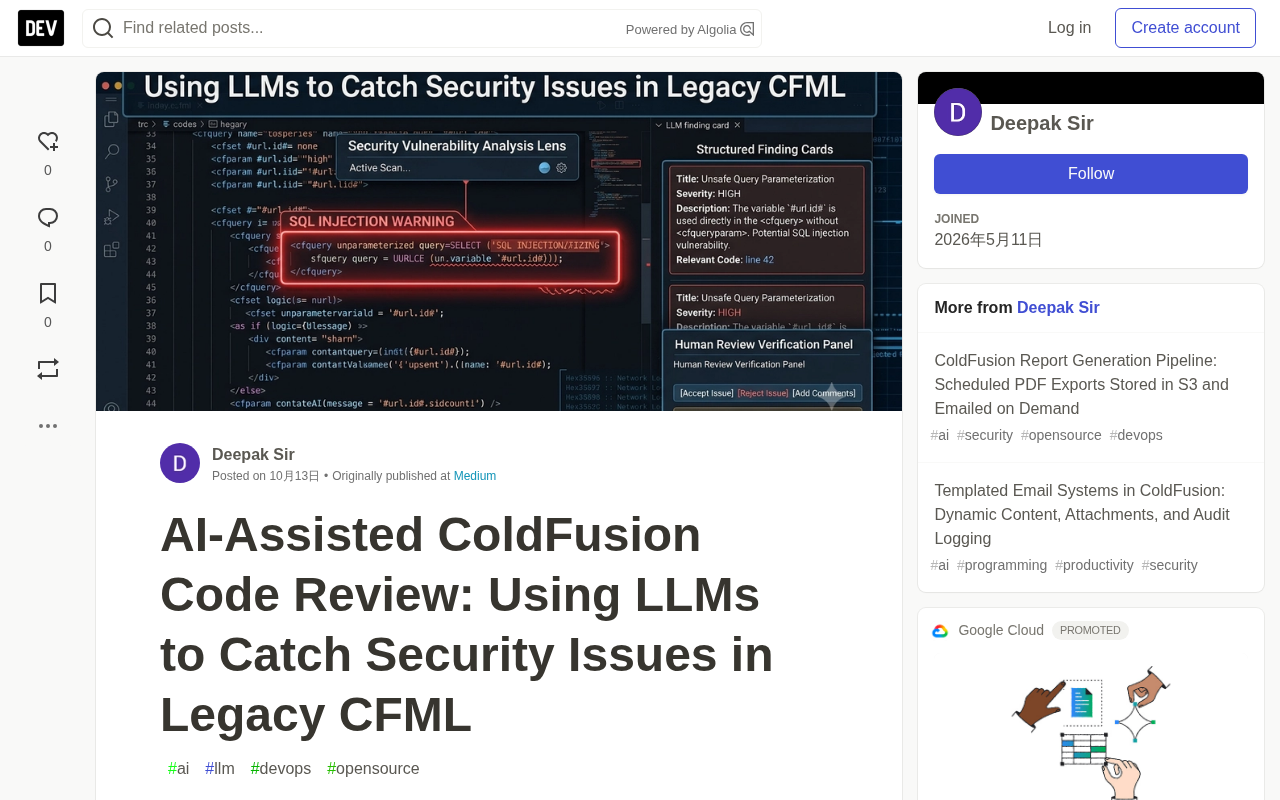
Does this shortcut actually work? The answer depends on how you use it.
Why ColdFusion Security Is Especially Tricky
ColdFusion carries different historical baggage than other legacy web technologies. It was born in an era of rapid site building, and the language itself is extremely "forgiving" to developers: the <cfquery> tag allows variables to be inserted directly into SQL strings, and <cfoutput> will spit any content straight to the browser. That convenience was an advantage at the time, but today it's a breeding ground for SQL injection and XSS.
What makes it worse is that much CFML code lacks unified framework constraints. Within one company, you might find tag-based syntax, <cfscript> style, and hybrid "frankenstein" files all at once. A security auditor doesn't just have to determine whether a vulnerability exists—they first have to understand what the code is even doing, which is exactly the most time-consuming part.
The relationship between CFML and ColdFusion: ColdFusion is the commercial application server introduced by Adobe (originally by Allaire), while CFML (ColdFusion Markup Language) is the programming language it uses. CFML adopts a mixed design of tag-based syntax (like <cfquery>, <cfoutput>) and script syntax (<cfscript>), with a style close to HTML, which lowers the barrier to entry and makes it easy for developers without a formal CS background to pick up. Because the ColdFusion server requires commercial licensing, its ecosystem is far smaller than open-source technologies like PHP or Java. Third-party security tools, static analyzers, and publicly available vulnerability samples are relatively scarce—this is one of the root causes for LLMs' weaker "intuition" about it.
Where LLMs Actually Fit in CFML Auditing
Throwing an entire 2,000-line file at an LLM and asking it to "find all security issues" usually doesn't work well. The model's context window and the density of training data for obscure languages both limit the quality of its judgments. CFML itself is a niche language, with far fewer high-quality public security samples than PHP or Java, so the model's "intuition" for it is weaker.
A more realistic approach is to treat the LLM as a triage tool: let it first flag high-risk patterns—such as variables going directly into query strings, user input entering output without escaping, or file paths built from request parameters. This kind of pattern recognition is exactly what LLMs excel at, while final confirmation and remediation still require an engineer who understands ColdFusion.
In other words, LLMs compress the time spent "finding suspicious spots," not the time spent "making decisions."
The relationship between context windows and code review: The context window refers to the total number of tokens an LLM can process in a single pass (typically thousands to hundreds of thousands of tokens). A 2,000-line CFML file plus its related include files can easily hit that limit, causing the model to "forget" the beginning of the file or miss cross-file variable flows. Even with a large enough window, the model's recall of information in the middle of long contexts degrades—this is the technical reason why "just throw in the whole file" doesn't work well. In practice, you can split the file into functional modules, send only relevant snippets at a time, and explicitly provide cross-file interface descriptions to compensate for the window limitation.
Divide and Conquer: Making LLM Auditing More Reliable
Since throwing the whole file at the model doesn't work well, you should break the task down. A few strategies that are more viable in practice:
Ask in batches by risk pattern. Don't ask "is this code safe?" Instead ask "which variables in this code come from user input, and where do they ultimately flow?" Breaking the audit down into data-flow tracing makes the model's answers more focused and more verifiable.
Provide context, not isolated snippets. CFML's variable scopes are complex (variables, request, session, application), and viewing a function in isolation easily leads to misjudgment. Providing the model with related include files and the Application.cfc configuration can significantly reduce false positives.
Require the model to show its reasoning chain. Ask the model to explain "why it thinks this is an injection point," so engineers can quickly verify whether the reasoning holds rather than blindly trusting the conclusion.
Manual review cannot be skipped. Vulnerabilities the model misses are often more dangerous than false positives. For high-risk files the LLM marks as "safe," you should still conduct sample manual checks.
The complexity of CFML variable scopes: CFML scopes include variables (private to the current page/component), request (shared within a single request), session (per-user session), application (shared across the entire application), cgi, form, url, and more. A variable with the same name in different scopes may point to completely different values, and scope precedence has implicit rules. For example, a variable without a scope prefix might check variables first and then cgi—this "implicit lookup" easily leads auditors to misjudge the data source. Providing the LLM with the this scope settings in Application.cfc and the onRequestStart logic can help it correctly trace the actual flow of user input and reduce false positives.
Real-World Trade-Offs in Legacy Code Auditing
For teams maintaining legacy ColdFusion systems, the value of LLM-assisted auditing isn't "full automation"—it's compressing weeks of manual investigation into days and focusing engineers' attention on what truly requires judgment.
This also implies a precondition: someone on the team must genuinely understand CFML and its security model. If you rely entirely on model output, you may both fail to fix vulnerabilities and break working code. An LLM is a magnifying glass, not a stand-in.
One-line Summary
LLMs can serve as a triage tool for security auditing legacy CFML code, but require divide-and-conquer plus manual review.
Paragraph Summary
Legacy ColdFusion (CFML) code commonly harbors security risks like string-concatenated SQL and unescaped output, and manual audits take weeks. LLM-assisted review seems like a shortcut, but CFML is a niche language with limited training data, so auditing whole files directly has limited effectiveness. A more viable role is to use LLMs as a triage tool to flag high-risk patterns (such as variables entering queries directly or unescaped user input being output), rather than replacing human judgment. In practice, adopt a divide-and-conquer strategy: ask in batches by data-flow tracing, provide full context (including Application.cfc, etc.), require the model to show its reasoning chain, and sample-audit high-risk files marked as safe. LLMs can shorten investigation time, but the team still needs engineers who understand the CFML security model for final confirmation and remediation.
Related articles

AI Visibility Metrics: Definitions Matter More Than Dashboards
AI visibility measurement tools are proliferating, but the lack of unified definitions makes data incomparable. This article analyzes the mismatch and explores why repeatable methodology matters more than dashboards, and how a shared vocabulary can make AI search measurement truly credible.

Liquid AI Releases LFM2.5-24B-A2B: A 2B Active-Parameter MoE Built for On-Device Agents
Liquid AI releases LFM2.5-24B-A2B, an open-weights MoE model with 24B total and 2B active parameters for on-device agents, scoring 48.09 on LiveClaw and hitting 184 tokens/s on Apple M5 Max.

WorkBuddy Full Walkthrough: From Chat to AI Agent-Powered Smart Office Work
Using batch Word-to-PDF archiving as an example, this guide compares Doubao and WorkBuddy. WorkBuddy, as an AI Agent, reads local files, performs batch operations, and delivers results—beginner-friendly, with credit data and scenario analysis.