Vercel CLI Adds doctor Command: One-Click Configuration Diagnostics

Vercel CLI adds doctor command to automatically diagnose environment issues and suggest fixes.
Vercel CLI recently introduced the `vercel doctor` diagnostic command, which comprehensively checks CLI version and installation, login status, project links, vercel.json configuration, and platform service incidents, providing specific fix commands for each issue. Checks return OK, Warning, Failed, or Skipped statuses to quickly identify severe problems. The command can run without login or project links and never prompts interactively, making it suitable for coding agents; the `--json` flag outputs structured results for easy parsing by automation scripts. Users are advised to update the CLI and run diagnostics, and the command is expected to become the first-line tool for troubleshooting environment issues.
Vercel CLI recently added a handy diagnostic command, vercel doctor, which performs a comprehensive check of the CLI's installation and configuration state and directly provides fix suggestions. For developers who frequently work with the command line, this could save considerable time troubleshooting environment issues.
Why is vercel doctor needed?
During development, environment issues with CLI tools are often a headache: version mismatches, expired login sessions, incorrect project links, misconfigured files… These problems may appear individually or intertwine with each other. Traditional troubleshooting relies on experience or repeated trial and error, which is inefficient. The goal of vercel doctor is precisely to automate and standardize this process.
According to the official introduction, the command checks multiple key areas and provides specific fix commands for each issue found. This means developers no longer need to manually search for solutions—they can simply follow the prompts.
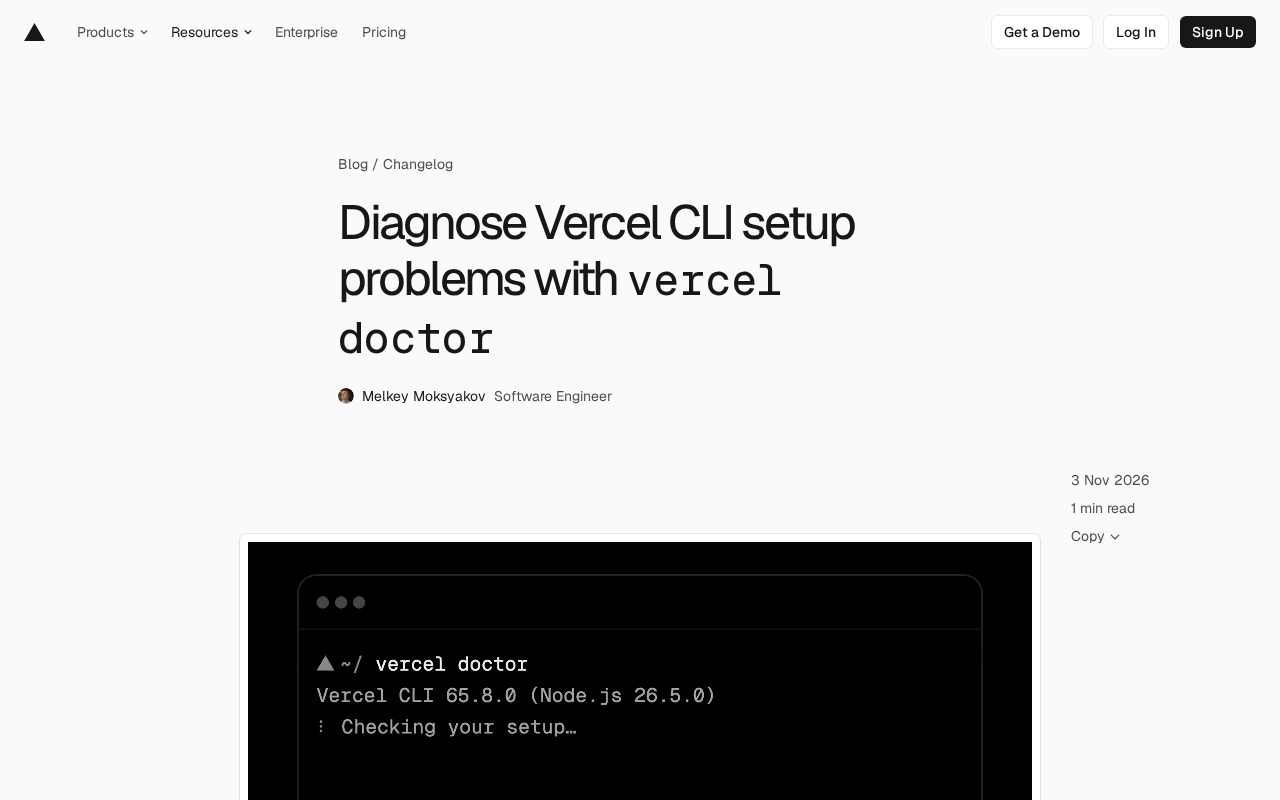
CLI (Command-Line Interface) is a tool through which developers interact with software via text commands. Vercel CLI is the official command-line client for the Vercel platform, used for deploying and managing projects. Environment issues often stem from version inconsistencies, expired authentication, or configuration errors, and manual troubleshooting is time-consuming and error-prone. Diagnostic commands like vercel doctor automate the checking process, categorize common issues, and provide fix suggestions, lowering the barrier to entry.
What does it check?
The scope of vercel doctor covers common pain points in CLI usage:
- CLI version and installation: Confirms whether the currently used CLI version is up to date and whether the installation is complete. If
vercel upgradecannot update the installed CLI, the check result will show where the CLI is running from and how to reinstall it. - Login status and current team: Verifies whether the user is logged in and identifies the current team context.
- Project link: Checks whether the current directory is correctly linked to a Vercel project.
- Project configuration: Reviews whether the configuration items in
vercel.jsonare valid. - Service status: Retrieves currently active incidents from the Vercel status page, helping determine whether the issue originates from a platform-side outage.
Each check returns one of four statuses: OK, Warning, Failed, or Skipped. This tiered approach lets developers quickly identify the severity of issues and prioritize failures.
vercel.json is the configuration file for a Vercel project, used to define build commands, routing rules, environment variables, and other deployment behaviors. Syntax or field errors in this file can cause deployment failures, so the doctor command validates its correctness.
Status page is a public page where Vercel discloses the platform's operational status, recording current or historical incidents. doctor pulls these incidents to help determine whether the issue is caused by a platform-side anomaly rather than a local configuration error.
Non-interactive mode designed for coding agents
A notable feature of vercel doctor is that it can run in environments without login or project links, and it never prompts, automatically logs in, or links projects. This design clearly takes the use case of coding agents into account—agents can run diagnostics before attempting fixes, avoiding blind operations.
Additionally, by adding the --json flag, the command outputs each check's status and suggested commands in a structured format. This makes it convenient for automation scripts or agent programs to parse the results and take subsequent actions.
vercel doctor --json
Officially, users are advised to update to the latest CLI version and run vercel doctor to check their environment, or to consult the doctor command reference documentation for more details.
Coding agents refer to AI programs that can autonomously perform development tasks, such as automatically fixing code or configuring environments. Such agents typically run in headless environments and cannot respond to interactive prompts. The non-interactive design of vercel doctor (no prompts to log in or link projects) allows it to be safely invoked by agents, while the --json output makes it easy for agents to parse structured results and decide on subsequent actions.
Impact on development workflows
From a broader perspective, the introduction of vercel doctor reflects the trend of CLI tools becoming smarter and more self-healing. In the past, diagnostic commands often only reported problems, and fixes still required human intervention; now, directly providing fix commands and even supporting structured output opens up possibilities for automated operations and AI-assisted programming.
For teams, new members can run vercel doctor once when onboarding to quickly confirm whether their environment is ready, reducing communication overhead. For developers using coding agents, the non-interactive mode and JSON output allow agents to participate more reliably in environment configuration and issue resolution.
Of course, the command currently mainly covers CLI-level configuration checks; for more complex project build or deployment errors, further analysis with logs and documentation is still needed. But as a first-line troubleshooting tool, vercel doctor undoubtedly improves the developer experience.
Self-healing in software operations refers to a system's ability to automatically detect and fix issues. Traditional diagnostic commands only report status, while vercel doctor directly provides fix commands, taking a step toward self-healing. Combined with JSON output, automation scripts or AI agents can parse the suggestions and execute fixes, reducing manual intervention and improving the continuity of the development workflow.
How to use it?
Usage is very simple: make sure the CLI is up to date, then run in your terminal:
vercel doctor
For structured output, add the --json parameter. If the check finds issues, follow the suggested commands to fix them, then run again to confirm the status.
As Vercel continues to iterate on CLI features, vercel doctor is expected to become a staple command in developers' toolkits.
Related articles

GPT-Image 2.6 Dual Release: A Double Upgrade in Speed and Precision
OpenAI releases GPT-Image 2.6 with Flare for faster generation and Sunburst for complex prompts and dense infographics. API adds markup editing, SVG, and GIF support.

Robert Caro: How to Get Insiders to Talk and Uncover the Hidden Logic of Johnson's Money Politics
Pulitzer winner Robert Caro shares how he interviewed John Connally, revealing how pressing on Johnson's funding annotations got insiders to explain political money logic.

Showing This Video to Someone in 2014: The Stunning Evolution of AI Video
From the viral Reddit post "Show this AI video to someone from 2014," we look back at a decade of AI video generation's leap from academic research to indistinguishable reality, analyzing the cognitive impact and trust challenges amid the flood of synthetic content.