Vibe Coding: A Beginner's Guide to Rethinking Programming in the Age of AI

Vibe Coding shifts programming from syntax memorization to AI-guided logical thinking and prompt crafting.
Vibe Coding is a new programming paradigm that uses AI tools to turn natural language into working code, replacing rote syntax memorization with logical thinking and prompt engineering. This article examines a systematic tutorial that addresses the widespread gap in AI coding education — teaching keystrokes without teaching logic. A quality curriculum should cover three stages: Fundamentals (AI mindset and tool setup), Intermediate (prompt tuning and multi-tool coordination), and Project Practice (real-world application). Vibe Coding represents programming's evolution from a niche skill into a broadly accessible creative tool.
What Is Vibe Coding
Vibe Coding is emerging as a new programming paradigm for the AI era. Rather than memorizing syntax line by line or drilling code structures by rote, it centers on using AI tools to translate natural language intent into working programs. This dramatically lowers the barrier to entry, shifting the focus from "how to write code" to "how to clearly express requirements, break down logic, and validate results."
A Bilibili content creator behind a newly produced systematic tutorial noted that, in preparing the curriculum, he combed through nearly every relevant course on Bilibili and even referenced tutorials from overseas developers on YouTube — concluding that "over 85% of the content is a mixed bag," mostly teaching people to type code without explaining the underlying logic, leaving learners unable to adapt flexibly. This observation highlights a widespread pain point in AI programming education today: tools are getting more powerful, but the methodology to use them well is lagging far behind.

The concept of Vibe Coding was formally introduced by OpenAI co-founder Andrej Karpathy in early 2025. He described a new mode of development on social media: developers fully immerse themselves in the "vibe," describe what they want in natural language, write almost no code themselves, and simply paste error messages back to the AI whenever something breaks. This paradigm was made possible by the maturation of AI code generation tools such as Cursor, GitHub Copilot, and Claude — tools that understand contextual intent and can auto-complete or generate tens to hundreds of lines of code at once, compressing the act of "writing code" into one of "reviewing and guiding." It's worth noting that Vibe Coding isn't without prerequisites — it demands greater clarity in expressing requirements and stronger judgment in evaluating outputs. The cognitive load simply shifts from memorizing syntax to logical thinking and communication skills.
Why Rote Code Memorization Is Becoming Obsolete
In the traditional approach to learning programming, beginners are often overwhelmed by a flood of syntax details — variable declarations, loop structures, function calls — each requiring mechanical memorization. In the context of AI-assisted programming, the cost-benefit ratio of this approach is declining rapidly.
When AI can generate a complete function from a single sentence, what learners truly need is "programming thinking," not "code memorization." In other words, the ability to decompose a vague idea into executable steps, to guide AI with precise prompts to produce high-quality code, and to judge whether the output is correct — these skills matter far more than being able to handwrite a bubble sort algorithm.
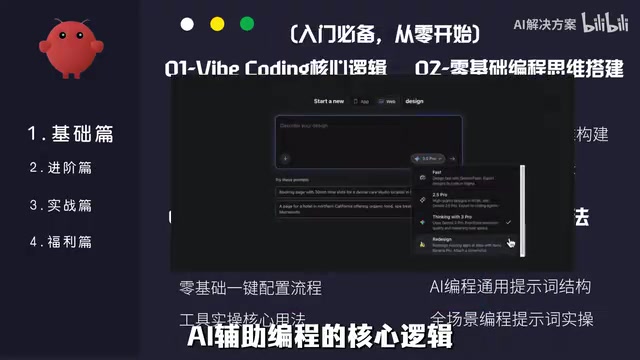
This doesn't mean foundational knowledge can be skipped entirely. Quite the opposite — when you need to debug, optimize, or refactor AI-generated code, your understanding of the underlying logic becomes the critical differentiator. This is precisely the biggest limitation of tutorials that "only teach typing code without teaching logic."
A Three-Stage Structure for a Systematic Course
The tutorial in question organizes the learning path into three phases: Fundamentals, Intermediate, and Project Practice. This layered design is itself worth emulating.
Fundamentals: Building an AI Programming Mindset
The foundational stage focuses on the core logic of Vibe Coding, building a programming mindset from scratch, configuring AI coding tools, and crafting "universal prompt templates." For beginners, understanding how AI-assisted programming works is more important than rushing to build a project. Tool setup and prompt templates are key to reducing the cold-start cost.
Intermediate: From "It Runs" to "It Ships"
The intermediate section emphasizes fine-tuning prompts for precision, coordinating multiple AI tools, debugging and optimizing complex code, and batch automation programming. This reflects an important milestone: AI can generate code quickly, but producing code that is high-quality and production-ready still requires human guidance. Multi-tool coordination and error correction define the boundary between "dabbling" and "doing it for real."
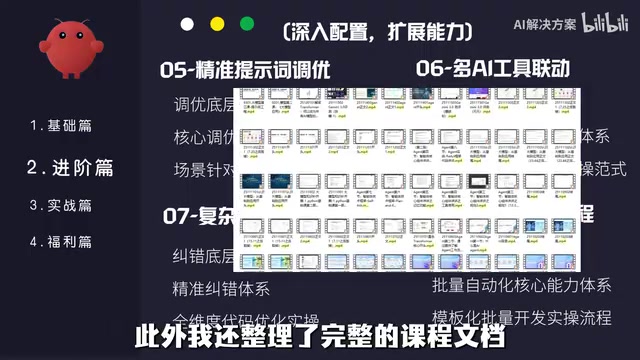
Multi-AI tool coordination is a key concept at this stage — it refers to orchestrating multiple AI tools with different strengths within a single development workflow. Common combinations include: using Claude or GPT-4o for requirements decomposition and code logic design; using Cursor or Windsurf for real-time code generation and debugging within an IDE; and leveraging tools like v0 or Lovable to quickly generate front-end UI prototypes. This division of labor compensates for individual tools' weaknesses — some models excel at reasoning but are unfamiliar with specific frameworks, while others are deeply integrated with code execution environments. Mastering multi-tool coordination requires understanding each tool's capability boundaries and being able to pass context between them while maintaining consistency. This is the critical leap from "occasionally using AI" to "AI as the core workflow."
Project Practice: Learning Through Real Projects
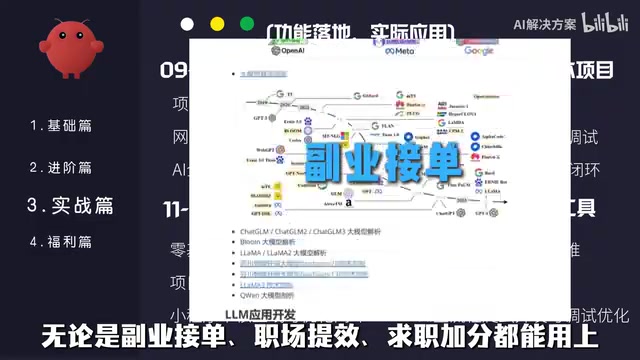
The hands-on phase covers scenarios such as personal websites, office automation scripts, mini-program development, web scraping and data collection, AI tool integration, and web feature development. The advantage of project-driven learning is that it forces learners to connect scattered knowledge points into a complete workflow — and these scenarios conveniently address real-world needs like freelancing, workplace productivity, and resume building.
How to Evaluate Beginner Tutorials of This Kind
For those looking to get started with Vibe Coding, here are a few criteria worth considering when choosing a tutorial:
- Does it teach logic, not just demonstrate operations? Whether it helps you understand the reasoning behind AI-generated code determines whether you can adapt and generalize.
- Does it offer a complete learning path? A closed loop — from tool setup and prompt writing to shipping a project — is more valuable than scattered tips.
- Does it provide reusable materials? Supporting resources like learning roadmaps, tool checklists, and prompt libraries can significantly cut down on trial-and-error time.
The creator also mentioned providing a full learning plan, tool installation packages, thousands of coding prompts, e-books, and course source files. One caveat: the "free materials if you comment" approach is a common content marketing tactic — the actual quality of such resources varies and should be assessed critically rather than anticipated blindly.
Final Thoughts
The rise of Vibe Coding fundamentally reflects how AI is redefining programming itself — transforming it from "a specialized skill mastered by a few" into "a creative tool accessible to everyone." Regardless of which tutorial you ultimately choose, the core logic remains the same: invest your energy in building mental models and breaking down problems, and let AI handle the repetitive code generation. For beginners with no prior experience, this may be the lowest-cost moment in history to start learning to program.
Related articles

How Big Can Stars Really Get? The Physical Limits of the Largest Stars
Red supergiants are the largest stars by volume, with radii up to 2,000 times the Sun, engulfing the inner solar system. But there is no precise upper limit on stellar size—models predict up to 15,000 solar radii. The most massive blue stars are far smaller than red supergiants—biggest and heaviest are two different things.

Apple HomeView Smart Display Full Feature Breakdown: Wall-Mount or Desktop, $299
Apple launches HomeView, a $299 smart display with wall-mount and desktop options, 12MP camera for facial recognition, smart home control, music playback, and recipe step-by-step cooking. Full breakdown of watch faces, apps, privacy, and cooking integration.

Where Did the Promised New Studio Go? Craft Computing Answers After Five Years
Craft Computing's host responds to viewer questions: the new studio promised five years ago was shelved as construction costs soared from $30,000 to $75,000, and was replaced by a 168-square-foot garage conversion.