Vibe Coding for Absolute Beginners: From Concept to Hands-On Practice
Breaking down the Bilibili Vibe Coding seven-day tutorial, assessing the zero-foundation learning path and its real value.
The article examines a Bilibili Vibe Coding tutorial claiming to take beginners to mastery in seven days. It explains Vibe Coding as describing requirements in natural language and letting AI generate code, shifting focus from syntax to problem definition and validation. It reviews the three modules—understanding Vibe Coding, whether beginners can learn it and what they can build, and hands-on writing a mobile webpage—noting mobile webpages offer fast feedback ideal for beginners. It also compares conversational assistants, AI-native editors, and online platforms, and concludes that "seven-day mastery" is marketing; the tutorial's real value is literacy and ice-breaking, while mastery requires long-term practice.
Vibe Coding is becoming one of the most popular ways to get started with programming in the AI era. A full tutorial series has appeared on Bilibili claiming to take you "from beginner to mastery in seven days with zero foundation," promising to include all the essentials and even "allowing free access." What does this course actually cover? Is it worth the time for absolute beginners? This article breaks down the Vibe Coding learning path based on the course's public content and the current state of AI programming tools.
What Is Vibe Coding?
The course opens with a core question: What is Vibe Coding? Why should you learn it?
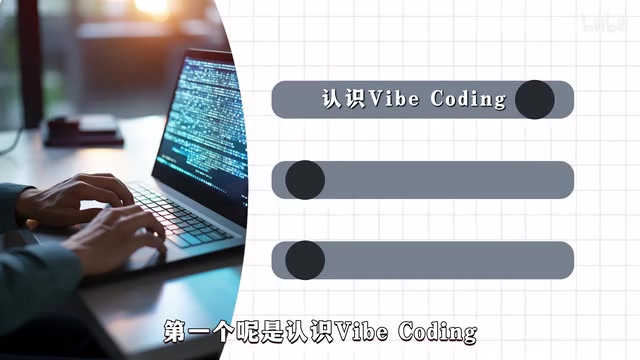
Taken literally, Vibe Coding can be translated as "vibe programming" or "intuitive programming," referring to a way of programming in which you use AI tools to describe requirements in natural language, let the AI generate code, and the developer only needs to grasp the overall direction and "feel." The tutorial positions it as a "literacy course for webcoding," with the goal of helping learners understand what it is, what it can be used for, and what it can produce.
This positioning is pragmatic. Most AI programming content on the market today jumps straight into tool operation, rarely explaining "why this way of programming is needed." The essence of Vibe Coding is shifting the development focus from syntax details to problem definition and result validation, which is especially friendly to absolute beginners—you don't need to finish learning JavaScript before you can build a webpage.
Can You Learn It with Zero Technical Background? What Can You Do Afterward?
This is the question the second module of the course addresses, and also the part most observers care about.
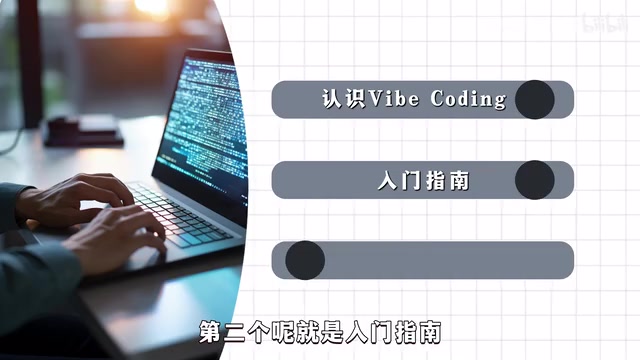
The tutorial explicitly makes "Can you learn it with zero technical background?" a standalone chapter, indicating that its target audience is people with no programming experience. The course claims that after finishing, you can "use Vibe Coding to do some things," but the original material doesn't elaborate on exactly what those things are.
From industry practice, the most typical outputs of Vibe Coding currently include: static webpages, simple mobile pages, personal utility scripts, data visualization prototypes, and so on. This course chooses "guiding everyone to hands-on write a mobile webpage" as its practice project, precisely because web development offers fast feedback and intuitive results—you can see the effect directly on your phone, which greatly helps beginners build confidence.
One caveat: "zero foundation" doesn't mean "zero barrier." Vibe Coding lowers the syntax barrier, but it still requires the ability to describe requirements and judge results. AI-generated code needs your acceptance, and that acceptance ability itself requires a bit of accumulation.
Hands-On Practice: Write a Presentable Mobile Webpage
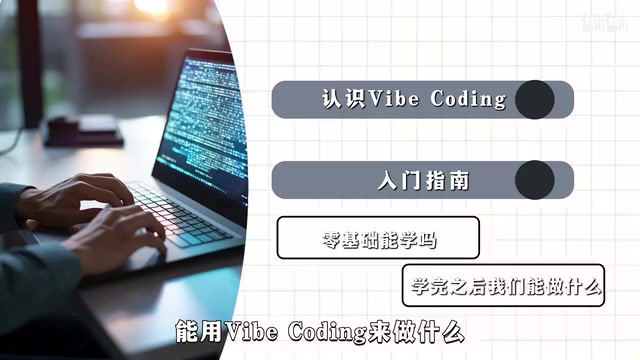
The third module of the course is "process practice," and it's the highlight of the whole tutorial—recommending tools suitable for Vibe Coding and guiding students to hands-on write a mobile webpage.
Although the tutorial doesn't list specific tools in its public introduction, based on the current ecosystem, common Vibe Coding tools can be roughly divided into several categories: conversational AI assistants (such as ChatGPT, Claude), AI-native code editors (such as Cursor), and online generation platforms (such as v0, Bolt). Different tools suit different scenarios; beginners are better off starting with conversational tools and transitioning to more integrated editors once familiar.
The design of "you can see it directly on your phone" is clever. The debugging loop for mobile webpages is much shorter than for native apps—no app store review, no complex environment setup, and a single HTML file can run. For a seven-day learning plan, this kind of immediate positive feedback is the key motivation to stick with it to the end.
AI-native code editors and online generation platforms are two key tool categories in the Vibe Coding ecosystem that differ from conversational AI assistants. AI-native code editors (such as Cursor) deeply integrate large models into traditional IDEs, capable of directly reading project files, modifying code across files, and previewing results within the editor—suitable for projects that need iterative maintenance. Online generation platforms (such as v0, Bolt) center on "description as generation," where users input natural language and directly produce runnable front-end pages with real-time preview in the browser, without needing a local environment. What both have in common is that they shorten the "idea—code—feedback" loop, but the former is closer to real engineering workflows while the latter leans toward rapid prototype validation. Beginners can progress gradually in the order of "conversational assistant → online platform → AI editor."
Who Is This Tutorial For?
Judging from the course structure, this content suits three types of people: product managers and designers who have never touched programming but want to quickly build things; entrepreneurs who have ideas but lack a technical co-founder; and traditional developers who want to understand what AI programming can actually do.
But we should also take slogans like "from beginner to mastery in seven days" with a grain of salt. Seven days is enough to understand the Vibe Coding workflow and build a simple page, but it's still a long way from "mastery." True mastery involves advanced capabilities like prompt engineering, code review, and debugging/troubleshooting, which require much longer practice.
The real value of this tutorial lies in "literacy" and "ice-breaking"—it lets you take the first step with the lowest psychological burden. How far you go depends on how much practice you put into this path.
The specific meaning of "mastery" in the context of AI programming typically includes three layers of ability: first, prompt engineering—being able to break vague requirements into clearly structured instructions with explicit constraints, and knowing how to use context, examples, and iterative follow-up questions to control output quality; second, code review—being able to read and understand the logic of AI-generated code, identify potential security issues, performance risks, and missing edge cases; third, debugging and troubleshooting—when the running result doesn't meet expectations, being able to locate whether the problem lies in the requirement description, the generated code, or the runtime environment, and give effective correction instructions. None of these three layers can be acquired by watching tutorials; they can only be accumulated through repeated cycles of "describe—generate—validate—correct," which is the fundamental reason for the clear gap between "seven days" and "mastery."
One-line Summary
Breaking down the Bilibili Vibe Coding seven-day tutorial, assessing the zero-foundation learning path and its real value.
Paragraph Summary
Around a Bilibili Vibe Coding tutorial claiming to take you "from beginner to mastery in seven days with zero foundation," the article first explains that Vibe Coding is a way of programming where requirements are described in natural language and code is generated by AI, shifting development focus from syntax details to problem definition and result validation. It then analyzes the tutorial's three modules—understanding Vibe Coding, answering whether beginners can learn it and what they can do afterward, and hands-on writing a mobile webpage—noting that mobile webpages offer fast feedback and intuitive results, making them an ideal practice project for beginners. The article also examines the tool ecosystem, explaining the differences between conversational assistants, AI-native editors, and online generation platforms and the order in which to use them, and finally points out calmly that "mastery in seven days" is a marketing slogan: the tutorial's real value lies in literacy and ice-breaking, while mastery still requires long-term practice.
Related articles
Learn AI Agent Development for Free: Build a Minimal Conversational Agent from Scratch
Based on Xiao Fu Ge's free Bilibili course, this lesson covers the five-stage AI Agent learning path, OpenAI protocol integration, a lightweight Java project, and building a minimal conversational agent.

Zero-Code AI God Sandbox: Is This Reddit User's Wild Idea Feasible?
A Reddit user wants 3-4 AI agents to play gods in a sandbox world for friends to interact with. Is this zero-code idea technically feasible? We break down the barriers.
Is Claude the AI That Refuses to Be a "Yes-Man"? A Reddit Discussion
Reddit discusses whether Claude is the least "yes-man" LLM. This article analyzes Claude's honesty design, comparisons with other models, and users' real attitudes toward AI people-pleasing.