Vibe Coding in Practice: Building a Personal Website with AI from Scratch

A zero-code beginner's practical guide to building and launching a personal website with AI-powered Vibe Coding.
This article shares hands-on Vibe Coding experience from a beginner who built a personal website with AI. It covers four techniques for collaborating with AI—having it restate requirements, using screenshots to locate, changing one thing at a time, and emphasizing scope—plus long Chinese text handling with DeepSeek and go-live deployment tips.
When "Coding Without Coding" Becomes Possible
In the past, building a personal website usually meant learning HTML, CSS, and JavaScript, then wrestling with servers and deployment. Today, a new approach called Vibe Coding is letting ordinary people bypass these barriers—you just describe what you want in natural language, and AI writes the web pages, revises them, and gets them running live.
Worth noting: the concept of Vibe Coding was formally introduced and popularized by Andrej Karpathy, OpenAI co-founder and former Tesla AI Director, in early 2025. Its core idea is this: developers no longer hand-write code line by line, but instead describe their intent to AI in natural language, letting the large model generate, modify, and debug the code, while the human is only responsible for validating results and giving feedback. This model is built on the powerful code-generation capabilities of large language models, essentially transforming programming from "syntax memorization" into "intent expression"—it lowers the technical barrier, but also places new demands on the user's ability to break down requirements and think clearly, which is precisely the focus of this article.
This article is compiled from the hands-on sharing of a husband-and-wife content creator duo on Bilibili. One of them is a complete beginner with zero foundation, who figured out how to build a personal homepage using Codex entirely on her own—earning even praise from her IT-professional partner. Codex is OpenAI's line of code-generation models/agent products, capable of understanding natural language instructions to generate, modify, and run code; its early versions were the technical foundation of GitHub Copilot. Besides Codex, current mainstream AI coding tools also include Anthropic's Claude, the Cursor editor, as well as domestic tools like Tongyi Lingma and Wenxin Kuaima—all sharing the common trait of using "conversation" as the interaction entry point and "repositories/files" as the operation target. The most valuable part of their experience is not "how powerful AI is," but rather how ordinary people can collaborate efficiently with AI—which happens to be the scarcest practical knowledge right now.

Their approach is worth learning from: don't chase completeness—start with just a part. At first, the homepage only featured the two of them and a brief intro to their self-media work, and it gradually expanded as they went. In her own words: "A lot of the ideas actually emerge while you're doing it, not from sitting around thinking."
Four Core Techniques for Getting AI to Revise Your Work in Vibe Coding
Getting it right on the first output is basically impossible—the real test is the "revision" phase. She summed up four techniques for communicating with AI, and nearly every one hits a beginner's pain point.
Technique 1: Have AI Restate the Requirement to Align Granularity
Often, poor revisions aren't the AI's fault but a result of unclear descriptions. Her method: after stating a requirement, have the AI repeat your intent back in its own words, and check whether they match. "After doing this a few times, you'll find the AI's feedback lines up with what you had in mind."
She put it sharply: this isn't the AI getting smarter—"it's you being trained; you now know how to describe the problem." This actually reveals the essence of Vibe Coding—in human-machine collaboration, human expression is the bottleneck.
Technique 2: Screenshot to Locate + Give Precise Numbers
Web pages are visual, and describing a location with plain text alone always leads to imprecise AI targeting. Whatever part you want changed, screenshot that part and send it.
When it comes to size adjustments, always give exact numbers. For example, "make this text three-quarters of its original size," rather than vaguely saying "bigger" or "smaller"—the latter wastes tons of back-and-forth and still misses the mark.
Technique 3: Change One Thing at a Time—Don't Overreach
Web page code is often very long, and dumping a pile of instructions on the AI at once easily causes chaos. "It's not that the AI doesn't get what you're saying—it's that we ourselves get muddled as we go." So change one thing at a time, no rush.
Technique 4: Repeatedly Emphasize "Only Change What I Ask You to Change"
This is the easiest trap to fall into. AI often tinkers with B while changing A. The solution is to stress "leave everything else alone, only change this part" three or four times in your instructions, and to remind it periodically—because it "forgets" too. This is highly similar to the experience of using AI for photo editing.
Website Deployment: Beginners, Don't Hand Over All Permissions to AI
Once it's done locally, it's time to go live. Here she offers an important security reminder: for anything involving accounts and passwords, don't hand over all permissions to AI, to avoid "running naked" online.
Her approach is clever: first have the AI propose a plan with three clear requirements—
- Free
- Commonly used (don't pick some obscure platform others can't even access)
- Editable/updatable later

Once she got the plan, she only asked the AI to "tell me the first two steps," because too much at once is hard to remember. An even more crucial technique: after registering and logging in, screenshot the entire page and ask the AI "where do I click next?" Because AI reads text descriptions, but platform interfaces may have been updated and buttons moved, making text descriptions unreliable. Using screenshot-based interaction, the entire go-live process took only three or four minutes.
Handling Long Chinese Text: DeepSeek's Unexpected Advantage
They had made 20+ videos and 50+ podcast episodes, and wanted to distill the content into a "knowledge tree" for the website. This step exposed clear differences among various AIs.
Recommended Audio/Video Transcription Tools
For turning audio and video into text, she recommends two free tools: Dedao Brain and Whisper. In testing, Whisper produced many typos when recognizing Chinese, while Dedao Brain performed more reliably in Chinese scenarios.

The "Rational, Neutral, and Objective" Trap of Overseas AI
She sent 70+ files to Codex for summarization, but found a problem: the overseas AI smoothed away their distinctive viewpoints and stances, turning the output into "bland, politically correct, very middle-of-the-road" content.
"For example, our assessments of certain companies—we're not experts, but we had an attitude grounded in that stage." Codex deleted all of that personality, producing output that "doesn't sound like us." This is fatal for building a personal IP—the whole point of the account was to showcase a genuine learning process.
DeepSeek's Two Major Advantages in Handling Long Chinese Text
Ultimately she switched to DeepSeek, gaining two things:
- Better understanding of Chinese, able to grasp the real meaning behind tone and attitude, without over-censoring content due to ethical/safety settings;
- Ultra-long context (million-level tokens)—"I've used DeepSeek for two years, and this was the first time the dialogue box told me I was out of quota"—it could read all 70+ files, whereas other tools might require splitting them across several dialogue boxes.
The key concept here is the Context Window, which refers to the maximum length of text a model can simultaneously "remember" and process within a single conversation, measured in tokens (which can be thought of as fragments of words or characters; in Chinese, roughly 1 character ≈ 1.5 tokens). The larger the window, the more material the model can read at once, making it better suited for tasks like processing long documents and consolidating multiple files. Early models had only a few thousand tokens; today's mainstream models have expanded to hundreds of thousands or even over a million tokens. When input exceeds the window, the model "forgets" earlier content—which is exactly why the cross-dialogue-box migration technique mentioned below exists.
She also mentioned a comparison with Doubao: for everyday communication the two are similar, with Doubao being more fun and able to do more things, while DeepSeek is more serious—DeepSeek is the top choice for handling long text.
Cross-dialogue-box migration technique: before starting a new dialogue box, have the AI summarize "the methods used earlier, the requirements, what to do, what not to do, and examples" into a document, then copy it into the new dialogue box to maintain consistent style.
The "2.5-Level" Design of the Knowledge Tree and Understanding APIs
Initially, Codex laid out all the content flat on the web page—"super cold, all text." She asked for hierarchy, but the AI would only logically split it into three levels: "main heading—subheading—content."
So she changed her way of asking: "Go look it up online—given my content volume, from the user's perspective, how do the websites people like organize their hierarchy?" This one sentence pierced through a common developer mindset—always thinking from one's own perspective. After researching, the AI concluded: three levels are too deep and users can't be bothered to click through, so it should be 2.5 levels (click to see the main heading → expand to show subheadings and some content → click again to read the full text).
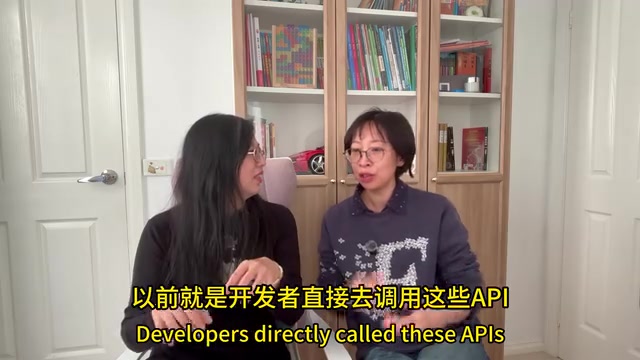
Regarding digital avatars, they haven't connected an API yet. The article also explains the essence of an API: "It sounds fancy, but it's really just a channel," fully named Application Programming Interface—through it you can connect web pages and digital humans to the AI behind them. More specifically, an API is an agreed-upon "channel" or "interface specification" between different software systems; it lets developers call a service's functions without needing to understand its internal implementation, simply by sending requests in the agreed format. AI large-model providers typically offer both a web version (aimed at ordinary users, mostly monthly subscription or free) and an API (aimed at developers, billed by the number of tokens used). There are two reasons they haven't connected: first, the current website doesn't need it; and second, connecting AI means starting to spend money—precisely because APIs use a pay-per-usage model. In her own testing, DeepSeek's API, thanks to its lower per-token price, is much cheaper than GPT and Claude, and she plans to break down the costs for everyone when she actually integrates it.
Takeaways for Ordinary People on Vibe Coding
The most compelling thing about this case isn't how advanced the technology is, but the fact that it proves: in the AI era, taking action and expressing yourself matter more than coding knowledge.
A few reusable core principles:
- Just start doing it—ideas will emerge along the way;
- Learn to "train yourself" to describe requirements precisely;
- Use screenshots instead of text for locating, and numbers instead of vague descriptors;
- For anything involving account security, keep human judgment in the loop;
- For handling long Chinese text, DeepSeek is currently the best value option.
They also plan to build animated digital humans and an auto-editing agent next. From practice runs to actually launching their own website, this path itself is a perfect model for how ordinary people can embrace Vibe Coding.
Key Takeaways
Related articles

The Scaling Dilemma of Vertical AI Engine MLOps: Engineering Practices from Prototype to Scale
Exploring MLOps scaling challenges for vertical AI engines moving from prototype to production, covering model iteration pipelines, data drift detection, and inference cost optimization.

The Boy Who Cried Wolf Effect in AI Safety Warnings: Why the Public No Longer Believes "Dangerous"
The AI industry's repeated claims that new models are "too dangerous" have severely depleted public trust. This article analyzes how AI safety warnings became marketing tactics and how to rebuild credible risk communication.

Samsung Support Agent Accidentally Pastes ChatGPT Prompt, Exposing How AI Customer Service Really Works Behind the Scenes
A Samsung support agent accidentally pasted a ChatGPT prompt into a customer chat, revealing how enterprise AI customer service really operates behind the scenes.