Vibe Coding Zero-Basics Tutorial: Build a Local App with AI in 6 Minutes

A Bilibili creator demonstrates the four-stage Vibe Coding method: commanding AI to build a local tool manager in natural language.
The article uses a Bilibili creator's development of an AI tool manager as an example to break down the four-stage Vibe Coding methodology. The requirements stage emphasizes starting from pain points and having AI draft a 200-300 word requirements document; the setup stage requires initializing a Git repo and creating Agent, Readme, and Gitignore files with two core rules — auto-commit saves and worktree isolation with human acceptance before merging; the design stage uses interactive demos instead of text proposals to rapidly iterate, then has AI recommend a tech stack; the implementation stage corrects AI deviations through screenshots and precise prompts. The article summarizes four key lessons — Git saves, worktree isolation, demo review, and screenshot iteration — and notes the tool is currently local-only, requiring online deployment and a database for sharing.
What Is Vibe Coding?
Vibe Coding is a brand-new way of programming with AI — you simply describe your requirements in natural language, and the AI handles all the code implementation. Bilibili creator "An" demonstrated this entire workflow through a real case study: using AI to build an AI tool manager that supports manually adding tools, searching tools, and one-click navigation to official download pages. Throughout the entire development process, communication with the AI was done almost exclusively in natural language, without writing a single line of code by hand.
The core logic of this approach is: you're the product manager, the AI is the programmer. Sounds simple, but in practice it requires a clear methodology. The creator broke down the whole process into four stages — requirements gathering, environment setup, solution design, and technical implementation. Beginners who master these four stages will be fully capable of building their own local applications.
Stage One: Requirements Gathering
Start from Pain Points and Let AI Help Define the Product
The creator's pain point was very specific: following many AI tools, but having to open bookmarks and flip through pages one by one every time, which was extremely inefficient. After discussing this problem with the AI, it suggested building an AI tool manager in the form of a local web page.
Once the direction was set, the creator asked the AI to draft a 200-300 word requirements description document. This step seems simple but is absolutely critical — a clear requirements document is the foundation for all subsequent development. The clearer the requirements, the closer the AI's output will be to what you actually want.
The role of the requirements document in AI-assisted development is even more critical than in traditional software development. The reason is that the only communication channel between you and the AI is text — the vaguer the requirements, the more room the AI has to fill in the gaps on its own, and the higher the probability it will deviate from your actual vision.
A good requirements document for feeding to AI typically contains four elements: who the target users are, what specific problem it solves, what the core features are (ideally prioritized), and what features are explicitly not needed (to prevent the AI from adding features on its own). The ideal length is 200-300 words — too short and there's insufficient information; too long and the AI gets lost in details and misses the point. The article suggests first letting the AI proactively ask clarifying questions, then finalizing the requirements. This step is essentially a free requirements review that can surface edge cases you hadn't thought of in advance.
Stage Two: Environment Setup
Initialize the Git Repository
Create a new folder named after the project at a suitable path, drag the folder into the AI Agent to turn it into a project. Then tell the AI to initialize the current project as a Git repository — Git is a version control system that ensures your development work is never lost or messy.
After initialization, opening the project folder seems to show no changes, but the AI has actually created a hidden Git file in the background.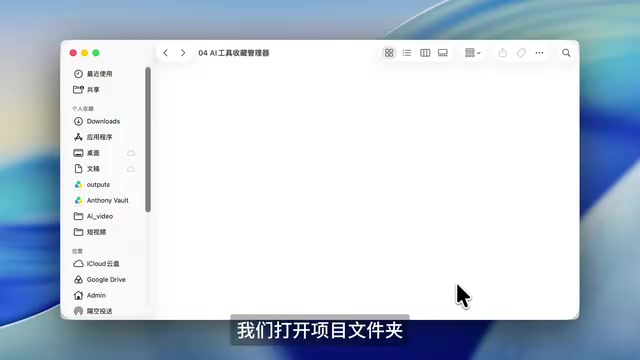
Git is currently the most mainstream distributed version control system, originally created by Linus Torvalds, the father of Linux, in 2005. Its core capability is recording every change to files, allowing developers to view historical versions at any point in time, compare differences, roll back to older states, or develop in parallel across multiple branches without interference.
In the Vibe Coding context, Git's role is amplified further: since the code is generated by AI, manual review costs are high and the error rate is higher, making Git the only reliable "safety net." Each time the AI completes a feature, you commit once — equivalent to creating a save point for the project. Once a subsequent iteration breaks a feature, you can simply roll back to the last working version instead of rewriting from scratch. The "Git hidden file" mentioned in the article refers to the .git directory, which is hidden by default and stores all commit history and branch information. Deleting it means abandoning the entire version history, so never clean it up manually.
Create Three Basic Files
Send the requirements to the AI for alignment, and have the AI proactively ask questions about anything it doesn't understand. Once you confirm the AI's understanding of the project is correct, have it create the basic files. A simple project theoretically only needs one Agent file, but the creator recommends building good habits by creating three files every time:
- Agent file: Records development rules and notes
- Readme file: Records project information
- Gitignore file: Tells Git which content should not be included in version control, preventing sensitive information, keys, caches, etc. from being pushed to remote repositories
Two Key Rules
The creator specifically emphasizes writing two rules into the Agent file — this is the safety net for the entire development process:
Rule One: After each independent feature is completed, self-test and self-review the code first, and commit to Git only after confirming it passes. A Git Commit is like a game save — after each important development round, it automatically saves, so if a feature fails or doesn't work well, you can always roll back to a previous version.
Rule Two: All development is done in an independent worktree, and can only be merged into the main version after hands-on acceptance testing and approval. The worktree mechanism is the essence of this workflow — the main branch holds the software's main version, while branches run in the agent's hidden worktree directory. Each time a new feature is developed, the AI copies the main version code into an isolated worktree, develops, tests, and commits independently, then hands it over to you for review and testing. This way, even if there are bugs, they won't affect the main version's operation.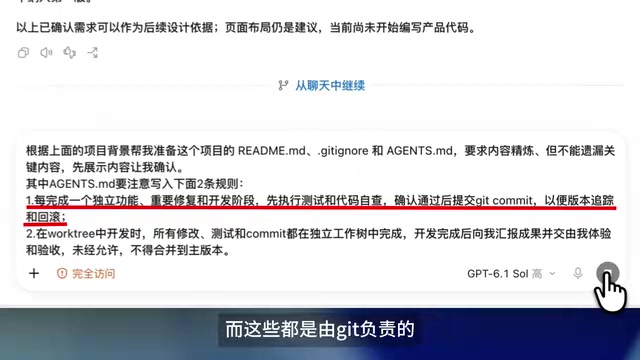
The creator emphasizes that these two points are extremely critical. Their relationship can be understood through the diagram — if you don't quite get it yet, take a screenshot and review it a few more times.
Git Commit is the most basic save unit in Git. A single Commit records the state of all tracked files at that moment, along with a descriptive message (Commit Message) for easy future reference to "what was changed this time and why." The "game save" analogy in the article is very apt: as long as you've committed, no matter how the AI modifies things afterward, you can always return to that point in time via git checkout or git reset.
Worktree is a feature introduced after Git 2.5 that allows the same repository to check out multiple working directories simultaneously, each corresponding to a different branch, isolated from each other while sharing the same .git history. This means the AI can freely experiment with new features in a hidden worktree directory — even if it introduces serious bugs, the stable version in the main directory remains completely unaffected. Only after you've actually tested it in the worktree and confirmed you're satisfied do you need to perform a merge operation to bring the changes back to the main branch. This is the underlying support for the rule "can only be merged after hands-on acceptance testing and approval."
Stage Three: Solution Design
Use an Interactive Demo Instead of a Text-Based Proposal
Traditional solution design uses text documents, which are hard to experience intuitively. The creator's approach is to require the AI to deliver an interactive demo. After issuing the instruction, the AI reads the Readme and Agent files to understand what to do and how to do it, respectively. The AI will automatically choose the worktree approach to develop the demo, or you can manually check the worktree button to develop new features.
The small buttons above the dialog box show red and green numbers — red represents lines of code removed, green represents lines added. Click to see exactly which files and code were modified.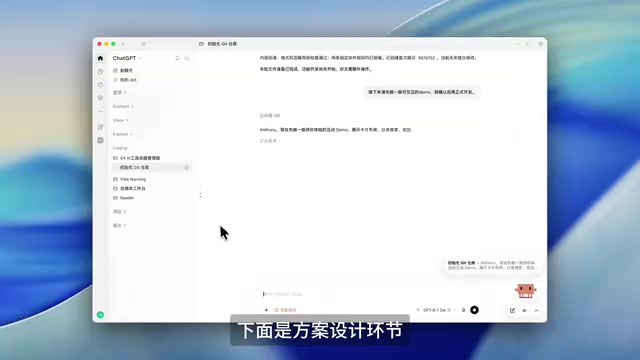
Rapidly Iterate on Classification Dimensions
After the AI completed the demo, the overall interaction and page architecture met expectations, but the classification method only covered tool functions and lacked a tool type dimension. After the creator asked the AI to add classification dimensions, it successfully added categories like skill plugins and open-source projects, corresponding one-to-one with tool functions.
Once satisfied with the experience, ask the AI to formally develop in the worktree, and merge to the main version after confirming everything is correct.
Tech Stack Selection
The tech stack can be understood as kitchenware and ingredients — the same dish can be made with different combinations, each with different costs and advantages. This local web page is relatively simple, so the creator chose HTML/CSS/JavaScript, with the advantage of minimal dependencies. You don't need to understand technical jargon — just let the AI recommend based on cost, advantages, and other conditions. Once decided, have the AI output a technical proposal saved to the project folder, then merge the demo into the main version.
Tech Stack refers to the complete set of technologies chosen when developing an application, typically including the frontend framework, backend language, database, build tools, and deployment environment. For example, the same web page can be built with native HTML/CSS/JavaScript, or with React, Vue, or Svelte, paired with different backend services.
The differences between tech stacks mainly manifest in three aspects: learning cost (more dependencies and more complex build configurations mean a steeper learning curve), runtime performance (the same feature can have rendering efficiency differences of several times across different frameworks), and ecosystem and maintainability (mainstream frameworks have complete documentation and active communities, making it easy to find answers when problems arise). The HTML/CSS/JavaScript mentioned in the article is the lightest native approach — no framework dependencies to install, runs directly in the browser, and is perfect for small local-use tools. If you later want to deploy this AI tool manager online with a database, the tech stack will likely need to upgrade to a solution with backend capabilities, such as Node.js + SQLite or a similar lightweight combination.
Stage Four: Technical Implementation and Iteration
Give Feedback Through Screenshots
After formal development was completed, viewing the result in the browser revealed an obvious problem: the page was shrunk so small it looked like a card. The creator sent a screenshot of the page to the AI for modification, but the first revision still made the entire page into a card. After adjusting the prompt to describe the problem more clearly and revising once more, the final result finally met expectations.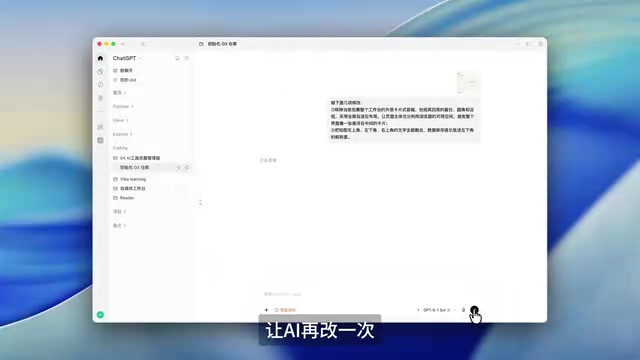
Acceptance and Testing
After the demo was merged into the main version, open the official version of the AI tool manager and try adding a tool (using CC Switch as an example) to test whether the tool download links work properly. Successfully implemented jumps to download MacOS, Windows, and Linux versions. After adding multiple tools one after another, the manager's content gradually became richer.
Core Experience Summary
There are several key design decisions worth learning from that made this Vibe Coding workflow succeed:
The Git save mechanism ensures every iteration is traceable and rollback-able, reducing the trial-and-error cost of AI development. Worktree isolation keeps new feature development from affecting the stability of the main version — this is the infrastructure for multi-person collaboration and continuous iteration. Interactive demos instead of text proposals dramatically reduces communication costs — what you see is what you get. Screenshot + prompt iteration is an effective means of correcting AI comprehension deviations, with the key being to describe the problem specifically enough.
Currently this AI tool manager is deployed locally, which is completely sufficient for personal use. If you want to share it with friends, you'd need to deploy it online and connect a database — the creator says a separate episode will be made later sharing how to deploy local tools online.
One-line Summary
A Bilibili creator demonstrates the four-stage Vibe Coding method with a real case study: directing AI to build a local tool manager using natural language.
Paragraph Summary
The article uses a Bilibili creator's development of an AI tool manager as an example to fully break down the four-stage Vibe Coding methodology. The requirements gathering stage emphasizes starting from specific pain points and having AI draft a 200-300 word requirements document; the environment setup stage requires initializing a Git repository and creating three basic files — Agent, Readme, and Gitignore — plus writing in two core rules: auto-commit saves after feature completion, and all development done in independent worktrees with merging to the main version only after human acceptance testing; the solution design stage uses interactive demos instead of text proposals, rapidly iterating through hands-on experience, then having AI recommend a tech stack; the technical implementation stage repeatedly corrects AI comprehension deviations through screenshots plus precise prompts. The article concludes by summarizing four key experiences — Git saves, worktree isolation, demo review, and screenshot iteration — and notes that the tool is currently deployed locally, requiring online deployment and a database if it's to be shared with friends.
Related articles

Chain of Thought Isn't Just for AI: How Humans Can Use CoT to Improve Thinking Quality
Chain of Thought isn't just a prompt trick for large models. Starting from a Hacker News discussion, this article analyzes why CoT works for human thinking too, breaks down actionable ways to transfer it, and highlights the key differences between human CoT and machine CoT.
Cloudflare Teams Up with OpenAI: Closi…
Cloudflare Teams Up with OpenAI: Closing the Loop from Vulnerability Discovery to Defense with AI
Cloudflare uses OpenAI Daybreak to investigate security vulnerabilities and generate reviewable remediation plans, while developers use Codex to boost coding efficiency and quality.

Orca Multi-Agent Orchestration in Practice: A Guide to Parallel Collaboration with Claude and Codex
Orca is Stable AI's free open-source agent workbench supporting 34 agents like Claude Code and Codex in parallel. Learn its Git worktree isolation, multi-model orchestration, and mobile management.