VibeCoding in Practice: A Field Alignment Methodology Before Migrating Demo to Main Project

A 3-step methodology to align your VibeCoding Demo with the main project before migration.
When using AI-assisted VibeCoding, migrating a frontend Demo directly to the main project almost always leads to painful rework. This article outlines a three-step alignment methodology: manually recovering missing core modules, using AI to scan differences down to the field and function level, and performing a clean architectural refactor — ensuring smooth migration and surfacing hidden design issues before they become costly.
In the practice of AI-assisted VibeCoding, many developers fall into a common trap: assuming a frontend Demo is ready to migrate directly into the main project. In reality, skipping the alignment step almost guarantees hitting painful bugs. This article, based on a hands-on AI development tutorial series, outlines a complete methodology for aligning your Demo with the main project before wrapping up.
What is VibeCoding? VibeCoding is an AI-assisted programming paradigm introduced by Andrej Karpathy in 2025 that quickly gained traction. Its core idea is that developers collaborate with AI in a "vibe-driven" way — rather than precisely specifying every line of logic, you describe your intent, feel, and visual goals in natural language and let the AI generate the implementation. This dramatically lowers the barrier to prototype development, but also introduces unique engineering risks: code is generated across multiple AI turns, context becomes fragmented, overall project structure can spiral out of control, and hidden inconsistencies between the frontend Demo and the main project become especially pronounced.
Why You Can't Migrate a Demo Directly
During the frontend Demo phase, the core focus is really on information layout — visual flow, information hierarchy, and the overall organization of content. These are the design-level elements that need the most polish, and they represent the core value of having a Demo in the first place.
Information Layout in UI/UX design refers to how visual elements are spatially organized, which directly determines the user's Visual Flow and Information Hierarchy. Visual flow describes the natural path a user's eyes follow when scanning a page — typically an F-pattern or Z-pattern. Information hierarchy uses visual weight (font size, color, spacing) to signal which content matters most. The core value of focusing on layout during the Demo phase is this: before introducing the complexity of real data, you first validate whether your information organization logic makes sense — avoiding the high cost of backend integration built on a flawed layout.
But layout is just the first layer. Moving into implementation, there's another issue that a huge number of developers overlook: whether the fields and data sources in the Demo are truly aligned with the main project.
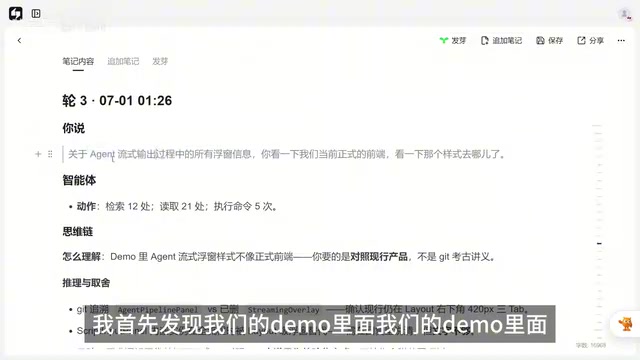
Imagine this scenario: you've carefully populated your Demo with rich information and it looks great — then during migration you discover that those fields or displayed content simply don't exist in the main project, or the formats are completely different. No matter how polished the design is, it's built on sand, and the rework cost is enormous.
The core task at the end of a Demo isn't to celebrate completion — it's to run a systematic alignment check.
Step 1: Manual Review — Recover the Large Missing Features First
During a full layout overhaul of a frontend Demo, it's common to lose things. That's a normal side effect of refactoring.
Typical examples of what gets lost: the streaming output visualization of Agent clothing information (visual progress indicators for the Agent's thinking and execution process) disappears from the Demo; the analysis workflow ends up in the wrong place; core modules like the character configuration panel go missing.
Agent Streaming Output is a critical interaction pattern in LLM applications. Rather than waiting for a complete response and displaying it all at once, streaming output presents the model's generation process in real time — including thinking steps (Chain-of-Thought), tool calls, and intermediate reasoning states. In complex AI Agent systems, this kind of Progress Visualization isn't just a UX component — it reflects the transparency of system state. These UI components are often deeply coupled with backend streaming API interfaces (such as SSE or WebSocket), making them one of the easiest features to lose during frontend migration and one of the hardest to reconstruct afterward.
The principle here is to find the big pieces first — core modules like the character configuration panel and information popovers need to be tracked down manually and added back by hand.

Using "Would I Notice It's Missing?" as a Reverse Validation
Here's a surprisingly insightful heuristic:
If a feature is central to the project, it carries high mental weight — you'll notice it's gone immediately. Conversely, if you reviewed the codebase yourself and didn't catch that something was missing, only for the AI to find it later through a code comparison, that feature probably doesn't register as important in your subconscious — either you rarely use it, or it worked so smoothly that it faded into the background.
But here's the trap: if that "overlooked feature" turns out to be genuinely important on reflection, treat it as a red flag. It likely means it's a structural hub — a module with heavy coupling to other parts of the system. In software architecture, a Structural Hub refers to a core module that multiple other modules depend on, responsible for data distribution or state coordination. The common metric for identifying them is "fan-in" — how many other modules depend on it. These modules are the ones where a single change ripples everywhere, and they're exactly where the most problems tend to hide in system design.
Step 2: AI Scanning — Drill Down to Field Level and Function Level
Once you've manually recovered the major missing pieces, hand off the remaining details to AI for a systematic gap-filling scan.
By the time you're 48 conversations deep, you can't possibly remember every difference between the Demo and the main project. At that point, just ask the AI to do a comprehensive scan. The instruction needs to be specific: scan exhaustively for all differences between the current main project frontend and the Demo, covering:
- What both versions share (commonalities)
- What exists in the main project but not in the Demo
- What exists in the Demo but not in the main project

The key is scan granularity — drill down to every button, every field displayed to the user, and the data source behind every field. This is field-level, function-level deep alignment.
Once the scan results are organized into a document, you'll have a clear three-part picture:
- Shared by both: No action needed for now
- Main project only: Real APIs, full flow handlers, complete settings logic — these are often the overlooked items with the highest coupling to other modules
- Demo only: Review each item to confirm there's no stray content mixed in, and verify whether each belongs to a planned upgrade
The settings interface is a classic example — it's a page you rarely visit, easy to overlook, but in practice it's a textbook high-fan-in module. Parameters configured here (role permissions, API keys, display preferences, etc.) are often read simultaneously by the business logic layer, rendering layer, and storage layer. In the multi-turn VibeCoding development model, these coupling relationships are hard for any single AI conversation to fully perceive. Developers need to proactively flag and closely monitor these modules to prevent cascading failures caused by omissions during migration.
Step 3: Architectural Refactor — Create New, Don't Modify
After completing the alignment analysis, the critical decision is: perform an architectural refactor — but don't edit the existing files. Start fresh with a completely new HTML file.
The refactor follows two core principles: field alignment and architecture review.
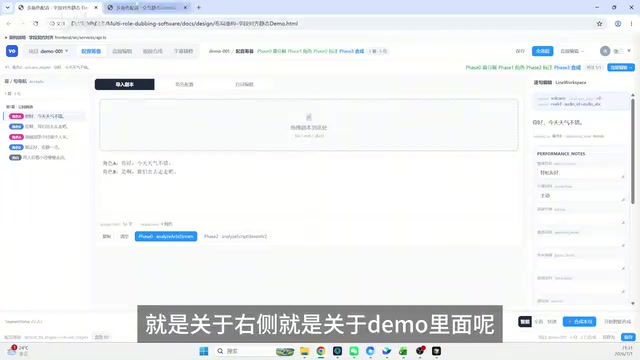
There's one fundamental difference between the old and new Demo versions:
- Original Demo: Uses mock data (fake static data), with styles hardcoded for static display
- Aligned Demo: All data mimics the actual processing logic of the real frontend — role colors, capability implementations, everything mirrors how the real frontend works
Mock data is static placeholder data used in frontend development as a substitute for real API responses. Demos built on mock data have a structural blind spot: developers tend to design data structures based on "what looks good visually" rather than "what the backend actually returns." Real API data formats may include nested objects, dynamic fields, enum types, timestamp formats, and other complex structures that static mocks can't cover. A field-aligned Demo requires frontend rendering logic to strictly follow the real data structure — this isn't just visual alignment, it's a full engineering calibration of data processing functions, conditional rendering logic, and error state handling.
The payoff is a "bare frontend" — one that exposes real design problems and gives you the opportunity to make further adjustments before migration. Once the bare frontend is properly field-aligned and architecture-aligned, migrating into the main project becomes remarkably smooth.
VibeCoding Alignment Methodology: Summary
Drawing from the complete practice flow, the correct path for migrating a frontend Demo to the main project comes down to three steps:
- Don't migrate directly: After finishing the Demo, first do a standalone "bare refactor" of the frontend to achieve field and architecture alignment
- Manually recover the big pieces: Hand-identify and restore core modules that exist in the main project but are missing from the Demo; use the "would I notice it's missing?" test to reverse-validate feature importance
- AI field-level scan: Have AI run a diff down to the field and function level; stay vigilant about newly introduced anomalies and overlooked critical modules
The deeper value of this methodology is that it's not just an engineering alignment procedure — it's a self-audit of the project's design itself. The modules you overlooked but that turn out to matter are often exactly where the original design had buried problems. The essence of VibeCoding isn't having AI think for you — it's leveraging AI's systematic scanning ability to compensate for human attention gaps, while using human architectural judgment to steer AI's code generation. Together, they form a genuine collaborative loop.
Key Takeaways
Related articles

AI Comic Drama with WorkBuddy from Scratch: A Step-by-Step Skill Pack Installation Guide
Learn how to create AI comic dramas with WorkBuddy from scratch. This guide covers installation, Skill pack import and invocation, plus a script generation demo with manual revision tips to get you through the first step from script to storyboard.

WorkBuddy Agent Runs the Entire GEO Database Mining Pipeline with a Single Prompt
WorkBuddy agent automates GEO database mining: from data search and curation to batch correction, differential analysis, co-expression networks, feature gene screening, and immune infiltration—a single prompt generates a complete bioinformatics report, greatly lowering the barrier to bioinformatics analysis.

PC Memory Wasted? Hacker News Debates Centralized Data Centers
Hacker News users argue that personal computer memory is wasted and should be centralized in data centers, sparking debate on centralized vs. distributed computing resource allocation. This article analyzes the logic behind the claim, the costs of centralization, and new tensions in memory resource allocation in the AI era.