Video2X: Free Open-Source Video Super-Resolution and Frame Interpolation Tool — One-Click HD for Old Videos

Video2X is a locally run open-source AI video super-resolution and frame interpolation framework that upscales old films to 4K and interpolates to 60 fps.
Video2X is an open-source framework continuously iterated on GitHub that uses AI for video super-resolution upscaling and frame interpolation, addressing blurry quality and low frame rates in old anime and recordings. It includes four engines (Anime4K, Real-ESRGAN, Real-CUGAN, RIFE) for animation, live-action, noise-reduction balance, and frame interpolation. Running on NCNN and Vulkan, it works even on ten-year-old GPUs. Windows offers a Chinese GUI for point-and-click use, and Google Colab provides a free online option. The article notes that AI upscaling and interpolation are not lossless, so engine selection and spot-checking are advised.
Why Video Super-Resolution and Frame Interpolation Matter
Digging out an old anime from over a decade ago and finding the quality too blurry to watch — this is a common pain point many people share when organizing old footage. Constrained by the shooting equipment and storage conditions of the time, a large amount of classic content survives in low resolution and low frame rates, making for a poor viewing experience. Video2X is an open-source framework built precisely to solve this problem: it uses AI to perform super-resolution upscaling and frame interpolation on videos, turning old films into HD and recordings into smooth motion.
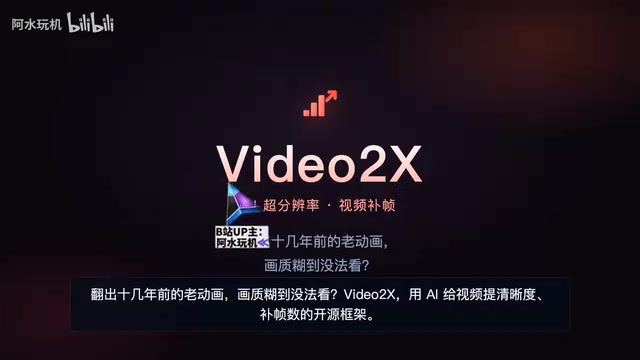
According to a Bilibili creator, Video2X is an open-source framework that uses AI to enhance video clarity and supplement frame rates. The project is continuously iterated on GitHub and runs entirely locally, with no dependence on cloud services.
What Video2X Can Do: Super-Resolution and Frame Interpolation Combined
Super-Resolution: From 240P to 4K
One of Video2X's core capabilities is upscaling low-resolution video to high resolution. In the demo, a 240P old video was upscaled all the way to 4K — lines and textures are not simply interpolated and stretched, but redrawn and generated by AI, looking closer to modern HD footage.
Traditional upscaling uses bilinear or bicubic interpolation, which is essentially weighted averaging of existing pixels. After upscaling, lines become blurry and textures are lost, because interpolation cannot create information that does not originally exist. AI super-resolution, on the other hand, uses neural networks trained on large-scale pairs of low- and high-resolution images to learn the mapping from low-quality to high-quality, thereby "predicting" the missing high-frequency details. Models such as Real-ESRGAN also introduce degradation modeling to simulate real degradation processes like compression noise and blur, making the restoration results closer to actual footage. It should be clear that these details are model inferences rather than real records, so different models may produce different results for the same material.
Frame Interpolation: From 30 fps to 60 fps
Another core capability is frame interpolation. Video2X can boost 30 fps recordings to 60 fps or even higher, with intermediate frames calculated and generated by AI, making motion transitions smoother. For fast-moving scenes such as sports recordings and anime fight sequences, the smoothness improvement from frame interpolation is especially noticeable.
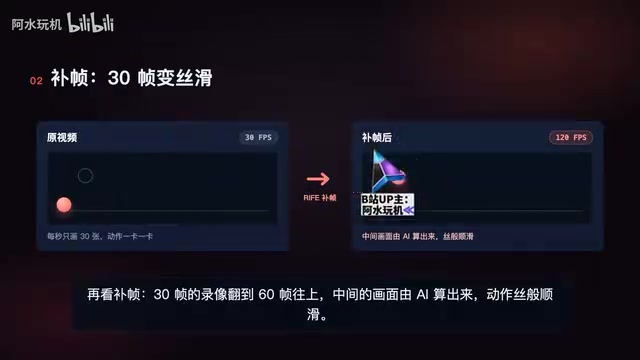
Frame interpolation (frame rate interpolation) aims to generate intermediate frames between two frames. Early methods relied on optical flow estimation of pixel motion followed by compensation, which is prone to errors with occlusions and fast motion. RIFE adopts neural-network-based end-to-end optical flow estimation, directly predicting the motion and image at the intermediate time point, outperforming traditional optical flow approaches in both speed and quality. The effectiveness of frame interpolation is highly content-dependent: animation, with its flat imagery and regular motion, usually performs well; live-action fast motion, scene cuts, or complex occlusions tend to produce artifacts, judder, or a "jelly" effect. Therefore, in practice it is often necessary to adjust the interpolation ratio per scene and handle scene cuts with segmented processing.
Four Built-in Engines Covering Different Scenarios
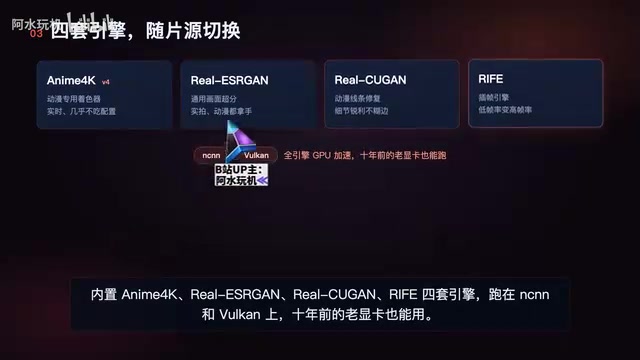
Video2X includes four AI engines, each optimized for different content types:
- Anime4K: aimed at animation content, excels at handling 2D imagery with clear lines;
- Real-ESRGAN (originally referred to as "Real Acer", likely a mispronunciation of Real-ESRGAN): aimed at live-action content, focused on real texture restoration;
- Real-CUGAN (originally referred to as "GameReal", inferred from the screenshot "Real Kugan"): strikes a balance between noise reduction and detail preservation;
- RIFE (originally referred to as "Rythe"): focused on frame rate interpolation, responsible for frame interpolation tasks.
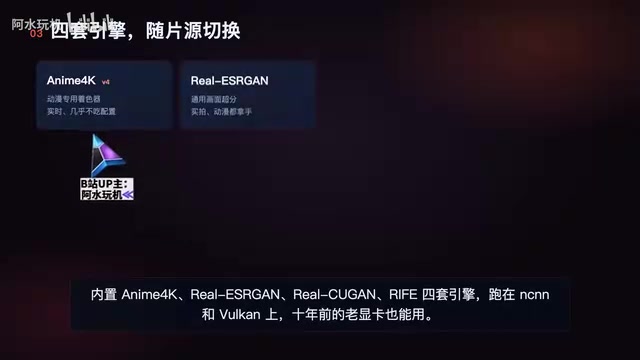
These engines run on NCNN and Vulkan, making hardware requirements relatively friendly — even a ten-year-old graphics card can run them. This point is quite critical for users without high-end GPUs, meaning the tool's barrier to entry is far lower than many similar commercial software products.
NCNN is a lightweight neural network inference framework open-sourced by Tencent, optimized for mobile and desktop CPU/GPU, capable of loading models without relying on large deep learning runtimes. Vulkan is a cross-platform low-level graphics and compute API that can directly schedule the GPU for parallel computing. The significance of combining the two is that Video2X does not need to rely on CUDA or high-end graphics cards from a specific vendor — as long as the device supports Vulkan, AI inference can run. This is also the fundamental reason old graphics cards can still run it: computation goes through a general-purpose graphics interface rather than a dedicated acceleration library. The trade-off is that inference speed is usually slower than CUDA solutions, but for offline video processing, compatibility is often more important than peak performance.
User Experience: Chinese Interface, Point-and-Click
On the Windows platform, Video2X provides a Chinese graphical interface. Users only need to select a file and click start, with no need to write command-line scripts. For ordinary users unfamiliar with AI model deployment, this design greatly reduces the learning curve.
If the local graphics card is not powerful enough, you can also run it online for free using Google Colab. This provides another path for users with limited hardware, though online operation is constrained by Colab's free quota and network conditions.
Open-Source Background and Project Status
Video2X is an open-source project on GitHub at the repository K4YT3X/Video2X. It has been iterated since 2018 and has gone through multiple rounds of version updates. Long-term maintenance means model support and compatibility will continue to be updated, rather than being an experimental tool released once and abandoned.
It should be noted that AI super-resolution and frame interpolation are not lossless processes: the upscaled details are "inferred" by the model and may deviate from the original content; frame interpolation may also produce artifacts in fast motion or complex occlusion scenes. In practice, it is advisable to choose the appropriate engine for different materials and to spot-check the output results.
Target Audience and Usage Recommendations
Video2X is suitable for the following scenarios: organizing old family recordings, restoring classic animation resources, interpolating frame rates for low-fps game recordings, and preprocessing low-resolution material before secondary creation. For users who want one-click operation, the Windows graphical interface is friendly enough; for advanced users who want batch processing or custom parameters, the open-source nature allows them to adjust models and pipelines themselves.
Overall, Video2X encapsulates the two capabilities of super-resolution and frame interpolation — which previously required a professional toolchain — into a free solution that ordinary people can use. Combined with local operation and compatibility with old hardware, it has strong practical value among open-source video enhancement tools.
One-line Summary
Video2X is a locally run open-source AI video super-resolution and frame interpolation framework that can upscale old films to 4K and interpolate to 60 fps.
Paragraph Summary
Video2X is an open-source framework continuously iterated on GitHub that uses AI to perform super-resolution upscaling and frame interpolation on videos, solving the pain points of blurry quality and low frame rates in old anime and recordings. It includes four built-in engines — Anime4K, Real-ESRGAN, Real-CUGAN, and RIFE — targeting animation, live-action, noise-reduction balance, and frame interpolation scenarios respectively. It runs on NCNN and Vulkan, so even a ten-year-old graphics card can run it. The Windows platform provides a Chinese graphical interface: select a file and click start. If your graphics card is insufficient, you can also run it online for free using Google Colab. The article also reminds readers that AI super-resolution and frame interpolation are not lossless — details are inferred by the model, and artifacts may appear in fast-motion scenes, so it is necessary to choose engines based on the material and spot-check results.
Related articles

AI Comic Drama with WorkBuddy from Scratch: A Step-by-Step Skill Pack Installation Guide
Learn how to create AI comic dramas with WorkBuddy from scratch. This guide covers installation, Skill pack import and invocation, plus a script generation demo with manual revision tips to get you through the first step from script to storyboard.

WorkBuddy Agent Runs the Entire GEO Database Mining Pipeline with a Single Prompt
WorkBuddy agent automates GEO database mining: from data search and curation to batch correction, differential analysis, co-expression networks, feature gene screening, and immune infiltration—a single prompt generates a complete bioinformatics report, greatly lowering the barrier to bioinformatics analysis.

PC Memory Wasted? Hacker News Debates Centralized Data Centers
Hacker News users argue that personal computer memory is wasted and should be centralized in data centers, sparking debate on centralized vs. distributed computing resource allocation. This article analyzes the logic behind the claim, the costs of centralization, and new tensions in memory resource allocation in the AI era.