VS Code Extension Antigravity Cockpit: A Practical Guide to AI Quota Monitoring & Management

VS Code extension enabling real-time Google AI quota monitoring and visual management
vscode-antigravity-cockpit is a VS Code extension with over 4,600 GitHub stars, focused on real-time monitoring of Google Antigravity AI quotas. It offers three interaction modes—Webview Dashboard, QuickPick fast query, and Quota Grouping management—embedding monitoring capabilities directly into the IDE to reduce context-switching costs. It's ideal for heavy AI API users, team collaboration, and cost-sensitive projects.
Project Overview
As AI development becomes increasingly prevalent, developers frequently calling various AI APIs has become the norm. However, quota management has always been a critical yet easily overlooked issue—exceeding quotas means service interruption, while manually checking quotas is extremely tedious. vscode-antigravity-cockpit is a VS Code extension built precisely to solve this pain point, focusing on real-time monitoring and visual management of Google Antigravity AI quotas.
Google Antigravity AI is Google Cloud's AI service ecosystem (encompassing the Gemini series models, etc.), and its quota mechanism is essentially a multi-dimensional resource limitation system. Quotas are typically divided into three tiers: "Queries Per Minute (QPM)," "Daily Token Consumption," and "Concurrent Requests," with different tiers triggering different HTTP error codes when exceeded (such as 429 Too Many Requests). Understanding this mechanism is crucial for developers—quotas are not a single number but rather a multi-dimensional resource map, and the slightest oversight could lead to service interruptions in production environments. It is precisely this complexity that gives a dedicated visual monitoring tool genuine engineering value.
The project has garnered over 4,600 stars on GitHub, is developed in TypeScript, has 134 forks, and enjoys considerable community activity.
Core Features Explained
Webview Dashboard: A Monitoring Center Inside Your Editor
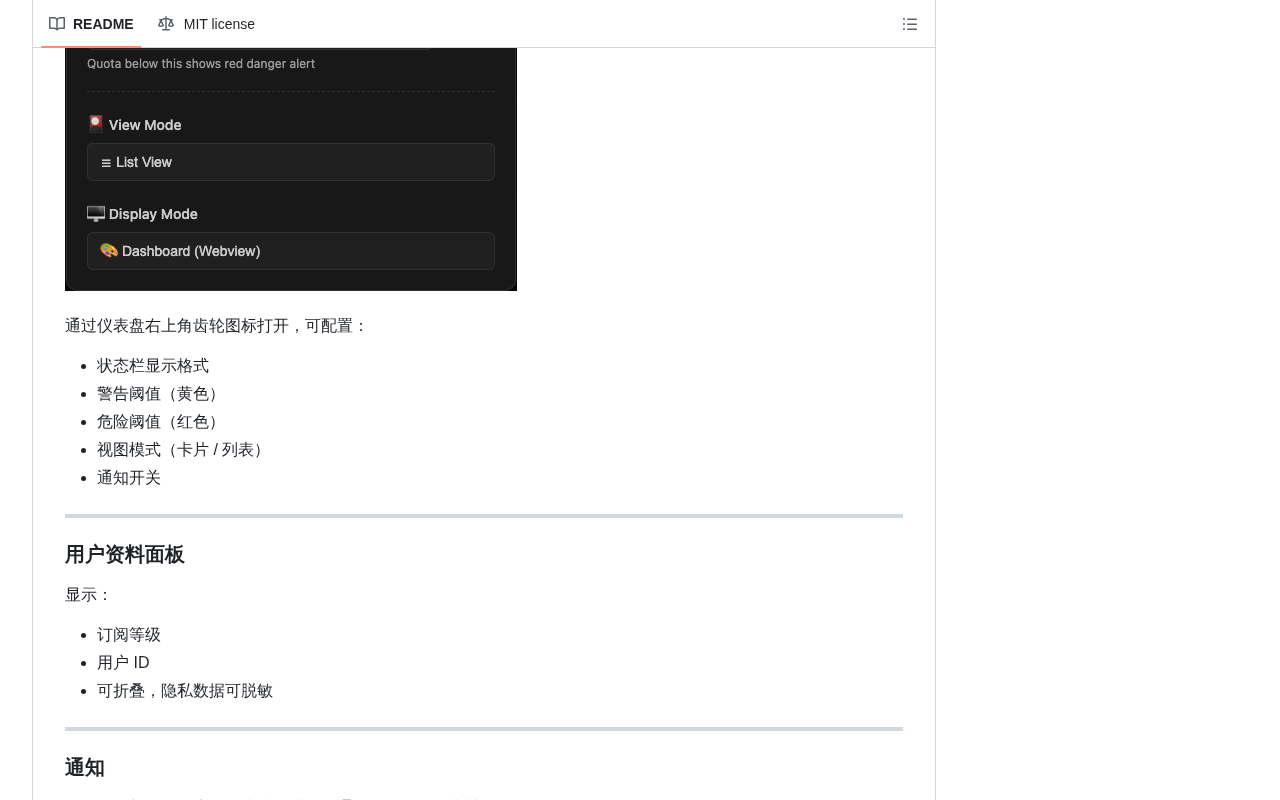
The extension's core highlight is its built-in Webview Dashboard. Developers can view complete quota usage in the sidebar or a standalone panel without ever leaving VS Code. The dashboard presents intuitive charts showing call volumes, remaining quotas, and usage trends for each AI service, giving developers clear visibility into resource consumption at a glance.
This design philosophy of embedding a monitoring panel directly into the IDE dramatically reduces context-switching costs. Compared to opening a browser and logging into the Google Cloud Console to check quotas, viewing everything with a single click inside the editor is obviously much more aligned with developers' daily workflows.
From a technical standpoint, VS Code's Webview API allows extensions to embed complete HTML/CSS/JavaScript pages within the editor—essentially a sandboxed iframe environment. Communication between the Webview and the extension's main process (running in a Node.js environment) occurs through a bidirectional message-passing mechanism (postMessage/onDidReceiveMessage). This architecture enables developers to build complex visualization interfaces using modern frontend frameworks like React or Vue while still accessing VS Code's native APIs and the local file system. The trade-off is the need to carefully handle Content Security Policies (CSP) and resource loading paths—the most common technical challenges in Webview extension development.
QuickPick Fast Query: Lightweight Quota Confirmation
The QuickPick mode is a clever use of VS Code's native interaction paradigm. Triggered via the Command Palette (Ctrl+Shift+P), developers can quickly query the quota status of a specific service without opening the full dashboard. This is particularly useful when you just want to quickly confirm whether a particular API still has remaining capacity.
VS Code's QuickPick is a standardized dropdown selection UI component, invoked through the vscode.window.showQuickPick() API, supporting fuzzy search, multi-select, group labels, and other interactive features. For extension developers, QuickPick's advantage lies in zero learning cost—users are already familiar with this interaction paradigm and need no additional UI guidance. This "Progressive Disclosure" design philosophy is widely adopted in utility software: lightweight operations use QuickPick, deep analysis uses Webview, and together they form complementary layers of user experience. This demonstrates the extension's design sophistication—offering both a full visualization panel for in-depth analysis and lightweight quick queries for instant confirmation.
Quota Grouping: Fine-Grained Multi-Project Resource Management
The Quota Grouping feature allows developers to categorize and manage quotas by project, service type, or custom dimensions. When a team is running multiple AI projects simultaneously, grouping management effectively prevents quota confusion and helps teams allocate and track resource usage more precisely.
Technical Implementation & Architecture Analysis
From a tech stack perspective, the project is developed in TypeScript—the mainstream choice for VS Code extension development—ensuring type safety and a great developer experience. The Webview portion likely uses a modern frontend framework to render the dashboard UI, communicating with the extension's main process through VS Code's Webview API.
At the data fetching layer, the extension needs to interact with Google Cloud's quota management APIs, involving engineering details such as OAuth authentication, API call rate limiting, and data caching. Interacting with Google Cloud APIs involves two primary authentication methods: the OAuth 2.0 user authorization flow and Service Account key authentication. The former is suitable for individual developer scenarios, obtaining access tokens after completing authorization through a browser; the latter is better suited for automation and team scenarios, authenticating via JSON-format key files. Implementing an OAuth flow in a VS Code extension is particularly complex because it requires either launching a local callback server to receive authorization codes or leveraging VS Code's built-in authentication provider API (vscode.authentication). Quota queries typically require read permissions for the "Cloud Quotas API" or "Service Usage API," and the principle of least privilege recommends granting only the roles/serviceusage.serviceUsageViewer role. For developers, initial configuration may require providing Google Cloud service account credentials or completing OAuth authorization.
Use Cases & Target Users
This VS Code extension is particularly well-suited for the following developer groups:
- Heavy AI API users: Developers who frequently call Google AI services like Gemini and need real-time awareness of quota consumption
- Team collaboration scenarios: When multiple people share quotas, transparent usage tracking mechanisms are needed
- Cost-sensitive projects: Project teams that need to strictly control API call volumes to manage budgets
Summary & Future Outlook
vscode-antigravity-cockpit represents a clear trend: as the AI toolchain matures, the ecosystem of auxiliary tools surrounding AI development is rapidly evolving. Quota monitoring may seem like a minor requirement, but in the daily work of AI development, it's a high-frequency pain point. Integrating this kind of operational monitoring capability directly into the development environment is the right direction for improving developer experience.
The project's 4,600+ stars also confirm the community's strong demand for this type of tool. If it could expand to support quota monitoring for more AI service providers (such as OpenAI, Anthropic, etc.) in the future, its practical value would be further amplified.
Key Takeaways
- vscode-antigravity-cockpit is a VS Code extension focused on Google Antigravity AI quota monitoring, with over 4,600 GitHub stars
- Provides three interaction modes: Webview Dashboard, QuickPick fast query, and Quota Grouping management
- Developed in TypeScript, embedding the monitoring panel directly in the IDE to reduce context-switching costs
- Webview is based on sandboxed iframe with message communication to the main process; QuickPick follows the Progressive Disclosure design philosophy
- Authentication layer supports both OAuth 2.0 and Service Account methods, with the recommendation to follow the principle of least privilege when configuring Cloud API access
- Suitable for heavy AI API users, team collaboration, and cost-sensitive project scenarios
- Represents the trend of rapid maturation in the AI development auxiliary tool ecosystem
Related articles
 Product Reviews
The Programmer's Desk Setup Guide: Building a Workspace That Feels Like Home
Discover how programmers build productive, comfortable workspaces. From multi-monitor setups to ergonomic design, explore the desk philosophy that drives focus and flow.
 Product Reviews
Qoder vs Cursor Real-World Comparison: Which $20/Month AI IDE Is Better?
Hands-on comparison of Qoder vs Cursor AI IDEs: Agent autonomy, human interaction count, and architecture decisions. Qoder needed only 2 interactions vs Cursor's 8.
 Product Reviews
Cursor Cloud Agent Demo: Eliminating Bottlenecks Across the Entire Software Development Lifecycle
Deep analysis of Cursor's Cloud Agent demo showing how cloud VMs, automated test artifacts, and a full-chain control plane systematically eliminate human bottlenecks across the software development lifecycle.