Wear Compose Material 3 Skill: Getting AI to Write High-Quality Wear OS Apps

One CLI command grounds AI agents in official Wear OS specs, fixing LLM blind spots in Wear Compose development.
Google has released a Wear Compose Material 3 skill in its official Android skills repository, targeting a clear LLM blind spot: generating polished Wear OS code. Because training data skews toward general Android development, models routinely stumble on watch-specific components like Transforming Lazy Column, Ambient Mode, and Edge Button. The skill injects the latest Wear OS design specs into an AI agent's context via a single Android CLI command. FotMob's team validated the approach in practice — one afternoon, eight lists migrated, and a swath of custom rotary input code deleted — demonstrating gains in both development speed and long-term technical debt reduction.
When using AI to assist with Wear OS development, you've probably run into this scenario: the code runs, but it lacks the polish that sets a truly great watch app apart. Large language models (LLMs) have noticeable blind spots when generating Wear OS code, leaving developers spending more time fixing problems than shipping features. The Wear Compose Material 3 skill, newly published in Google's official Android skills repository, is designed to close exactly that gap.
The Pain Points of AI-Generated Wear OS Code
Wear OS development is genuinely fun — but hand it off to an AI agent and the problems surface quickly. Watch-specific components and patterns like Transforming Lazy Column, Ambient Mode, and the distinction between App Scaffold and Screen Scaffold are areas where LLMs routinely fall short.
The result: AI-generated code that appears to get the job done but lacks real refinement. Developers end up debugging details in an endless back-and-forth, and development momentum grinds to a halt. This "last-mile" quality gap is precisely what separates an ordinary app from a polished one.

One Command to Ground Your Agent in the Latest Wear Specs
The core value of this new skill lies in grounding — a single Android CLI command is all it takes to align your AI agent with the latest Wear OS design guidelines.
Once installed, the AI can fully leverage Wear Compose Material 3 components such as Swipe to Reveal and Edge Button. Instead of patching together code from outdated or overly generic knowledge, the agent generates implementations that conform to official Wear OS design language.
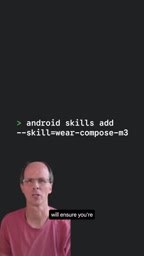
Grounding is a key concept in the LLM world. It refers to constraining a model's output by supplying authoritative external knowledge, preventing hallucination — the generation of content that sounds plausible but is factually wrong. For Wear OS development, LLM training data skews heavily toward general Android or mobile code; Wear OS-specific APIs and design patterns are vastly underrepresented in the training corpus, causing models to default to phone-centric solutions for watch-centric problems. The Android skills repository is essentially a set of structured prompt-engineering assets. The CLI tooling injects official documentation, component usage examples, and design specifications directly into the AI agent's context window, so code generation draws from the most current, authoritative sources rather than potentially stale training memory.
Transforming Lazy Column: Where Details Make or Break the Experience
Building lists with Transforming Lazy Column is one of the most detail-sensitive tasks in Wear OS development. If the top and bottom padding values are off, the morph and scale transitions for list items break down, and the visual result suffers noticeably.
The official demo makes the contrast clear: without the skill, AI tends to fumble edge morphing; with the skill installed, the agent "knows" how to produce the correct behavior. These kinds of details — animation timing, edge treatment — are exactly where manual tuning eats the most time.

Transforming Lazy Column is a Wear Compose-exclusive list component that builds on the standard LazyColumn by dynamically transforming item appearance based on scroll position. Items near the center of the screen are rendered at full size and full opacity, while items near the top or bottom edges are scaled down and faded in accordance with the curved display's arc — creating the "arc list" effect that feels native to a round watch face. This component is highly sensitive to padding calculations: top and bottom insets must precisely match the device screen's physical curvature, or the morph transition will stutter or clip at its start and end points, producing a jarring visual artifact. These values are specified precisely in official documentation but are nearly impossible to infer from general Android development experience, making them one of the most error-prone areas for LLMs.
FotMob's Real-World Case Study
The team behind the sports app FotMob were early beneficiaries of this skill. Where they previously had to manually fine-tune edge morphing, the skill now handles it automatically — and also switches the codebase over to native Material 3 behavior in the process.
In their own words: "One skill, one afternoon, eight lists migrated, a bunch of custom rotary code deleted." That quote says it all — not only did they save time, they also eliminated a significant body of custom code that would have required ongoing maintenance.

The rotary input mentioned in the case study is an interaction mechanism unique to Wear OS, corresponding to the physical rotation of a watch crown or bezel. This input source does not exist in the standard Material 3 phone component library, so developers previously had to write their own code to map rotation events to behaviors like list scrolling and volume adjustment — accumulating a long tail of fragmented custom logic. Wear Compose Material 3 has integrated rotary input support natively into list, swipe, and other components, so switching to official components allows all of that custom code to be deleted wholesale. FotMob's "deleted a bunch of custom rotary code" is a textbook example of migrating from manual adaptation to native platform support — and it illustrates that the skill doesn't just improve the quality of AI-generated code; it also helps teams pay down existing technical debt.
Getting Started
The setup process is refreshingly straightforward:
- Download the Android CLI
- Install the Wear Compose Material 3 skill (it can be installed alongside other skills)
- Start using it directly in your AI-assisted development workflow
For any team currently building or planning to build a Wear OS app, this skill transforms "getting AI to understand Wear specs" from a persistent headache into a single command. Once an AI agent is properly grounded in official guidelines, it stops being a source of technical debt and becomes a genuine accelerant for shipping high-quality watch apps.
Related articles

Chain of Thought Isn't Just for AI: How Humans Can Use CoT to Improve Thinking Quality
Chain of Thought isn't just a prompt trick for large models. Starting from a Hacker News discussion, this article analyzes why CoT works for human thinking too, breaks down actionable ways to transfer it, and highlights the key differences between human CoT and machine CoT.
Cloudflare Teams Up with OpenAI: Closi…
Cloudflare Teams Up with OpenAI: Closing the Loop from Vulnerability Discovery to Defense with AI
Cloudflare uses OpenAI Daybreak to investigate security vulnerabilities and generate reviewable remediation plans, while developers use Codex to boost coding efficiency and quality.

Orca Multi-Agent Orchestration in Practice: A Guide to Parallel Collaboration with Claude and Codex
Orca is Stable AI's free open-source agent workbench supporting 34 agents like Claude Code and Codex in parallel. Learn its Git worktree isolation, multi-model orchestration, and mobile management.