What Is Cursor? Core Differences Between This AI Coding Tool and Traditional IDEs
Cursor is an AI-native code editor built on VS Code that helps even junior developers write senior-level code.
Cursor is an AI-native code editor rebuilt from the ground up on VS Code, integrating top large language models like Claude, DeepSeek, and Gemini so developers can generate complete code logic from plain-language descriptions. Unlike traditional IDEs that rely on syntax analysis and developer experience, Cursor applies AI across code completion, error handling, and refactoring — enabling junior developers to produce output approaching the quality of seasoned engineers. It serves both experts (who gain efficiency on repetitive work) and beginners (who use it as both a productivity and learning tool), though the article is clear that AI is an amplifier, not a replacement for foundational coding knowledge.
What Is Cursor: A Code Editor with a Built-In AI Assistant
If you've used VS Code, understanding Cursor is straightforward. At its core, Cursor is a code editor built on a deep reimagining of VS Code — Microsoft's free, widely used editor for Python, frontend development, and more. But Cursor doesn't just layer features on top; it rebuilds the way developers interact with code from the ground up.
In plain terms, Cursor is a VS Code that can write code and teach you programming at the same time. It has a built-in AI assistant that integrates some of the world's most powerful large language models, helping developers through the entire workflow: writing code, debugging, identifying errors, and refactoring. In terms of product positioning, it belongs to the same category as ByteDance's Trae and Alibaba's Tongyi Lingma — AI-powered coding environments — though Cursor, as a product from abroad, currently holds a relative edge in feature integration and overall intelligence.
Integration with World-Class Large Language Models
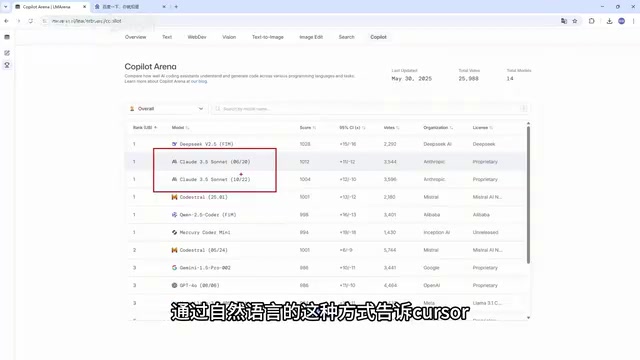
One of Cursor's key competitive advantages is its access to some of the strongest large language models available for coding tasks. Among free options, the DeepSeek series ranks highly for coding performance, while the Claude series (3.5, 3.7, 4.0) — though paid — is widely regarded as among the best-performing models for programming tasks and is used daily by a large number of developers.
Powered by these models, users can describe what they need directly in plain language — say, "write me a login API" — and Cursor will understand the context, auto-complete the code, and explain the logic behind it. Compared to the rigid workflows of traditional IDEs, this kind of interaction is far more flexible.
A note on LLMs: Large Language Models (LLMs) are neural networks trained on massive text datasets, capable of understanding and generating both natural language and code. In coding contexts, different models have meaningfully different strengths: the Claude series, developed by Anthropic, is known for rigorous code logic and a lower hallucination rate; DeepSeek, an open-source model from the Chinese company DeepSeek AI, offers a strong cost-to-performance ratio; and Google Gemini excels at multimodal understanding. Cursor integrates all of these through a unified interface — no separate API keys or environment configuration required. Users can switch between models on the fly within the same editor, which is a significant convenience advantage over manually cobbling together individual model plugins.
Cursor's Four Core Features
What makes Cursor worth learning as its own tool comes down to a few design decisions that set it apart from traditional editors.
AI-native design is the first. Cursor isn't a plugin bolted onto an existing editor — it was built from the ground up with AI at its core. This means AI capability isn't an "add-on feature" but the central skeleton of the product.
Intelligent code generation is the second. Describe what you need in a single sentence and Cursor generates the full code logic. This is similar to tools like Trae, but Cursor's ability to produce complete, business-logic-aware implementations is more mature.
Context awareness addresses one of the key bottlenecks of current LLMs. In long sessions, models tend to "forget" earlier content or hallucinate. Cursor performs relatively well at understanding project structure and variable relationships, providing real-time suggestions that remain coherent throughout the coding process.
Multi-model support is the final standout feature. Users can freely switch between Claude, Google Gemini, and other leading models — virtually every top-tier model worth using is accessible within Cursor.
Core Differences Between Cursor and Traditional IDEs
Why switch to Cursor instead of sticking with a traditional IDE like VS Code? The differences show up across multiple dimensions.
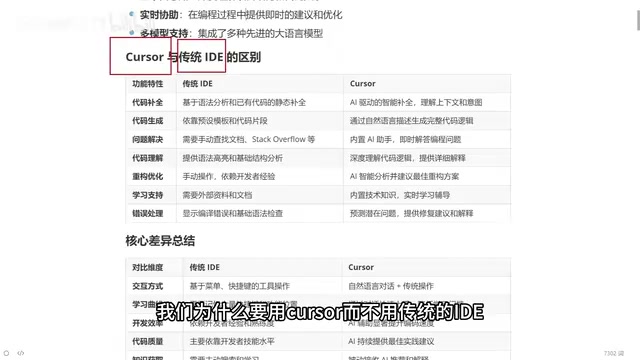
Code Completion and Generation
Traditional IDE code completion is based on syntax analysis — it extracts functions you've already written and surfaces them for reuse. Cursor's completion is based on contextual understanding; it "predicts" what you're about to do and completes based on that prediction. For code generation, traditional IDEs rely on preset templates and code snippets, while Cursor can generate complete logic directly from a natural language description.
Problem Solving and Error Handling
With a traditional IDE, hitting an unfamiliar API or a cryptic error usually means searching online or digging through documentation on your own. Cursor's built-in AI assistant is always available via a sidebar chat. When you hit an error, paste it directly into the chat and the AI will analyze it in the context of your code, explain the likely cause, and suggest a fix. This is especially valuable for beginners — experienced developers solve problems quickly because of accumulated knowledge, and AI effectively lends you that knowledge on demand.
Refactoring and Code Quality
In traditional IDEs, refactoring depends heavily on the developer's own experience. A senior engineer can optimize code based on intuition; a junior developer often can't. In Cursor, you simply say "help me optimize this function" and the AI proposes an improved implementation.
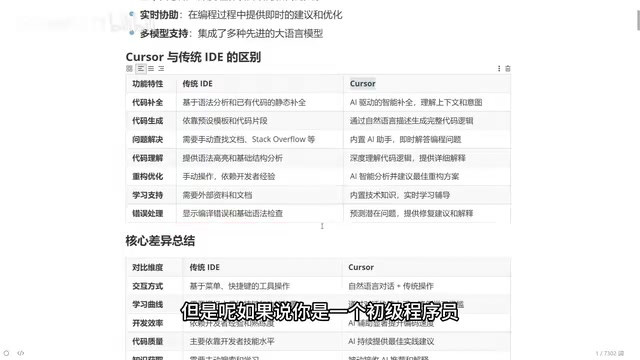
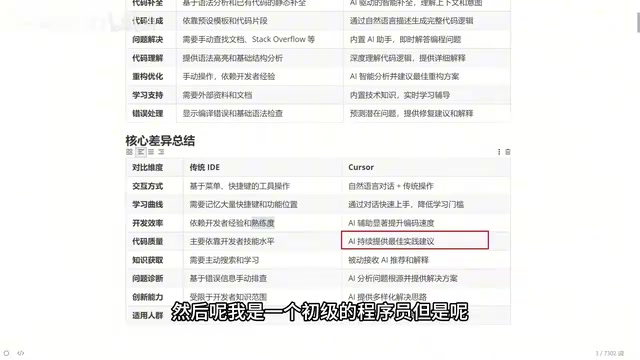
This leads to a straightforward value judgment: a junior developer using only a traditional IDE remains a junior developer. But paired with Cursor, their output can approach the quality of someone with five years of experience — described as a qualitative leap, not just an incremental improvement.
A note on IDEs: An IDE (Integrated Development Environment) is a development tool that combines code editing, compilation, and debugging in one place. VS Code is a lightweight representative of this category, while IntelliJ IDEA and Eclipse are heavier traditional IDEs. Traditional IDE autocomplete relies on static analysis — parsing syntax trees, type systems, and existing codebases to infer completion options. It's essentially rule-based matching: fast and accurate, but unable to understand developer intent, only able to complete what already exists. AI-native tools like Cursor generate code that doesn't yet exist through probabilistic prediction. The two approaches involve trade-offs between completion quality and inference latency.
Who Should Use Cursor
Cursor is relevant across virtually all experience levels, though the value it delivers differs by audience.
For experienced developers (say, engineers with ten or more years of experience), Cursor is primarily an efficiency tool. Tedious, repetitive boilerplate that no one wants to type character by character can be generated instantly and then tweaked manually — saving significant time.
For beginner developers, Cursor functions as both a productivity tool and a learning aid. You can have it generate code, then study the output with a curious mindset: compare its approach to yours, think about which is more rigorous, and treat it like a knowledgeable assistant at your side.
Beyond that, fluency with AI-assisted coding also starts to dissolve language barriers. Whether you're a Java, Python, frontend, or Go engineer, AI can assist across languages, opening up the possibility of writing in virtually any language. Of course, you still need to understand your own organization's business requirements — and even if that understanding is incomplete, you can describe the problem to the AI and let it help you work through it.
One important caveat: while Cursor is marketed as usable by anyone — even people without a programming background — actually putting it to work on a reliable, production-ready project still requires a baseline of coding knowledge and business understanding. AI is an amplifier, not a replacement.
A note on context windows: The "context window" is one of the most critical factors determining the practical usefulness of an AI coding assistant. It refers to the maximum amount of text a model can process in a single inference pass, measured in tokens (roughly 1,000 tokens ≈ 750 English words). When a codebase is large, anything outside the context window is invisible to the model, leading to contradictions or forgotten variable definitions — the so-called "hallucination" problem. Cursor addresses this through project-level indexing and intelligent selection of the most relevant code snippets, feeding the model the highest-signal information within the available window. This engineering approach helps maintain code consistency across large projects, rather than simply relying on raw model window size.
Related articles
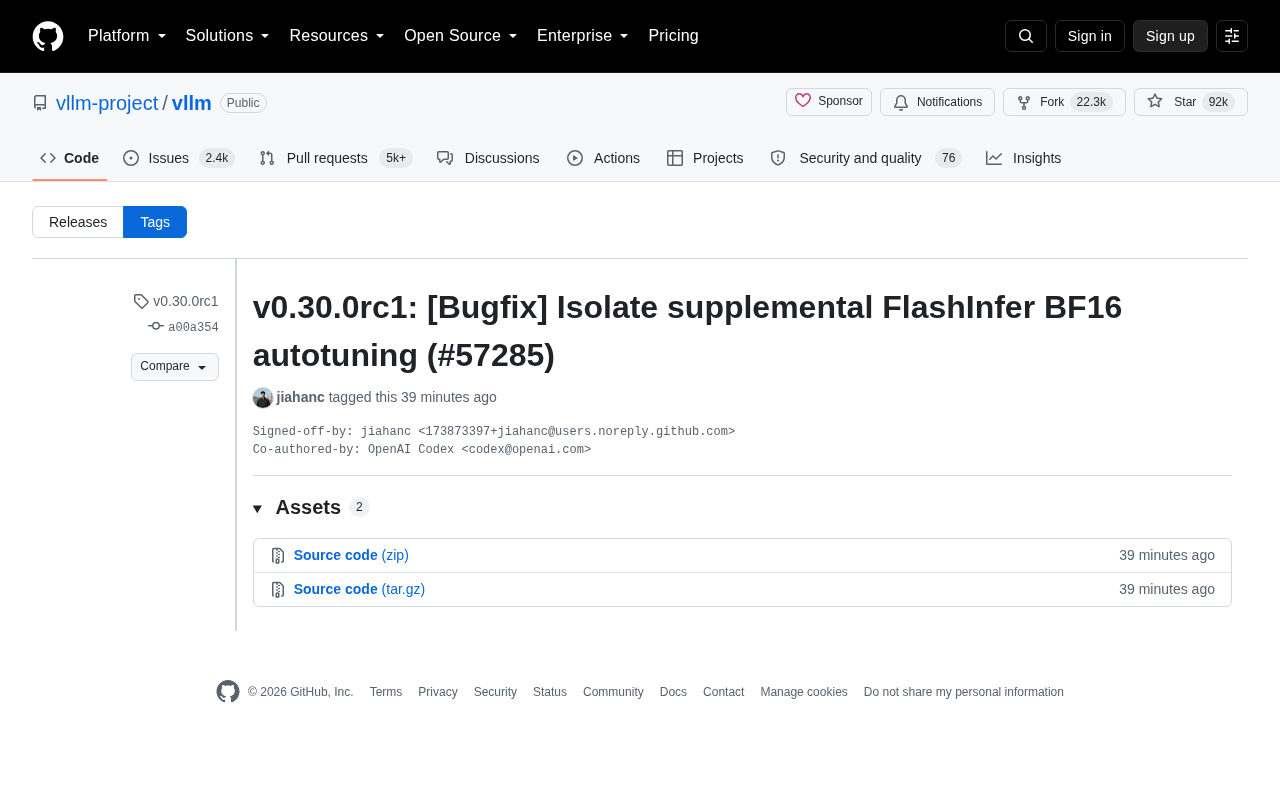
vLLM v0.30.0rc1 Released: Isolates FlashInfer BF16 Autotuning Logic
vLLM v0.30.0rc1 release candidate fixes FlashInfer BF16 autotuning isolation (PR #57285). Learn the technical background and its impact on inference deployment.

Comp AI Raises $34M Series A, Bets on Agentic Security Compliance
Comp AI raises $34M Series A led by Roo Capital and Grand Ventures, betting on "continuously agentic" AI to transform compliance from periodic audits into real-time monitoring.

MIT Technology Review's 35 Innovators Under 35: A Climate Tech Edition Explained
MIT Technology Review's latest 35 Innovators Under 35 list focuses on climate tech, spotlighting nine young global innovators. Here's what the list means and why it matters.