What Is Dify? A Workflow Platform for Building AI Apps with Zero Experience

Dify is an open-source AI app development platform that beginners can use, combining building, publishing, and operations.
Based on a beginner-friendly Bilibili tutorial, this article outlines Dify's positioning and usage. Dify is an open-source AI application development platform for building and managing production-grade AI apps without coding. Its three core features are integrated backend services (publish via API or public URL), built-in LLMOps monitoring, and support for hundreds of model providers. It offers five app types—Chatbot, Agent, Text Generation, Workflow, and Chatflow—with dual interface and API usage.
Dify is an open-source AI application development platform that lets both programmers and non-programmers quickly build, publish, and manage production-grade AI applications. Based on a beginner-friendly tutorial series from Bilibili, this article outlines Dify's core positioning, main features, and how to get started, helping newcomers build an overall understanding of the tool.
What Is Dify: Definition and Positioning
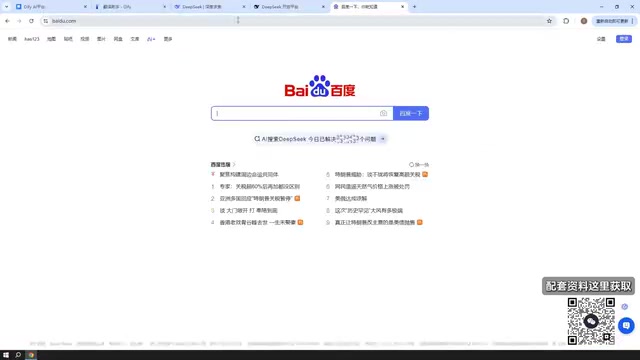
Dify can be understood as an AI application development platform, or simply as a tool. Its purpose is to help users build production-grade AI applications. The tutorial repeatedly stresses a core idea: Dify is a tool that lets you build AI applications effectively—whether you are a programmer or not, you can use it to quickly build and manage your own AI applications.
The name has two explanations. One is define plus modify—"define and continuously improve your AI applications"—which is the official explanation given on the website. The other is an acronym for "do it for you." The tutorial author believes the latter may be a meaning the website assigned after the tool launched. Either way, the key is to understand its functional positioning—a platform tool for rapidly developing AI applications.
Three Core Features
Integrated Backend Services with Publishable Apps
How do the AI applications you build get deployed? Dify integrates backend services, providing an API for interacting with your built AI applications, and also supports embedding apps into web pages via browser plugins or other embedding methods for users to access. The tutorial demonstrates a self-built translation assistant: after deploying Dify locally, entering "How is the weather today" in the browser, the app immediately translates it into the corresponding English. The same approach can be used to build a chatbot and place it on your own website for others to use.
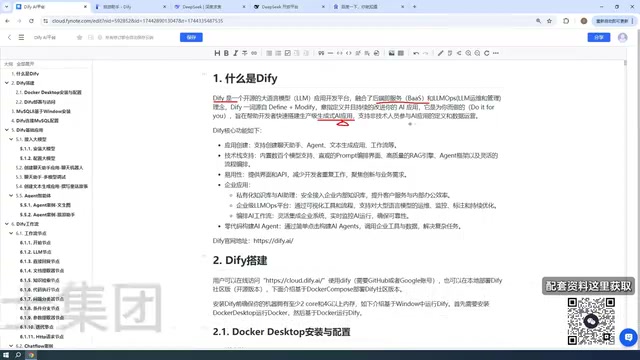
There are two publishing formats: an API interface, or directly using a public URL so others can use the tool you built.
Built-in Operations and Monitoring Capabilities
Dify also provides operations and management capabilities, namely LLMOps. After entering any application, you can see API access, logs and annotations, the public access URL, backend service APIs, and past usage. The app's daily call volume and runtime status are all visible at a glance. This means Dify doesn't just "build it"—it also helps you "manage it."
LLMOps stands for LLM Operations, referring to operations practices across the full lifecycle of large language model applications, covering prompt version management, call log tracking, cost and latency monitoring, output quality evaluation, and human annotation. Traditional MLOps focuses on model training and deployment pipelines, whereas LLMOps emphasizes application-layer management after model invocation, because large models themselves are usually not retrained—fluctuations in application performance come more from prompts, knowledge bases, and workflow configurations. Dify builds logs, annotations, usage statistics, and other capabilities into the application panel, turning LLMOps from a concept into visual operations so that even non-specialist operators can continuously observe and optimize application performance.
Extensive Model Provider Support
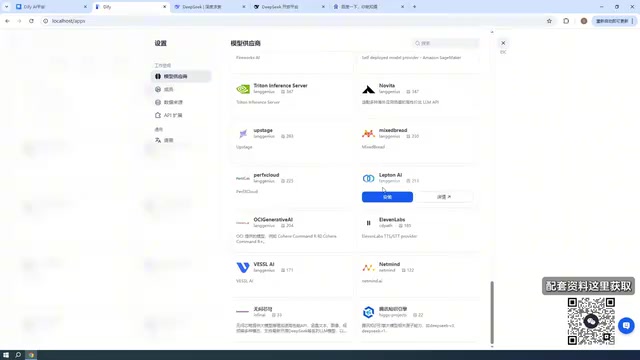
Creating AI applications inevitably requires AI models, and Dify has built-in support for hundreds of models. In the settings you can see a great many model providers, such as ERNIE Bot, ChatGLM, Tencent Hunyuan, 360 Zhinao, and more; the tutorial author's demo environment has some of them configured. This tech stack offers quite broad support, and users can connect different models as needed.
Five Entry Points for Creating Applications
When creating a blank application, Dify offers five types: Chatbot, Agent, Text Generation, Workflow, and Chatflow. The tutorial notes that these five will each be explained in later sections.
This design templates common AI application forms, so users don't need to write code from scratch—they can drag and drop to form a flow, then complete orchestration and publish it for use.
Agent refers to an intelligent entity with autonomous decision-making capabilities: it doesn't just generate text according to a fixed prompt, but can choose which tools to call (such as search, computation, database queries) based on the task goal and plan steps across multiple rounds of interaction. Agent applications in Dify typically require attaching a toolset to the model and setting a reasoning strategy, making them suitable for open-ended tasks with non-fixed paths.
Workflow and Chatflow are both visual orchestration forms; the difference lies in the interaction mode: Workflow is for batch-style tasks from one-time input to output, such as batch summarization or data cleaning; Chatflow is for continuous interaction scenarios with conversational context, such as customer service bots. Both form directed flows by dragging nodes (model invocation, conditional branches, code execution, knowledge retrieval), freeing complex multi-step logic from code.
Dual-Channel Use: Interface and API
Dify can be used in two ways: interface and API. With the interface, users can build and orchestrate workflows directly on the platform, then chat or run after publishing; they can also publish as a web page and let others use it via a URL. The API approach suits scenarios that need integration with backend projects. Neither approach requires users to have professional AI algorithm knowledge or programming skills.
The tutorial also mentions that Dify supports building enterprise-grade applications, can combine private knowledge bases and assistants to build chatbots, and supports model management and workflow orchestration, letting AI applications call tools and solve problems without writing any code.
Private knowledge base is a key capability behind Dify's enterprise-grade applications, and its technical foundation is retrieval-augmented generation (RAG). After users upload documents, the platform splits them into chunks and converts them into vectors stored in a vector database; when a user asks a question, the system first retrieves the chunks most relevant to the question, then passes them along with the question to the large model to generate an answer. This way the model can answer based on internal enterprise materials without retraining, reducing hallucinations and preventing sensitive data leakage. Dify encapsulates this process as a knowledge base module—users only need to upload documents and choose segmentation and indexing methods to reference it in chatbots or workflows.
How to Access and Install
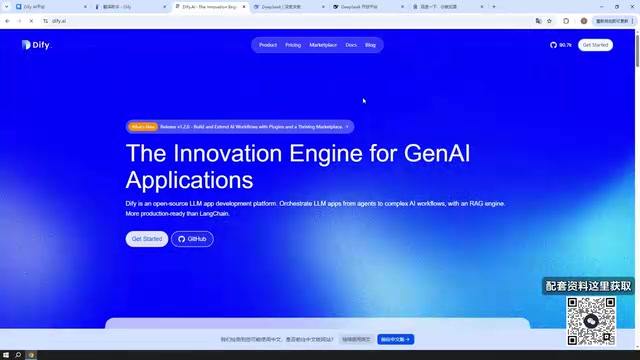
The official website can be accessed directly, but the tutorial advises using a VPN tool, otherwise pages may load slowly. The website provides a documentation entry where you can switch to Simplified Chinese to view the official manual on what Dify is and how to use it. Downloads and installation are done via GitHub, where you can choose the latest stable version; the tutorial author used version 1.1.3 in the demo, also mentioned that version 1.2.0 is available, and tried using 1.2.0 for the demonstration. Once downloaded, you can proceed to the deployment steps.
Deployment is covered in later sections of the tutorial. For readers who want to get hands-on, it's a safer path to first understand Dify's positioning and three features, then follow the deployment steps.
Summary
Dify's value lies in integrating the building, publishing, and operations of AI applications into a single platform. Non-technical users can build applications by dragging and dropping in the interface, while technical users can integrate deeply via API. The five application types cover the main scenarios from simple chat to complex workflows, and hundreds of model providers offer flexible model choices. For anyone wanting to get started with AI application development from zero, Dify is a tool worth learning about first.
One-line Summary
Dify is an open-source AI application development platform that beginners can pick up, combining building, publishing, and operations in one.
Paragraph Summary
Based on a beginner-friendly Bilibili tutorial, this article systematically outlines Dify's positioning and usage. Dify is an open-source AI application development platform that lets users—programmers or not—quickly build and manage production-grade AI applications. Its three main features are: integrated backend services, allowing apps to be published via API or public URL; built-in LLMOps operations and monitoring, with call logs and usage visible at a glance; and support for hundreds of model providers such as ERNIE Bot and ChatGLM. Applications can be created in five types—Chatbot, Agent, Text Generation, Workflow, and Chatflow—and used through either interface drag-and-drop or API integration, with no coding required. The official documentation supports Simplified Chinese, installation packages are downloaded via GitHub, and the tutorial demonstrates version 1.1.3 while noting that 1.2.0 is available.
Related articles

Anthropic's IPO Crisis: Why $16.8B in Revenue Can't Buy a High Valuation
Anthropic posted $16.8B in Q3 revenue with 85% gross margin yet faces a cut to its IPO valuation. A deep dive into halved growth, the token price war, circular financing, and the clash between safety ideals and capital reality.

Anthropic Races Toward the Largest IPO in History: Can a $100 Billion Raise Ignite the AI Investment Boom?
Anthropic may file its prospectus as early as October 23, aiming to raise up to $100 billion at a valuation of up to $2 trillion, potentially the largest IPO ever. Q3 revenue hit $16.8 billion, up nearly 50% quarter over quarter, with adjusted profitability, but slowing growth has led some investors to cut valuation to $1.5 trillion. The IPO is a key test of whether the AI investment boom can continue.

Bessemer Partner on Anthropic IPO: The Public's First Direct Investment in AI Software
Bessemer partner Byron Theta on the Anthropic IPO: why it's called the moment everyone's been waiting for, the $650M four-round investment, the LP liquidity bind, and expectations of a 2027 IPO wave—plus open-source model pricing pressure, existential risk disclosures, and what the founders' 50.1% voting structure means for ordinary investors.