What's the Difference Between Chatgot and ChatGPT? A Guide to AI Chatbot Features and Usage

Using the "Chatgot" spelling phenomenon as an entry point, this clarifies the boundary between third-party AI services and ChatGPT, and provides prompt methods and usage boundaries.
Starting from the recurring spelling variant "Chatgot" in search engines, the article notes it may be either a third-party AI chat service brand name or simply a typo for ChatGPT, highlighting the reality of fuzzy product awareness. A comparison table shows that the same name doesn't mean the same origin, reminding users to verify platform identity, model sources, and privacy policies. It then categorizes AI chatbot capabilities into content creation, Q&A learning, programming support, information summarization, and brainstorming, marking usage boundaries for each. The five-step prompt method (define goal, write clear prompts, specify format, iterate, verify output) forms an actionable methodology, while six limitations emphasize issues like inaccurate information, privacy risks, and lack of professional judgment, ultimately landing on the positioning that "AI is a collaborative tool that needs guidance and review."
When We Search for "Chatgot," What Are We Really Looking For?
An interesting phenomenon keeps recurring in search engines: many users type "Chatgot" instead of "ChatGPT." According to an analysis by the Aisuites blog, this spelling variant may point to two very different things—it's either the brand name of a third-party AI chat service, or simply a typo for OpenAI's official assistant ChatGPT. This detail is telling in itself: conversational AI has permeated ordinary people's daily search behavior, yet product awareness remains fuzzy.
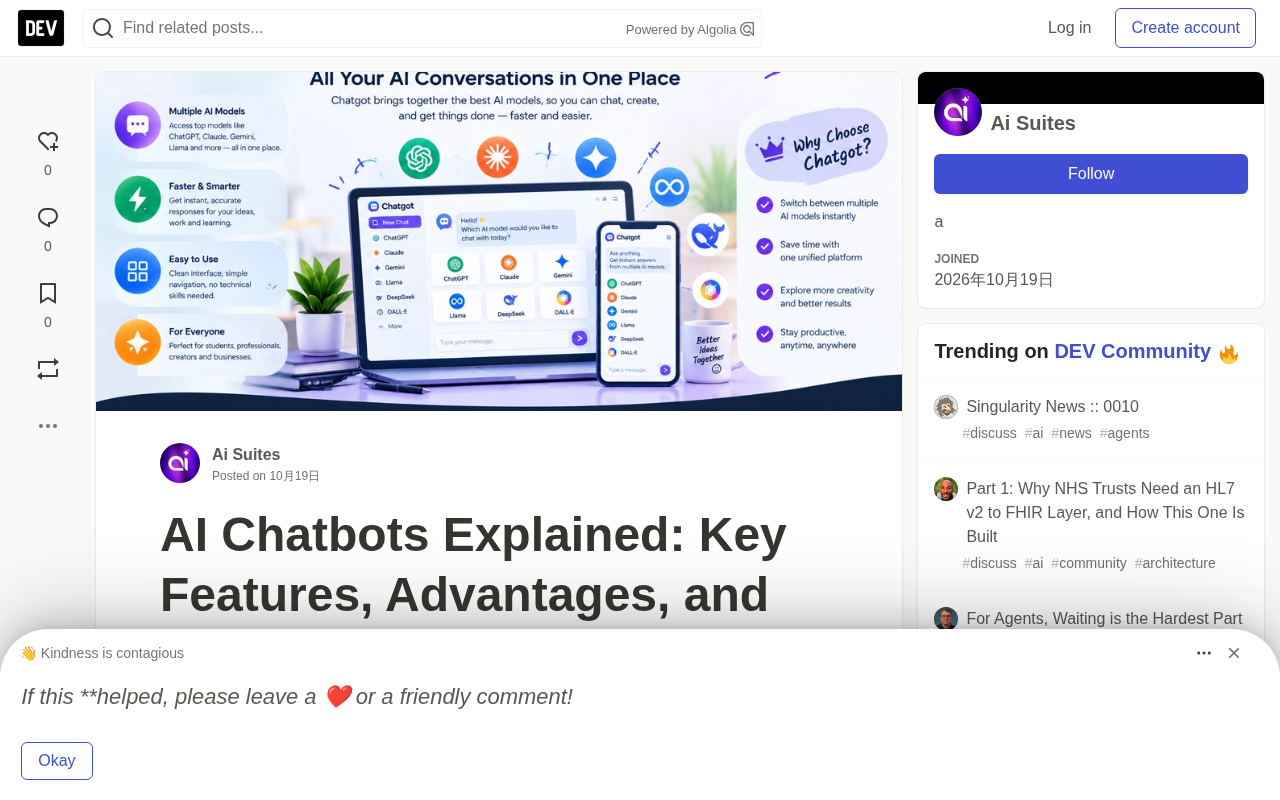
This article doesn't intend to repeat basic definitions like "what is an AI chatbot." Instead, using "Chatgot" as an entry point, it aims to clarify several questions that genuinely affect usage decisions: where the boundary lies between third-party services and official products, how to write effective prompts, and why there's an entire manual verification process between "AI can write" and "AI can write well."
Chatgot vs. ChatGPT: Similar Names, But Not the Same Thing
The Aisuites original article provides a comparison table, and the core conclusion is straightforward: ChatGPT is OpenAI's official product, while Chatgot's identity depends on the specific website you visit.
| Comparison Dimension | Chatgot-related Services | ChatGPT |
|---|---|---|
| Provider | Depends on the specific service | OpenAI |
| Feature scope | Varies by platform | Depends on current product and plan |
| AI model | Depends on provider and integrations | Depends on available models and account permissions |
| Pricing | Varies by service | Varies by plan |
| Privacy policy | Set by each provider | Governed by OpenAI policies and settings |
The most valuable aspect of this table isn't the list of differences, but the reminder of one thing: the same name doesn't mean the same origin. Third-party platforms may adopt similar naming to capture search traffic, while their underlying models, data usage, and payment structures may follow an entirely different logic. The original article specifically emphasizes that before using any Chatgot-related service, you should verify its official website identity, feature list, pricing, and privacy policy—this isn't just courtesy, but the first line of defense against handing sensitive information to unknown platforms.
Common Forms of Third-Party AI Chat Services: Many sites on the market named with "Chat + variant spelling" are typically API aggregation products—they don't develop their own large models, but instead access model capabilities through APIs from vendors like OpenAI, Anthropic, and Google, then package them into their own interfaces and subscription systems. The differences among such services mainly manifest in three areas: first, the list of available models and the freedom to switch between them; second, whether they retain or train on conversation content; third, the billing method (per message, per month, or token resale). For users, practical methods to assess credibility include: checking whether there's clear entity information and contact address, whether the privacy policy specifies data usage and retention periods, and whether the sources of called models are disclosed. If this information is missing or vague, you should assume their data handling is uncontrollable.
Five Core Capabilities: Which Ones Really Boost Productivity, Which Need Human Backstopping
The original article categorizes AI chatbot capabilities into five directions, each accompanied by usage boundaries. This "feature + limitation" approach is more useful as a reference than simply listing selling points.
Content Creation: Accelerate Drafts, But Don't Skip Review
Writing blog outlines, product descriptions, emails, and social media copy can all be drafted by AI. The examples in the original article are specific: content creators can first request an outline, then expand section by section, and finally adjust the tone to match the target audience. Efficiency gains are reflected in the "zero to one" stage, but accuracy, originality, and quality still depend on human review.
Q&A and Learning Assistance: Answers May Be Wrong
Students can use it to explain difficult concepts, and professionals can use it to organize their thinking. But the original article explicitly warns: AI-generated answers may contain errors, and important facts must be verified against reliable sources. This is especially critical in educational and professional contexts—treating AI as a "first explainer" is fine, but not as a "final judge."
Programming Support: Generated Code Must Be Tested
Explaining code, troubleshooting errors, and generating example functions are common scenarios for developers. The original article's reminder is pragmatic: AI-generated code must undergo review, testing, and security checks before being put into production, as it may contain errors or even vulnerabilities.
Research and Information Summarization: Web Access Varies by Platform
Organizing materials, summarizing long documents, and generating structured notes—AI does these tasks well. But the original article points out an easily overlooked variable: not all platforms can access the latest information, so before use, confirm whether the chosen service supports web browsing.
Brainstorming: Treat AI as a Starting Point, Not an Endpoint
Topic selection, marketing ideas, brand naming, alternative solutions—AI can quickly generate options. The original article's advice is to treat these outputs as starting points, with filtering and deepening still relying on human experience and judgment.
The Five-Step Prompt Method: From Vague Requirements to Usable Output
The workflow provided in the original article is quite practical and can be summarized in five steps:
- Define the goal first: Before entering a prompt, think clearly about what you want to accomplish—writing an article, learning a concept, generating ideas, or reviewing code.
- Write a clear prompt: Provide sufficient context. The original article's example is worth borrowing: "Write a beginner-friendly blog outline for small business owners about AI tools, including practical examples, useful subheadings, and actionable advice." This is far more specific than "write something about AI."
- Specify the format: Whether it's a checklist, article, table, summary, or step-by-step instructions, state it clearly in advance so the output is directly usable.
- Iterate and refine: Follow up to add examples, adjust the tone, or request more concise expression.
- Verify the output: Check facts, data, and technical advice, and add original insights before publishing.
Behind this process is an often underestimated fact: the quality ceiling of AI output is largely determined by the information density of the prompt. The original article also lists "dependence on prompt quality" as one of AI's limitations—vague instructions only yield generic answers.
Prompts and Context Windows: A prompt is all the instructions and background information a user inputs to the model; it's not a single question, but a "task specification." When generating a response, the model can only reason based on the prompt content and information within its context window—the context window refers to the maximum text length the model can process at once, and anything beyond that is truncated or forgotten. This explains a common confusion: why after pasting a long document to AI, it fails to answer questions about the latter half of the content. A practical approach is to place the most critical requirements and constraints at the beginning or end of the prompt (models typically pay more attention to the first and last parts of information), submit reference materials in segments with clear labels like "The following is reference material, please answer based on this," rather than mixing instructions and data together.
Six Limitations You Must Know
The list of limitations in the original article is more worth bookmarking than the feature list:
- Inaccurate information: AI may confidently provide wrong answers or unsupported content.
- Dependence on prompt quality: Vague instructions lead to generic answers.
- Requires human editing: Generated text may have repetitive phrasing, weak arguments, or unverified claims.
- Large platform feature differences: Models, integrations, usage limits, and subscription plans all vary.
- Privacy risks: Unless you've confirmed the platform is suitable for handling sensitive data, don't submit passwords, personal privacy information, trade secrets, or customer data.
- Lack of professional judgment: High-stakes decisions in healthcare, law, finance, etc. should not be replaced by AI instead of professionals.
Hallucination: Refers to content generated by models that appears plausible but is actually incorrect or fabricated, including fictitious citations, non-existent data, and invented API names. The root cause is that large language models essentially predict the next word based on probability, pursuing "linguistic fluency and plausibility" rather than "factual correctness." The danger of hallucination lies in its often confident and fluent expression, making it difficult for inexperienced users to distinguish. Mitigation methods include: requiring the model to cite information sources, proactively retrieving and verifying key facts, having the model explicitly say "I don't know" when uncertain, and verifying numbers and proper nouns one by one. It must be emphasized that hallucination cannot be completely eliminated, only reduced—this is also the technical basis for the principle that "AI output must undergo human verification."
How Different Groups Should Use It: Practical Advice for Four Scenarios
The original article provides differentiated advice by user type, which can be directly applied according to your role:
Students: Use AI to explain difficult points, generate practice questions, and organize notes, but it should serve as a learning aid rather than a replacement for independent thinking, while also paying attention to academic norms.
Content creators: Use it for topic selection, outlines, readability optimization, and first drafts. When creating SEO content, focus on search intent, accuracy, reader experience, and original value, rather than keyword stuffing.
Enterprises: Draft emails, organize ideas, brainstorm marketing campaigns, and generate preliminary documents. Before sharing externally, check factual accuracy, brand consistency, and confidentiality.
Developers: Explore programming concepts, understand error messages, and draft example code; testing and security review cannot be omitted.
Six Evaluation Dimensions When Choosing Alternatives
If existing tools don't meet your needs, the original article suggests comparing horizontally across the following dimensions: whether features cover target tasks, whether the interface matches your skill level, whether free quotas and paid plans fit your budget, whether answer quality can be verified, whether data handling policies are appropriate, and whether it can integrate with existing applications.
The core reminder is just one sentence: Don't assume all tools have the same features; compare each provider's current actual capabilities and policies. AI products iterate quickly, and any static feature list may become outdated.
Final Thoughts
The search term "Chatgot" itself is a small entry point, but it reflects a larger reality: conversational AI has entered ordinary people's workflows, while awareness around it remains uneven. The original article's concluding viewpoint is worth repeating—the best results come from combining clear prompts, human judgment, fact-checking, and responsible use. Whether you're a student, blogger, developer, or business owner, positioning AI as a collaborative tool that needs to be guided and reviewed—not an authority to which you can entrust judgment—remains valid today.
Related articles

Chain of Thought Isn't Just for AI: How Humans Can Use CoT to Improve Thinking Quality
Chain of Thought isn't just a prompt trick for large models. Starting from a Hacker News discussion, this article analyzes why CoT works for human thinking too, breaks down actionable ways to transfer it, and highlights the key differences between human CoT and machine CoT.
Cloudflare Teams Up with OpenAI: Closi…
Cloudflare Teams Up with OpenAI: Closing the Loop from Vulnerability Discovery to Defense with AI
Cloudflare uses OpenAI Daybreak to investigate security vulnerabilities and generate reviewable remediation plans, while developers use Codex to boost coding efficiency and quality.

Orca Multi-Agent Orchestration in Practice: A Guide to Parallel Collaboration with Claude and Codex
Orca is Stable AI's free open-source agent workbench supporting 34 agents like Claude Code and Codex in parallel. Learn its Git worktree isolation, multi-model orchestration, and mobile management.