Which Local LLM Runner Should You Use? A Comprehensive Guide to Five Tools

A practical guide to choosing between five local LLM runners based on hardware and use case.
This article breaks down the five most common tools for running LLMs locally: llama.cpp, Ollama, LM Studio, vLLM, and Lemonade Server. llama.cpp is the underlying C++ engine; Ollama and LM Studio are both wrappers around it — the former offering a minimal CLI with a local API, the latter providing a full GUI with hardware compatibility hints. vLLM is a UC Berkeley project built for Linux and data-center GPUs, using PagedAttention for high-concurrency serving — irrelevant for personal use. Lemonade Server is AMD's answer for thin-and-light laptop users, auto-routing workloads across CPU, iGPU, and Ryzen AI NPU. The recommended path: start with LM Studio to gauge hardware limits, move to Ollama for dev workflows, and use Lemonade on Ryzen AI machines.
If you want to run large language models on your own machine, five names keep coming up: llama.cpp, Ollama, LM Studio, vLLM, and Lemonade Server. On the surface they all look like "local runners," but the relationships between them are more nuanced — four of them share the same underlying engine, and one wasn't designed for personal use at all. Understanding how they fit together will save you a lot of trial and error.
Three Core Concepts You Need First
Before choosing a tool, there are three terms you must understand. Without them, every decision you make is a shot in the dark.
A model is just a file. It typically exists in GGUF format and ranges from 4 GB to 30 GB in size. Those enormous files you download from various sources — that is the model.
Quantization is compression. It can take a model that originally requires 40 GB of VRAM and shrink it down to roughly 12 GB with only a minor quality trade-off. This is the key technology that makes large models runnable on consumer hardware.
VRAM is the hard ceiling. If the model file fits entirely in your GPU's memory, responses are fast. Once it overflows into system RAM, speed drops off a cliff — slow enough to be genuinely unusable. Understanding this distinction explains why "can it run" and "will it run well" are two completely different questions.
GGUF is a model storage format introduced by the llama.cpp project in 2023. The name stands for GPT-Generated Unified Format, and it replaced the earlier GGML format. It bundles model weights, the tokenizer vocabulary, hyperparameters, and all other necessary information into a single binary file — making models truly "download and run" with no additional configuration. Quantization works by reducing the numerical precision of each parameter: models are typically trained using 32-bit or 16-bit floating point weights, while Q4 quantization compresses them to roughly 4 bits, reducing file size by about 75%. Common quantization levels range from Q2 to Q8 — higher numbers mean better precision and larger files. The community widely considers Q4_K_M the best balance between quality and size; for most use cases, the output difference from the original model is barely noticeable.
llama.cpp: The Real Engine Under the Hood
llama.cpp is a C++ program and the actual workhorse — it reads model files and handles all the computation, running on your CPU, GPU, or both in tandem. It runs cross-platform on Windows, Mac, and Linux.
The key insight: nearly every good local inference app on the market calls llama.cpp under the hood. Those GGUF files you keep downloading are literally a format llama.cpp defined. In other words, Ollama and LM Studio — which we'll cover next — are essentially wrappers around it. Using llama.cpp directly gives you maximum flexibility, but also the highest barrier to entry. It's best suited for users comfortable working with command-line tools and manual parameter tuning.
Ollama: The Minimalist, One-Command Approach
Ollama wraps the llama.cpp engine into a single command. Type ollama run followed by a model name, and it automatically downloads the file, loads the model, and drops you straight into a chat interface.
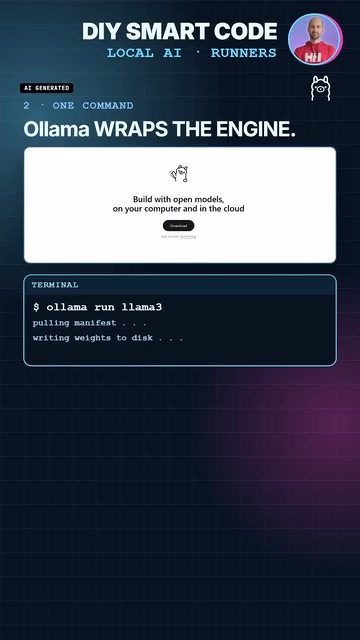
More practically, it exposes a local server on port 11434 that your code editors, automation scripts, and other tools can call directly. The trade-off is control — unless you're willing to dig into configuration, you're mostly stuck with the defaults. For anyone who wants to quickly wire a local model into scripts and development workflows, Ollama is the most frictionless choice.
LM Studio: A Visual Desktop App for Beginners
LM Studio uses the same engine, but wraps it in a full desktop GUI. You can browse a model library directly inside the app, and it helpfully flags which models are compatible with your current hardware — so you won't download 12 GB only to discover your machine can't handle it.
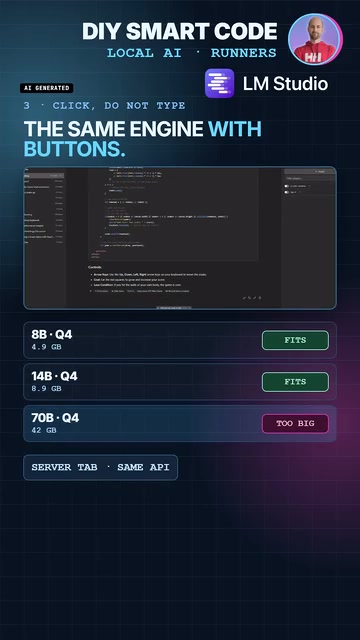
Its server tab uses exactly the same API as Ollama, and the console displays real-time tokens-per-second output so you can evaluate performance at a glance. LM Studio is free for personal and office use, but it's closed-source — which sets it apart from the other open-source tools in this list.
vLLM and Lemonade: Purpose-Built Tools for Specific Scenarios
vLLM, out of UC Berkeley, was never designed for personal computers. It requires Linux and data-center-grade GPUs, and its core capability is serving multiple users simultaneously. Its signature technology, PagedAttention, efficiently packs large numbers of concurrent conversations into a single GPU's memory rather than allocating separate space for each session. If you're running a single laptop for yourself, it has nothing to offer — this is the tool that "wasn't built for you."
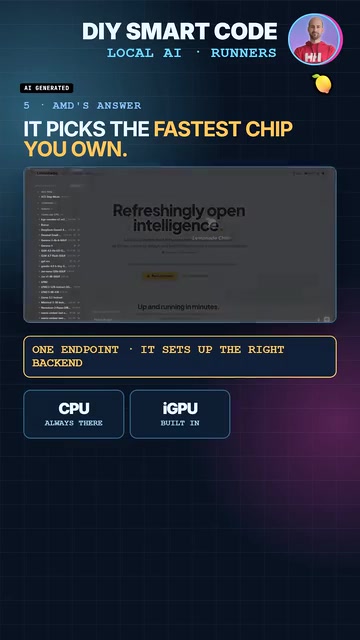
Lemonade Server is AMD's solution, similar in form to Ollama, but it automatically routes workloads to whichever chip is most efficient — choosing between the CPU, integrated GPU, or the Ryzen AI NPU based on what delivers the best performance. This makes it a genuine option for thin-and-light laptop users who are largely ignored by other tools. It's open-source, supports the same API standard, and also runs on NVIDIA and Intel hardware.
PagedAttention is vLLM's core innovation, inspired by how operating systems manage virtual memory through paging. Traditional inference frameworks pre-allocate a contiguous block of GPU memory for each request's entire context window, but actual usage is typically far less than what's reserved — leading to significant fragmentation and waste. PagedAttention slices the KV Cache (the key-value cache that stores conversation history) into fixed-size "pages," allocating them dynamically on demand and allowing pages from different requests to be interleaved in VRAM. This lets a single GPU efficiently serve tens or even hundreds of concurrent sessions. The mechanism offers no advantage in single-user scenarios, but in production environments with heavy concurrent load, throughput can be several times higher than traditional approaches.
Common Pitfalls to Watch For
Regardless of which tool you choose, there are a few universal issues to keep in mind. Models that exceed your VRAM will still run — but they'll run painfully slowly. Interestingly, smaller models can sometimes be more resource-intensive in a different way: each user and each model requires pulling several gigabytes of data separately, so redundant downloads can eat through storage quickly.
There's also a security consideration: none of these tools ship with authentication by default, so always check your port bindings and make sure you're not accidentally exposing a service to the public internet.
Conclusion: A Clear Decision Path

Putting it all together, here's a straightforward decision path:
- Start with LM Studio to get a clear, visual sense of what parameter counts your machine can actually handle;
- Switch to Ollama when you need to integrate a model into scripts or a development workflow;
- If you're on a Ryzen AI laptop, Lemonade will squeeze more out of your hardware;
- Set vLLM aside until you genuinely have multi-user, concurrent inference needs.
Ultimately, choosing a runner starts with understanding your model's size and your machine's limits. Hardware defines the ceiling — the tool just determines how comfortable the experience feels getting there.
Related articles

Trump's Request to Rename the Atlantic Rejected by Google; 1Password Lets AI Agents Log In Securely
The Vergecast roundup: Trump's request to rename the Atlantic the 'Trump Ocean' was politely declined by Google's CEO; 1Password's new feature lets AI agents log into accounts without touching passwords; OPPO launches the world's first 200-megapixel phone, the Find X10 Pro Max. All three point to the boundaries of tech authorization and trust.

The Truth About American College Party Culture: The Risks Schools Won't Admit
Behind American college party culture, the administration's "don't ask, don't tell" attitude is amplifying freshman risks. This article analyzes how the pandemic strengthened Greek dominance, freshmen's difficulty accessing safety information, and the chain reactions caused by a culture of denial.

OpenAI Reportedly Raising $30B at $1.25T Valuation Ahead of IPO
OpenAI is planning a $30B funding round at a possible $1.25T valuation, paving the way for an IPO. If completed, it would set a private company valuation record. This article analyzes the funding size, pre-IPO logic, and industry signals.