Why Does the ChatGPT Desktop App Bundle a Full Copy of LibreOffice? Reasons and Controversies Explained

ChatGPT's desktop app secretly bundles full LibreOffice, sparking debates on bloat, transparency, and licensing.
Developers discovered that OpenAI's ChatGPT/Codex desktop app ships with a complete LibreOffice suite for local Office document parsing and conversion. While technically pragmatic given OOXML's complexity, the bundling has sparked community debate over application size bloat (compounded by Electron), hidden dependency transparency, open-source license compliance risks with MPL/LGPL, and the broader trend of AI apps becoming heavyweight super applications.
ChatGPT Desktop App Bundles LibreOffice: An Unexpected Discovery
A recent post on Hacker News sparked widespread discussion among developers: OpenAI's ChatGPT/Codex desktop application ships with a complete copy of the LibreOffice suite bundled inside. The post quickly garnered 183 upvotes and 96 comments, becoming a hot topic in the tech community.
For most users, ChatGPT's core functionality revolves around natural language conversation and code generation. It's hard to imagine an AI application's installer embedding an entire open-source office suite — LibreOffice itself, as an open-source alternative to Microsoft Office, includes document processing (Writer), spreadsheets (Calc), presentations (Impress), and other components, adding up to a substantial size. This discovery left many developers puzzled: why would ChatGPT need to bundle such a massive third-party software package?
It's worth noting that Codex is OpenAI's developer-facing AI coding agent product, capable of autonomously executing coding tasks in a sandboxed cloud environment, including writing code, running tests, and submitting PRs. The ChatGPT desktop app is OpenAI's native client for macOS and Windows, offering deeper system integration compared to the web version — such as screenshot analysis, drag-and-drop file uploads, and global hotkey activation. Both products share the same desktop client, which explains why the original post title mentions ChatGPT and Codex together. As OpenAI continues to push the boundaries of local capabilities for these products, the local toolchain that the desktop app needs to integrate keeps growing.
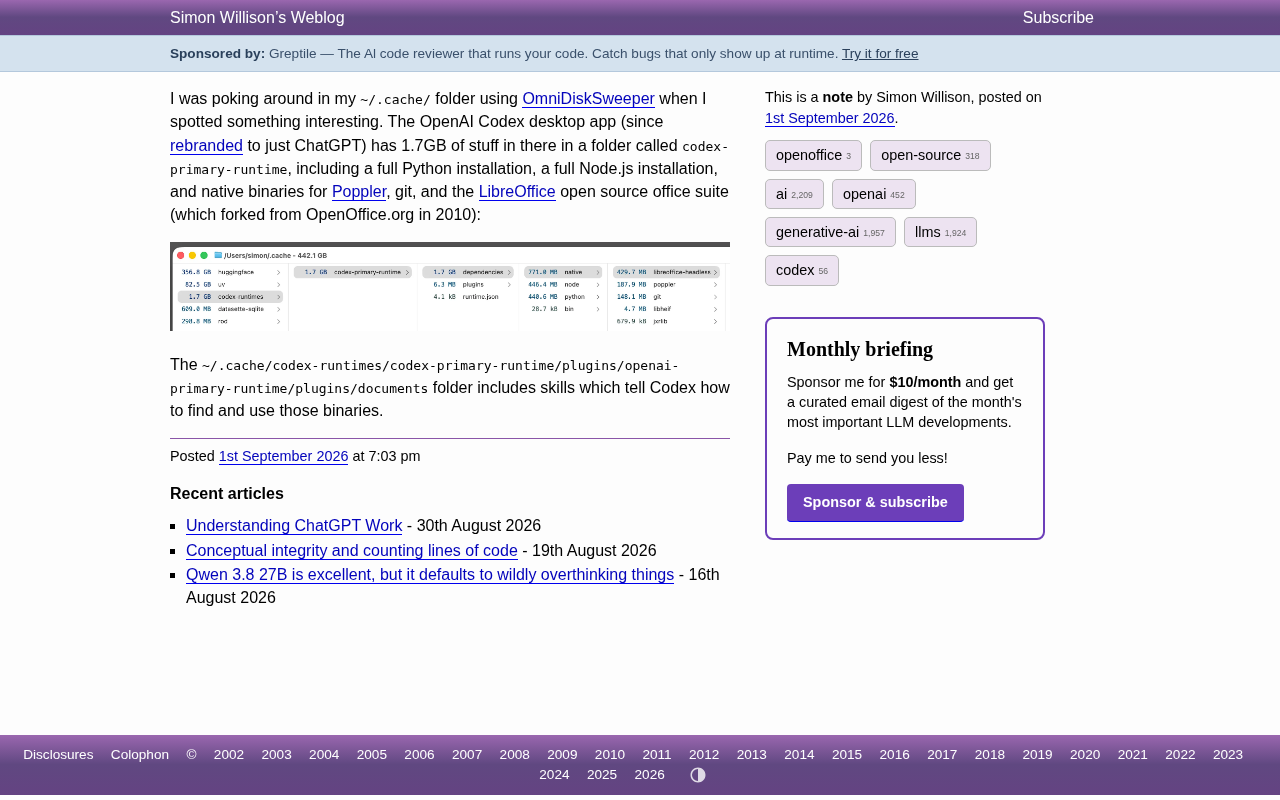
Why Does ChatGPT Bundle LibreOffice?
While OpenAI has not yet issued an official explanation, the design choice makes technical sense. In recent years, ChatGPT has aggressively expanded its file processing capabilities — users can upload Word documents, Excel spreadsheets, and PowerPoint presentations for AI analysis, summarization, or conversion. To parse and generate these proprietary Office document formats locally, LibreOffice happens to be a mature, open-source solution.
The Technical Challenge of OOXML Format Parsing
To understand why ChatGPT chose to bundle LibreOffice rather than implement its own document parser, you need to appreciate the complexity of Office document formats. OOXML (Office Open XML) has been Microsoft Office's default document format since the 2007 release, encompassing .docx, .xlsx, .pptx, and more. Although OOXML is an open format standardized through ECMA and ISO, its specification spans thousands of pages, contains extensive legacy compatibility designs and Microsoft-specific extensions, making full implementation extremely difficult. Even LibreOffice, a project with decades of development history (its predecessor being Sun Microsystems' StarOffice/OpenOffice.org), still exhibits rendering differences in edge cases when handling OOXML. For applications that need reliable Office document processing, directly integrating LibreOffice is far more pragmatic than building a parser from scratch.
LibreOffice: The Unsung Hero of Document Conversion
LibreOffice offers powerful command-line conversion capabilities (via soffice --headless mode), enabling format conversion between various document types without launching a GUI — for example, converting .docx to PDF or exporting .xlsx to CSV. Many software projects that need to handle Office documents choose to integrate LibreOffice as their backend conversion engine rather than implementing complex OOXML format parsing from the ground up.
Headless mode refers to invoking LibreOffice's document processing engine via the command line without starting any graphical interface. This mode is widely used in server-side document conversion scenarios, such as online document preview services and automated report generation systems. A typical invocation like soffice --headless --convert-to pdf input.docx converts a Word document to PDF. Internally, LibreOffice relies on the UNO (Universal Network Objects) component architecture; headless mode essentially launches a GUI-less LibreOffice process instance that completes document loading, format conversion, and output through the UNO API. Early versions of Google Docs, Collabora Online, and other collaborative office platforms all used similar LibreOffice integration on their backends.
For AI applications like ChatGPT/Codex that need to understand and generate office documents, bundling LibreOffice means reliably reading, rendering, and converting documents in the local environment without depending on whether the user's system has Office software installed. From a functional standpoint, this is a pragmatic engineering decision.
Community Controversies and Concerns Around ChatGPT's Bundling Practice
Despite the sound technical logic, the discovery still drew considerable criticism from the community. Developers' concerns mainly center on the following areas.
Application Size Bloat
The most immediate issue is installer size. A full LibreOffice suite easily runs to hundreds of megabytes, and packaging it into the ChatGPT desktop app significantly increases the download and installation burden. For users who only want the chat functionality, this extra size may be entirely redundant.
This problem is further compounded by the fact that the ChatGPT desktop app is built on the Electron framework. Electron is a cross-platform desktop application framework developed by GitHub that bundles the Chromium browser engine and Node.js runtime together, allowing developers to build desktop apps using web technologies. Well-known applications like VS Code, Slack, and Discord are all built on Electron. However, a long-standing criticism of Electron is that every Electron app ships with its own complete copy of Chromium and Node.js, with the framework alone consuming over 100MB of disk space. This means that if a user has multiple Electron apps installed, they're effectively running multiple independent browser instances. Stacking LibreOffice on top of the Electron base makes the ChatGPT desktop app's size problem particularly pronounced. In an era where bandwidth and storage are increasingly precious, this "heavyweight" packaging approach feels inelegant.
Software Transparency and Users' Right to Know
Another frequently raised issue is transparency. Many users installing the ChatGPT app have no idea it also contains an entire standalone office suite. This kind of "hidden dependency" has sparked discussion about software composition transparency — users have the right to know exactly what components are included in the software they install, especially when those components may introduce additional attack surfaces or maintenance costs.
Open-Source License Compliance Risks
An even more noteworthy concern is license compliance. LibreOffice is released under open-source licenses such as the MPL (Mozilla Public License), which imposes clear obligations on distribution — for example, providing access to source code and retaining copyright notices.
Specifically, MPL is a weak copyleft open-source license recognized by the Open Source Initiative (OSI), falling between permissive MIT/BSD licenses and the strong copyleft GPL. The core requirement of MPL is: if you modify an MPL-licensed source file, the modified file must continue to be released under MPL with source code provided; however, MPL allows combining MPL code with proprietary code into a larger work, as long as the obligations for the MPL portions are fulfilled. Notably, LibreOffice actually uses MPL/LGPL dual licensing, where the LGPL (GNU Lesser General Public License) has more lenient provisions for dynamic linking but stricter source code disclosure requirements for static linking and direct modifications.
When a commercial closed-source product bundles and distributes open-source software, whether it fully complies with these license obligations is a compliance focal point for many in the community. Whether OpenAI provides the appropriate license notices and source code access within the ChatGPT app is at the heart of the discussion. This is also a classic recurring issue whenever open-source software is integrated into commercial products.
The "Heavyweighting" Trend of AI Apps: From Chat Tools to Super Apps
Stepping back from the specific technical details, ChatGPT bundling LibreOffice actually reflects an important trend in AI application development: AI assistants are evolving from pure "chat tools" into "super apps" that integrate extensive local capabilities.
To deliver seamless file processing, code execution, and document generation experiences, these applications need to bundle an ever-growing collection of toolchains and runtime environments locally. This stands in stark contrast to the early days of lightweight AI chat clients. Cross-platform frameworks like Electron already make apps large to begin with; add LibreOffice, Python runtimes, and various dependency libraries on top, and the resulting installer size becomes easy to imagine.
Balancing Feature Completeness and Application Lightness
For leading companies like OpenAI, how to strike a balance between "feature completeness" and "application lightness" is a product design question worth careful consideration. One possible improvement is adopting an on-demand download mechanism — downloading and installing the relevant components only when a user actually needs document conversion functionality, rather than bundling everything at initial installation.
On-demand download, or lazy loading, is a common distribution strategy for modern large-scale applications. For example, Adobe Creative Cloud allows users to install only the specific apps they need rather than the entire suite; gaming platforms like Steam support play-while-downloading; and Visual Studio offers component-level selection during installation. Technically, this usually requires the application to have a modular architecture and reliable incremental download capabilities. For an app like ChatGPT, one feasible approach would be to design the document processing capability as an optional plugin — the initial installation includes only the core chat functionality, and when a user first uploads an Office document, they're prompted to download and install the LibreOffice conversion component. This approach ensures feature completeness while avoiding unnecessary bandwidth and storage burden for users who don't need the functionality. Windows itself employs a similar Features on Demand mechanism to manage optional system components.
Conclusion
The discovery that ChatGPT bundles LibreOffice is neither a major security vulnerability nor a product defect, but the discussion it sparked touches on several deep issues in software engineering: application size management, dependency transparency, open-source license compliance, and the increasingly "heavyweight" trajectory of AI applications.
For developers and users alike, this serves as a useful reminder: in an era of rapid AI application iteration and relentless feature stacking, we should pay closer attention to what these applications actually integrate internally, how they handle our data, and whether they adhere to the transparency and compliance standards they should. The convenience of technology should not come at the cost of sacrificing transparency and restraint.
Related articles

Vibe Coding Full-Stack in Practice: AI Programming from Beginner to Enterprise Deployment
From Cursor to Claude Code, this Bilibili AI programming course uses four progressive projects to cover full-stack development, open-source secondary development, and team collaboration. The article analyzes the shock to frontend roles, the efficiency shift from 50 people to 5, and the methodology required for enterprise-grade projects.

David Blaine's Global Quest for Real Magic: From South Africa to Japan and India
David Blaine travels to South Africa, Japan, and India in his Do Not Attempt special, documenting Spinning drivers, black mamba rescuers, iaijutsu masters, and ascetics—exploring the boundary between magic and real human极限 challenges.

Is a Touchscreen MacBook Coming? Vergecast Reveals Apple Executive's Response
Vergecast podcast reveals a conversation between a reporter and Apple executive John Ternus about a touchscreen MacBook and Apple Pencil support. Ternus says iPad is the best device for a stylus, while the reporter bets MacBook will eventually support Apple Pencil.