Why You Shouldn't Put a Tilde in Your PATH

The ~ in PATH isn't expanded by system calls—use $HOME and stick to absolute paths.
The article points out that while `~` represents the home directory and is ubiquitous in interactive shells, putting it into `PATH` often fails. The reason is that `~` expansion is handled by the shell, but when `PATH` is read by system calls like `execvp`, it doesn't go through shell expansion, so `~` is treated as an ordinary character directory, causing command-not-found errors that are often subtle and hard to debug. The correct approach is to use `$HOME`, which as a real environment variable gets properly substituted with an absolute path, e.g. `export PATH="$HOME/bin:$PATH"`. The article also warns against placing relative paths like `.` or `./bin` in `PATH`, since they depend on the current working directory, causing compatibility issues and potentially executing malicious same-named programs in untrusted directories. The core conclusion: `PATH` should contain only explicit absolute paths, and consistently using `$HOME` avoids a great deal of trouble across shells, languages, and calling scenarios.
Command-line users are all too familiar with the ~ symbol—it represents the current user's home directory and works in virtually every shell. But one often-overlooked detail is that when it appears in the PATH environment variable, it often doesn't expand the way you'd expect.
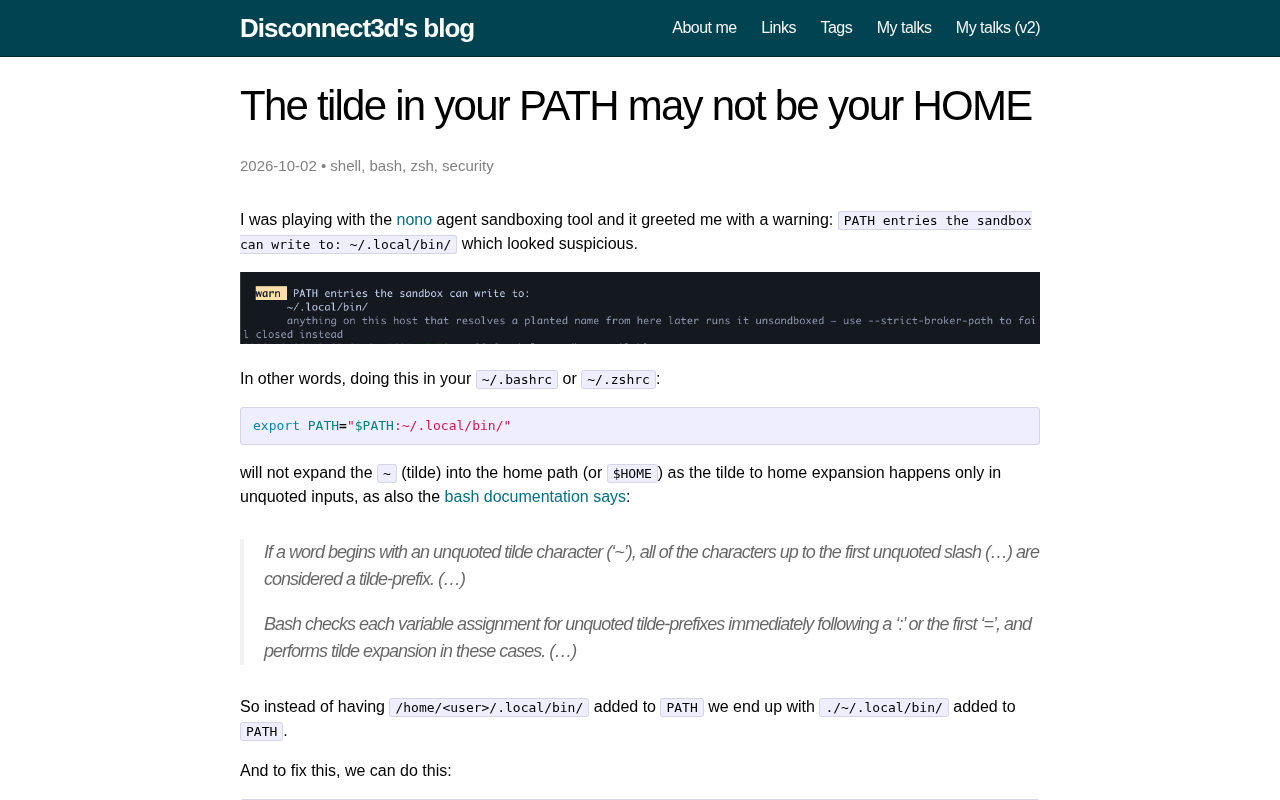
Why the Tilde Fails in PATH
In an interactive shell, the expansion of ~ is handled by the shell itself, occurring early in command parsing. But when the contents of the PATH variable are read by system calls (such as execvp), they don't go through the shell's expansion process. In other words, a line like PATH=~/bin:$PATH might happen to work inside the shell, but once a program looks up executables via system calls, ~ is treated as an ordinary character directory—so of course it can't find the command.
The insidious part of this problem is that the failure often doesn't surface immediately. It only appears suddenly in certain calling scenarios or certain subprocess environments, making it extremely frustrating to debug.
To understand this phenomenon, you need to distinguish between two basic shell behaviors: expansion and substitution. The expansion of ~ is called tilde expansion—a lexical-level operation the shell performs when parsing the command line. It happens before the command actually executes, and it operates on the command-line text itself, not on the value of an environment variable. When the shell exports PATH as an environment variable to a child process, it passes the variable's string value, and the original ~ character is preserved as-is. After that, any call path that doesn't go through the shell (for example, a program directly using execvp, posix_spawn, or the process-launching functions implemented by many language standard libraries) won't trigger tilde expansion, because they don't parse shell syntax. This is precisely the root cause of ~ sometimes working and sometimes failing in PATH: it only gets expanded when some intermediate layer happens to invoke a shell to handle it.
The Correct Way and Common Pitfalls
If you want to add an executable directory under your home directory to PATH, you should use $HOME instead of ~. $HOME is a real environment variable, and it gets properly replaced with an absolute path when referenced. For example:
export PATH="$HOME/bin:$PATH"
By contrast, the following approach should be avoided:
export PATH="~/bin:$PATH"
Similar pitfalls include writing relative paths into PATH, such as . or ./bin. Relative paths depend on the current working directory and introduce security risks: when executing a command in an untrusted directory, you might inadvertently run a malicious program with the same name.
The key difference between $HOME and ~ lies in when they're resolved and who's responsible. $HOME is an ordinary environment variable, and referencing it (as $HOME or ${HOME}) constitutes parameter expansion—also performed by the shell before executing the command, with the result being the absolute path string of the home directory. Once the substitution is complete, the value of PATH contains only absolute paths, and no further parsing is needed no matter who reads it afterward. That's why $HOME behaves consistently across shells and across process-launching functions in various programming languages, whereas the scope of ~ expansion depends on the specific implementation. It's worth noting that ~ has some variant forms in the shell, such as ~user for a specific user's home directory and ~+ for the current working directory. These forms are likewise not understood by system calls when placed in PATH, and they're even more likely to produce hard-to-track errors.
From Habit to Standard Practice
This lesson boils down to one thing: PATH should contain only explicit absolute paths. $HOME expands to an absolute path, which meets the requirement; whether ~ expands depends on who parses it, which is full of uncertainty. Cultivating the habit of consistently using $HOME can save you a great deal of compatibility trouble across shells, languages, and calling scenarios.
Avoiding relative paths in PATH isn't just about compatibility—it's also a clear security principle. When the operating system looks up an executable, it searches the directories listed in PATH one by one in order. If you put . in PATH, then when you execute a command in a directory controlled by someone else, or one downloaded and extracted from the internet, the system will look for a program with the same name in the current directory first. An attacker only needs to place an executable with the same name as a common command (such as ls, git, or python) to run malicious code without you ever noticing. This type of attack has historically been called "current directory hijacking." Similarly, ./bin or other relative paths that depend on the working directory introduce the same risk, because the location they point to changes with the directory you're in, lacking predictability and controllability.
Summary
- The expansion of
~is handled by the shell, whereasPATHis read without going through the shell's expansion process - In
PATH, use$HOMEinstead of~ - Avoid placing relative paths in
PATH—they cause both compatibility issues and security risks - Consistently using absolute paths is the more reliable practice
Related articles

Chain of Thought Isn't Just for AI: How Humans Can Use CoT to Improve Thinking Quality
Chain of Thought isn't just a prompt trick for large models. Starting from a Hacker News discussion, this article analyzes why CoT works for human thinking too, breaks down actionable ways to transfer it, and highlights the key differences between human CoT and machine CoT.
Cloudflare Teams Up with OpenAI: Closi…
Cloudflare Teams Up with OpenAI: Closing the Loop from Vulnerability Discovery to Defense with AI
Cloudflare uses OpenAI Daybreak to investigate security vulnerabilities and generate reviewable remediation plans, while developers use Codex to boost coding efficiency and quality.

Orca Multi-Agent Orchestration in Practice: A Guide to Parallel Collaboration with Claude and Codex
Orca is Stable AI's free open-source agent workbench supporting 34 agents like Claude Code and Codex in parallel. Learn its Git worktree isolation, multi-model orchestration, and mobile management.