Windows 11 Taskbar Upgrade: From Search to Instant Actions

Windows 11's taskbar search box is getting quick actions support this fall — type to control your PC instantly.
Microsoft plans to upgrade the Windows 11 taskbar search box this fall with support for thousands of quick actions. Users can type commands to toggle dark mode, enable Do Not Disturb, adjust volume via an inline slider, take screenshots, or snap windows — no more digging through menus. The update also extends to cross-device scenarios, letting users send text messages directly from the taskbar without switching to their phone. This transforms the search box from a navigation tool into a lightweight action hub, shifting Windows toward a more keyboard-driven, intent-first interaction model.
Microsoft is bringing a major upgrade to the Windows 11 taskbar search box. Starting this fall, users will be able to execute thousands of quick actions directly from the taskbar, transforming the search box from a simple lookup tool into an instant "intent-to-action" control center.
The Taskbar Is No Longer Just for Search
The taskbar search box has traditionally served as a place to find files, apps, and web results. The core change in this upgrade is that you can now type commands just like you would type a search query — and have them executed as system actions.
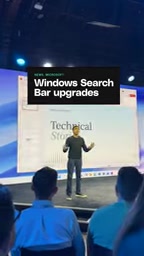
According to official demos, users can simply type in the taskbar to switch to dark mode, enable Do Not Disturb to stay focused, or adjust the volume — with volume control surfacing an inline slider so you can drag it to exactly the level you want. The whole process, as Microsoft puts it, takes "only as long as it takes you to type," eliminating the need to dig through nested settings menus.
Beyond System Settings
Notably, these quick actions aren't limited to system settings. Microsoft's demo showcases a broader range of scenarios: you can take a screenshot directly, or quickly snap windows into a layout — all without switching between different interfaces.

This signals that the taskbar is gradually evolving from a navigation tool into a lightweight action hub. For keyboard-heavy users, this "type-to-execute" interaction model significantly shortens the path from intention to result.
Cross-Device Integration: Send Messages from the Taskbar
One standout feature shown in the demo is the ability to send text messages directly from the taskbar. Microsoft's example: you can send a friend or colleague a quick "I'll be a little late" message without picking up your phone or unlocking your screen.

This reflects Microsoft's ongoing investment in cross-device experiences — weaving mobile communication capabilities into desktop workflows to reduce the cost of switching between devices. While the demo didn't elaborate on the underlying dependencies (such as whether the Phone Link app is required), the direction is clear: make the desktop a unified operations center.
Microsoft's Phone Link app is the foundational component enabling this kind of cross-device functionality. It lets Android or iOS phones pair with a Windows PC so you can send and receive texts, view notifications, and even mirror your phone's screen on the desktop. The taskbar messaging feature likely depends on this ecosystem — users would need to have their phone linked to their PC beforehand. Phone Link has existed since the Windows 10 era but has long remained relatively niche. Embedding its capabilities directly into the taskbar search box suggests Microsoft is trying to elevate it from "an app you have to actively open" to "a system capability always within reach," lowering the bar for both discovery and use.
A Shift in Interaction Paradigm
This upgrade reflects a subtle but meaningful shift in interaction design. Traditional graphical interfaces emphasize a "click → navigate → confirm" hierarchical path, while text-based quick actions are closer to the efficiency of a command line — while still retaining the intuitiveness of a GUI (such as the inline slider).
Microsoft describes it as "a fast, intuitive way to turn intent into action." As keyboard input, voice, and natural language understanding continue to converge, the taskbar search box is becoming an important gateway to a smarter operating system. When these features land this fall, the way Windows 11 users accomplish everyday tasks may change in meaningful ways.
This "type-to-execute" model has mature precedents on macOS: Spotlight and third-party tools like Alfred and Raycast all let users quickly access system functions and app actions via keyboard, with the latter even supporting custom workflow scripts. On Linux, GNOME's Activities search bar plays a similar role. Windows has historically had tools like the Run dialog (Win+R) and PowerToys Run to fill part of this gap, but has never offered a unified, seamless experience at the system level. Deeply integrating quick actions into the taskbar search box is Microsoft's formal attempt to bring this efficient interaction pattern to mainstream users — and it meaningfully closes the gap between Windows and its competitors when it comes to keyboard-driven productivity.
Summary
From switching themes and adjusting volume, to taking screenshots and snapping windows, to sending messages across devices — this round of Windows 11 taskbar upgrades consolidates a wide range of scattered actions into a single input box. Its value lies not in any single feature, but in redefining the starting point of how users interact with the operating system: type, and it's within reach. For efficiency-minded users, this is an update worth looking forward to.
Related articles

Chain of Thought Isn't Just for AI: How Humans Can Use CoT to Improve Thinking Quality
Chain of Thought isn't just a prompt trick for large models. Starting from a Hacker News discussion, this article analyzes why CoT works for human thinking too, breaks down actionable ways to transfer it, and highlights the key differences between human CoT and machine CoT.
Cloudflare Teams Up with OpenAI: Closi…
Cloudflare Teams Up with OpenAI: Closing the Loop from Vulnerability Discovery to Defense with AI
Cloudflare uses OpenAI Daybreak to investigate security vulnerabilities and generate reviewable remediation plans, while developers use Codex to boost coding efficiency and quality.

Orca Multi-Agent Orchestration in Practice: A Guide to Parallel Collaboration with Claude and Codex
Orca is Stable AI's free open-source agent workbench supporting 34 agents like Claude Code and Codex in parallel. Learn its Git worktree isolation, multi-model orchestration, and mobile management.