WorkBuddy Advanced Features Explained: A Hands-On Tutorial from Zero to AI Efficiency Master

Breaking down WorkBuddy's positioning, core capabilities, and the practical value of its 720-minute tutorial.
Based on a 720-minute WorkBuddy tutorial from a Bilibili creator, this article systematically reviews the local AI tool dubbed "the domestic alternative to Codex." It breaks down core features—proposals, spreadsheets, data analysis, posters, coding, and browser control—and real-world use cases, noting that the tutorial's real value lies in turning scattered features into complete workflows and offering optimization approaches. It also reminds readers to judge tutorial volume claims rationally and build their own AI workflow thinking.
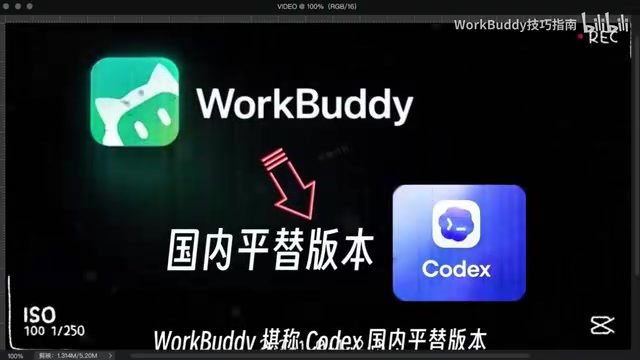
WorkBuddy has been generating considerable buzz in AI tool circles lately, with many calling it "the domestic alternative to Codex." A creator on Bilibili spent three and a half months producing a comprehensive 720-minute tutorial that claims to help users with zero technical background get up to speed quickly. The content is information-dense, but the original video leans heavily toward operation demonstrations and lacks a systematic overview of WorkBuddy's positioning and gameplay logic. This article draws on the core structure of that tutorial to break down WorkBuddy's key capabilities and real-world scenarios, helping you avoid unnecessary detours.
What Is WorkBuddy: An AI Digital Workhorse on Your Local Computer
WorkBuddyAd's core positioning is "an AI digital workhorse that automatically gets things done on your local computer." Unlike overseas tools that require special network environments and complex configuration, WorkBuddy has an extremely low barrier to entry—no wrestling with network issues or tedious setup, and even beginners can pick it up easily. It aims to serve as an AI assistant in the local environment that can directly execute tasks, rather than a chatbot that only operates at the conversation level.
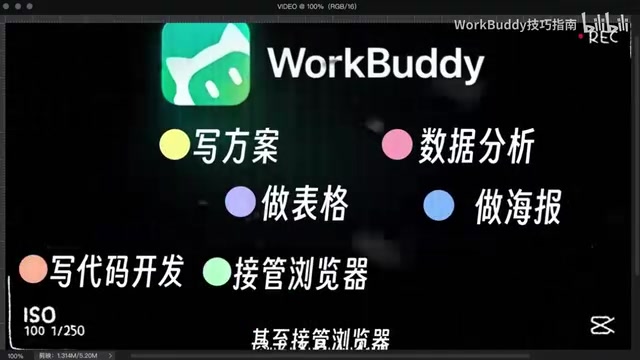
In terms of scope, WorkBuddy covers a remarkably wide range of scenarios: writing proposals, creating spreadsheets, data analysis, designing posters, writing code for development, and even taking over browser control to operate various software. The creator emphasizes in the video that "everything can produce results in one shot and deliver finished products directly"—in other words, it pursues end-to-end delivery rather than just offering suggestions and leaving users to do the work themselves.
Behind this "digital workhorse" metaphor lies a common trend among AI workbench products: packaging large model capabilities into local workflows so AI can directly operate files, software, and browsers, reducing the manual shuffling of items in between. WorkBuddy makes this its headline selling point, and for users who don't want to wrestle with technical details, the appeal is considerable.
So what is an "AI workbench"? It can be understood as a category of product that sits between chatbots and traditional automation scripts: it typically calls large language models underneath, while on the outside it uses capabilities such as function calling, file system read/write, and browser automation interfaces to translate the model's text output into actual operations on local software. Its technical prerequisites include the model's instruction-following and code-generation abilities, local sandbox or permission management mechanisms, and automation components such as screen recognition and keyboard/mouse simulation. Because it executes operations on the user's own machine, this type of product differs markedly from pure cloud-based conversational products in terms of privacy and permission boundaries, and it also depends more on compatibility tuning of the local environment.
Core Features Breakdown: End-to-End Delivery from Proposal to Code
Document and Spreadsheet Processing
Writing proposals and creating spreadsheets are WorkBuddy's most basic and most frequent uses. Content generated by traditional AI chat tools needs to be manually copied into documents or spreadsheets, whereas WorkBuddy aims to directly generate usable finished files locally. For professionals who need to handle large volumes of documents daily, the time saved at this step is considerable.
Data Analysis and Visualization
Data analysis is another key scenario for WorkBuddy. The creator mentions that it can complete data analysis tasks and output results, and combined with its poster-making capability, it effectively covers the chain from data processing to result presentation. For analysis scenarios where users aren't good at writing code, this "one sentence, one result" approach lowers the barrier.
Code Development and Browser Control
Writing code for development and taking over browser control to operate various software are where WorkBuddy stands out. Browser control means it can perform repetitive web operations on the user's behalf—a capability that is highly practical in scenarios like office automation and information collection. Code development lets it handle more customized requirements rather than being limited to preset functions.
Browser control is typically implemented technically through browser automation frameworks (such as Playwright or Puppeteer) or by directly simulating keyboard and mouse operations. The former precisely locates elements by reading the page's DOM structure—stable, but requiring adaptation to different websites' page structures; the latter doesn't depend on the webpage's internal structure and is highly versatile, but is susceptible to interference from pop-ups, loading delays, and the like. As a result, this type of capability performs better on highly structured websites, while stability suffers in scenarios with strict anti-automation detection or frequently changing pages—in practice, it often requires human confirmation of key steps.
Real-World Scenarios and Optimization Approaches: What's Covered in the Paid Private Coaching Course
One of the selling points of this tutorial is that it "releases content from a paid private coaching course," with the core being real-world scenario practice plus optimization approaches. Simply knowing a feature list is useless; the key lies in how to design instructions for specific tasks, how to adjust workflows, and how to optimize when results aren't ideal. The creator spent 720 minutes systematically explaining everything from 0 to 1, covering the entire process from basic installation to various usage tips, and compiled a WorkBuddy learning bluebook.

Structurally, the value of this tutorial lies mainly in two things: first, stringing scattered features into complete workflows; second, providing optimization directions when problems arise. For beginners, going through the real-world projects once makes it easier to build muscle memory than simply reading feature descriptions. The creator himself says that even if you've never touched an AI tool, after following along you can "transform into an AI efficiency master"—there's some marketing hype in that, but systematically learning it through once will indeed help you avoid many detours.
A "workflow" here refers to the practice of chaining multiple steps into a reusable instruction chain: for example, first having the AI read a local spreadsheet, clean and analyze the data, then generate charts based on the results, and finally compile everything into a document for delivery. Compared with a single query, the value of a workflow lies in reusability and stability—users don't need to describe the task from scratch each time. Optimization approaches typically include breaking down complex tasks, providing clear input/output formats for each step, adding validation at key checkpoints, and solidifying recurring operations into templates. The generality of this methodology actually extends beyond any single tool.
Who Should Learn It, and What to Watch Out For
WorkBuddy's positioning makes it more suitable for two types of people: professionals who want to use AI to boost daily office efficiency but don't want to wrestle with technical configuration; and developers or enthusiasts who want to try a local AI workbench but find overseas tools too high a barrier. Even complete beginners with zero technical background can get started—this is its advantage over similar tools.
What needs to be viewed calmly is that the tutorial's "89GB of full-course material" and "720 minutes" are descriptions of content volume, not equal to learning outcomes. How quickly you pick up an AI tool depends largely on whether you practice with real tasks. In addition, the "bluebook" mentioned by the creator is supplementary tutorial material; in actual use, you should still base things on your own work scenarios and not feel compelled to use every single feature.
WorkBuddy represents one direction for AI workbench products: liberating AI from the chat box and turning it into an assistant that can directly get things done locally. The tool itself is iterating, and the tutorial is merely a summary of a certain stage. What's truly valuable is building your own AI workflow thinking—that matters far more than memorizing the location of a particular feature button.
One-line Summary
Breaking down WorkBuddy's positioning, core capabilities, and the practical value of its 720-minute tutorial.
Paragraph Summary
Drawing on a 720-minute WorkBuddy tutorial that a Bilibili creator spent three and a half months producing, this article systematically reviews this local AI tool dubbed "the domestic alternative to Codex." WorkBuddy is positioned as "an AI digital workhorse that automatically gets things done on your local computer," requiring no complex network configuration. Its core capabilities cover writing proposals, creating spreadsheets, data analysis, designing posters, writing code, and browser control, pursuing end-to-end delivery of finished products. The article breaks down the practical scenarios for each feature module and points out that the tutorial's real value lies in stringing scattered features into complete workflows and providing optimization directions when results aren't ideal. Finally, it reminds readers to view the tutorial's volume claims rationally: learning outcomes depend on practicing with real tasks, and building your own AI workflow thinking is more important than memorizing feature buttons.
Related articles

Glasshand: Giving AI Agents a Real iPhone and Mac
Glasshand lets AI agents rent real iPhones and Macs, supporting Claude Code, Codex, and more to post, book services, and test iOS apps on real devices. This article explains how it works, its use cases, and potential boundaries.

ChatGPT Images 2.6 Released: GIF Generation, Reference Image Reuse, and 50% Speed Boost
ChatGPT Images 2.6 released: prompt-to-GIF animation with frame-by-frame editing, reusable reference images for yourself, pets, or characters, 50% faster generation, plus Flare and Sunburst API model variants and SVG export for developers.

Rerun: Turn Your AI Subscription into an AI Coworker Team
Rerun, #3 on Product Hunt, turns your ChatGPT or Claude subscription into a team of AI coworkers that run on schedules or triggers, each with tools, a computer, and a shared workspace. It asks before risky actions, is open source (AGPL v3), and supports self-hosting.