WorkBuddy Beginner's Guide: A Complete Tutorial for Tencent's Desktop AI Agent

WorkBuddy lets non-technical professionals control their PC with natural language to automate real office tasks.
WorkBuddy is Tencent's desktop AI Agent that goes far beyond web-based chatbots — it directly operates your local computer, reads and writes files, integrates with WeChat, Feishu, and DingTalk, and executes multi-step tasks automatically. Unlike the developer-focused Codex, WorkBuddy requires zero setup and offers daily free credits via its "Buddy Gas Station" check-in, making it highly accessible. Key use cases include batch file management, document processing, cross-app automation, and remote phone-to-PC control. The real learning curve isn't the interface — it's the mindset shift from asking AI questions to managing AI as your employee.
From AI Chat to AI Action: What Is WorkBuddy?
Many people have been using AI for a while now — they've learned a bunch of prompts, but their productivity hasn't really improved. There's a painful truth behind this: prompts are essentially suggestions, and suggestions don't get things done. Execution does. WorkBuddyAd is a tool that turns suggestions into actual execution.
As the creator of this tutorial puts it, WorkBuddy is a desktop AI Agent launched by Tencent — not just another chat interface. Traditional web-based AI tools are purely question-and-answer systems with no ability to interact with your local files. In practice, it often feels like we're working for the AI: the AI gives advice, and we still have to carry it out step by step with our mouse and keyboard.
What sets WorkBuddy apart is this: you simply describe what you want in natural language, as if you're talking to a real person, and it will automatically plan, research, execute, and deliver. It can directly operate your local computer and complete real office tasks — not just hand you a list of instructions to follow yourself.

The fundamental difference between an AI Agent and an ordinary AI chatbot lies in tool-use capability. Standard large language models (like the web version of ChatGPT) run inside cloud sandboxes and can only output text — they can't touch your local file system, applications, or OS interfaces. An AI Agent, by contrast, layers a "perceive–plan–execute" loop on top of the language model: it can call external tools (read/write files, operate GUIs, send messages), break user instructions into multi-step subtasks, and adjust its next action based on feedback from each completed step. Desktop-level Agents specifically emphasize direct control over the local operating system, which is why they can handle "hands-on" work that web-based AI simply cannot.
WorkBuddy vs. Codex: Why Non-Technical Professionals Should Learn This First
When desktop AI Agents come up, many people immediately think of Codex. So if Codex is more powerful, why bother with WorkBuddy? The tutorial uses a vivid analogy to explain.
If Codex is a special forces soldier, WorkBuddy is a capable and obedient college student assistant. Special forces soldiers are impressive, but they need a commanding officer to provide a detailed battle plan — you have to specify the exact file, the directory, the parameters to use, and you need a certain level of technical skill and experience. WorkBuddy, on the other hand, just needs simple instructions: send this file to someone, organize this folder. Everyday tasks like these are well within its reach.

The differences between the two show up across three key dimensions:
- Onboarding barrier: WorkBuddy is ready to use right after installation — no environment setup, no command-line configuration, no VPN required. Codex involves complex setup and demands stronger technical hands-on skills.
- Ecosystem compatibility: WorkBuddy has deep integration with WeChat, WeCom (Enterprise WeChat), Feishu, DingTalk, Tencent Docs, Baidu Netdisk, and other China-based software. Codex skews toward the Western software ecosystem and has limited support for Chinese office tools.
- Cost: WorkBuddy gives you free credits daily, and promotional events can yield thousands more. Consistently claiming them over a month can accumulate at least 3,000 credits. Codex uses a subscription model, meaning you're paying real money even while you're still learning.
For most office work, WorkBuddy alone is more than enough. Once you feel like it's not sufficient, that's the right time to move on to Codex — this path keeps learning costs as low as possible.
Codex was originally a code-generation model released by OpenAI, later evolving into a programming assistant product aimed at developers. It excels at understanding code repository structures, auto-completing or generating full functions, and running scripts in the terminal — which means users need a working knowledge of the command line, environment variables, dependency management, and other programming infrastructure, or they'll struggle to debug and course-correct effectively. For non-coding professionals, the Codex learning curve is like learning a foreign language and a musical instrument simultaneously. WorkBuddy, by contrast, wraps that underlying complexity inside a natural language interface: users only need to describe what to do, not how to do it — a much better fit for people without a technical background.
Claim Your Daily Credits: The Key to Keeping Costs Low
Cost is the trap that's easiest to overlook during the learning phase. WorkBuddy's credits system deserves special attention.
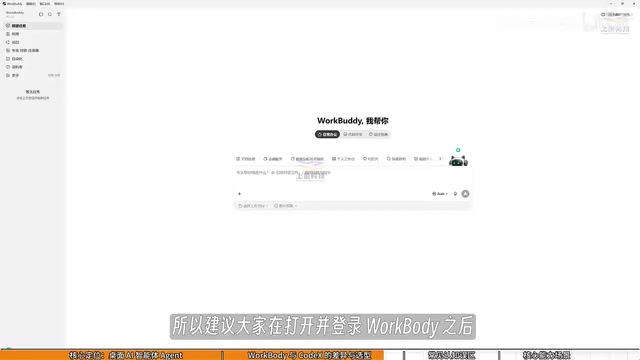
After logging into WorkBuddy, it's recommended to click your profile picture in the bottom-left corner every day, find the "Buddy Gas Station" option, and tap to check in and collect your daily credits. Credits accumulate, so anything you don't spend today carries over to tomorrow. Building a daily check-in habit keeps your learning costs close to zero.
Three Common Misconceptions
Beginners learning tools like WorkBuddy often fall into a few mental traps.
Misconception #1: WorkBuddy is just a desktop chat version of ChatGPT. This isn't quite right. WorkBuddy isn't limited to conversation — in addition to providing guidance and advice like GPT does, it can also read local files, call tools, and automatically execute tasks. The mental shift needed here is from "asking AI questions" to "managing AI to get work done" — you're the manager, WorkBuddy is the employee, and your computer is the company.
Misconception #2: Codex is more powerful, so I should just learn Codex directly. Codex has a much higher barrier to entry and is better suited for people with a programming background. Non-technical professionals should prioritize getting their work done with WorkBuddy first.
Misconception #3: It has so many features, it must be hard to learn. In reality, WorkBuddy's interface is very similar to tools like Doubao, Tongyi Qianwen, or ChatGPT. The real learning focus isn't on navigating the interface — it's on shifting your thinking. Instead of just asking questions, you're giving commands and having it operate your computer for you. You can absolutely learn as you go, practicing while watching tutorials.

What Can WorkBuddy Actually Do?
Now that we've established what it is, let's look at its practical capabilities. Based on this tutorial, WorkBuddy's core use cases fall into a few main categories:
File management: Batch sorting, batch renaming, and consolidating information from multiple documents. The tutorial gives a real-world example — when recording course videos, files are named 01, 02, 03, etc. If one lesson is too short and needs to be merged with another, the sequence becomes 1, 3, 4, and renaming everything manually is a pain. Just tell WorkBuddy to fix it in one sentence, and it's done.
Document and data processing: Writing weekly reports, processing Excel spreadsheets, automatically extracting key data from dozens of pages of PDFs, and generating a PowerPoint outline.
Collaboration and automation: Integration with Feishu, DingTalk, and WeCom; periodically generating work summaries; even monitoring spreadsheet updates and automatically sending daily reports to your team via WeCom.
Remote access: Sending a voice message on WeChat from your phone to remotely trigger your computer to run software and export data.
None of this is theoretical — given the right instructions, WorkBuddy carries it all out directly.
Final Thoughts: From Question-Asker to Manager
The core value of this tutorial is helping you understand the essential difference between ordinary AI chat and a desktop AI Agent. WorkBuddy is positioned as "your AI employee," not just a chatbot.
For professionals in China, it requires zero configuration, works instantly by scanning a QR code, integrates deeply with Chinese office software, and comes with a daily credits system — making it the most practical desktop AI entry point available right now. The real key to boosting efficiency isn't how many prompts you can memorize. It's whether you can shift your mindset from being an AI question-asker to being an AI manager. According to the tutorial creator, there's also a companion 61-page study guide (the "Green Book") covering everything from installation to money-saving tips — perfect for learning while practicing.
Related articles

How Big Can Stars Really Get? The Physical Limits of the Largest Stars
Red supergiants are the largest stars by volume, with radii up to 2,000 times the Sun, engulfing the inner solar system. But there is no precise upper limit on stellar size—models predict up to 15,000 solar radii. The most massive blue stars are far smaller than red supergiants—biggest and heaviest are two different things.

Apple HomeView Smart Display Full Feature Breakdown: Wall-Mount or Desktop, $299
Apple launches HomeView, a $299 smart display with wall-mount and desktop options, 12MP camera for facial recognition, smart home control, music playback, and recipe step-by-step cooking. Full breakdown of watch faces, apps, privacy, and cooking integration.

Where Did the Promised New Studio Go? Craft Computing Answers After Five Years
Craft Computing's host responds to viewer questions: the new studio promised five years ago was shelved as construction costs soared from $30,000 to $75,000, and was replaced by a 168-square-foot garage conversion.