WorkBuddy Bluebook: A Step-by-Step Guide to Tencent's All-Scenario AI Office Workbench
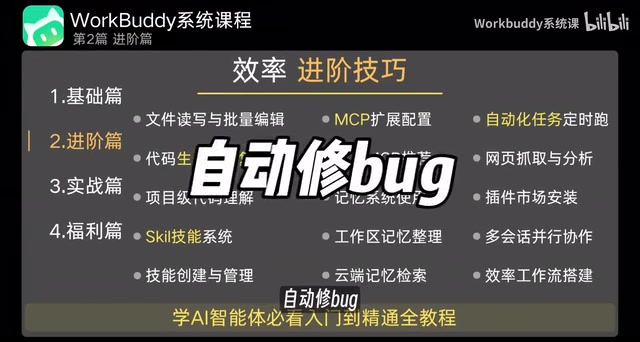
A three-hour Bilibili tutorial deconstructs Tencent WorkBuddy, an all-scenario AI office workbench evolving from Q&A tool to execution agent.
Based on a complete WorkBuddy tutorial video by a Bilibili creator, this article systematically outlines the positioning, capability system, and practical workflow of Tencent's all-scenario AI office workbench. WorkBuddy's core difference is upgrading from Q&A conversational AI to an execution agent that autonomously breaks down tasks, distributes execution, and delivers finished products. Its capabilities are three-layered: built-in expert library (AI employees), skills (batch files, auto bug fixing, etc.), and connectors. Cross-validation shows stable performance on structured office tasks, but complex cross-system orchestration still requires human verification. The article also cautions about subjective promotional claims and recommends confirming the installation source via official channels.
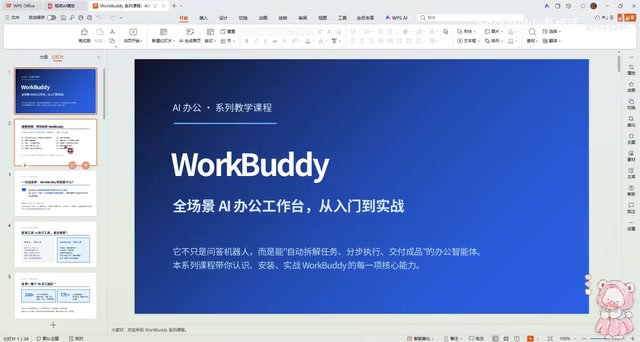
In an era of AI tool proliferation, products that genuinely help you "get work done" rather than just "chat" are few and far between. A Bilibili creator recently released a complete WorkBuddy tutorial video series, billed as "beating paid courses," dedicating nearly three hours to deconstructing this all-scenario AI office workbench from Tencent. This article is based on the core content of that tutorial, cross-validated with multiple sources, and outlines WorkBuddy's positioning, installation logic, and real-world workflows.
What Is WorkBuddy: From Q&A Tool to Execution Agent
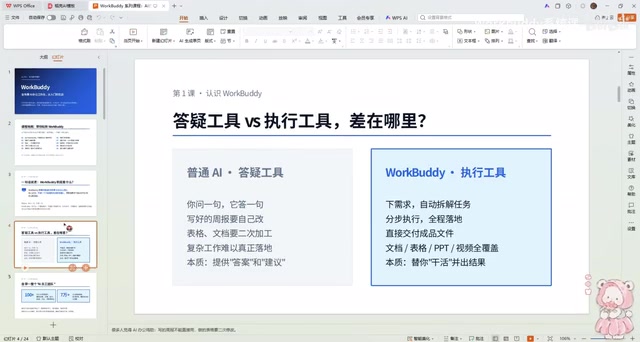
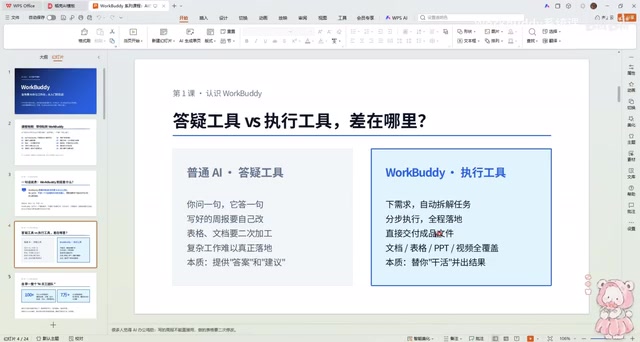
According to the definition given by the Bilibili creator in the video, WorkBuddyAd is an all-scenario AI office workbench launched by Tencent. Its fundamental difference from ordinary AI tools lies in the interaction paradigm: ordinary AI works on a "you ask, it answers" basis, whereas WorkBuddy, once you give it an overall requirement, can autonomously break down tasks, distribute execution, carry everything through, and ultimately deliver a finished product.
This difference is directly reflected in the workflow. Take organizing invoices, for example: ordinary AI gives you an organized list, and you still need to do secondary processing; WorkBuddy, by contrast, directly outputs a usable finished file. The creator repeatedly emphasizes a metaphor in the video: it's like having a full team of dedicated employees permanently stationed in your computer, available on demand.
Agent is a core conceptual evolution in the AI field in recent years. Unlike traditional large language models that only do single-turn Q&A, agents possess goal-oriented autonomy: they can understand high-level goals issued by users, plan task steps on their own, invoke external tools (such as file systems, browsers, APIs), adjust strategies based on feedback during execution, and ultimately deliver usable results. This process typically involves a "plan-act-observe-reflect" loop. WorkBuddy's emphasis on "autonomously breaking down tasks and distributing execution" is a typical characteristic of the agent paradigm; its technical foundation often includes task planning modules, tool invocation interfaces, and memory mechanisms, enabling AI to shift from passive responding to proactive task completion.
Core Capabilities Breakdown: Expert Library, Skills, and Connectors
The video breaks WorkBuddy's capability system into three layers. The first layer is "AI employee tools," i.e., the built-in expert library—the creator claims there are "over a hundred employees" available for summoning, covering different office scenarios. The second layer is Skills, including advanced operations such as batch file modification, automatic bug fixing, plugin installation, and task automation. The third layer is connectors, used to bridge external services and data sources.
The significance of this layered design is that users don't need to write prompts from scratch; instead, they simply select the corresponding expert or skill, as if assigning a task to a subordinate. According to an analysis in another WorkBuddy review video on YouTube, this "expert routing" mechanism lowers the barrier for non-technical users, but it also places demands on the breadth of the expert library—niche scenarios may find no matching expert.
Expert Routing is a task distribution mechanism in agent systems. The system has multiple built-in "expert" models or prompt templates optimized for specific scenarios (such as finance expert, copywriting expert, code expert). When a user inputs a requirement, the routing layer first determines the task type, then assigns it to the most matching expert for processing. This approach avoids the problem of a single general-purpose model performing mediocrely across all scenarios and also frees non-technical users from having to design complex prompts themselves. Its limitation is that the coverage of the expert library determines the boundaries of system capability—when encountering an unanticipated niche domain, routing may fail or fall back to a general model, resulting in degraded output quality.
Installation and Course Structure: From Fundamentals to Practical Application
The tutorial divides the learning path into three segments. The fundamentals section walks users hand-in-hand through installing WorkBuddy and understanding the interface, with the goal of getting zero-base users through their first task. The advanced section moves into batch file processing, automatic bug fixing, plugin installation, and task automation configuration. The practical application section then lands on concrete outputs: website mini-games, mini-programs, PPTs, spreadsheets, images, and videos.
The creator specifically mentions a companion "Green Book" resource package containing course notes and all materials. From a course design perspective, this combination of "video + documents + materials" is indeed more conducive to review than pure video tutorials. However, it should be noted that expressions in the video such as "beating paid courses" and "the most comprehensive on the internet" are the creator's subjective promotional claims, and the actual depth of the content still needs to be verified by readers themselves.
Key Details of the Practical Workflow
In the practical demonstration section, the creator shows the complete chain from requirement issuance to finished product delivery. Taking organizing desktop tools and the workbench as an example, WorkBuddy can identify file types and make categorization plans. The core operating habit emphasized in the video is: describe in one sentence what you ultimately want, rather than directing the process step by step.
According to cross-validation between this creator and another independent channel, WorkBuddy performs stably when handling structured office tasks (spreadsheet organization, PPT generation, batch file renaming), but in scenarios requiring deep reasoning or complex cross-system orchestration, human intervention for verification is still needed. This consensus is worth noting for potential users: treat it as an efficient execution assistant, not a fully unattended automation solution.
Human-in-the-loop is a common practice in the deployment of current AI execution tools. Although agents can autonomously complete most steps, when it comes to cross-system operations, complex logical reasoning, or high-risk decisions, the system still requires humans to review intermediate results or final outputs at key nodes. The article's mention that "complex cross-system orchestration still requires human intervention for verification" falls exactly into this category. Understanding this concept helps users set reasonable expectations: WorkBuddy is positioned as an efficient execution assistant, not a fully unattended automated pipeline; the human verification step is a necessary design for ensuring result reliability.
Who Should Learn This Tutorial
From the perspective of content positioning, this course targets three groups: complete beginners who have never touched AI office tools, advanced users who want to migrate from "conversational AI" to "task-based AI," and creators who hope to use AI outputs for monetization. The practical projects mentioned in the video—website mini-games, mini-programs, PPTs, spreadsheets—do cover common lightweight monetization directions.
It should be objectively noted that the original material does not provide WorkBuddy's specific version number, system requirements, or official download channel, nor does the video title's "attached materials" explain how to obtain them in the text. Readers are advised to confirm the installation package source through Tencent's official channels before following the tutorial, to avoid using third-party resources of unknown origin.
One-line Summary
A three-hour Bilibili tutorial deconstructs Tencent WorkBuddy, an all-scenario AI office workbench that evolves from a Q&A tool into an execution agent.
Paragraph Summary
Based on a complete WorkBuddy tutorial video released by a Bilibili creator, this article systematically outlines the positioning, capability system, and practical workflow of this all-scenario AI office workbench from Tencent. The article points out that WorkBuddy's core difference lies in upgrading from "Q&A" conversational AI to an execution agent capable of autonomously breaking down tasks, distributing execution, and delivering finished products. Its capabilities are divided into three layers: built-in expert library (AI employees), skills (batch files, automatic bug fixing, etc.), and connectors. The tutorial is divided into fundamentals, advanced, and practical application sections, covering lightweight monetization projects such as PPTs, spreadsheets, and mini-programs. Cross-validation of multiple sources shows that WorkBuddy performs stably on structured office tasks, but complex cross-system orchestration still requires human verification. The article also reminds readers to be aware of subjective promotional claims in the video and recommends confirming the installation source through official channels.
Related articles
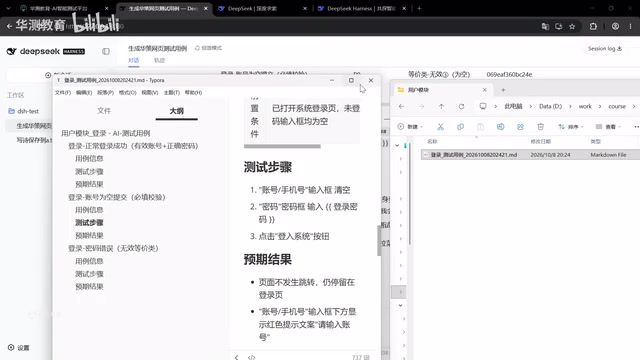
DeepSeek Harness: Taking AI Testing from Standalone Tools to a Team Platform
DeepSeek Harness changes AI testing collaboration with server-side operation and a plugin mechanism. This article analyzes its core differences from standalone tools like Codex and explores how test development can build team-level AI testing capabilities through platform thinking.

Expected Volume of Two Intersecting Spheres: A Geometric Probability Puzzle
A geometric probability puzzle: two unit spheres intersect randomly; find the expected volume of their intersection. This article explains the problem setup, probabilistic modeling, and the integration framework—a great challenge for math enthusiasts.

iPhone Duo Foldable: A Step Back for Vertical Video, or a Return to Landscape?
YouTube analysis says the iPhone Duo foldable's identical outer/inner aspect ratios crop vertical video into a square, hurting the experience. If the Duo catches on, landscape video may return.