WorkBuddy for Absolute Beginners: Building a Complete AI Self-Media Workflow
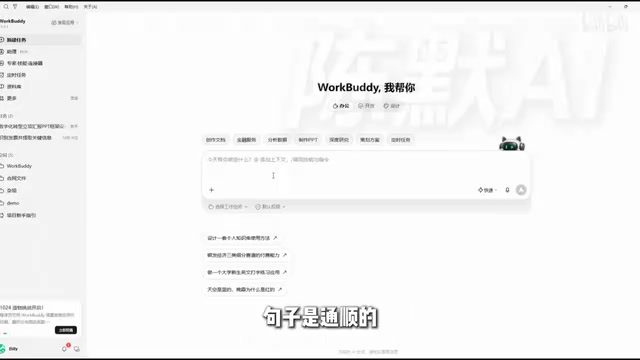
A 12-episode WorkBuddy course teaches you to use AI to connect the entire self-media content production chain, from topic selection to review.
This 12-episode course doesn't teach prompt templates; it teaches creators to use WorkBuddy to connect topic selection, copywriting, image creation, editing, publishing, and review into a sustainable content production line. The core mindset is that AI is not a wishing well but a processing machine, and the dividing line between effective and useless instructions is whether there's a delivery standard. The course lists context as the most critical concept, emphasizing that once context gets dirty, everything after goes wrong. In the human-AI division of labor, AI handles 0 to 0.8, while humans handle the judgment from 0.8 to 1. On compliance, it makes clear that since September 1, 2025, AI-generated content must be proactively labeled, and platforms oppose pure-AI bulk publishing.
Course Positioning: Not Teaching AI, but Teaching You to Publish Content
Many AI tutorials go over prompt templates again and again, yet you still can't produce anything after listening. This 12-episode WorkBuddy course takes the opposite approach: it doesn't teach you how to chat with AI, but instead connects the entire chain of self-media content production—from topic selection, copywriting, image creation, editing, and publishing to review. According to the course's positioning on Bilibili, the core goal is to help creators "build this line," rather than doing scattered one-off operations.
Why emphasize "one line"? The instructor observed a common phenomenon: many people are decent at individual skills—they can write copy and make images—but can't string them together. Today they feel like posting something, tomorrow they get busy and skip it. They've made 30 pieces of content but never reviewed a single data point. Self-media is never determined by one viral hit; it's about whether this line can keep running.
Structurally, the first two episodes lay the foundation (getting to know the tool, instruction engineering), episodes three to five practice three individual skills—copywriting, image-text, and editing—episodes six to eight cover viral content breakdowns and batch methods, episodes nine and ten are two complete practice runs on image-text product promotion and knowledge-based talking-head videos, and the final two episodes cover publishing compliance and data review. Difficulty goes from easy to hard, with each episode running about twenty minutes.
Prompt Engineering refers to the methodology of structuring input instructions so that large language models reliably produce results that meet expectations. It's not simply about "being able to talk"; it's about breaking down task goals into elements the model can execute: role setting, contextual constraints, output format, evaluation criteria, and so on. The course uses it as foundational content in the first two episodes precisely because later stages—copywriting, storyboards, asset lists—all depend on the same instruction framework. Once the instruction structure is stable, AI output quality no longer relies on luck. The core of prompt engineering isn't memorizing templates, but learning to translate "what I want" into a spec sheet the model can understand and verify—which aligns with the course's repeated emphasis on "delivery standards."
Core Mindset: AI Is Not a Wishing Well, but a Processing Machine
The course opens with a scenario almost everyone has encountered: you open an AI chat box, type five words, and three seconds later get a fluent but unusable paragraph full of empty phrases like "in today's rapidly developing era"—no对象, no scenario, just platitudes. Most people conclude "AI writing is no good," but the course asks you to reach a different conclusion—the problem isn't AI, it's that you treated it like a wishing well.
A wishing well: toss in a coin, make a wish, and fish out something that looks about right. A processing machine is different—you give it raw materials, specifications, and finished-product requirements, and only then does it produce what you want. In the course's words: "You think it's being lazy, but actually your information is only enough for it to write nonsense." AI works by completion; the fewer the clues, the more it has to guess, and in the end it can only give you an average that offends no one.
Behind this metaphor is an actionable criterion: the dividing line between effective instructions and useless ones isn't whether the wording is elegant, but whether there's a delivery standard. In the course demo, for the same topic-selection task, adding just three things—stating the identity/role, specifying the niche and audience, and defining output fields and format (titles under 20 characters, no chicken soup, summarize in a table at the end)—turned "give me suggestions" into "give me a deliverable."
What Is WorkBuddy: An Executor That Can Take Action
The course defines WorkBuddy as "an AI workbench that can directly get hands-on and do the work," with the key word being hands-on. Web-based chat AI is you ask, it answers, and when the answer ends, all the copying, organizing, and formatting is left to you; WorkBuddy doesn't just talk—it does. It covers six things specifically: conversational reasoning to break down requirements, reading and writing local Word/Excel/image files, web retrieval, invoking a skill toolbox, task orchestration (breaking one requirement into multiple steps and executing them itself), and delivering finished files.
The differences from ordinary chat tools can be summarized in five points: interaction shifts from Q&A to giving a goal and auto-decomposing steps; context retains all previous outputs; deliverables shift from a block of text to files and spreadsheets; it can directly read and write your local assets; and when something goes wrong, you don't need to rewrite the question—just point at a sentence and say "revise this part." In one sentence: chat tools help you think, WorkBuddy helps you finish.
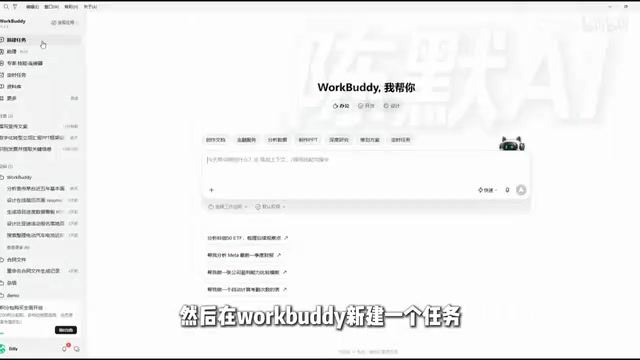
The interface only requires recognizing four areas: the chat area for sending requests; the expert/skill/connector area that determines what professional toolbox the AI is equipped with and which platforms it connects to; the workspace that lets it read real asset folders—this is where it diverges from chat AI; and the output preview area for directly viewing documents, spreadsheets, and images.
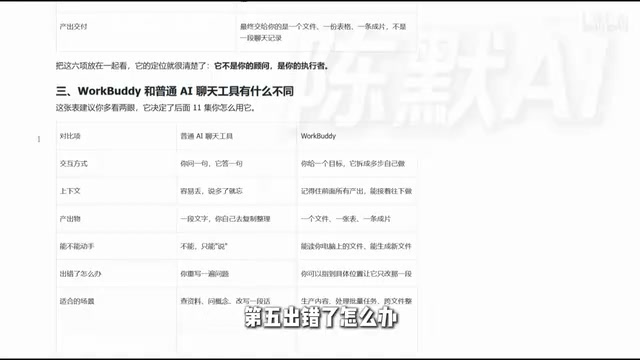
Task Orchestration is one of the key capabilities that distinguishes WorkBuddy from ordinary chat AI. Chat AI typically completes only one round of Q&A at a time, whereas task orchestration means the AI can automatically break a composite requirement into multiple dependent sub-steps, invoke different capabilities in sequence (reading/writing files, web retrieval, invoking skills), execute progressively, and ultimately deliver a complete finished product. For example, a request like "generate a talking-head script, storyboard table, and asset list based on the topic" would require the user to manually ask in three rounds with ordinary chat, but a workbench with orchestration capability can plan and run the entire chain in one go. This is also the technical foundation for the course's emphasis on "letting context roll down as one line"—during orchestration, context accumulates continuously, and when something goes wrong, only local corrections are needed rather than starting over.
Context: The Key to Letting One Line Roll Down
The course lists "context" as the most important concept: all the information you and the AI collectively know so far. Tell it the niche is workplace skills and the audience is workplace newcomers with one to three years of experience, and later when you say "give me three topics," "write the first one as copy," "break it into a storyboard," it doesn't need the background repeated throughout. The benefit is not having to lay out the background repeatedly—one line rolls down smoothly.
The cost is equally clear: once the context gets dirty, everything after gets dirty. If the audience is wrong in step one and you don't correct it, the subsequent copy, storyboard, and asset list will follow the error. The course gives an iron rule—glance at each output to confirm it's fine before moving on; don't click all the way to the end only to find everything is wrong.
The demo ran through the complete flow: the first round of instructions produced three topics with titles, audience profiles, pain points, and value points plus a summary table; the second round, in the same conversation, asked for a 60-second talking-head script and storyboard table based on the first topic; the third round continued to produce the asset list, subtitle specifications, naming rules, and folder structure. The course specifically points out: the real workload of a 60-second video lies entirely in these inconspicuous places—storyboard tables, asset lists, subtitle specifications, file naming—tedious and trivial, but exactly what should be handed to AI.
Human-AI Division of Labor and Compliance Bottom Lines
Content production breaks down into five stages: topic selection, copywriting, storyboarding, production, and publishing. The division-of-labor table given in the course is: for topic selection, you judge whether it's worth doing, AI generates topics in bulk, scores, and ranks them; for copywriting, you gatekeep the viewpoint, AI drafts, adjusts structure, and changes tone; for storyboarding, you judge whether the shots can actually be filmed, AI breaks down shots and lists assets; for production, you check the pacing, AI does rough cuts, subtitles, and covers; for publishing, you decide timing and risk, AI handles platform adaptation and compliance checks. Summarized in one sentence: AI is responsible for going from 0 to 0.8, you are responsible for going from 0.8 to 1—that 0.8 to 1 is judgment, and AI can't replace it.
On compliance, the course emphasizes this isn't about values but about actual platform rules. Mainstream platforms share the same stance: they don't oppose using AI, they oppose letting AI replace you—copy written by AI, voiceover and visuals generated by AI, no personal appearance, no personal viewpoint, and still publishing in bulk. The industry calls these "pure AI accounts," and such content gets demoted and throttled. The course also mentions a fact you must know: since September 1, 2025, the Measures for Labeling AI-Generated Synthetic Content officially took effect. When publishing text, images, audio, and video generated by AI, you must proactively declare and label them; Douyin, Xiaohongshu, and WeChat Channels all have corresponding switches on their publishing pages. The course asks you to remember four words: use it, label it.
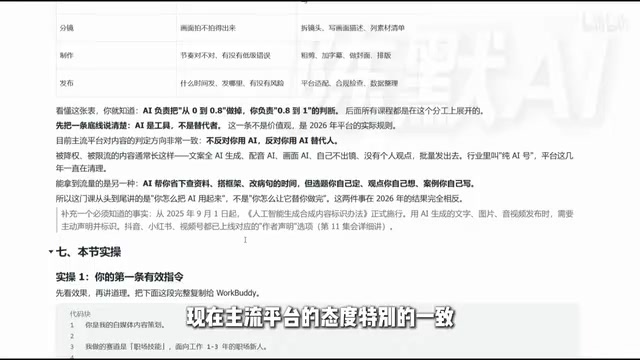
The Measures for Labeling AI-Generated Synthetic Content was jointly issued by the Cyberspace Administration of China and other departments, effective September 1, 2025, and is China's first regulatory document specifically targeting the labeling of AI-generated content. Its core requirements are: service providers must add explicit labels (user-perceivable notices) and implicit labels (markers in file metadata) when generating text, images, audio, video, and other content; content distribution platforms must verify labels and notify users. For self-media creators, the practical impact is that when publishing content involving AI generation, you should proactively declare it; Douyin, Xiaohongshu, WeChat Channels, and other platforms have already set up corresponding switches on their publishing pages. The course emphasizes "use it, label it"—not as a moral appeal, but as a dual constraint of platform rules and regulations; unlabeled pure-AI bulk content faces throttling and even penalty risks.
Common Beginner Questions and Post-Course Exercises
The course anticipates three high-frequency questions. First, when AI gives you something that looks right, how do you judge whether it's usable? Three checkpoints: is the audience right, are the facts correct, is there your own viewpoint—if it's all correct platitudes, redo it. Second, if one attempt doesn't give the desired result, should you rewrite the entire instruction? No—rewriting means throwing away all the context. The correct approach is to point out exactly which sentence to change: "In the second paragraph I wanted A but you wrote B; rewrite the second paragraph." Third, can you learn this without knowing how to code? Yes—no coding is needed throughout, but you do need to practice saying clearly what you want.
There are three post-course exercises: replace the demo case with your own real niche, run through it, and screenshot the three topics; pick one and use the second-round instructions to get the copy and storyboard table; and answer which of the three outputs is unusable and why. The course considers the third question the most important—being able to judge "unusable" shows you've really improved.
Back to the question in the title: the same tool produces vastly different results for different people. The difference isn't who's better at clicking a mouse, but who can state their requirements clearly. The value of this course lies precisely in breaking "stating it clearly" into practiceable steps.
One-line Summary
A 12-episode WorkBuddy course teaches you to use AI to connect the entire self-media content production chain, from topic selection to review.
Paragraph Summary
This 12-episode course doesn't teach prompt templates; it teaches creators to use WorkBuddy to connect topic selection, copywriting, image creation, editing, publishing, and review into a sustainable content production line. The core mindset is that AI is not a wishing well but a processing machine, and the dividing line between effective and useless instructions is whether there's a delivery standard—identity, audience, output fields, and format are all indispensable. The course lists context as the most critical concept, emphasizing that once context gets dirty, everything after goes wrong, so each output must be confirmed before moving on. In the human-AI division of labor, AI handles 0 to 0.8, and humans handle the judgment from 0.8 to 1. On compliance, it makes clear that since September 1, 2025, AI-generated content must be proactively labeled, and platforms oppose pure-AI bulk publishing.
Related articles
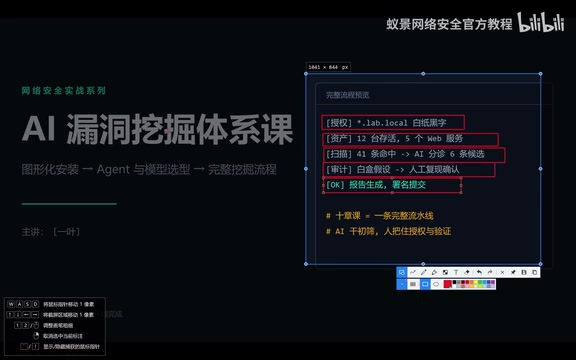
The Complete AI Vulnerability Discovery Pipeline: From Authorization to Reporting While Avoiding Compliance Red Lines
Bilibili creator Yi Ye's AI vulnerability discovery course explained: an eight-stage pipeline from authorization to reporting, emphasizing compliance red lines and manual review as the key to AI bug hunting success, with all demos in authorized lab environments.

How Codex Turned Everyone Into a Developer: Holiday Extras' AI Practice
Holiday Extras uses OpenAI Codex to let everyone from the CEO to call center staff build, shipping a new app eight times in two weeks with a self-built Builders deployment platform.
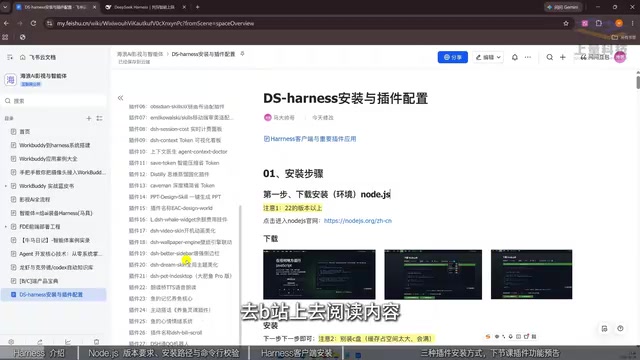
DeepSeek Harness for Beginners: Installation, Deployment, and AI Agent Advanced Guide
DeepSeek Harness beginner tutorial: from Node.js environment setup to client installation, three plugin installation methods, and Agent use cases—get this AI work assistant that can read/write files, execute commands, and extend capabilities up and running.