WorkBuddy Full Feature Deep Dive: Three Modes and WeCom Integration in Practice
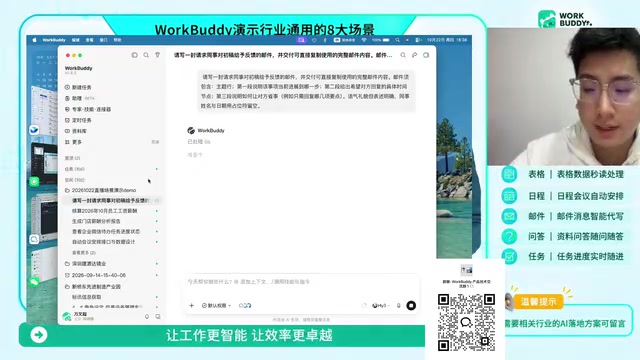
WorkBuddy enters the enterprise AI execution layer with deep WeCom integration and a task-automation-project chain.
Based on a live demo, this article breaks down AI office tool WorkBuddy's core capabilities: three task modes (Office, Development, Design), prompt enhancement, deep WeCom integration for proactive collaboration, reusable scenarios like foreign trade quotations and payroll, plus mobile remote control and project management. The author also flags practical barriers: credit billing transparency, stability, ecosystem dependence, and scraping compliance.
In an era where AI office tools are proliferating, WorkBuddy stands out with a different approach: deep integration with the WeCom (Enterprise WeChat) ecosystem, flexible task modes, and a complete chain from single-point execution to project management. It's not just about helping you write an email—it aims to become the "execution layer" for enterprise digitalization. This article is based on a live demo lasting several tens of minutes, breaking down its core features and real-world scenarios while offering a sober assessment.
Three Task Modes: Where Office, Development, and Design Converge
WorkBuddyAd's interface divides task entry points into three categories: Office (coffee cup icon), Development (code icon), and Design (palette icon). Office mode targets high-frequency daily white-collar operations such as document writing, email processing, and data organization; Development mode supports building websites, mini-programs, and even AI Skills; Design mode covers visual outputs like posters, videos, and PPTs.
This division isn't just simple labeling—it corresponds to different model invocation strategies and output formats. For example, Office mode can directly generate Word and Excel documents, while Design mode outputs HTML or image files. After selecting a mode, users must also specify the model and working path—this step confines tasks to a local folder, facilitating later traceability and reuse.
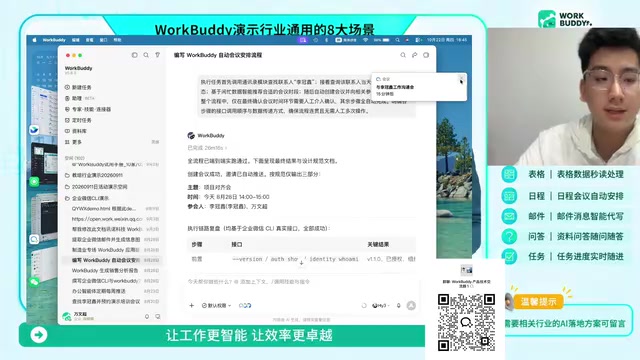
You may not have noticed the prompt enhancement feature (internally called the "asteroid symbol"), which automatically completes incomplete instructions. For example, entering "write an email to follow up on progress" prompts the system to expand it into a complete prompt including email subject, item progress, expected response time, and polite wording. This lowers the demand for user prompt engineering skills, especially friendly for non-technical roles.
Prompt Enhancement is a common engineering technique in AI application layers in recent years: using small models or rule engines to perform intent recognition, slot filling, and structured rewriting on users' raw input, expanding a colloquial instruction into a complete prompt containing role, context, output format, and constraints. This approach first appeared in developer toolchains and is now packaged into office products—essentially shifting the barrier of "prompt engineering" from the user side to the system side. The cost is that the system needs pre-built domain templates, limiting generalization to unconventional tasks; the benefit is significantly reduced onboarding costs for non-technical users and more stable, controllable output formats.
WeCom Integration: Deep Connectivity from Message Push to Contact Search
WorkBuddy's connection with WeCom goes beyond simple message forwarding. After binding through connectors, the capabilities it can invoke include: sending bot messages to group chats or private chats, searching contacts and confirming department and position, downloading email attachments locally, creating schedules and to-dos, reading and summarizing emails from the past seven days, and creating online documents and spreadsheets.
The live demo showed a typical scenario: organizing a supply chain material shortage alert into a card, automatically sending it to the PMC supply chain group and privately messaging relevant colleagues. Another scenario involved automatically finding colleagues' free time and creating a meeting schedule, with the bot identity appearing among the schedule initiators. This means AI is no longer just passively responding—it can proactively initiate internal collaboration actions.
For enterprises using DingTalk or Feishu, officials say integration is also supported, though the demo focused on WeCom. This "ecosystem-first" strategy gives WeCom users the most complete experience and hints at the product's close relationship with the Tencent system.
Connectors are the adaptation layer between AI Agents and existing enterprise systems, typically implemented through API wrappers, OAuth authorization, and permission mapping. They enable models to "invoke" external capabilities rather than merely generating text: reading contacts requires organizational structure APIs, creating schedules requires calendar service authorization, and sending messages requires bot webhooks. The key challenge of enterprise-grade connectors lies not in technical integration but in permission granularity and auditing—under what identity the AI operates, what data it can access, and whether actions leave traces directly determine whether it can pass enterprise security and compliance reviews. Therefore, the richness of connectors often reflects a product's maturity in the enterprise market more than model capabilities do.
High-Value Scenario Testing: Foreign Trade Inquiries, Payroll Calculation, and Scheduled Tasks
The live demo showcased several scenarios that can be directly reused. Foreign trade inquiry processing was the most detailed: inputting a customer's English inquiry email and product master data table, WorkBuddy generates a bilingual Chinese-English quotation document including technical proposals, pricing calculation tables, delivery commitments, and service terms, with output formats supporting Word, Excel, and HTML. This has practical appeal for small and medium-sized foreign trade enterprises lacking dedicated quotation teams.
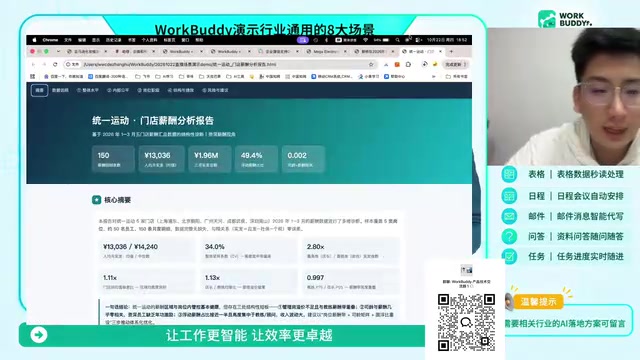
The payroll calculation scenario targets monthly repetitive HR work. After uploading evaluation forms, salary standard tables, and social security and housing fund tables, it automatically generates salary calculation tables, cost allocation tables, and vouchers, and outputs standardized compensation reports. It later demonstrated industry analysis of chain store payroll data, outputting summaries, trends, and internal equity insights.
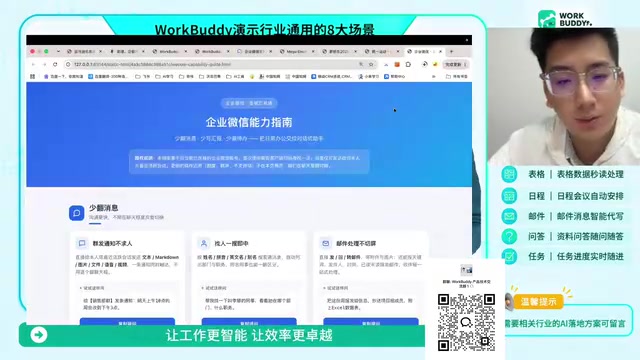
Scheduled tasks completely automate repetitive work. In a healthcare industry client case, the system regularly scrapes industry news, policy regulation, and investment/financing information every day at noon, generating HTML and Excel reports. Another scenario automatically scrapes the list of high-tech enterprises in Shenzhen daily and writes it into Feishu multi-dimensional tables, achieving public data collection through browser automation. A reminder here: such scraping relies on public channels, and enterprises still need to pay attention to compliance boundaries when using it.
Browser Automation refers to programmatically driving a real browser to complete operations such as clicking, form filling, page turning, and scraping, commonly implemented with frameworks like Playwright, Puppeteer, or Selenium. Compared to directly calling website APIs, its advantage is handling public pages without open interfaces; its disadvantage is heavy dependence on page DOM structure—frontend redesigns can cause selector failures and task interruptions. In enterprise scenarios, note also that automated access may trigger target sites' anti-scraping strategies, and scraping scope and frequency should comply with robots protocols and data compliance requirements, with legality basis especially needing evaluation when personal information is involved.
Mobile Remote Control and Project Management: The Final Piece of Organizational Implementation
WorkBuddy's "Assistant" section supports remote command of desktop execution from mobile phones. As long as the computer stays powered and connected, it can theoretically respond 24/7. In the demo, the phone's WeChat received the generated quotation file, which is practical for roles that need to approve or forward files at any time.
The enterprise edition also provides project management capabilities: creating projects, assigning task executors, setting deadlines and priorities, and embedding experts, skills, connectors, and scheduled tasks into specific projects. Documents generated by projects accumulate as assets, forming traceable collaboration records. This marks its extension from a personal tool to a team collaboration platform.
Sober Observations: Capability Boundaries and Practical Barriers
WorkBuddy's integration depth deserves recognition, but several issues need weighing by potential users. The enterprise edition currently has only one package strategy (buy two months get one free, 2,000 credits per month plus 2,000 bonus credits), and whether the credit consumption mechanism is transparent will directly affect long-term costs. Although the expert and skill marketplace provides filtering and rankings, actual output quality was only verified with simple tasks in the live demo, and stability in complex scenarios requires more testing.
Additionally, deep binding to WeCom means users outside the Tencent ecosystem may not be able to fully reproduce the demo effects. Scheduled scraping tasks rely on browser automation, and page structure changes may cause task failures. Officials provide a troubleshooting website (workbuddy.press), indicating they are aware of these boundary issues.
For enterprises hoping to truly embed AI into daily workflows, WorkBuddy's path is clear: from single-point tasks to scheduled automation, then to project-level collaboration. It's better suited for teams already deeply using WeCom and willing to invest time configuring prompts and connectors. If you just occasionally write an email, using a general AI chat product directly may be more lightweight.
Overall, the completeness and scenario coverage demonstrated in this session rank among the top of similar products, but enterprise decisions still need to return to validating fit with their own workflows.
One-line Summary
WorkBuddy enters the enterprise AI execution layer with deep WeCom integration and a task-automation-project chain.
Paragraph Summary
Based on a live demo, this article breaks down the core capabilities of AI office tool WorkBuddy. It offers three task modes—Office, Development, and Design—corresponding to document processing, application building, and visual output, and lowers usage barriers through prompt enhancement. The product is deeply integrated with WeCom, enabling message sending, contact search, schedule creation, and email processing for proactive collaboration. The demo covers reusable scenarios like foreign trade inquiry quotations, payroll calculation, and scheduled intelligence scraping, and supports mobile remote command and project-level task management. The author also offers sober observations: enterprise edition credit billing transparency, stability in complex scenarios, WeCom ecosystem dependence, and browser scraping compliance risks are all practical barriers potential users need to weigh.
Related articles
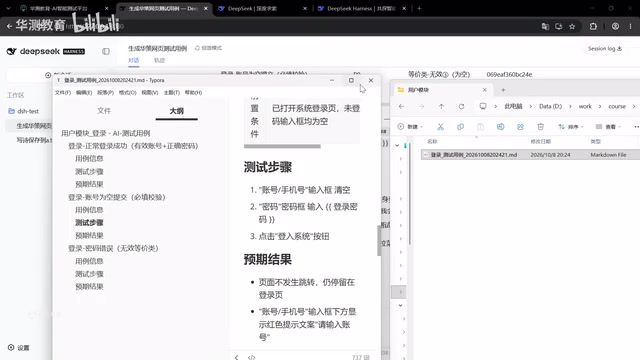
DeepSeek Harness: Taking AI Testing from Standalone Tools to a Team Platform
DeepSeek Harness changes AI testing collaboration with server-side operation and a plugin mechanism. This article analyzes its core differences from standalone tools like Codex and explores how test development can build team-level AI testing capabilities through platform thinking.

Expected Volume of Two Intersecting Spheres: A Geometric Probability Puzzle
A geometric probability puzzle: two unit spheres intersect randomly; find the expected volume of their intersection. This article explains the problem setup, probabilistic modeling, and the integration framework—a great challenge for math enthusiasts.

iPhone Duo Foldable: A Step Back for Vertical Video, or a Return to Landscape?
YouTube analysis says the iPhone Duo foldable's identical outer/inner aspect ratios crop vertical video into a square, hurting the experience. If the Duo catches on, landscape video may return.