WorkBuddy Full Walkthrough: Interface, Skills, and Ecosystem Explained

Breaking down Tencent WorkBuddy's interface and clarifying the boundaries and usage of experts, skills, MCP, and other modules.
Based on a foundational lesson from a 256-episode WorkBuddy tutorial on Bilibili, this article systematically reviews the interface structure of this product, which Tencent internally positions as strategic. The author notes WorkBuddy can be seen as a China-adapted Codex, with its core value not in chatting but in "delivery"—operating computers and connecting office software to complete tasks. The interface is designed for three user groups: daily office work, code development, and design creativity. The workspace determines output locations, and "allow full access" is the master permission switch. Using the analogy "experts optimize the brain, skills optimize the hands and feet, connectors expand territory," the article distinguishes three easily confused concepts and introduces assistants, projects, scheduled tasks, and knowledge base, ultimately concluding that WorkBuddy decomposes judgment, execution, operational radius, trigger mechanisms, and proprietary knowledge into composable building blocks.
I. What WorkBuddy Is: Not a Chat Box, but an Entry Point for Getting Work Done
Tencent's WorkBuddyAd is positioned internally as the third strategic product after QQ and WeChat—a phrasing worth pondering. It hints at something that isn't just another chatbot, but an execution-oriented tool that can operate a computer on the user's behalf and connect office software together. The 256-episode tutorial series on Bilibili breaks down everything from installation to hands-on practice in fine detail. This article focuses on the most fundamental and critical lesson: how WorkBuddy's interface is laid out and how each functional module actually works.
According to the tutorial author, WorkBuddy can be understood as a China-adapted version of Codex. Its interface layout and operational logic are similar, but it has been adjusted for domestic network and office environments—no special network tools required, low hardware demands, and free usage space provided. What really sets it apart is its ability to integrate with mainstream domestic office software: organizing materials, generating documents, analyzing spreadsheets, and executing repetitive tasks—actions that previously required switching back and forth between multiple applications—can all be consolidated into a single conversational interface.
This determines how it should be used. Many people open WorkBuddy and only ask a few general-knowledge questions, turning a powerful tool into an ordinary chat app. This is exactly the cognitive gap the tutorial repeatedly emphasizes: WorkBuddy's core value lies in "delivery"—conversation is just the entry point.
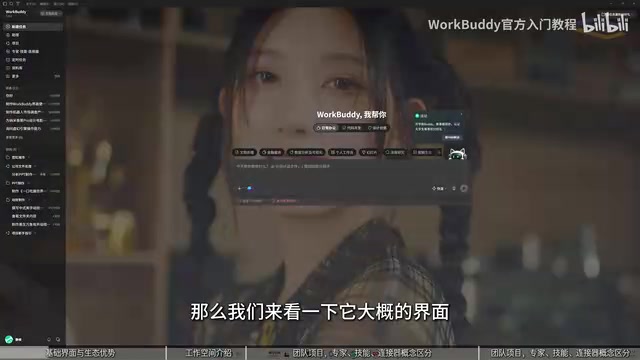
Codex is the series of code-generation models released by OpenAI, and also the name of its cloud-based programming agent product. Its core capability is "taking natural language instructions and directly producing runnable code or completing programming tasks," and it is regarded by developers as one of the representative AI programming assistants. The so-called "China-adapted version" typically refers to a product that matches Codex in form and interaction logic but has been localized in terms of model access, network environment, account system, and office software ecosystem—for example, no overseas network required, and adaptation to local document formats and collaboration platforms. Understanding this reference frame helps gauge WorkBuddy's capability boundaries: it inherits the "instruction-to-deliverable" agent-style interaction paradigm, not mere Q&A conversation.
II. The Three Major Interface Sections: First Understand Who It's Designed For
WorkBuddy's interface design itself reveals its target audience. The tutorial breaks it into three sections corresponding to usage scenarios:
- Daily office work: For white-collar workers handling documents, Excel spreadsheets, PowerPoint slides, and data analysis;
- Code development: For programmers building websites, mini-programs, and agents. Thanks to the Tencent ecosystem, it has a natural advantage in WeChat mini-program development, and integrates more smoothly with underlying services like Tencent Cloud;
- Design and creativity: For users who need visual output, supporting poster and other image generation. WorkBuddy itself has image and video understanding capabilities.
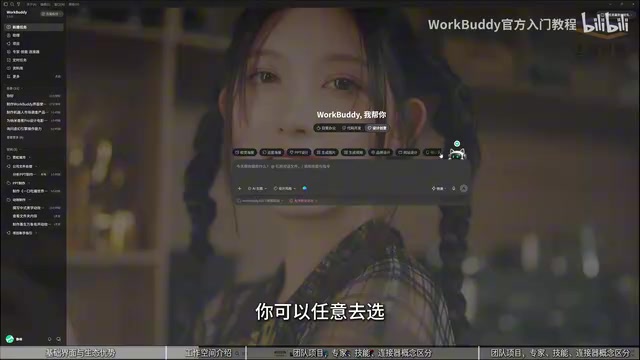
The sidebar toggle on the left side of the interface controls panel visibility—click it and the icon turns green to indicate it's expanded. The workspace specifies the file storage directory: when you ask it to do something, all files generated during the process land in this directory, which is crucial for finding outputs later. "Allow full access" is the master permission switch—turning it on means the AI can operate your computer; turning it off blocks some operations.
III. Experts, Skills, and Connectors: The Three Most Easily Confused Concepts
The tutorial uses a vivid analogy to distinguish these three: experts optimize the AI's brain, skills optimize the AI's hands and feet, and connectors expand the AI's territory.
Experts (Role Agents)
Experts are essentially role agents with built-in prompts, using identity settings to make the AI output more accurate professional information. They lean toward giving advice and making judgments, not directly executing actions.
Skills
Skills are fixed, reusable methods of operation that give the AI actual "hands and feet" to do work. The skill library covers a wide range, from PDF processing and Markdown conversion to QQ Music-related operations, and users can select according to their tasks.
MCP Connectors
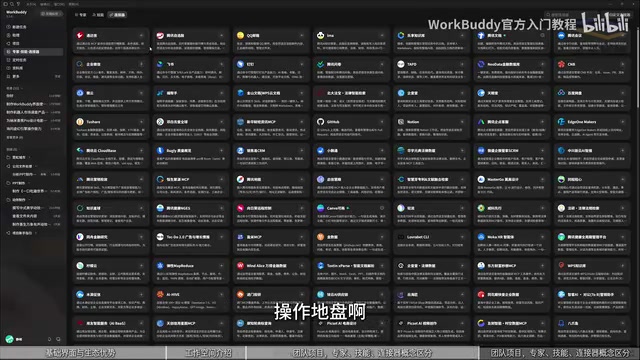
Connectors correspond to MCP, solving the problem of accessing data outside the local environment. Skills mainly operate software already on your computer, while MCP connects to things that often live in the cloud—such as cloud documents, where data isn't local but you need to read and manipulate it. This is where MCP establishes a channel. The tutorial points out the underlying logic: ecosystem. When an application provider opens MCP, it only opens the parts it's willing to let you touch—capabilities it doesn't want to open simply can't be connected.
MCP (Model Context Protocol) is an open protocol for standardizing how AI models connect to external data sources and tools. You can think of it as the "USB interface of the AI world": as long as an application provider exposes its capabilities according to the protocol, AI can call them in a unified way without writing separate adapter code for each service. Its key design is that permission boundaries are controlled by the service provider—which interfaces to open, which fields can be read, and whether writing is allowed are all decided by them. This is the technical root of the "ecosystem" logic mentioned above: MCP standardizes connections, but what you can connect to depends on how much the other party is willing to open.
IV. Assistants, Projects, Scheduled Tasks, and Knowledge Base
Assistants solve remote access. Through channels like WeChat, QQ, DingTalk, Feishu, and WeCom, you can converse with WorkBuddy—similar in form to remote agents like OpenClawAd. For example, sending "send me a certain file from my computer" in WeChat will get it done.
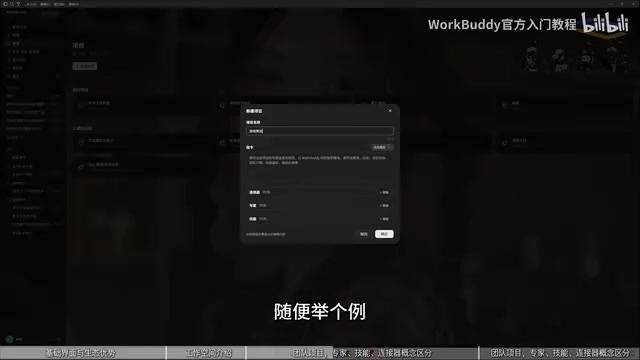
Projects are for team collaboration. After creating a project, you can assign tasks by template, letting superiors set goals and subordinates take on execution—suitable for complex workflows involving multiple people.
Scheduled tasks are for automated triggering. Set a time and a prompt, and the computer will execute the specified action at that time; for complex tasks you can choose a stronger model, while simple tasks can use any.
Knowledge base is knowledge augmentation. Put proprietary materials (such as biomedical data) into it, and the AI reads them directly each time it executes a task, saving endless web searches.
V. What This Interface Design Reveals
Looking at experts, skills, MCP, scheduled tasks, and knowledge base together, WorkBuddy's product philosophy becomes clear: it doesn't aim to make AI "better at chatting," but rather breaks AI's judgment (experts), execution (skills), operational radius (MCP), trigger mechanisms (scheduled tasks), and proprietary knowledge (knowledge base) into composable building blocks. The more complex the user's workflow, the higher the reuse value this decomposition brings.
For new users, the most practical first step is to understand the boundaries of each section, then start with a real repetitive task and run it through WorkBuddy once. The tutorial author spent nearly three months polishing the entire course, divided into four parts—introductory, case studies, advanced, and industry—with 28 knowledge points in total. This structure itself shows that the barrier to using the tool isn't in the operations, but in understanding what it can take on for you.
Background Notes
OpenClaw refers to a type of AI agent that can be remotely invoked to perform local operations on your behalf: users send instructions via instant messaging tools, and the agent completes actions like file searching, sending, and program invocation on the target computer—essentially turning a chat window into a remote console. What distinguishes it from traditional remote desktop software is that instructions are in natural language rather than precise mouse-and-keyboard operations; the agent must understand intent and plan steps on its own. WorkBuddy's "Assistant" module is exactly this form in practice—with channel coverage across WeChat, QQ, DingTalk, Feishu, and WeCom, users can trigger local tasks without being at their computer.
Related articles

Sugra MCP: One-Click Access to 200+ Data Sources, Connecting Mainstream AI Applications
Sugra MCP connects mainstream AI apps like Claude, ChatGPT, and Cursor through a unified MCP protocol, offering 200+ data sources and 1,600+ endpoints. Listed in Anthropic, OpenAI, and GitHub directories—integrate with one command.
 Tech Frontiers
T3 Code: Free, Open-Source, and a Unified Way to Manage All AI Coding Agents
T3 Code is a free open-source app that aggregates AI coding tools like Cloud Code and Codex into one interface, with conversation handoff, branch isolation review, automatic PR creation, and remote access.
 Tech Frontiers
Conductor Cloud Service Shutting Down? A Comparative Review of Three Parallel AI Coding Agent Solutions
Conductor's cloud service is shutting down—how can developers keep running AI coding agents in parallel? This article compares three alternatives: Orca, Codex, and Cursor: Orca is open-source and free and compatible with old workspaces, Codex is built into the ChatGPT desktop app and supports cloud handoff, and Cursor offers multi-agent windows within the editor. Choose the tool that best fits your workflow.