WorkBuddy Practical Guide: Tencent's Desktop AI Agent from Beginner to Deployment

Tencent WorkBuddy desktop Agent: zero-config setup, integrated with domestic office software, gets work done directly
The article introduces Tencent's desktop AI Agent tool WorkBuddy, which requires zero configuration, is ready to use via QR code scan, and is deeply integrated with WeChat, WeCom, Feishu, DingTalk, Baidu Netdisk, and other domestic office software. It can directly operate the local computer to complete real office tasks including file management, data processing, and cross-platform collaboration. Through comparison with CodeX, the article points out that WorkBuddy positions itself more like a "college student assistant" — low barrier, localized ecosystem, with daily cumulative free credits, suitable for office workers without programming backgrounds. CodeX is more like a "special forces soldier" — requiring programming experience and subscription payment. The article also clarifies three common misconceptions and emphasizes that the key to using WorkBuddy lies in a mindset shift — from asking AI questions to managing AI work, from operator to manager.
Ordinary large language models can only chat with you, but desktop AI Agents can roll up their sleeves and get work done. Tencent's WorkBuddy is exactly such a tool — zero configuration, scan a QR code and it's ready to use, deeply integrated with WeChat, WeCom, Feishu, DingTalk, Baidu Netdisk, and other domestic office software. This comprehensive hands-on tutorial released by a Bilibili creator thoroughly breaks down WorkBuddy's core usage and deployment techniques.
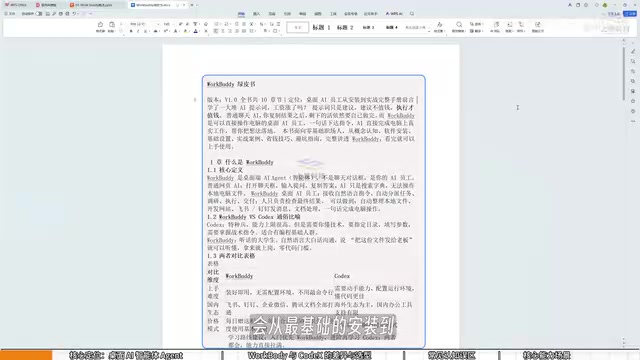
What Is WorkBuddy: From Chat Tool to Execution-Oriented AI
Most people's use of AI stays at "open a chat box, ask a question, then copy the result." The problem with this approach is that traditional web-based AI is just a Q&A tool — it has no permission to operate local files. It seems like we're using AI, but in reality we're working for AI — copying, pasting, manual operations, not a single tedious step is spared.
WorkBuddyAd's positioning is completely different. It is a desktop AI Agent that only requires natural language task instructions to automatically complete research, execution, and delivery. Its core value lies in directly operating the local computer to complete real office tasks, rather than merely providing suggestions or how-to instructions.
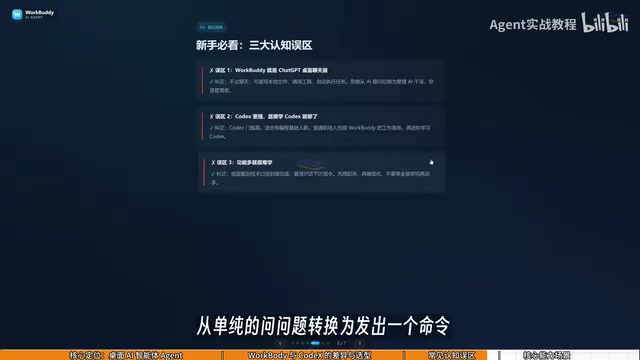
What specifically can it do? The creator lists several typical scenarios:
- File management: Batch categorization, batch renaming, multi-document information aggregation
- Document data processing: Weekly report generation, Excel spreadsheet processing, PDF key data extraction
- Collaboration: Feishu and DingTalk message sending, periodic work report generation
- Cross-platform operations: Automatically extract files from WeChat groups and compile them into Excel, retrieve Baidu Netdisk materials to write Feishu weekly reports, use phone WeChat voice messages to remotely invoke PC software and export data
- Website development: Simple website building
These are not just theoretical — as long as reasonable instructions are given, WorkBuddy can execute them directly.
What Is an AI Agent?
AI Agent is a conceptual upgrade relative to traditional conversational AI. Traditional chat AI (like the ChatGPT web version) is essentially an "input text — output text" Q&A system. It has no permission to operate the external environment, and all implementation actions must be supplemented by humans. An Agent, however, is given goals, tools, and memory: it can read local files, call APIs, operate software interfaces, execute multi-step tasks, and adjust strategies based on feedback during execution. The industry often breaks down Agent capabilities into a loop of "plan — call tools — observe results — iterate." WorkBuddy packages this loop into a desktop client, enabling users without programming backgrounds to drive their local computer to complete tasks using natural language. This is also the most fundamental difference between it and web-based large models.
WorkBuddy vs CodeX: Which Should You Learn?
Many people may have heard of CodeX before encountering WorkBuddy. The positioning differences between the two are clear, and the creator used a vivid analogy:
CodeX is a special forces soldier, WorkBuddy is a college student assistant.
CodeX is powerful but requires a detailed battle plan — telling it exactly which file, which directory, what parameters to use during execution — demanding relatively professional skills and programming experience. WorkBuddy is like an obedient college student: while it can't handle particularly complex tasks, simple tasks — sending files, organizing archives — are all within its capabilities.
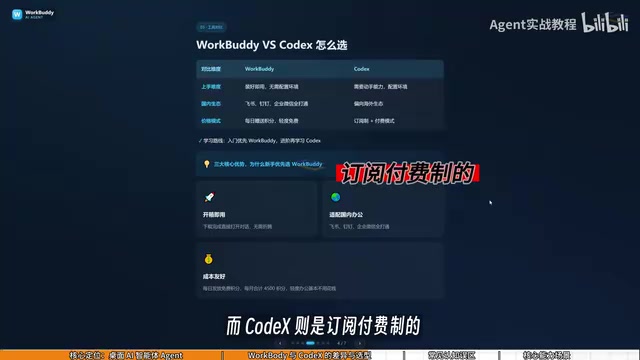
The specific differences manifest in three dimensions:
Barrier to entry: WorkBuddy is ready to use once installed — no environment configuration, no command line needed. CodeX requires stronger hands-on skills and suits people with programming foundations.
Ecosystem adaptation: WorkBuddy is deeply integrated with Feishu, DingTalk, WeCom, Tencent Docs, and other domestic office software. CodeX leans more toward overseas ecosystems, with limited support for domestic office software.
Usage cost: WorkBuddy offers daily free credits, and during promotional events you can receive additional thousands of credits. If you claim them daily, you can accumulate at least three thousand credits per month, and credits can stack. CodeX operates on a subscription payment model, requiring real money even during the learning phase.
The creator's recommended learning path is: ordinary office workers should prioritize using WorkBuddy to get work done — for most work scenarios, learning only WorkBuddy is completely sufficient. If you find it's not enough, then further study CodeX, minimizing learning costs as much as possible.
The Difference Between Code Execution Agents and Desktop Operation Agents
Tools like CodeX typically use code as their execution vehicle — they complete tasks by generating and running scripts (Python, Shell, etc.), requiring users to understand concepts like file paths, dependency environments, and error logs. The capability ceiling is high but the learning curve is steep. WorkBuddy takes the desktop operation route, completing tasks at the underlying level by simulating clicks, reading and writing files, and calling already-integrated office software interfaces — users don't need to concern themselves with the specific implementation. The two approaches are not mutually exclusive: code execution is better suited for complex, batch, reproducible engineering tasks, while desktop operation is better suited for "scattered but high-frequency" tasks in daily office work. Understanding this distinction makes it clear why the creator recommends ordinary office workers first use WorkBuddy to get their work running, then advance as needed.
Three Common Misconceptions
Beginners learning WorkBuddy easily fall into the following cognitive biases:
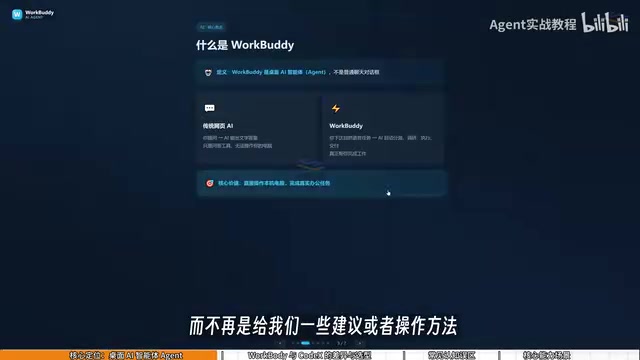
Misconception 1: WorkBuddy is just the desktop chat version of ChatGPT. This understanding is inaccurate. WorkBuddy is not limited to chatting — beyond providing guidance and suggestions through conversation, it can read local files, call tools, and automatically execute tasks. Your mindset needs to shift from "asking AI questions" to "managing AI to work" — you are the manager, WorkBuddy is the employee, and your computer is your company.
Misconception 2: CodeX is more powerful, so I should learn CodeX directly. CodeX has a higher barrier to entry and suits people with programming foundations. For most office workers, prioritizing WorkBuddy to get work done is the more pragmatic choice.
Misconception 3: With so many features, it must be hard to learn. WorkBuddy's interface is very similar to many AI large language models. The core of learning WorkBuddy is not learning interface features, but transforming your questioning mindset — from simply asking questions to issuing commands that make WorkBuddy operate the computer. You can absolutely watch videos and operate simultaneously.
Mindset Shift: From AI Questioner to AI Manager
The core viewpoint of this course is: the essence of prompts is merely suggestions, suggestions are not valuable — execution is valuable.
After all this time with AI, after learning a pile of prompts, has your salary gone up? The reason it hasn't is because you've been using AI in a "suggestion" mode all along. WorkBuddy turns suggestions into execution — you don't need to tell it how to do things, just tell it what to do, then check the final delivery result.
The significance of this mindset shift is: in the past, we were AI's "operators," helping AI complete the copying, pasting, and clicking it couldn't do; now we become AI's "managers," and AI becomes the true executor doing the work for us.
The creator also mentioned producing a WorkBuddy Green Book covering everything from the most basic installation to money-saving tips — studying alongside the course yields better results.
For office workers wanting to quickly get started with desktop AI Agents, WorkBuddy provides a low-barrier entry point. No programming background needed, no environment configuration needed — just daily check-ins to earn credits and accumulate usage quota. The key is completing the mindset switch from "asking AI" to "managing AI" — this is truly the starting point for making AI boost work efficiency.
Why "Prompts Are Not Valuable, Execution Is"
The core of prompt engineering is making models output text that better meets expectations, but text itself does not generate labor value — only when it lands on specific actions does it form a delivery. Under the Agent paradigm, the human role shifts from "writing prompts" to "defining tasks and acceptance criteria": you need to clearly state the goal (categorize this batch of files by month), constraints (don't touch the original files), and acceptance method (generate a checklist), leaving the rest of planning and execution to the Agent. This requires users to possess task decomposition and result verification capabilities, rather than stacking up fancy questioning techniques. In other words, the truly scarce competitive advantage in the Agent era is the management ability to transform vague requirements into executable, verifiable tasks.
Related articles

Chain of Thought Isn't Just for AI: How Humans Can Use CoT to Improve Thinking Quality
Chain of Thought isn't just a prompt trick for large models. Starting from a Hacker News discussion, this article analyzes why CoT works for human thinking too, breaks down actionable ways to transfer it, and highlights the key differences between human CoT and machine CoT.
Cloudflare Teams Up with OpenAI: Closi…
Cloudflare Teams Up with OpenAI: Closing the Loop from Vulnerability Discovery to Defense with AI
Cloudflare uses OpenAI Daybreak to investigate security vulnerabilities and generate reviewable remediation plans, while developers use Codex to boost coding efficiency and quality.

Orca Multi-Agent Orchestration in Practice: A Guide to Parallel Collaboration with Claude and Codex
Orca is Stable AI's free open-source agent workbench supporting 34 agents like Claude Code and Codex in parallel. Learn its Git worktree isolation, multi-model orchestration, and mobile management.