WorkBuddy Zero-Basics Office Automation Hands-On Tutorial

WorkBuddy is seen as the domestic Codex alternative, with a 28-point course teaching beginners to build office automation workflows.
The article introduces WorkBuddy as the domestic alternative to Codex — similar interface logic but better adapted to domestic office software with a free quota. It notes the common beginner mistake of treating WorkBuddy as an ordinary chat window, wasting its automation potential. A Bilibili creator compiled a 28-point hands-on course across four modules — Getting Started, Cases, Subscription, and Industry Applications — with installation guides, case breakdowns, 12 common SQL queries, and templates. The key is hands-on practice, using WorkBuddy as the central workflow node. Suitable for beginners and office staff, no coding required.
Why Choose WorkBuddy?
If you're looking for an AI tool that can genuinely boost office efficiency, WorkBuddy deserves your attention first. According to a Bilibili creator, it's often seen as the domestic alternative to Codex — the interface and operation logic are basically identical, but it's more friendly to domestic users: no complex configuration needed, low device requirements, and it offers a free quota. Most importantly, it directly adapts to commonly used domestic office software, so work that previously required constantly switching between multiple applications can now be handled by it in one place.
This means tasks like organizing materials, generating documents, analyzing spreadsheets, and completing repetitive operations can all be done within a single tool. It's no longer just a chat window — it's an assistant that can actually get work done for you.
Codex is an AI programming assistant launched by OpenAI that can generate, explain, and debug code based on natural language instructions, and is well known among developers. WorkBuddy being called the "domestic alternative" to Codex means it references Codex's approach in interaction logic and functional positioning, but has been localized for the domestic network environment, software ecosystem, and user habits. This alternative relationship doesn't mean the features are completely identical — rather, it lowers the barrier to entry while keeping the core experience similar. For example, Codex may require an overseas account or specific configuration, while WorkBuddy offers a free quota and can directly connect to commonly used domestic office software. Understanding this background helps users set reasonable expectations: WorkBuddy excels in ease of use and practical implementation, rather than pursuing technical metrics fully equivalent to Codex.
Common Beginner Mistake: Treating a Powerful Tool as a Chat Window
Many people open WorkBuddy, ask a few simple questions, and then close it. The tool is clearly powerful, yet it ends up being used as an ordinary chat window — a real waste. According to the creator's observation, this usage pattern squanders WorkBuddy's potential for office automation.
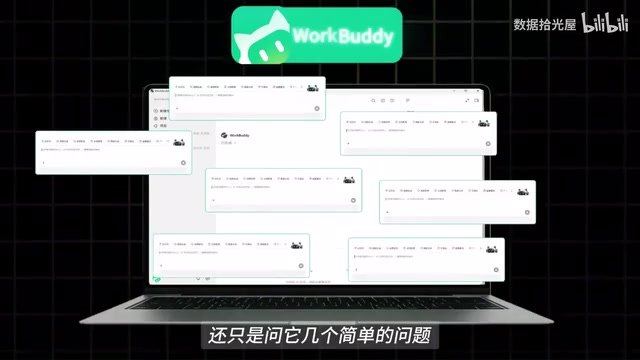
To unlock its value, you need to systematically learn how to embed it into real workflows. The creator spent nearly three months putting together a hands-on course for beginners, divided into four modules — Getting Started, Case Studies, Subscription, and Industry Applications — with 28 knowledge points in total, progressing from basic operations to real office scenarios.
Course Structure: From Getting Started to Industry Applications
This course is designed so that even zero-basics users can follow along. Can't write code? That's fine. Never touched AI before? That's fine too. As long as you practice hands-on along with the course, you'll gradually be able to hand repetitive, time-consuming work over to AI. The course emphasizes "hand-holding" teaching, with every knowledge point accompanied by actionable steps.

The Getting Started module covers basic operations and interface logic, the Case Studies module focuses on real office scenarios, the Subscription module likely covers quota and payment-related content, and the Industry Applications module demonstrates implementation approaches across different fields. This layered structure helps users learn as needed and avoids being scared off by complex features right from the start.
Companion Materials: SQL and Industry Application Templates
The creator also put together a companion "materials pack" for the course, covering four major modules — installation instructions, case breakdowns, SQL customization, and industry applications — along with 12 commonly used SQL queries and more materials you can practice with directly.
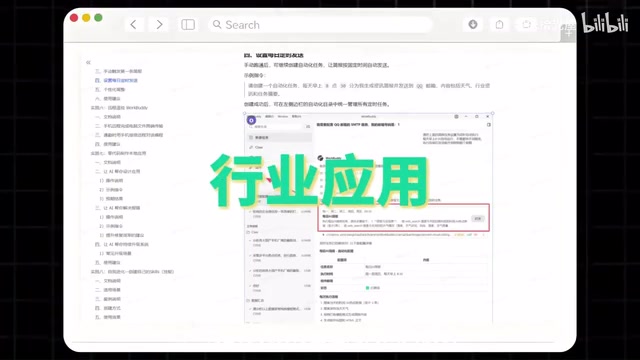
For users who need to work with spreadsheets and data, these SQL templates can save time spent repeatedly writing queries. The materials pack is designed so learners can do while they watch, rather than just bookmarking without practicing. The creator suggests getting hands-on immediately after receiving the materials — don't let the tool just sit in your bookmarks.
SQL (Structured Query Language) is the standard language for interacting with relational databases, commonly used to filter, summarize, and calculate information from tabular data. For office scenarios, data in Excel or online spreadsheets can essentially be viewed as a simplified database, and mastering basic SQL query logic can greatly improve data processing efficiency — for example, extracting records by condition, group statistics, and multi-table joins. The "12 commonly used SQL queries" mentioned in the article refer to pre-written query templates where users only need to replace table names and fields to reuse them, without writing from scratch. Even if you don't directly operate a database, understanding SQL thinking helps you describe data requirements more clearly, enabling WorkBuddy to complete spreadsheet analysis tasks more accurately.
Hands-On Tips: Integrating WorkBuddy into Your Workflow
To truly achieve office automation, the key is to make WorkBuddy the central node of your workflow. For example, you can have it first organize messy materials, then generate structured documents, then analyze spreadsheet data, and finally automatically complete repetitive operations. This chaining approach reduces the attention loss caused by switching between software.
The creator emphasizes focusing on hands-on practice during learning rather than passive watching. It's recommended to follow along with each case, and when you run into problems, go back to the corresponding knowledge point. For zero-basics users, start with simple tasks in the Getting Started module, gradually transition to complex scenarios in the Case Studies module, and finally try the customized solutions in the Industry Applications module.
Workflow refers to a series of task steps chained together to accomplish a goal, where the output of each step becomes the input of the next. Making WorkBuddy the "central node of the workflow" means it doesn't replace all software, but rather takes on the role of connecting and orchestrating: first gathering and organizing materials scattered across different places, then generating documents according to templates, subsequently analyzing spreadsheet data, and finally triggering or completing repetitive operations. The value of this approach lies in reducing context-switching costs — the human brain easily loses its train of thought when jumping between multiple software applications, and having a unified entry point handle the preceding and following steps lets you focus on the task itself rather than the operation path. When building a workflow, it's recommended to start with a small chain of two or three steps, and gradually expand after it runs smoothly.
Who Is This For?
This tutorial is suitable for workplace newcomers, administrative office staff, professionals who need to handle large amounts of spreadsheets and documents, and anyone who wants to use AI to reduce repetitive work. No programming background is required, nor is high-spec equipment. As long as you're willing to spend time practicing, you can gradually build your own automated workflow.
WorkBuddy's free quota lowers the barrier to trying it out, and its adaptation to domestic office software makes it easier to implement in real scenarios. If you only want to seriously learn one AI tool this year, WorkBuddy is a choice worth considering.
One-line Summary
WorkBuddy is seen as the domestic alternative to Codex, with a 28-point course teaching beginners to build office automation workflows with it.
Paragraph Summary
The article introduces WorkBuddy as the domestic alternative to Codex, with similar interface logic but better adapted to domestic office software and offering a free quota. The author points out that the common beginner mistake is treating WorkBuddy as an ordinary chat window, wasting its office automation potential. A Bilibili creator has put together a hands-on course with 28 knowledge points, divided into four modules — Getting Started, Case Studies, Subscription, and Industry Applications — along with installation instructions, case breakdowns, 12 commonly used SQL queries, and industry application templates. The article emphasizes that the key to learning is hands-on practice, using WorkBuddy as the central node of a workflow to chain together material organization, document generation, spreadsheet analysis, and repetitive operations, reducing the cost of switching between software. This tutorial is suitable for workplace newcomers, administrative staff, and anyone who wants to use AI to reduce repetitive work, with no programming background required.
Related articles

Hero or Luck? Technical Reflections Sparked by an Arizona Grandfather Finding a Missing Toddler in the Desert
An Arizona grandfather finding a missing toddler in the desert hits Hacker News. This article analyzes emergency search, drone thermal imaging, child location devices, and community collaboration, exploring the boundaries of technology and human effort in extreme environments, while noting the material's limitations.

Run Agentic Coding on Mac with One Command: The Localcode Open-Source Tool
Localcode is an open-source agentic coding tool for Mac that launches with a single command. This article examines its local, open-source, minimal-install positioning, who it suits, and the information gaps to consider before adoption.

Lean Formalization of Masullo Manuscript: Progress Map Sparks Discussion
A public progress map for a Lean formalization project of Alessandro Masullo's manuscript sparks Hacker News discussion on formalization costs, collaboration, and AI-assisted proving.