WorkOS Launches Per-Workspace Roles: A New Approach to Resource-Level Permission Control
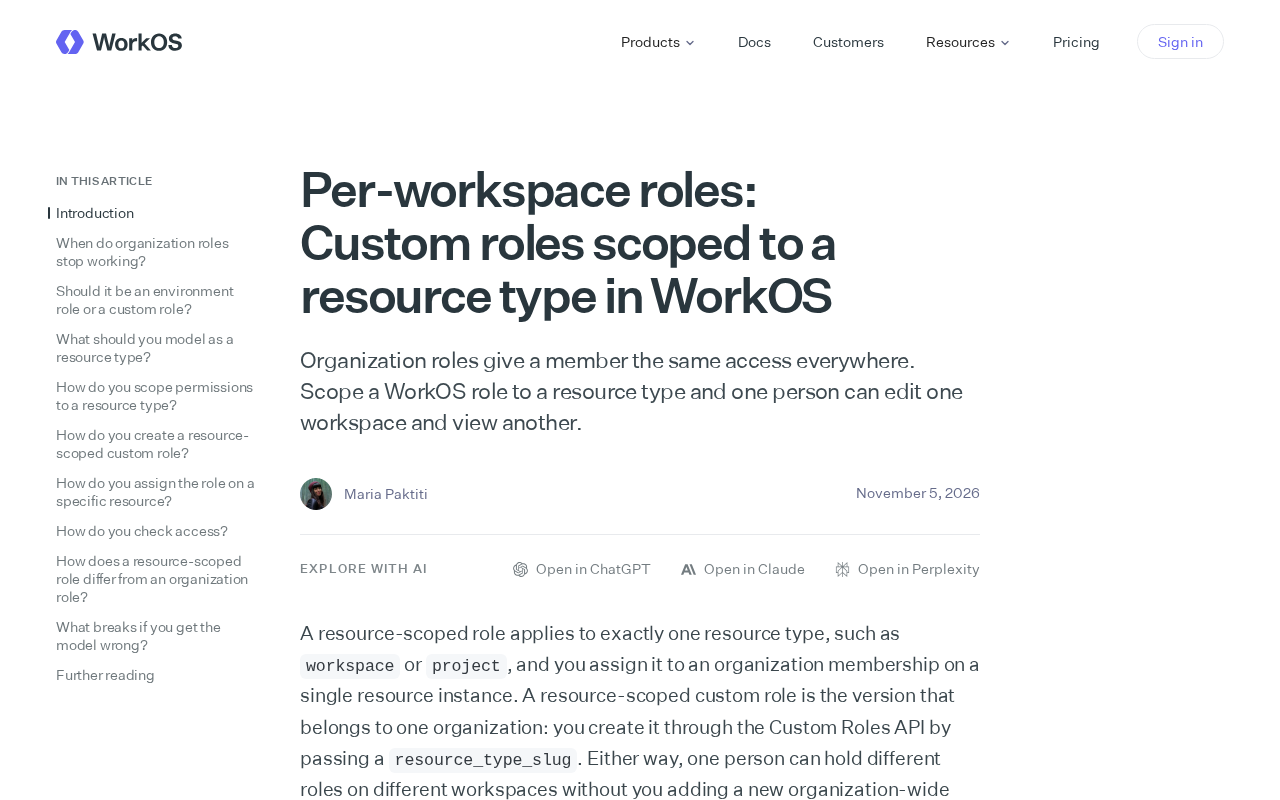
WorkOS launches per-workspace roles, scoping custom roles to resource types for finer-grained permission control.
WorkOS released a "Per-workspace roles" feature that lets developers bind custom roles to specific resource types, so the same member can have different permissions across workspaces (e.g., edit in one, read-only in another). This solves the over-broad permissions of global organization roles without maintaining separate memberships per workspace. Using role scoping, it improves permission precision while keeping role reuse simple—a pragmatic middle ground between RBAC and ABAC. The article also notes that role scoping increases audit complexity and raises questions about handling roles when resource types change.
From Organization-Level to Workspace-Level: A Granularity Revolution in Role Permissions
WorkOS has recently released a new feature called "Per-workspace roles," which allows developers to scope custom roles to specific resource types rather than having them apply across the entire organization like traditional organization roles. This means the same member can have edit permissions in one workspace while having only view permissions in another.
This change addresses a long-standing pain point in enterprise software permission models: as the number of workspaces in collaboration tools increases, coarse-grained organization-level role assignments often lead to over-provisioning of permissions or frequent manual adjustments. WorkOS's solution attempts to improve the precision of permission assignment while keeping the role system simple.
Where Organization Roles Fall Short
In the traditional WorkOS permission model, organization roles grant members a uniform level of access across the entire organization. If someone is set as an admin, they are an admin on every resource in the organization; if set as a viewer, they can only view everywhere.
The advantage of this design is simple management and a clear mental model, but the drawbacks are equally obvious. When an organization has multiple workspaces and members' responsibilities differ significantly across them, a uniform role cannot accurately express actual permission requirements. Developers either assign members a higher global role (introducing security risks) or maintain separate membership relationships for each workspace (increasing management overhead).
WorkOS's official description directly addresses this tension: organization roles give members the same access everywhere, while per-workspace roles allow roles to be scoped to resource types, enabling flexible configurations where a person can edit in one workspace and have read-only access in another.
How Resource Type Scoping Works
The core mechanism of the new feature is "role scoping." Developers can create a custom role and bind it to a specific resource type. Once bound, the role only takes effect within the corresponding resource instances and does not spill over to other resources at the organization level.
From a product design perspective, this is equivalent to adding an explicit association layer between roles and resources. Roles are no longer just "identity labels within an organization" but "permission sets for a certain type of resource." This abstraction preserves the convenience of role reuse while avoiding the permission generalization problem caused by global roles.
For teams already using WorkOS, the migration path is relatively smooth: existing organization roles continue to work, and the new per-workspace roles are layered on top as a supplementary layer. A member's actual permissions are determined jointly by organization roles and workspace roles, with the latter providing more fine-grained control.
The Workspace Concept in Multi-Tenant Architectures
In multi-tenant SaaS products, a workspace typically refers to an independent collaboration space or resource container. Different teams, projects, or departments within a tenant may each have their own separate workspaces. Each workspace contains its own members, data, and configurations, and is logically isolated from the others. Traditional organization-level roles bind permissions at the entire tenant level and cannot distinguish members' differing responsibilities across workspaces. Per-workspace roles push the role scope down to the workspace level, aligning the permission model with the resource boundaries in multi-tenant architectures, thereby supporting real collaboration scenarios where "the same user is an admin in workspace A but only a viewer in workspace B."
Impact on Developers and Permission Architecture
The launch of this feature reflects a common demand from enterprise SaaS for permission systems: supporting real-world scenarios where "the same person plays different roles in different contexts" without introducing excessive complexity.
From an implementation perspective, scoping roles by resource type is easier to understand and implement than full attribute-based access control (ABAC). It is neither limited to global application like simple role-based access control (RBAC), nor does it require defining policies separately for each resource. For teams building multi-tenant collaboration products, this is a pragmatic middle ground.
Potential caveats also exist. The addition of role scoping makes permission auditing more complex: administrators need to check both organization-level and workspace-level role assignments to fully determine a member's effective permissions. In addition, how roles bound to old resource types should be handled when the resource types themselves change is a question that needs to be considered in advance in architecture design.
Overall, WorkOS's per-workspace roles feature is a meaningful refinement of existing permission models. It does not attempt to overturn the organization role system but instead layers a resource-level scope control on top of it, bringing permission assignment granularity one step closer to actual business scenarios. For teams looking for a balance point in multi-workspace permission management, this update offers a new reference solution.
The Difference Between RBAC and ABAC
Role-based access control (RBAC) manages access through a "user-role-permission" mapping, where roles are collections of permissions and typically have a global or system-level scope. Its advantages are a simple model and ease of management, but it struggles to express fine-grained contextual conditions (such as "only edit workspaces in one's own team"). Attribute-based access control (ABAC), on the other hand, dynamically evaluates policies based on multi-dimensional attributes of users, resources, and environments, enabling extremely fine-grained control, but policy authoring and debugging are complex and place high demands on system performance and governance capabilities. WorkOS's per-workspace roles essentially introduce resource type as a scoping dimension on top of RBAC, preserving the simplicity of role reuse while avoiding the complexity of ABAC—a compromise between the two.
One-line Summary
WorkOS launches per-workspace roles, scoping custom roles to resource types for finer-grained permission control.
Paragraph Summary
WorkOS has released a "Per-workspace roles" feature that allows developers to bind custom roles to specific resource types, enabling the same member to have different permissions in different workspaces (e.g., edit in one workspace, read-only in another). This solves the problem of overly coarse permissions caused by traditional organization roles applying globally, while avoiding the need to maintain separate membership relationships for each workspace. Through a role scoping mechanism, the solution improves permission precision while preserving the convenience of role reuse, sitting between simple RBAC and full ABAC as a pragmatic middle ground. The article also notes that with increased role scoping, permission audit complexity and role handling when resource types change become issues that need attention.
Related articles
 Tech Frontiers
Coldframe: A Honeypot Disguised as a Supermarket Freezer Controller
Coldframe is a honeypot disguised as Danfoss AK-SM 800A and Dixell XWEB freezer controllers, built as a single Python file that detects CVE-2025-41450 attempts and is identified as real devices on Shodan.
 Tech Frontiers
GRFNet: A Lightweight PyTorch Model Designed for Multichannel Time-Series Classification
GRFNet is a lightweight PyTorch model for multichannel time-series classification, originating from EEG decoding research. With only 3,847 parameters, it is based on the ROCKET architecture, combining random convolution kernels with learnable spatial filters, supports arbitrary input lengths, and will soon be evaluated on the PhysioNet dataset.
 Tech Frontiers
CUDA-Accelerated Rocket League Simulator: A Player-Made Hardcore Experiment
A Reddit post shows a "100% Accurate" Rocket League simulator accelerated with CUDA. We analyze its technical context, CUDA's value in game physics simulation, and the significance and limitations of such community projects.